
Accept the AIMERICA Sign terms the first time
The first time someone opens Sign, accept its terms once for the whole company.
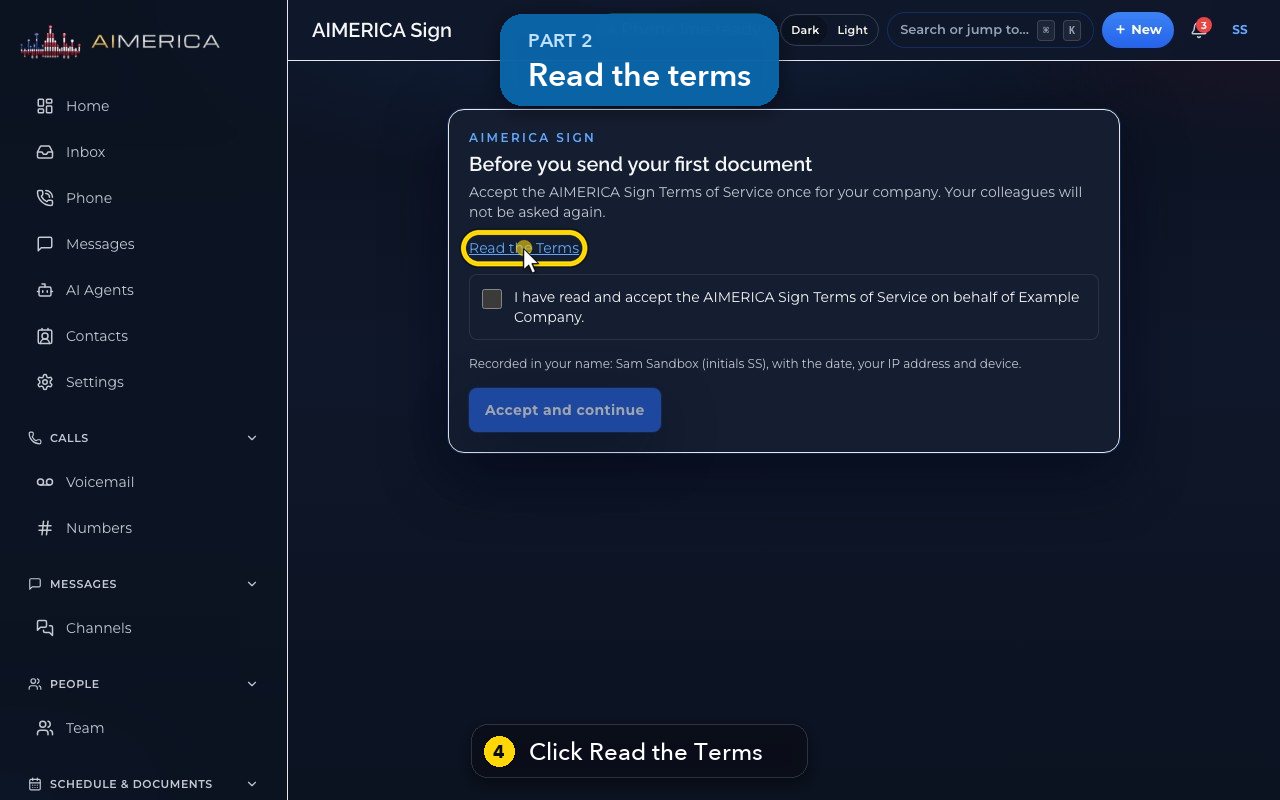
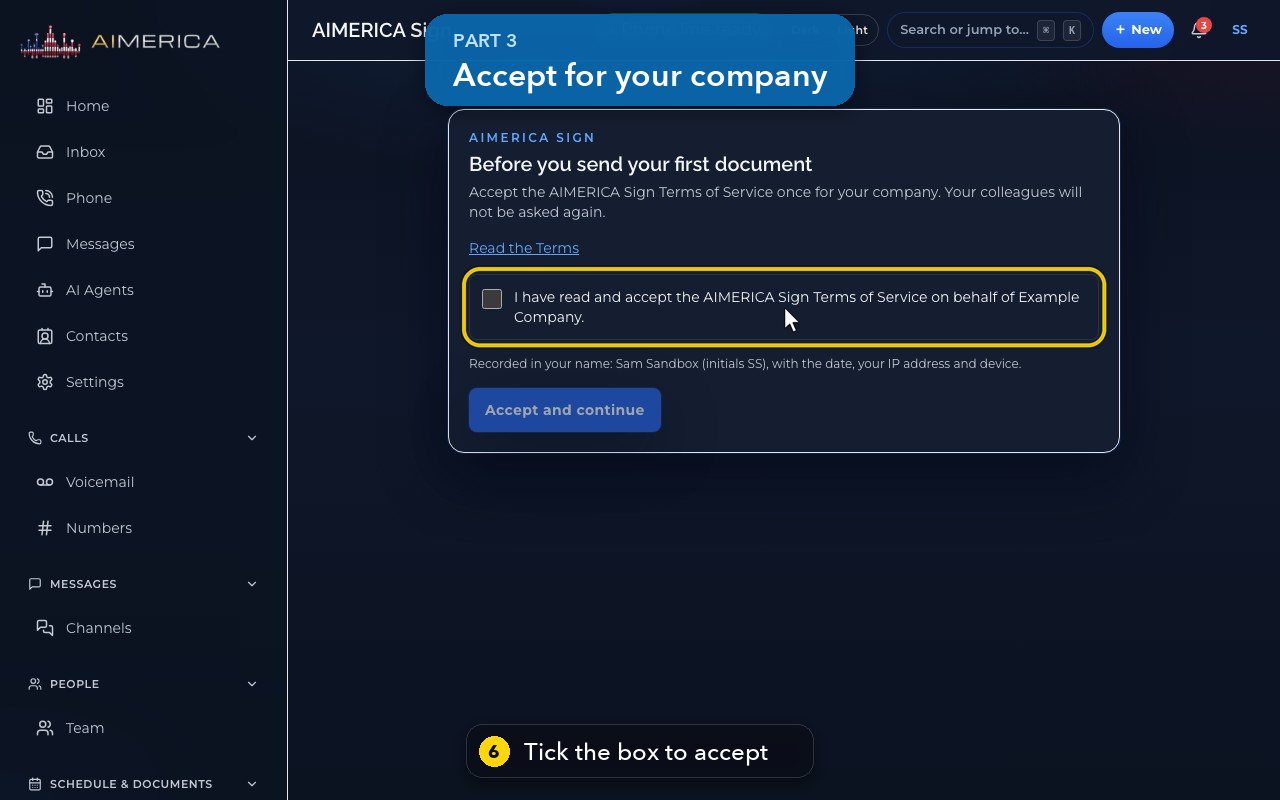
The first time anyone in your company opens AIMERICA Sign, it asks for its terms to be accepted. An owner or an admin accepts once for the whole company: tick the box (it names your company) and click Accept and continue. Colleagues are not asked again. Read the Terms shows them on the same screen.
In this video
Step by step
- 1
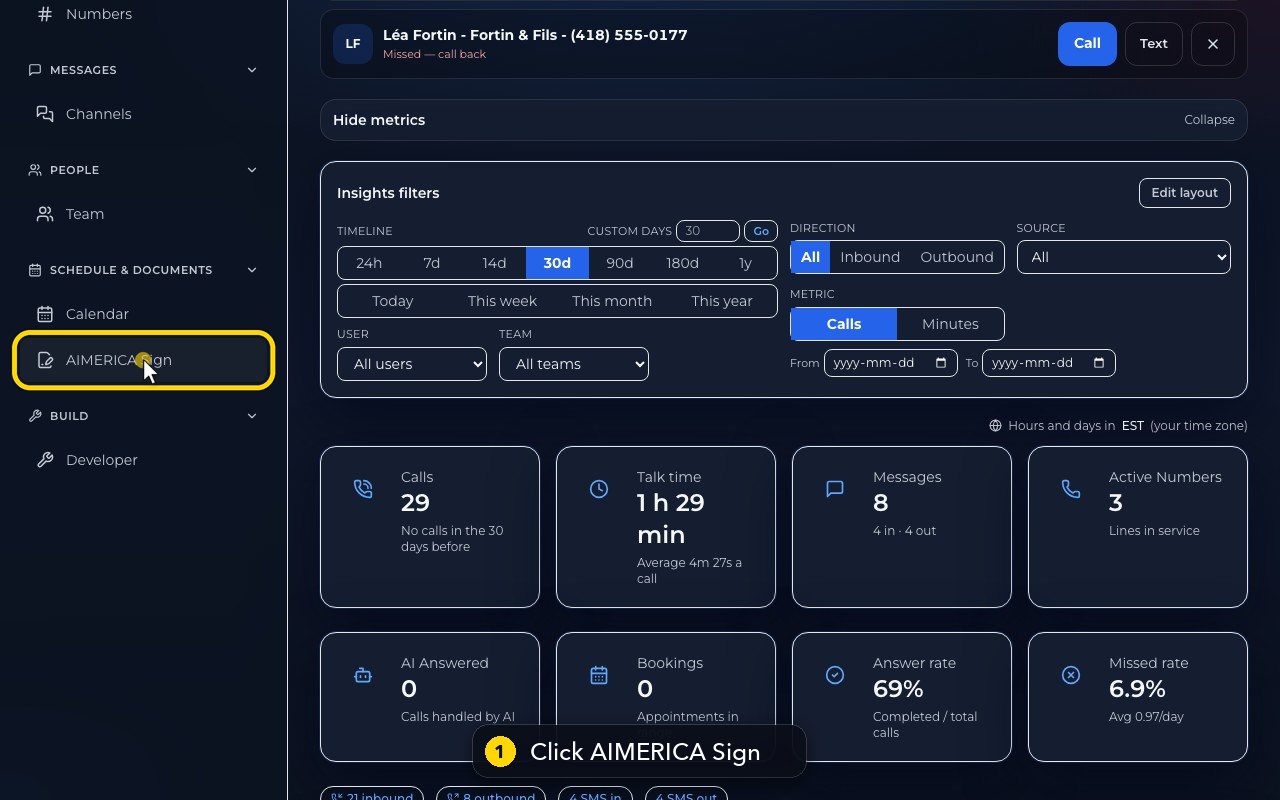
In the menu on the left, click AIMERICA Sign.
- 2
The first time anyone in your company opens it, Sign asks you to accept its terms.
- 3
An owner or an admin accepts once, for the whole company. Colleagues are not asked again.
- 4
Read the terms right here, before you accept.
- 5
When you are done, hide them again.
- 6
The box says you accept on behalf of your company.
- 7
It is recorded in your name, with the date, your IP address and your device.
- 8
Then click Accept and continue. In this video, we stop here.
Related tutorials
 1:05VideoYour sales pipeline at a glanceSee your contacts, companies, deals and where each deal stands.
 0:51VideoAdd a dealRecord a new opportunity with its value, stage and notes.
 0:55VideoAdd a company to the CRMKeep suppliers, labs or partners as companies, with their phone and website.
 0:49VideoSee every call in the CRM activity feedRead the call log with outcomes, AI summaries and transcript lines in one feed.
 0:54VideoAIMERICA Sign: find your agreementsSee which agreements need you, which wait on others and which are done.
 1:01VideoStart an agreement from a templateBegin a new agreement: title, company, fill from a contact, and pick a template.
Was this not what you needed? Write to us.