
Send from a template in three steps
Use the quick path: pick a template, add the recipients, send.
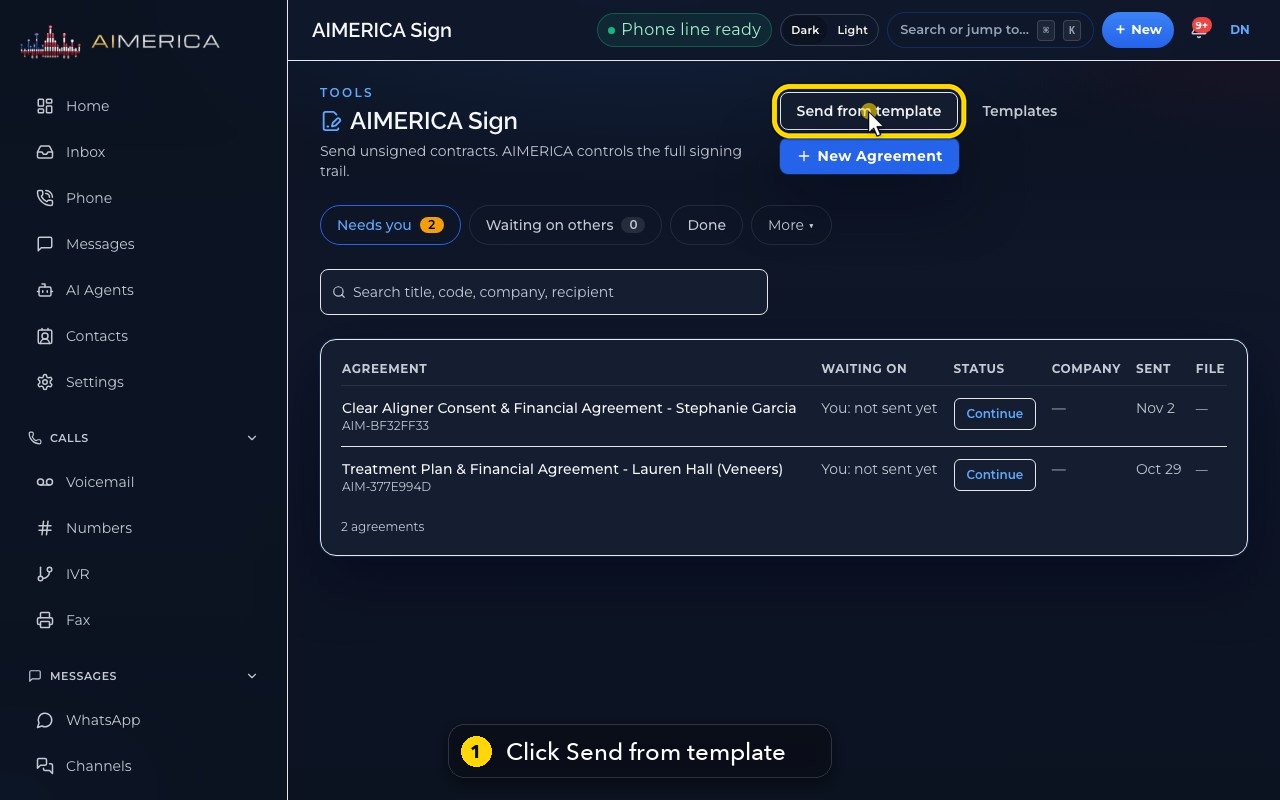
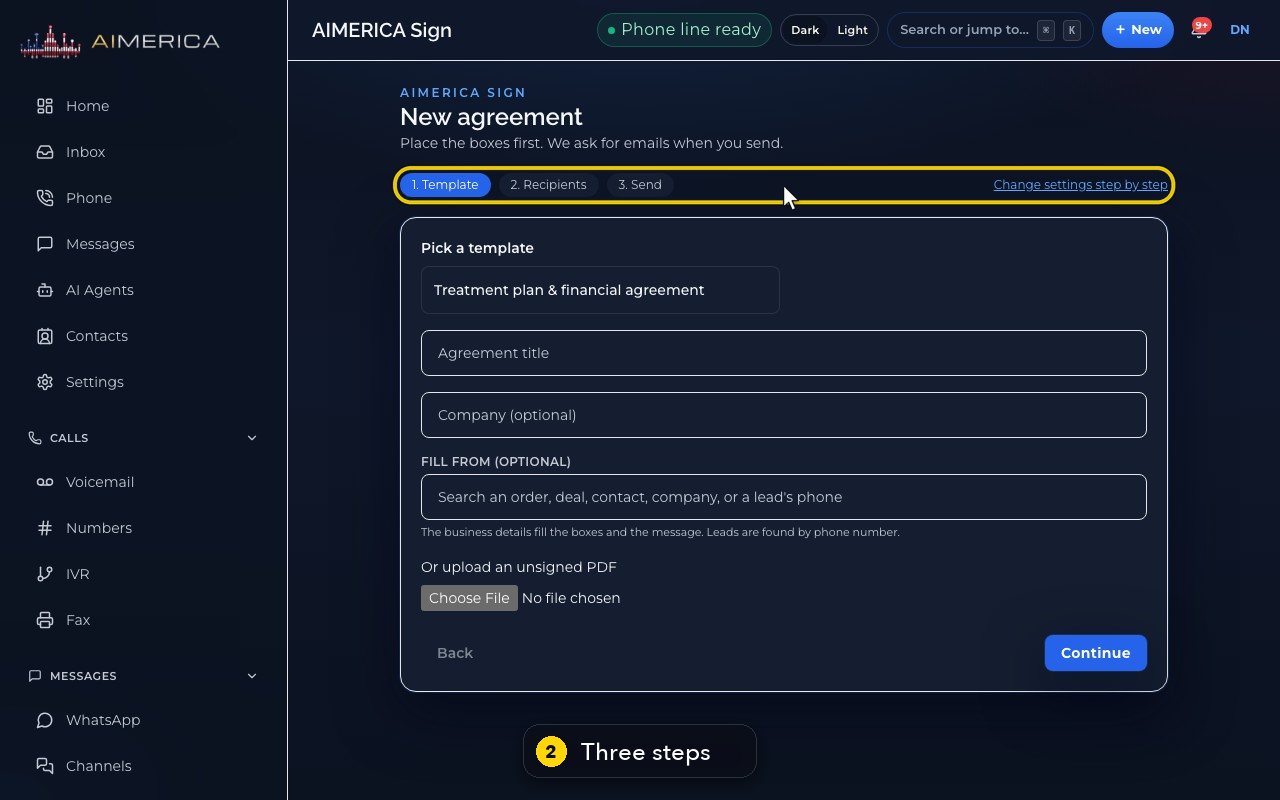
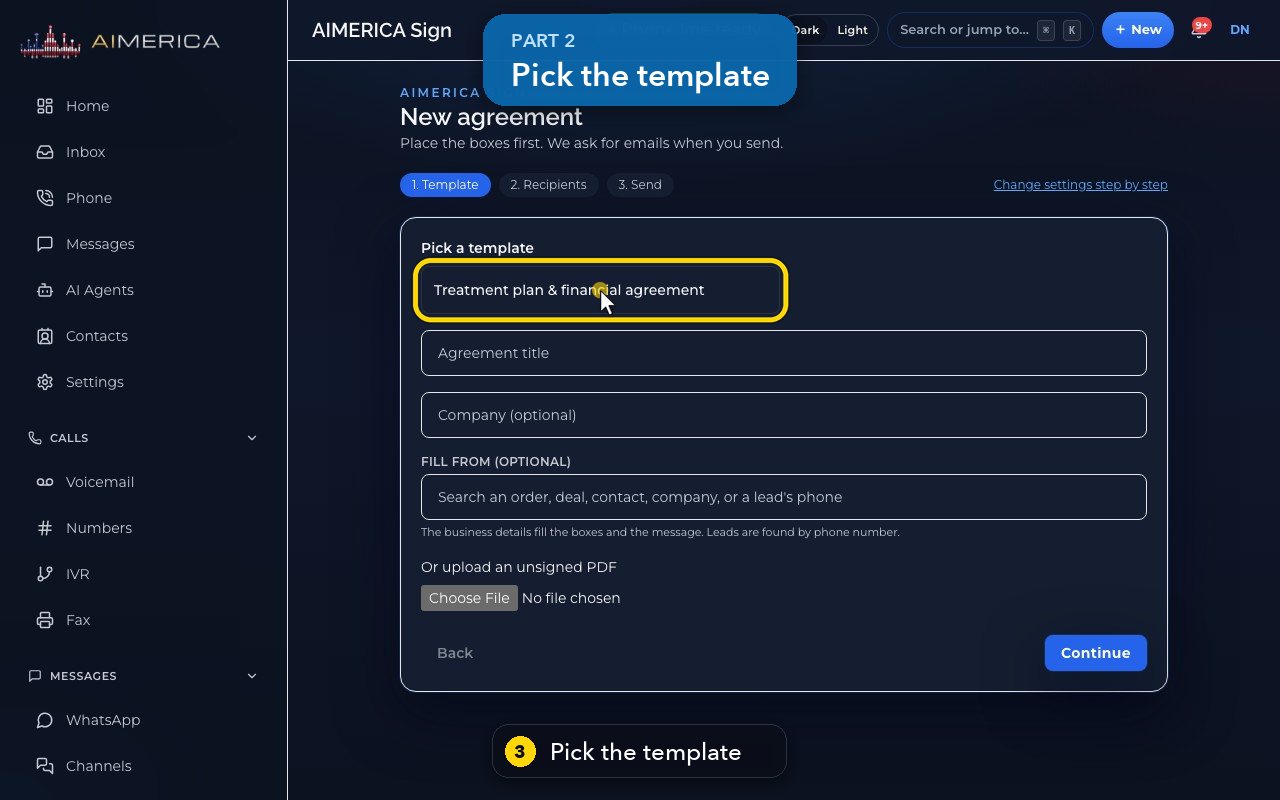
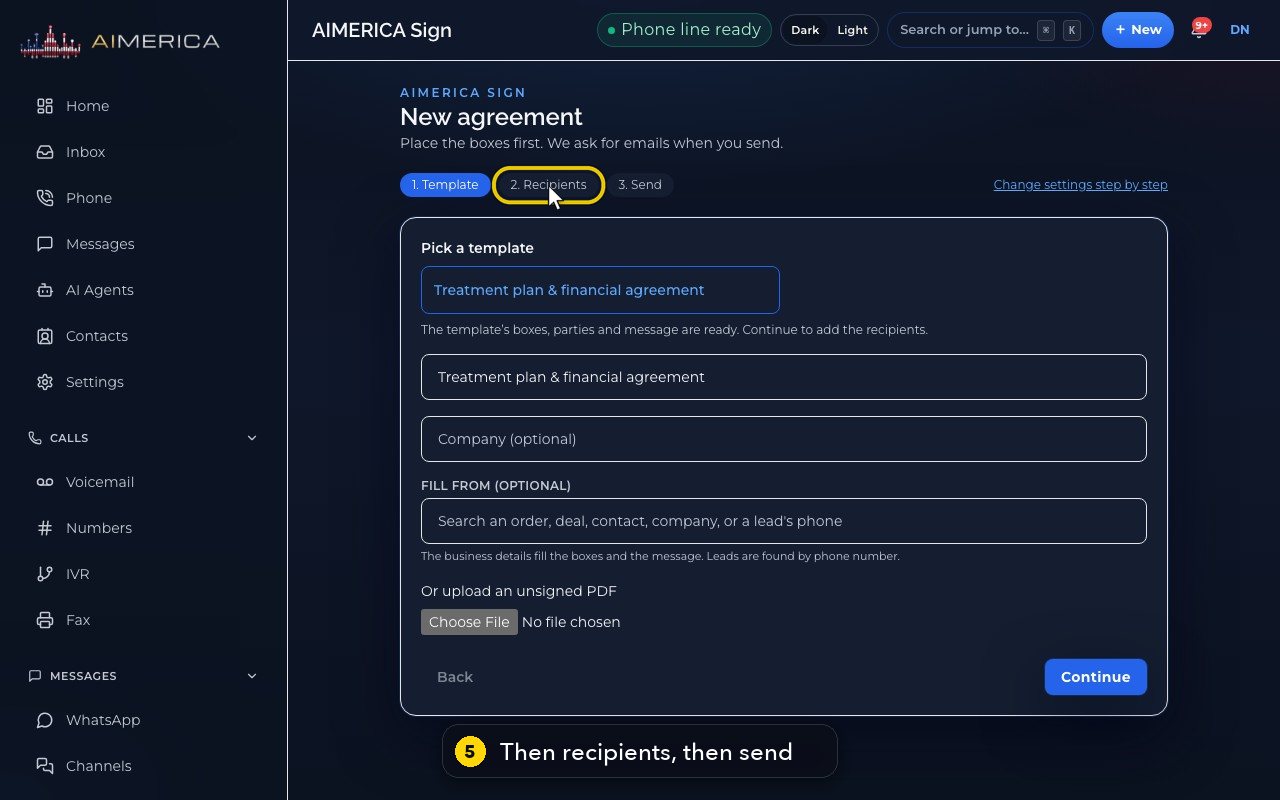
In AIMERICA Sign, click Send from template. Three steps: pick the template (its boxes, parties and message come with it), type each signer's name and email and check the email preview, then send.
In this video
Step by step
- 1
For the contracts you send often, there is a quick path. Click Send from template.
- 2
It has three steps: the template, the recipients, and send.
- 3
Pick the template.
- 4
Its boxes, its parties and its message are ready.
- 5
Next, you would type each signer's name and email, check the email preview, and send.
- 6
Need more control? Change settings step by step opens all eight steps instead.
- 7
Continue would create the agreement. Here we stop.
Change settings step by step switches to the full eight-step path when you need more control.
Related tutorials
 1:05VideoYour sales pipeline at a glanceSee your contacts, companies, deals and where each deal stands.
 0:51VideoAdd a dealRecord a new opportunity with its value, stage and notes.
 0:55VideoAdd a company to the CRMKeep suppliers, labs or partners as companies, with their phone and website.
 0:49VideoSee every call in the CRM activity feedRead the call log with outcomes, AI summaries and transcript lines in one feed.
 0:54VideoAIMERICA Sign: find your agreementsSee which agreements need you, which wait on others and which are done.
 1:01VideoStart an agreement from a templateBegin a new agreement: title, company, fill from a contact, and pick a template.
Was this not what you needed? Write to us.