
Read and reply to an email
Open an email, see who sent it, and start a reply or a forward that comes from your mailbox with your signature.
Open Email in the menu on the left and click any email in the list. Reply answers the sender, Forward sends the email on to someone else.
In this video
Step by step
- 1
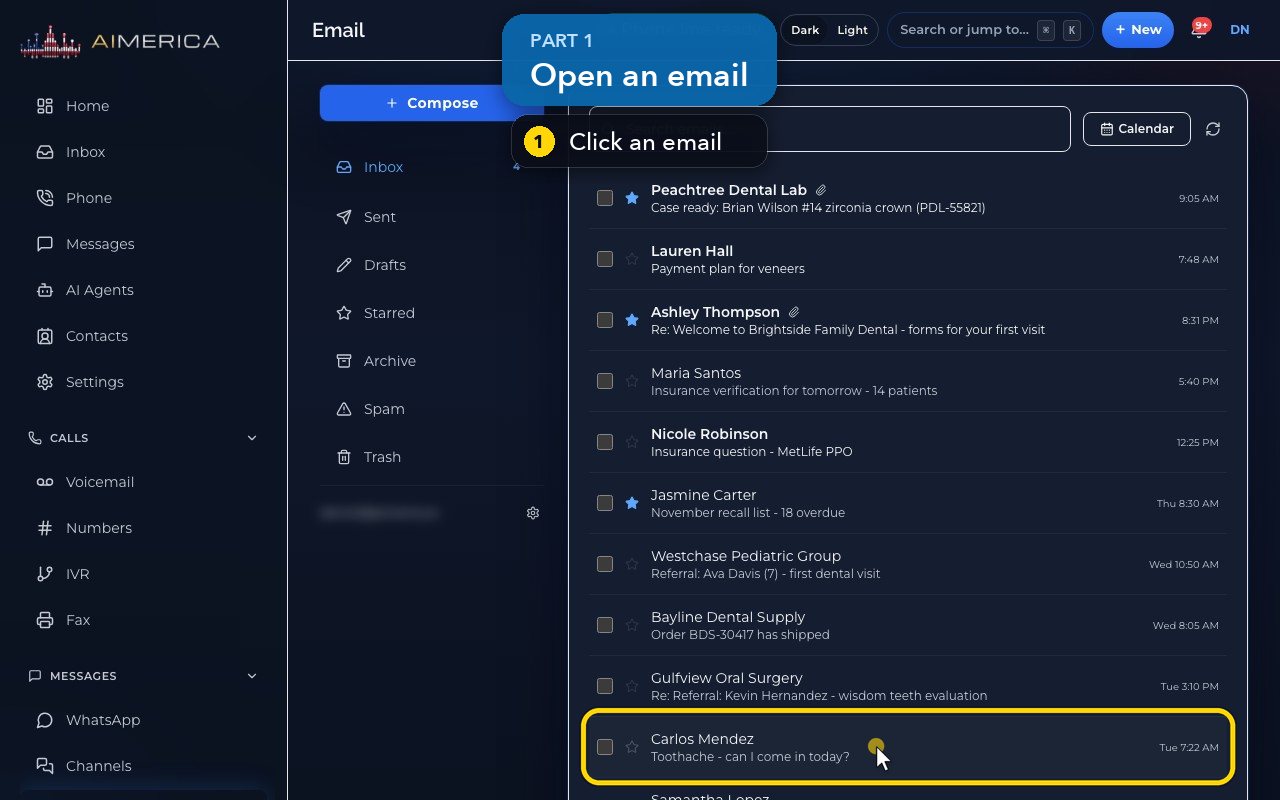
To read an email, click it in the list.
- 2
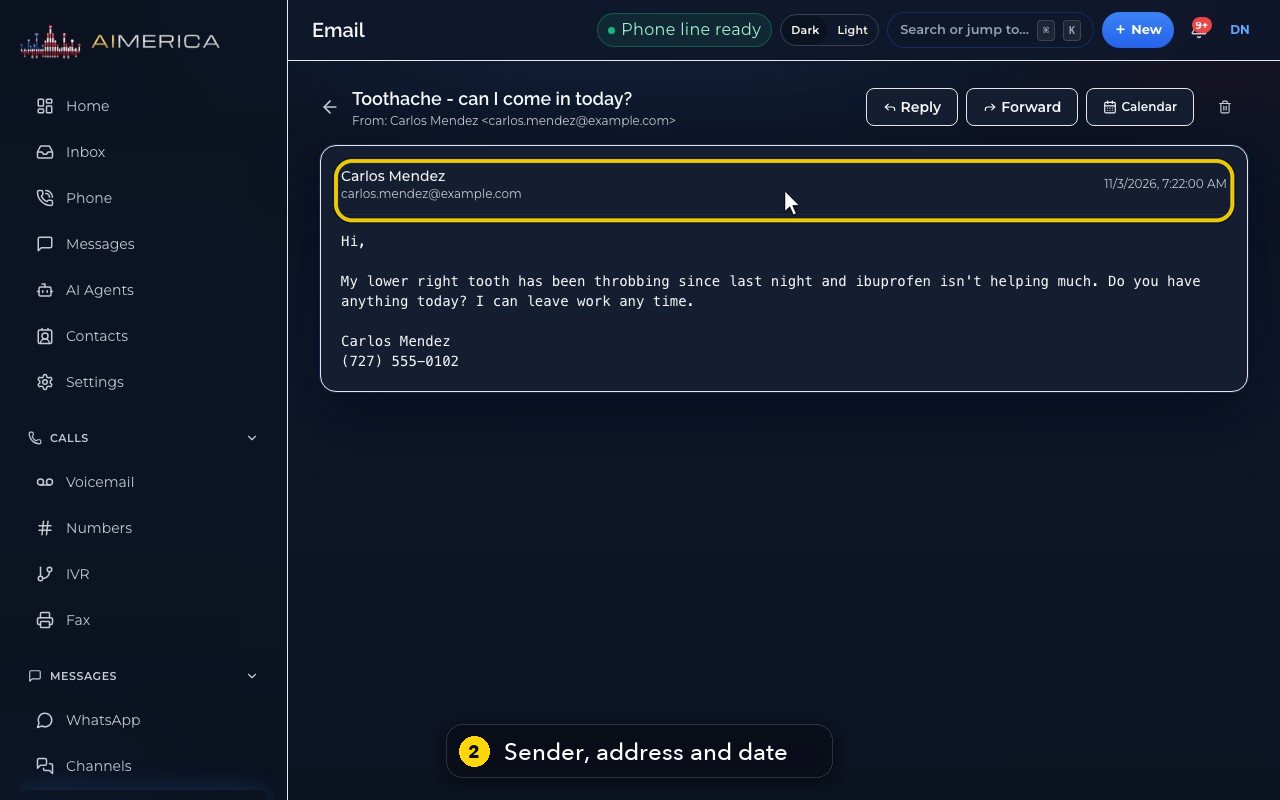
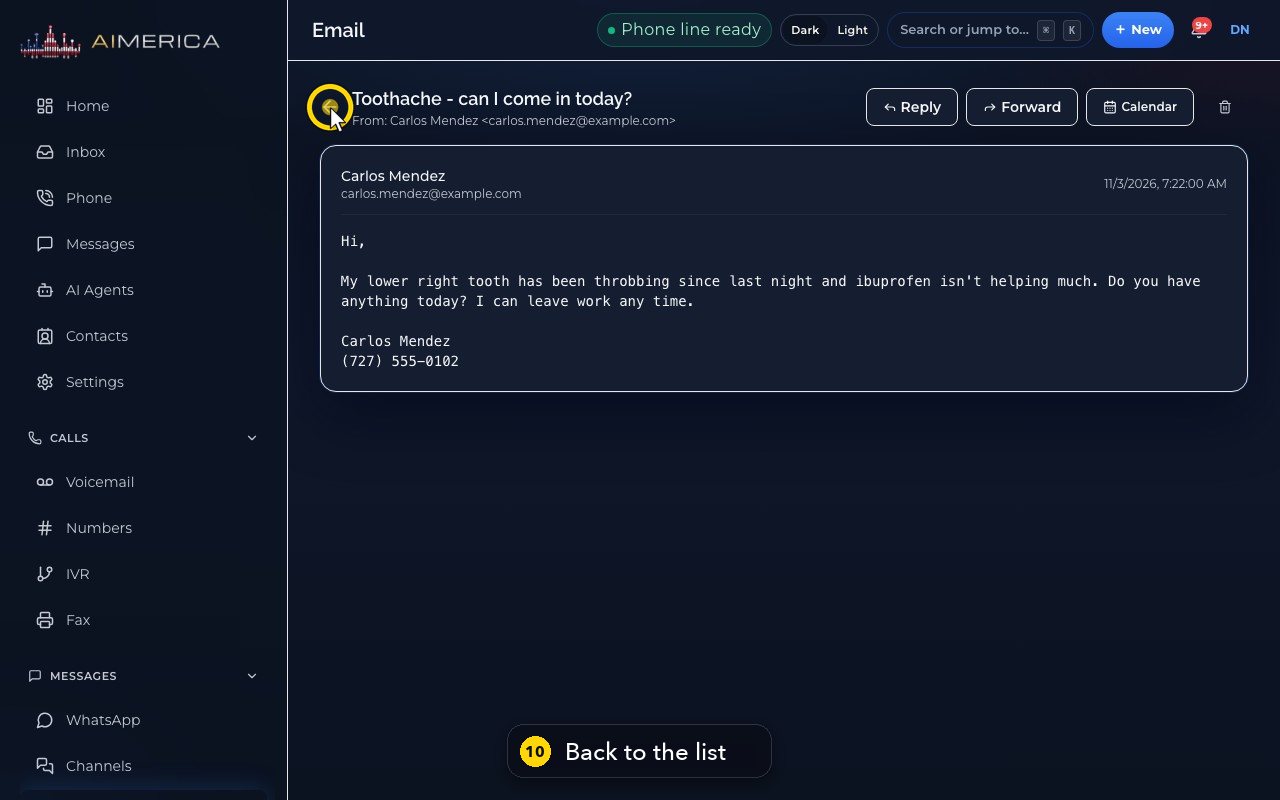
The sender, their address and the date are at the top, with the message below.
- 3
Forward sends the email on to someone else.
- 4
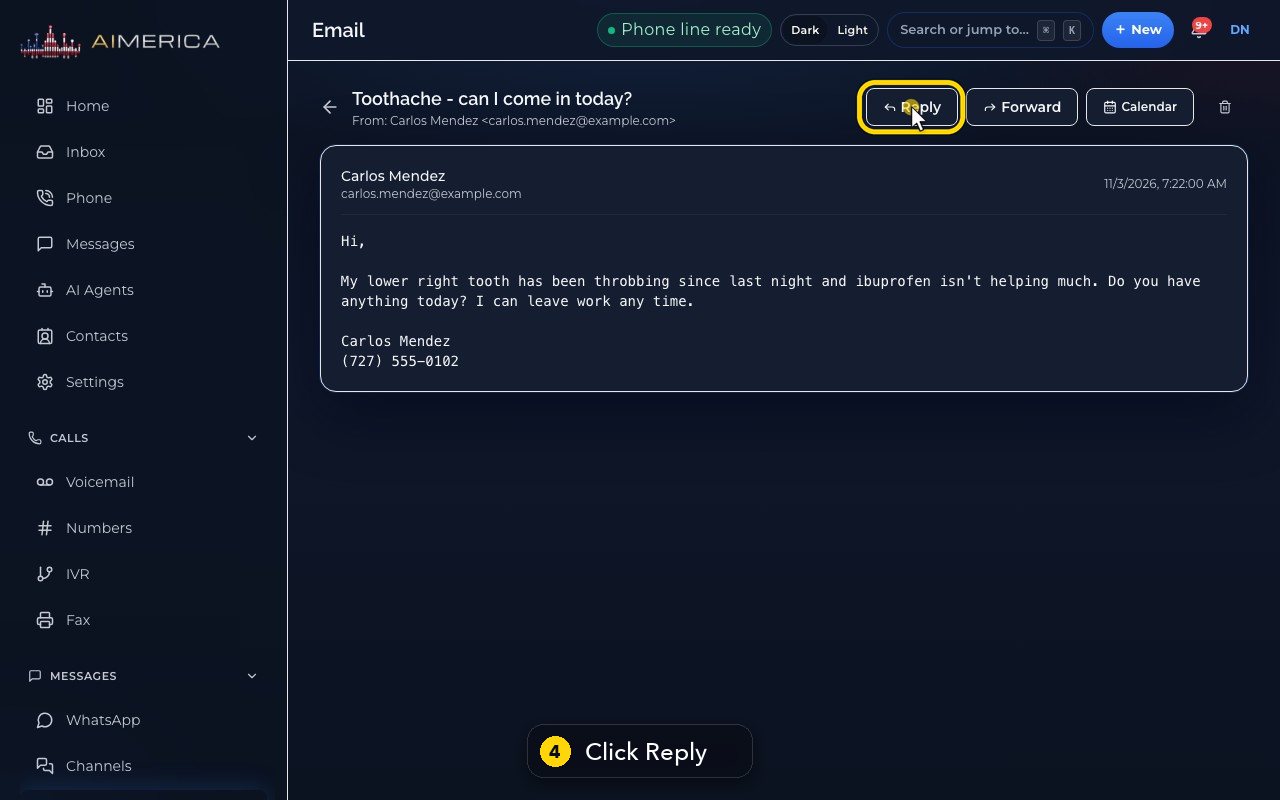
Reply answers the sender. Click Reply.
- 5
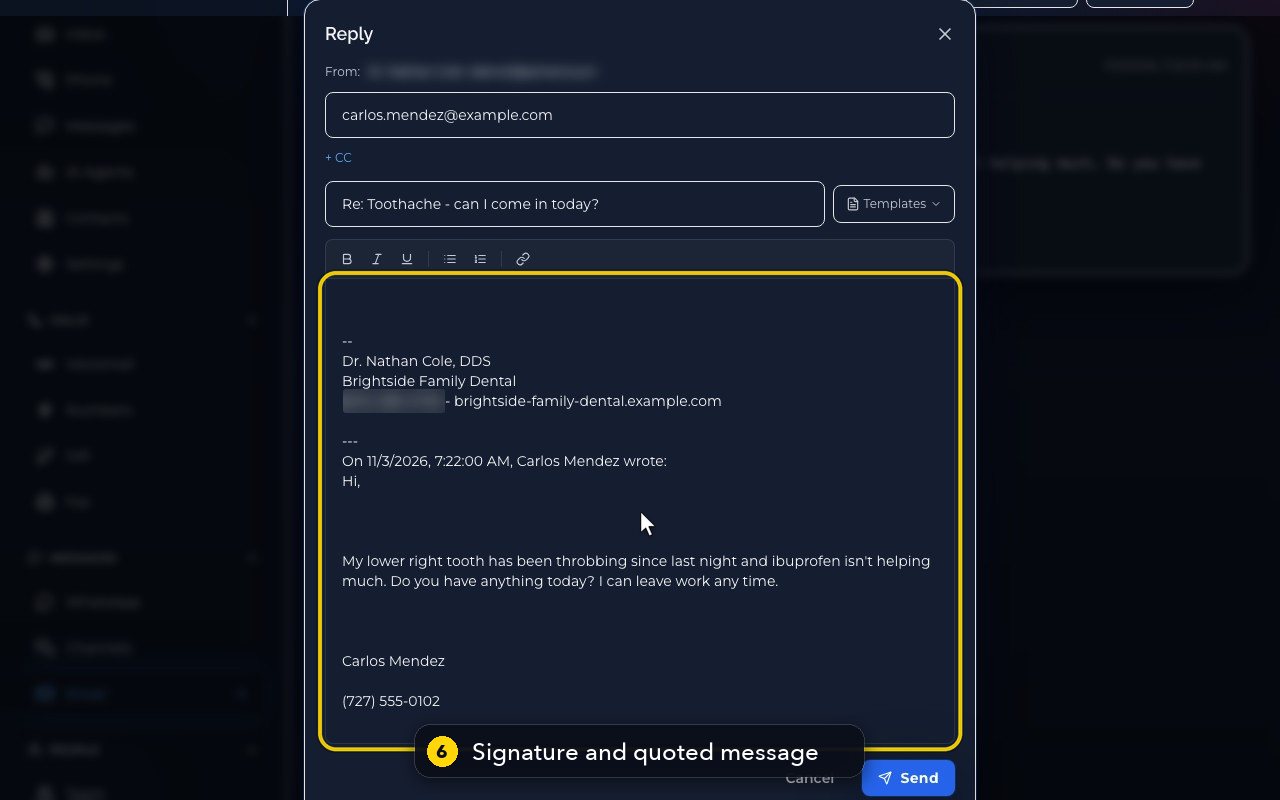
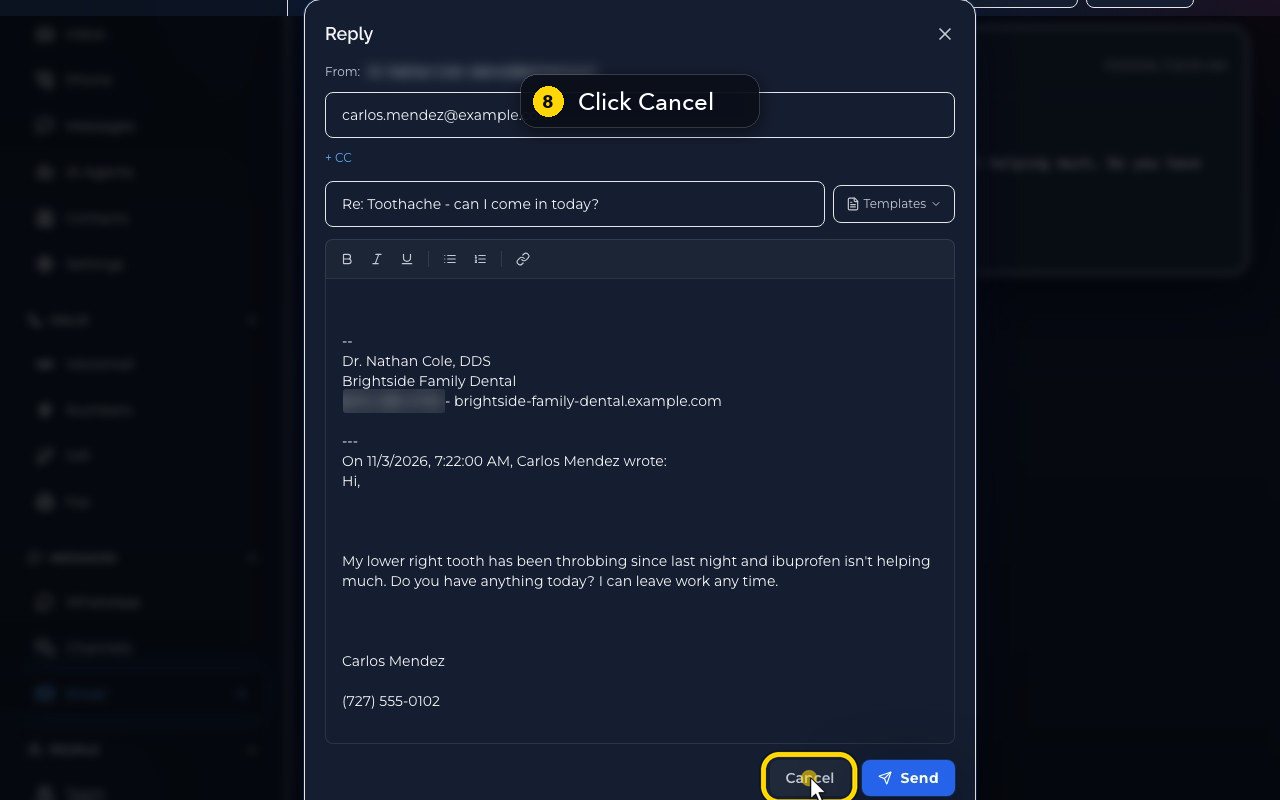
The reply comes from your mailbox. The address and the subject are filled in for you.
- 6
Your signature is already in, with the original message quoted below it.
- 7
You write your answer at the top, above the signature, and press Send.
- 8
Here we press Cancel instead. If you had typed something, it would be kept in Drafts.
- 9
The bin, at the top right, moves the email to Trash at once, without asking. Use it with care.
- 10
The arrow next to the subject takes you back to the list.
Related tutorials
 1:24VideoFind your way around MessagesFind any text conversation: pick an inbox for each line, switch between Open and Done, and search by name, number or words.
 1:06VideoSend a new text messageStart a new text conversation: type the number, pick the line it comes from, write the message and add a picture if needed.
 1:30VideoReply to a customer's textOpen a conversation, see who said what, and write a reply that goes out from the conversation's own line.
 1:30VideoThe Inbox: every call, text, voicemail and faxSee the last 14 days of calls, texts, voicemail and fax in one list, spot what needs you, and open it where it is handled.
 1:32VideoRegister your business for texting (10DLC)Fill in the texting registration once so US carriers deliver your business texts; AIMERICA files it with the carriers for you.
 1:12VideoWhen a customer texts STOP (opt-outs)Know what happens when someone replies STOP or START, and where owners see everyone who opted out and keep a do-not-call list.
Was this not what you needed? Write to us.