
Answer WhatsApp chats and take over from the AI
Read the company's WhatsApp chats in Messages, see where the AI or a person answers, and take a chat over or hand it back.
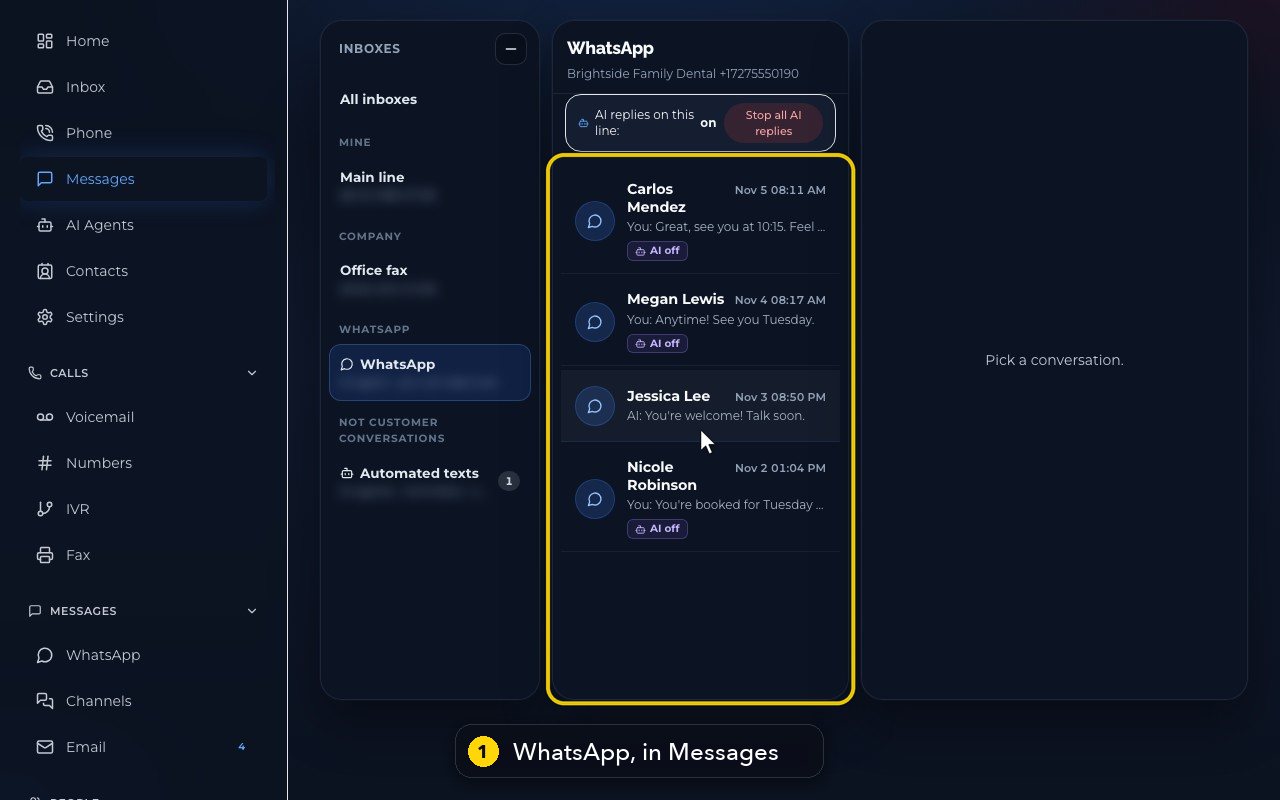
Open Messages and pick WhatsApp in the inbox column. The AI agent answers your WhatsApp chats; AI off on a chat means a person answers that customer.
In this video
Step by step
- 1
Your WhatsApp chats live in Messages, under WhatsApp. The AI agent answers, and your team can step in.
- 2
The switch at the top covers the whole line: AI replies on this line, on or off.
- 3
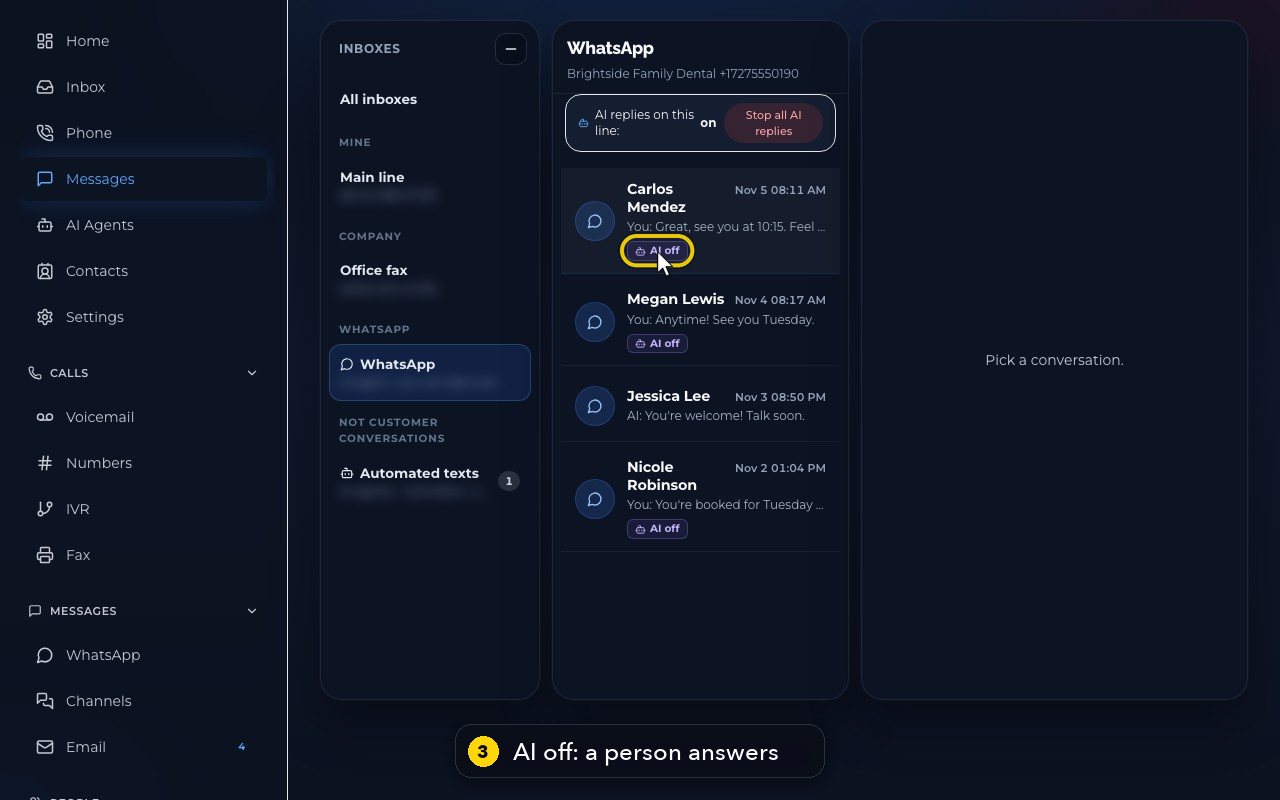
Each chat shows its last message. AI off means a person answers that customer.
- 4
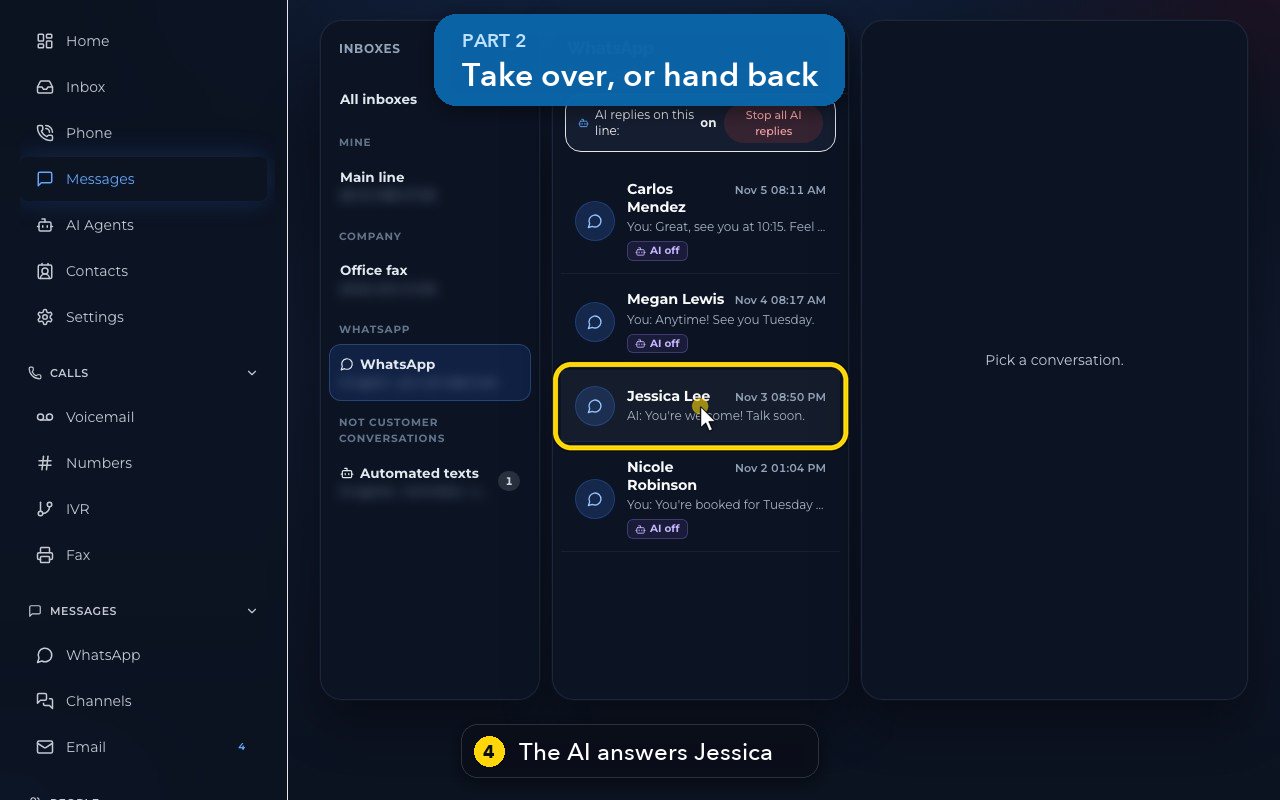
Here, the AI is answering Jessica's questions about whitening.
- 5
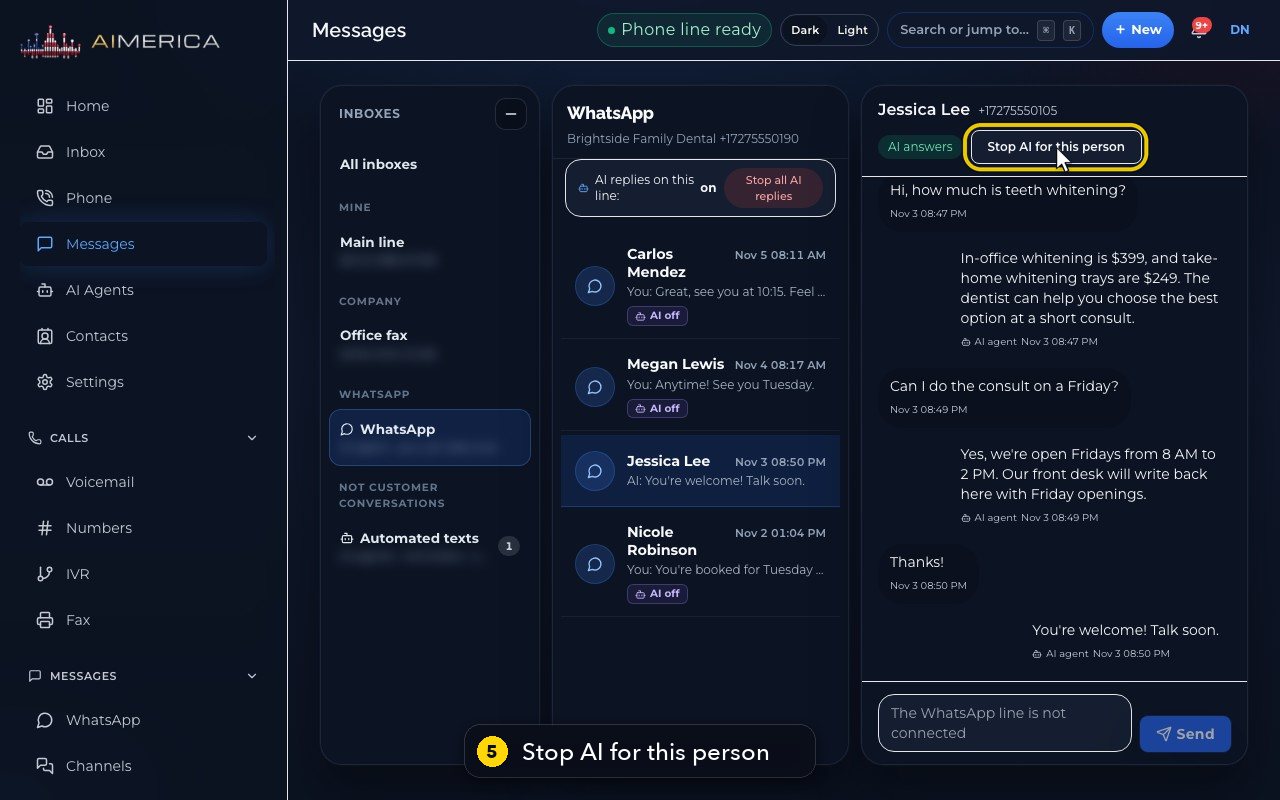
Stop AI for this person hands this chat to your team. The AI keeps answering everyone else.
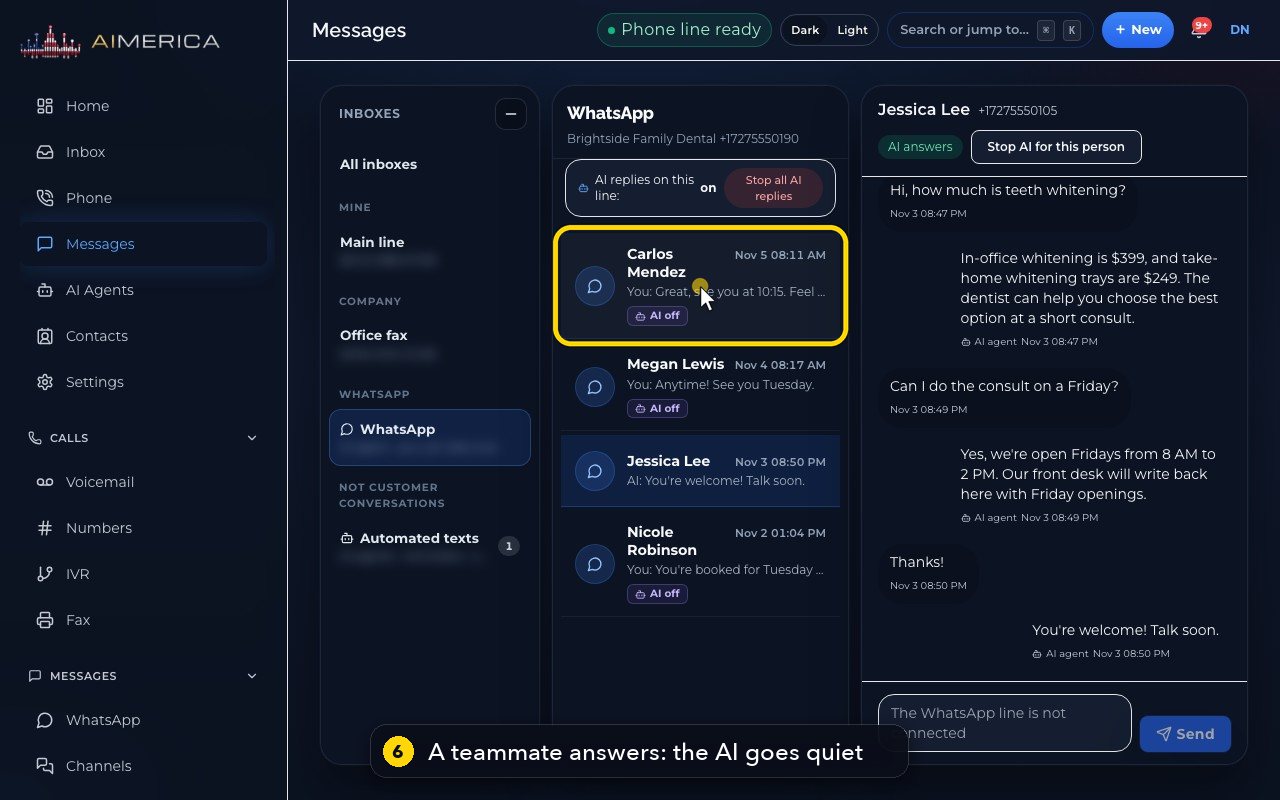
- 6
When a teammate answers, the AI goes quiet for that chat by itself. Maria took over Carlos's toothache here.
- 7
Give it back to the AI turns the agent on again, for this person.
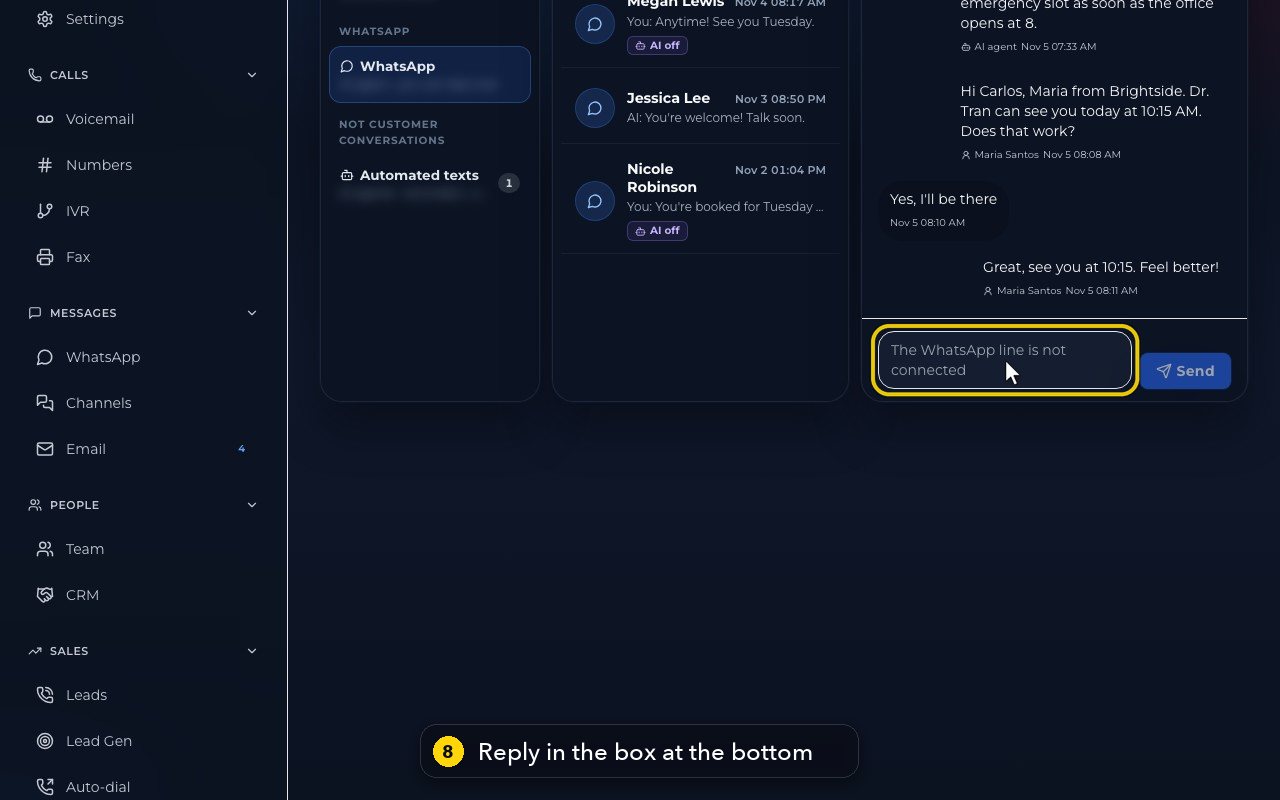
- 8
You type in the box at the bottom. In this demo, the line is not connected, so the box is greyed out.
Related tutorials
 1:24VideoFind your way around MessagesFind any text conversation: pick an inbox for each line, switch between Open and Done, and search by name, number or words.
 1:06VideoSend a new text messageStart a new text conversation: type the number, pick the line it comes from, write the message and add a picture if needed.
 1:30VideoReply to a customer's textOpen a conversation, see who said what, and write a reply that goes out from the conversation's own line.
 1:30VideoThe Inbox: every call, text, voicemail and faxSee the last 14 days of calls, texts, voicemail and fax in one list, spot what needs you, and open it where it is handled.
 1:32VideoRegister your business for texting (10DLC)Fill in the texting registration once so US carriers deliver your business texts; AIMERICA files it with the carriers for you.
 1:12VideoWhen a customer texts STOP (opt-outs)Know what happens when someone replies STOP or START, and where owners see everyone who opted out and keep a do-not-call list.
Was this not what you needed? Write to us.