
Let your receptionist book on your calendars
Link booking calendars so your receptionist books real times, and tell her when to use each one.
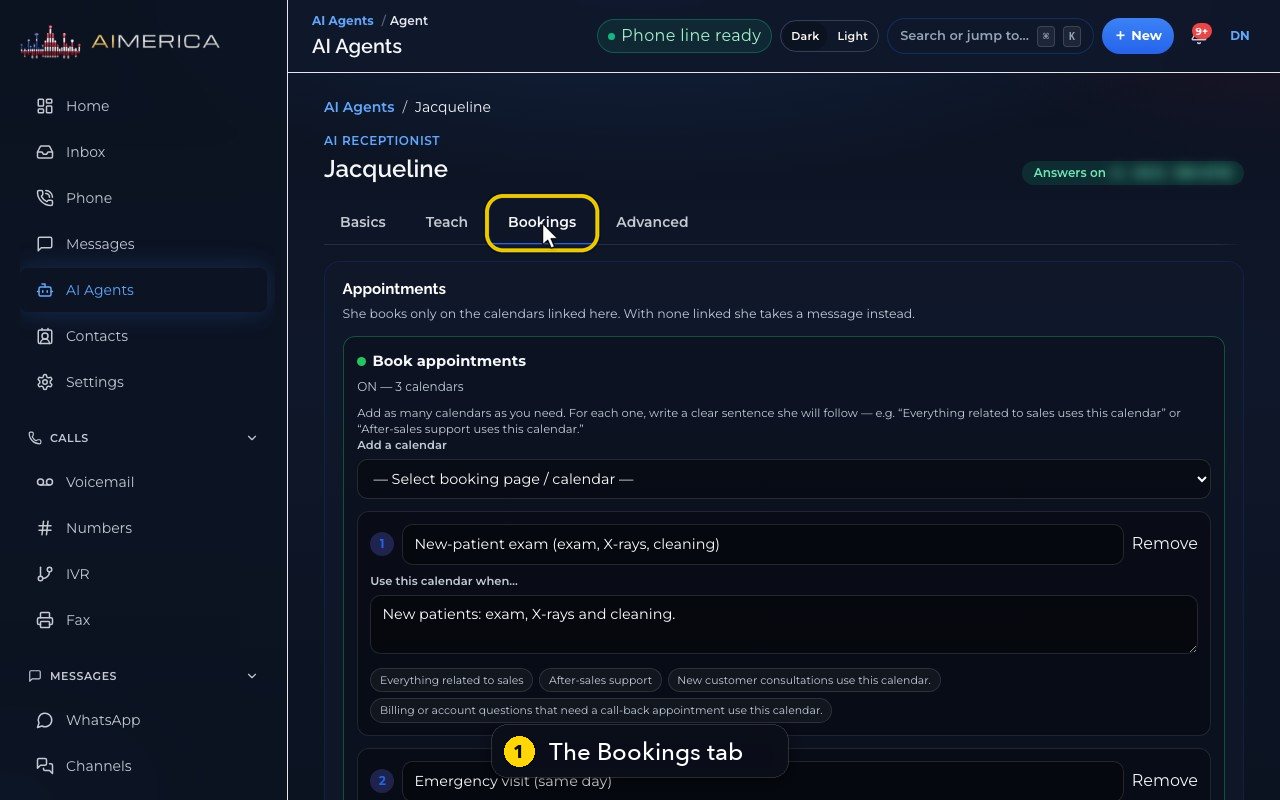
Open AI Agents, then your receptionist, then the Bookings tab. She books only on the calendars linked under Book appointments; with none linked, she takes a message.
In this video
Step by step
- 1
She books only on the calendars you link, at the top of her Bookings tab.
- 2
Without a linked calendar, she takes a message instead. Jacqueline has three.
- 3
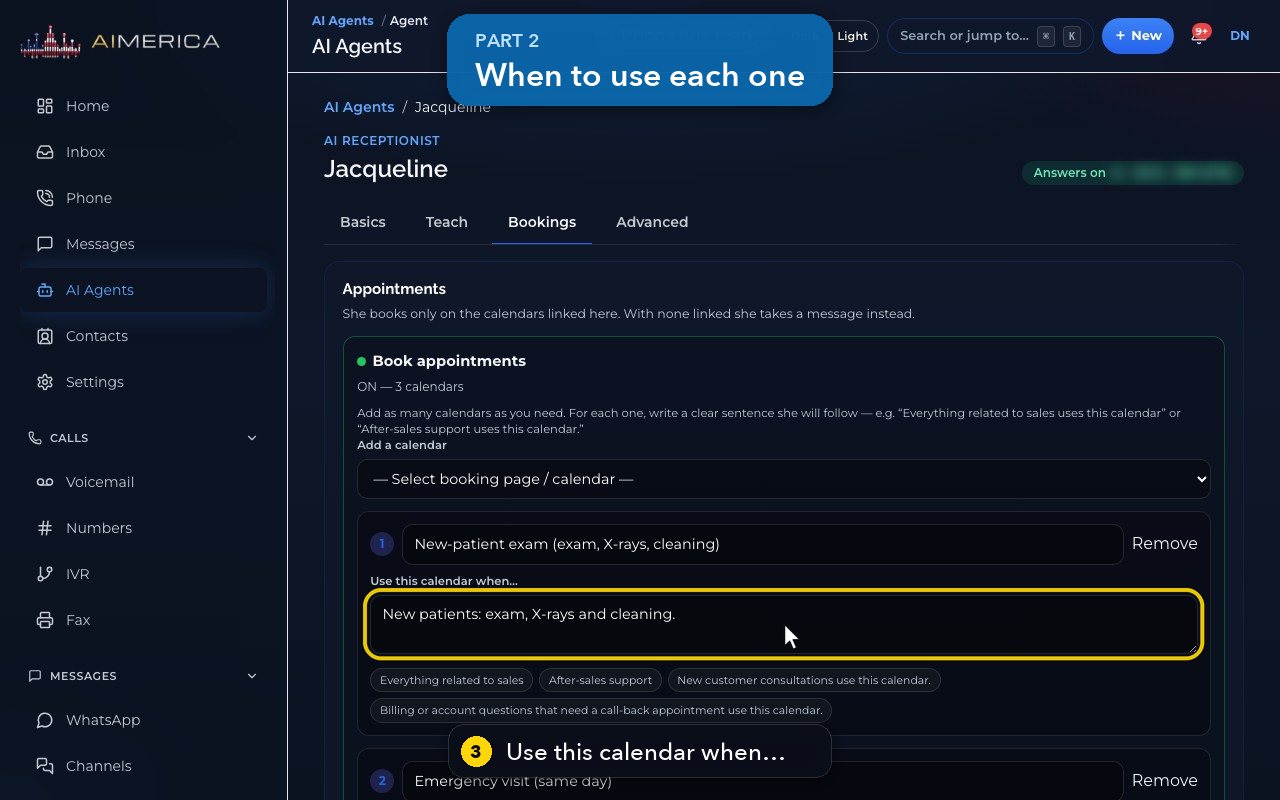
Each calendar has a sentence telling her when to use it. New patients go to the new-patient exam.
- 4
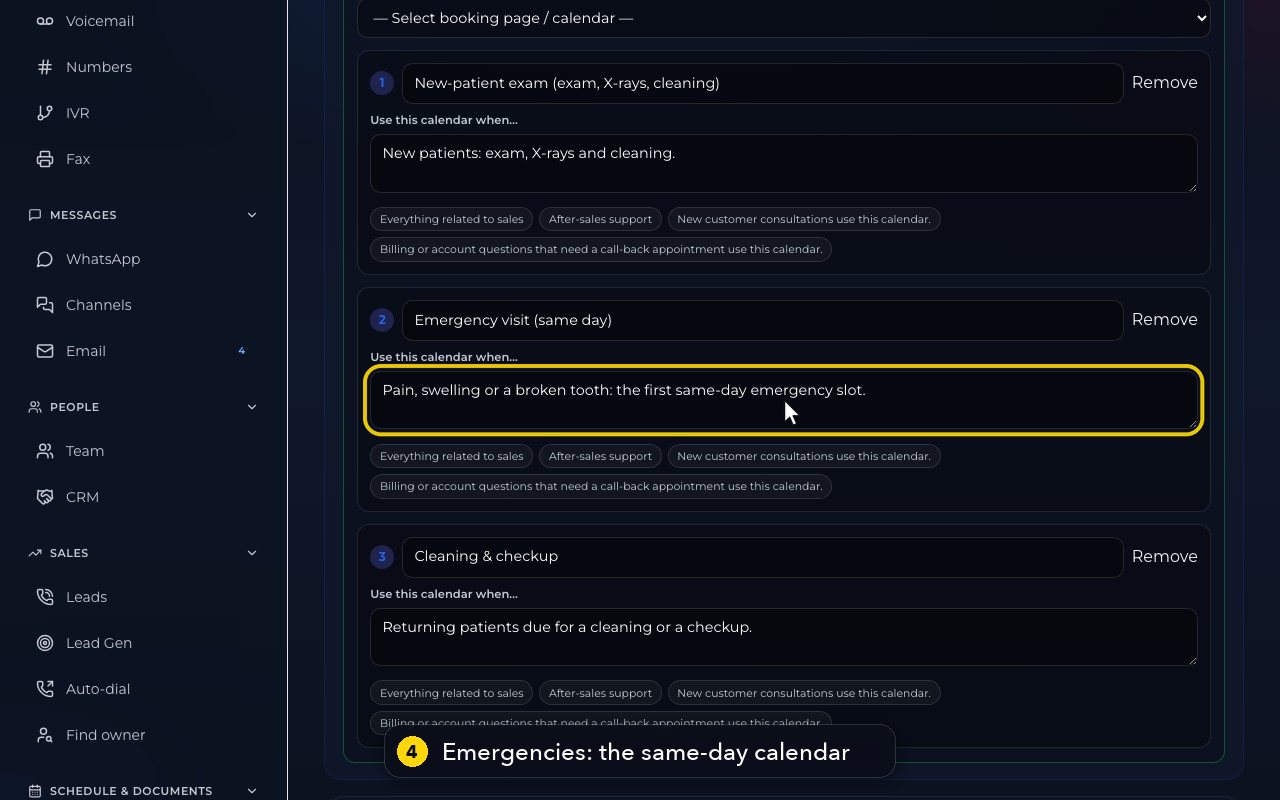
Pain, swelling or a broken tooth goes to the same-day emergency calendar.
- 5
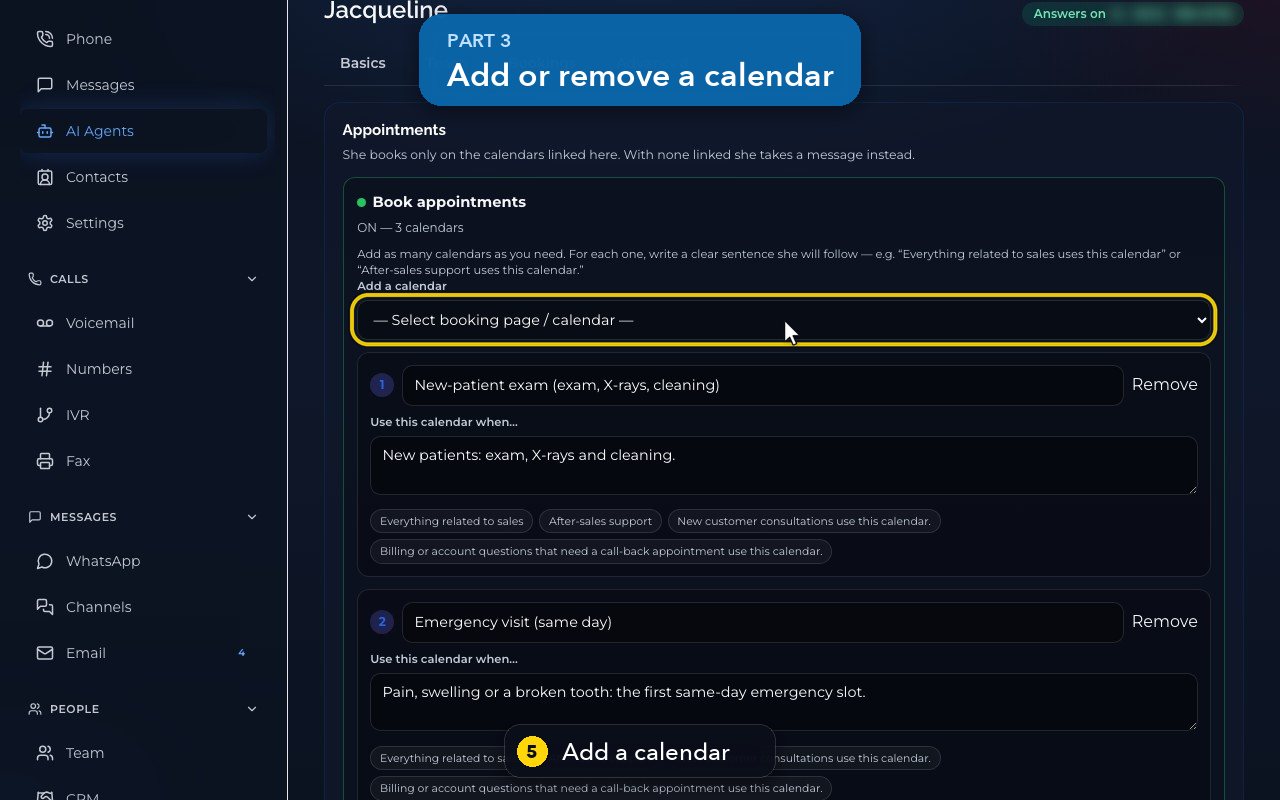
Add a calendar lists your booking pages. Picking one links it at once, and linked ones say added.
- 6
Remove unlinks a calendar straight away. Booking pages and their times are made in Calendar, under Booking Pages.
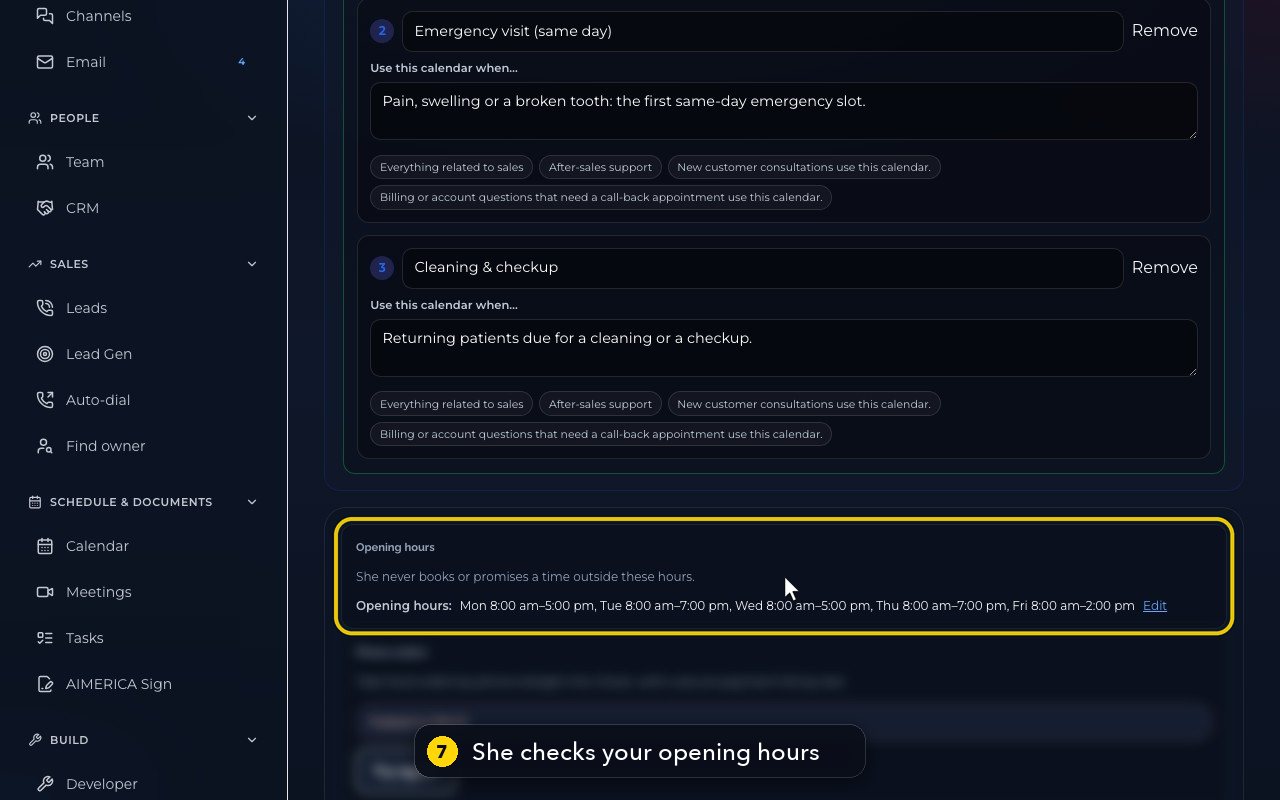
- 7
Before she offers a time, she also checks your opening hours, just below.
Related tutorials
 1:18VideoFind your AI receptionist and her settingsOpen AI Agents, find your receptionist and learn what each of her four tabs holds.
 1:35VideoSet up your AI receptionist (guided)Answer six short questions and AIMERICA writes your receptionist's instructions, ready to answer your line.
 1:16VideoSet your receptionist's opening hoursSet the days and times your receptionist treats as open, so she never books or promises a time when you are closed.
 1:17VideoChoose who your receptionist transfers calls toSee and add the people and numbers your receptionist may transfer a caller to, and when she should.
 1:35VideoTeach your receptionist your factsReview and add the facts your receptionist answers from: hours, services, prices, policies and common questions.
 0:58VideoChange your receptionist's greeting and nameFind the first sentence callers hear and your receptionist's name, and see how to change them.
Was this not what you needed? Write to us.