
Fix a mistake with the receptionist coach
Tell the coach in plain words what your receptionist did wrong; it proposes a fix you approve, and you can undo it.
Open your receptionist, then Teach. Under Teach from a complaint, write what went wrong, as you would tell a new employee, and press Propose a fix. The coach shows the exact change; nothing is applied until you approve it.
In this video
Step by step
- 1
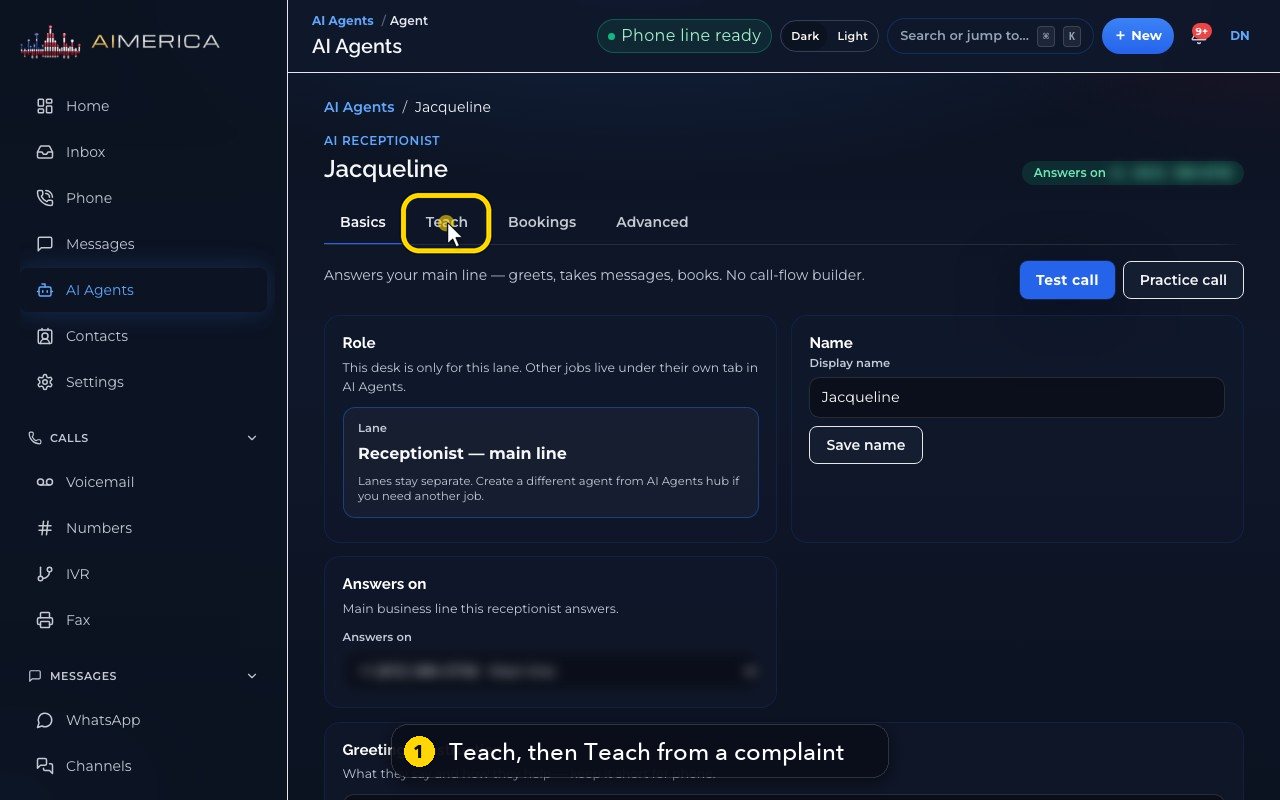
When your receptionist gets something wrong, tell the coach. It is on the Teach tab, under Teach from a complaint.
- 2
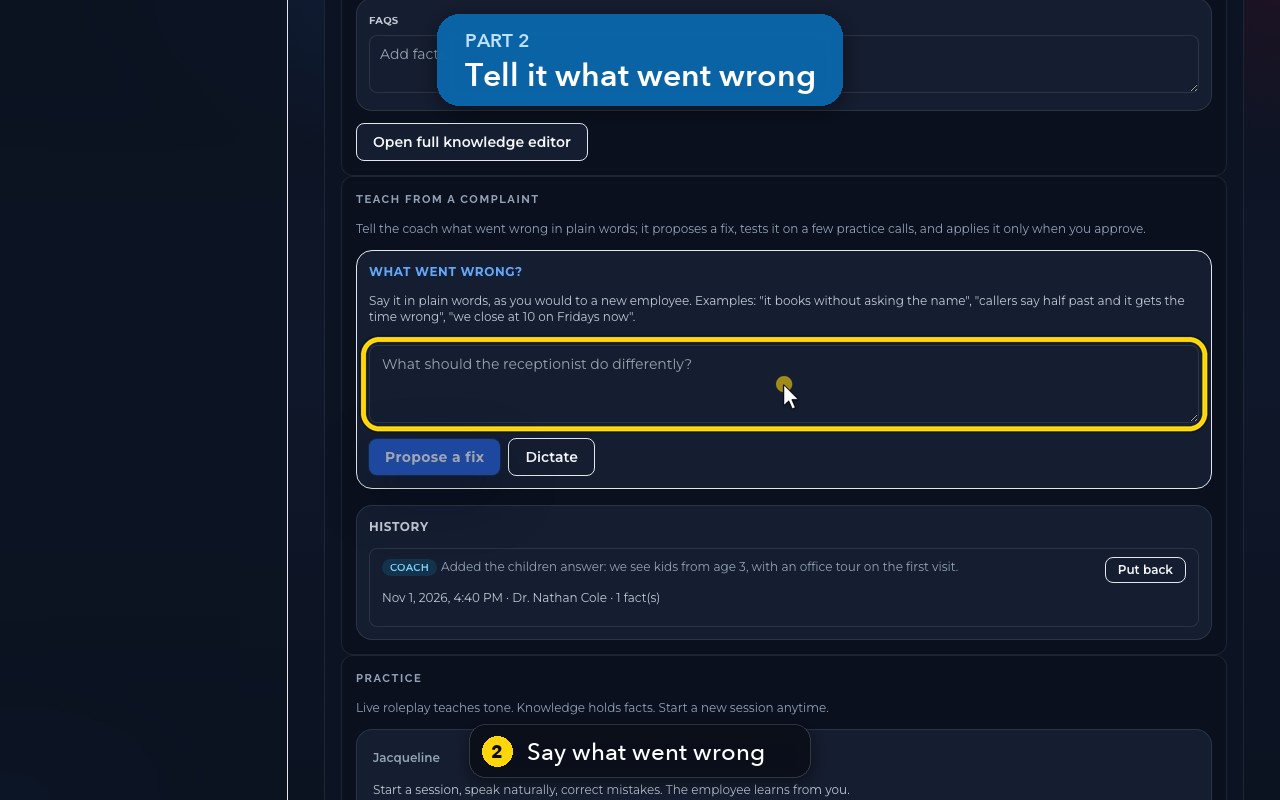
Write it as you would tell a new employee. For example: we close at 2 PM on Fridays now.
- 3
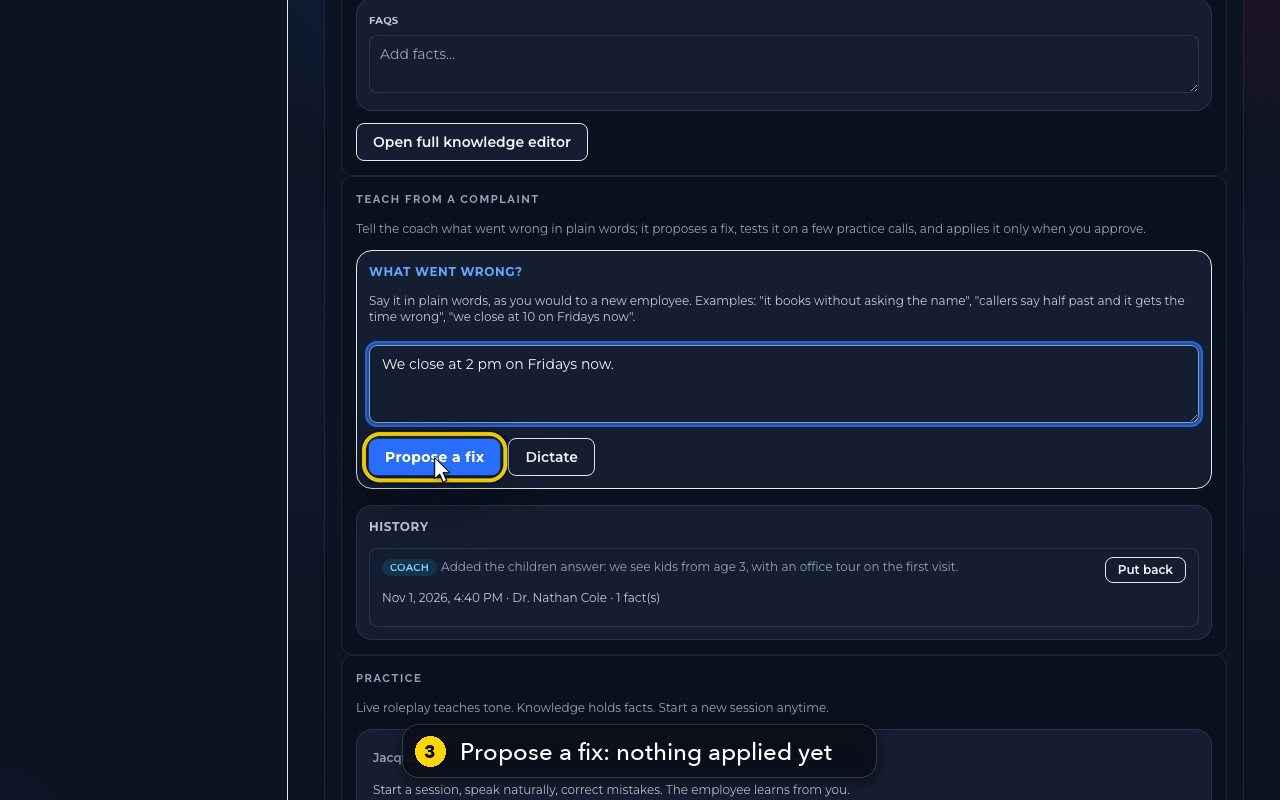
Propose a fix reads her instructions, her facts and recent calls, then shows the exact change. Nothing is applied yet.
- 4
You can test the change on a few practice calls, then approve it. Practice calls use AI credits, so the batch stays small.
- 5
Dictate lets you say it out loud, instead of typing.
- 6
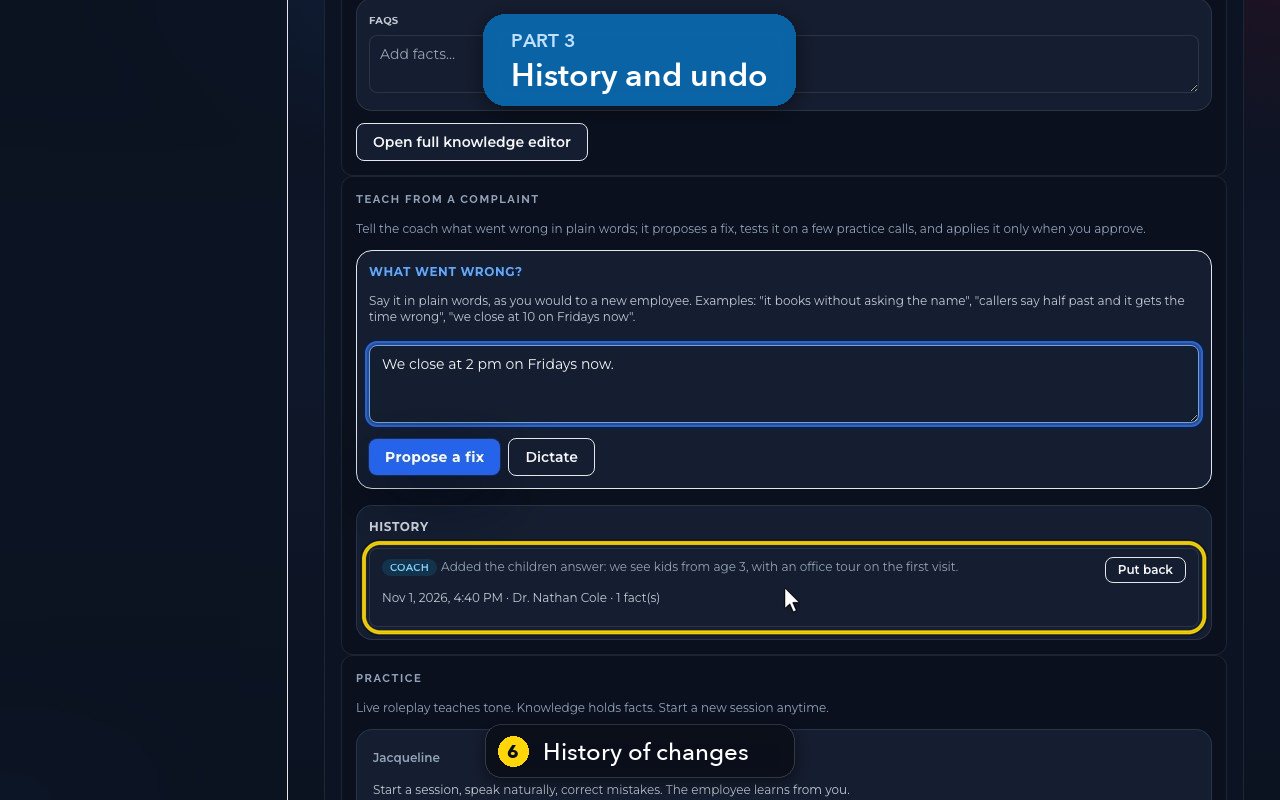
Every approved change is kept in History. Here, the coach added that the office sees children from age three.
- 7
Put back undoes a change, and puts her back the way she was before it.
- 8
Simple changes, like new hours, can also be typed straight into her opening hours, on the Bookings tab.
Related tutorials
 1:18VideoFind your AI receptionist and her settingsOpen AI Agents, find your receptionist and learn what each of her four tabs holds.
 1:35VideoSet up your AI receptionist (guided)Answer six short questions and AIMERICA writes your receptionist's instructions, ready to answer your line.
 1:16VideoSet your receptionist's opening hoursSet the days and times your receptionist treats as open, so she never books or promises a time when you are closed.
 1:17VideoChoose who your receptionist transfers calls toSee and add the people and numbers your receptionist may transfer a caller to, and when she should.
 1:35VideoTeach your receptionist your factsReview and add the facts your receptionist answers from: hours, services, prices, policies and common questions.
 0:58VideoChange your receptionist's greeting and nameFind the first sentence callers hear and your receptionist's name, and see how to change them.
Was this not what you needed? Write to us.