
Turn on phone table bookings and set your seats
Let your receptionist take table bookings by phone and set seats, booking hours, notice and closed dates.
Open AI Agents, then your receptionist, then Bookings. Under Reservations, open Settings: Before it goes live shows what is missing, and Let the receptionist take table bookings turns phone bookings on.
In this video
Step by step
- 1
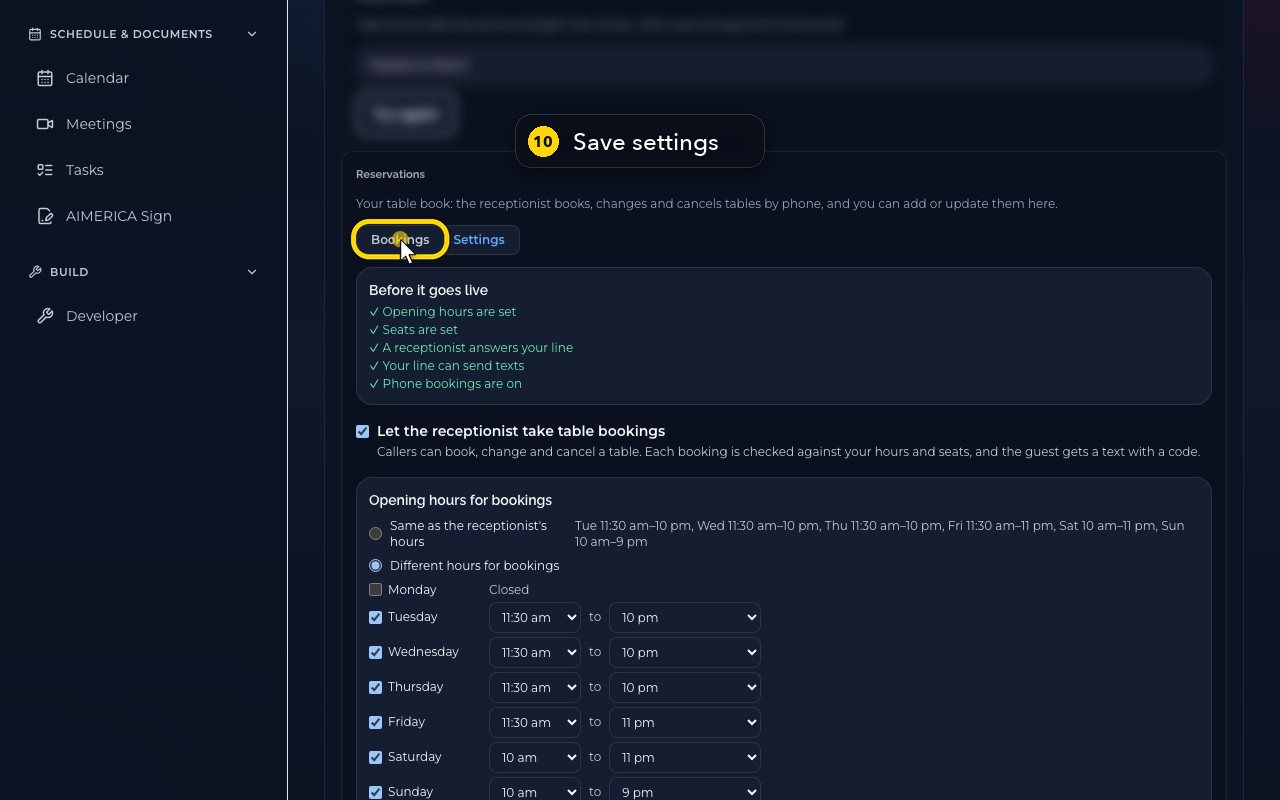
Phone table bookings are set under Reservations, on her Bookings tab.
- 2
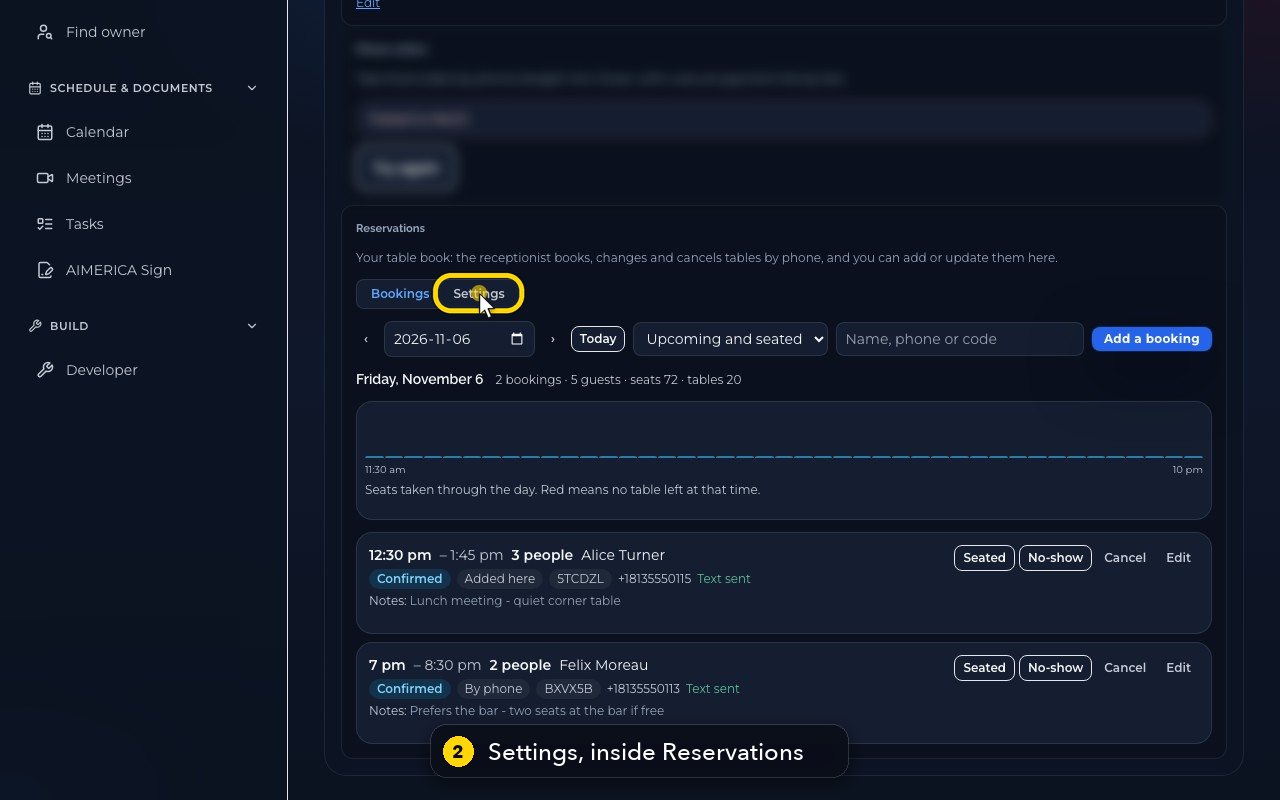
Open Settings, inside Reservations. It decides whether she takes tables by phone, and how many.
- 3
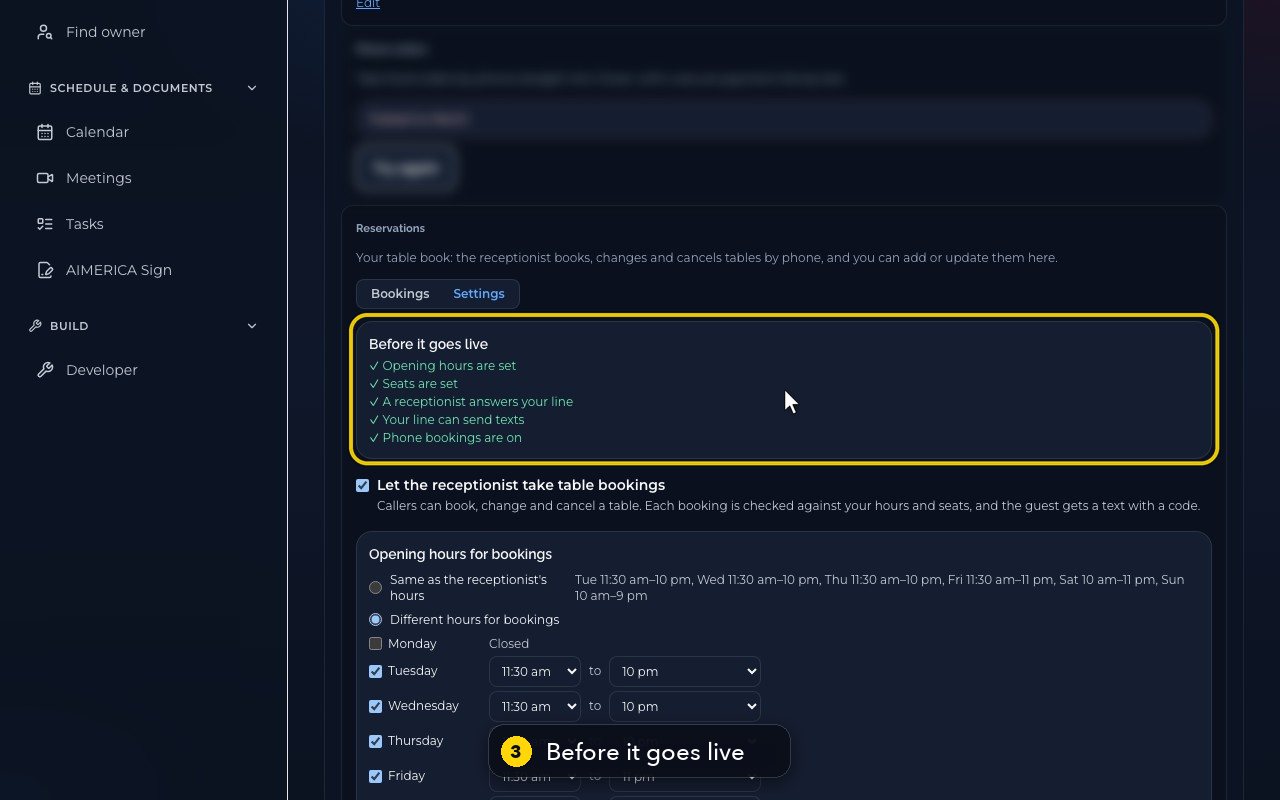
Before it goes live shows what is still missing. Here, everything is ticked, so phone bookings are on.
- 4
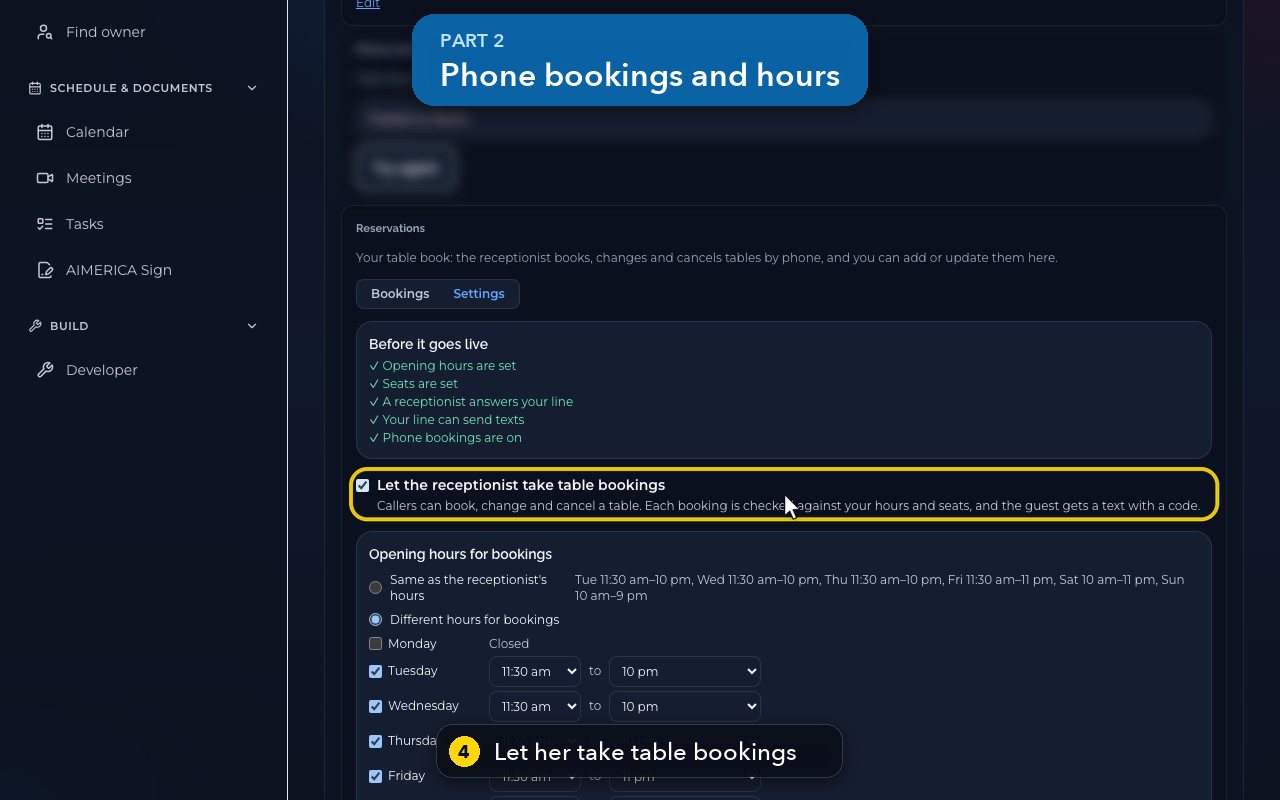
This box lets her take table bookings. Each booking is checked against your hours and seats, and the guest gets a code by text.
- 5
Bookings can follow the receptionist's hours, or have their own. This restaurant uses different hours for bookings.
- 6
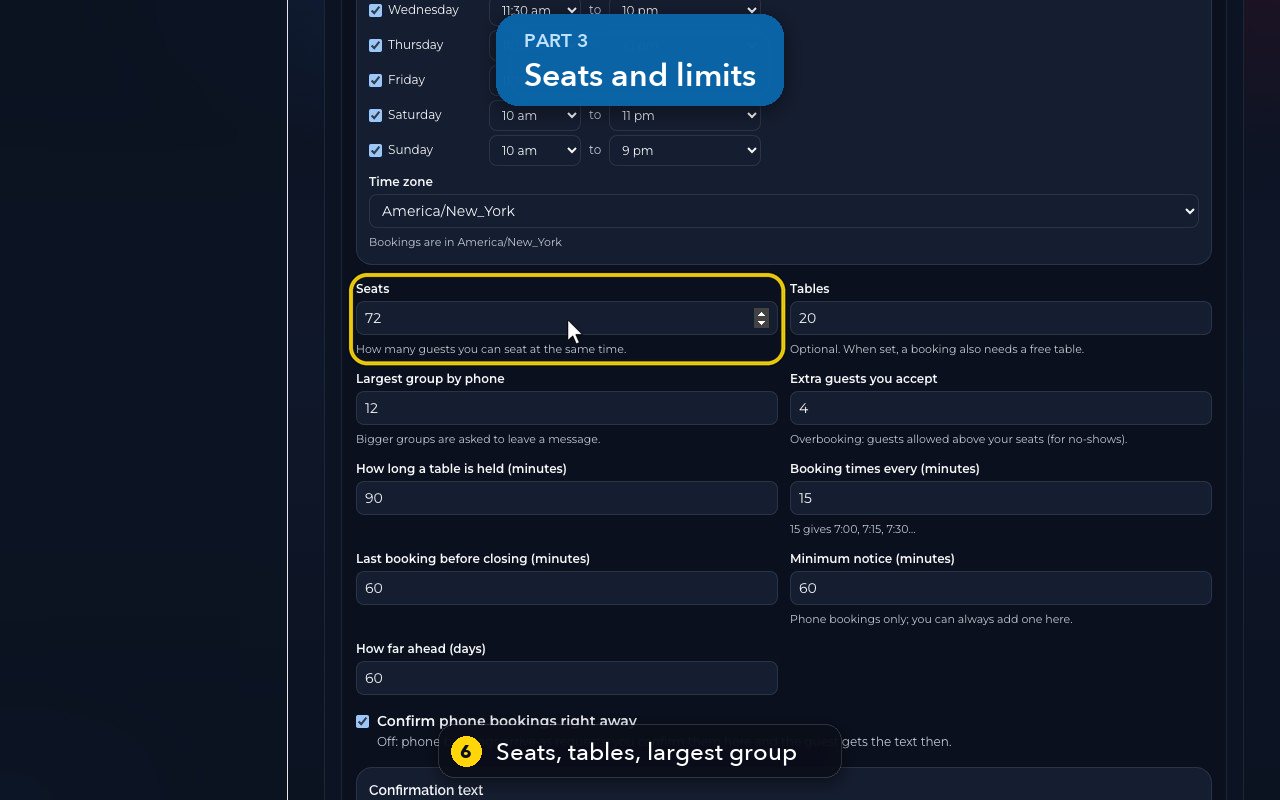
Set how many guests you can seat, your tables, and the largest group she books by phone.
- 7
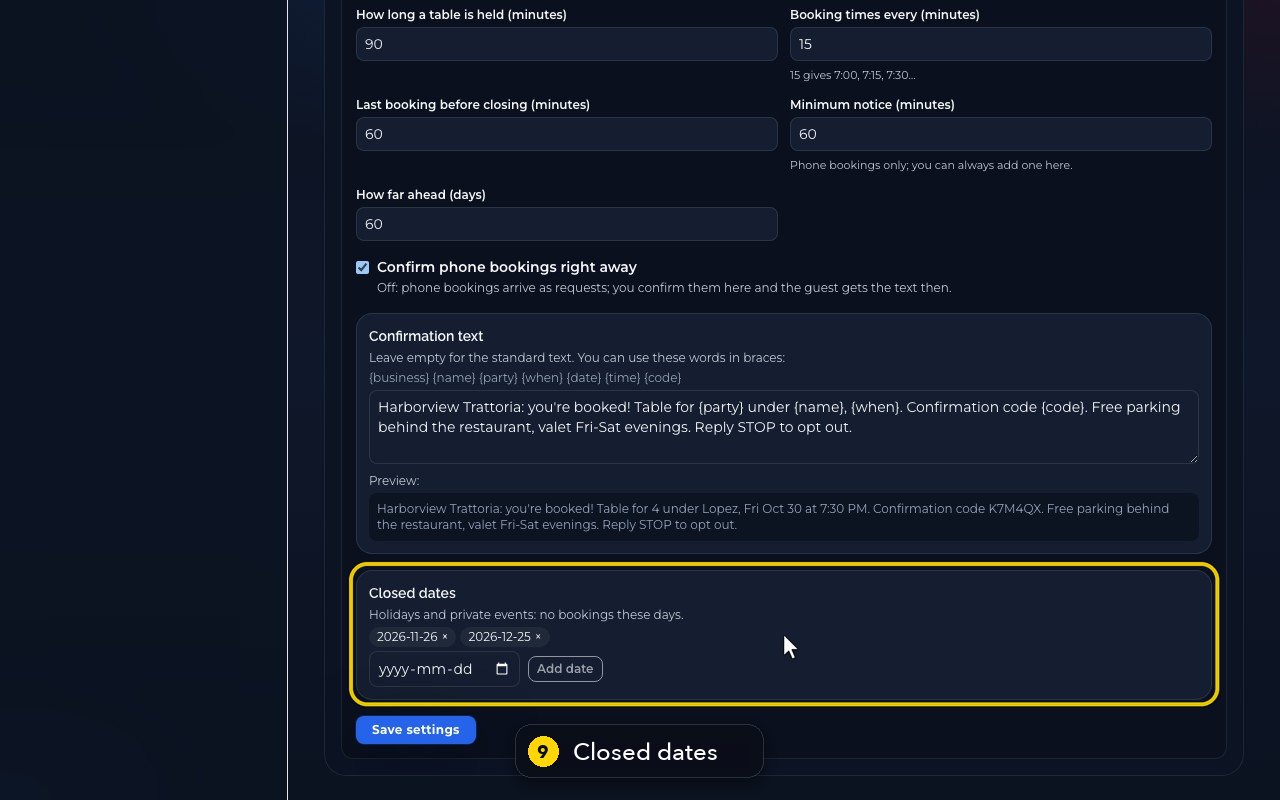
Minimum notice, and How far ahead, limit when callers can book.
- 8
Confirm phone bookings right away is on. Untick it, and phone bookings arrive as requests you confirm yourself.
- 9
Holidays and private events go in Closed dates, so she books no tables that day.
- 10
Save settings applies your changes. Here, we only show it, and go back to the bookings.
Related tutorials
 1:18VideoFind your AI receptionist and her settingsOpen AI Agents, find your receptionist and learn what each of her four tabs holds.
 1:35VideoSet up your AI receptionist (guided)Answer six short questions and AIMERICA writes your receptionist's instructions, ready to answer your line.
 1:16VideoSet your receptionist's opening hoursSet the days and times your receptionist treats as open, so she never books or promises a time when you are closed.
 1:17VideoChoose who your receptionist transfers calls toSee and add the people and numbers your receptionist may transfer a caller to, and when she should.
 1:35VideoTeach your receptionist your factsReview and add the facts your receptionist answers from: hours, services, prices, policies and common questions.
 0:58VideoChange your receptionist's greeting and nameFind the first sentence callers hear and your receptionist's name, and see how to change them.
Was this not what you needed? Write to us.