
Choose your call and voicemail alerts
Choose whether AIMERICA alerts you to missed calls and new voicemail, and let this browser ring in the background.
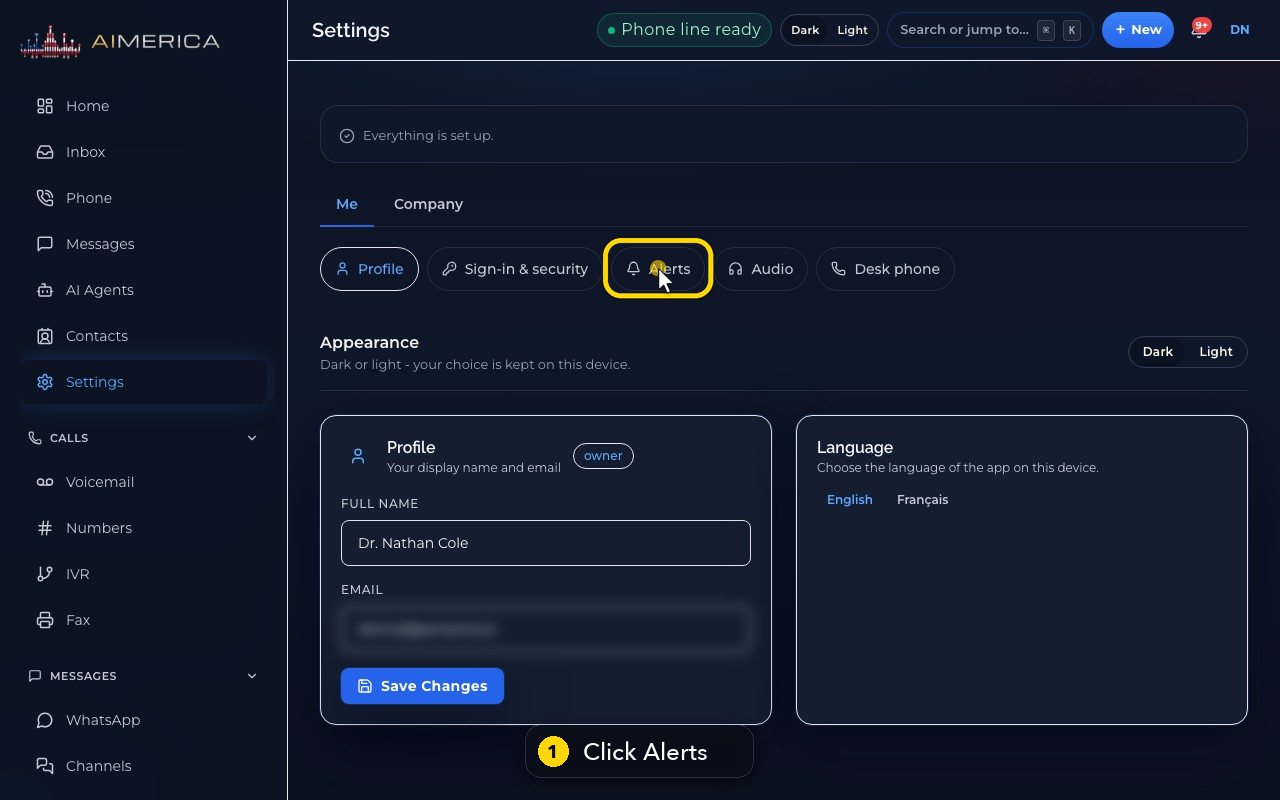
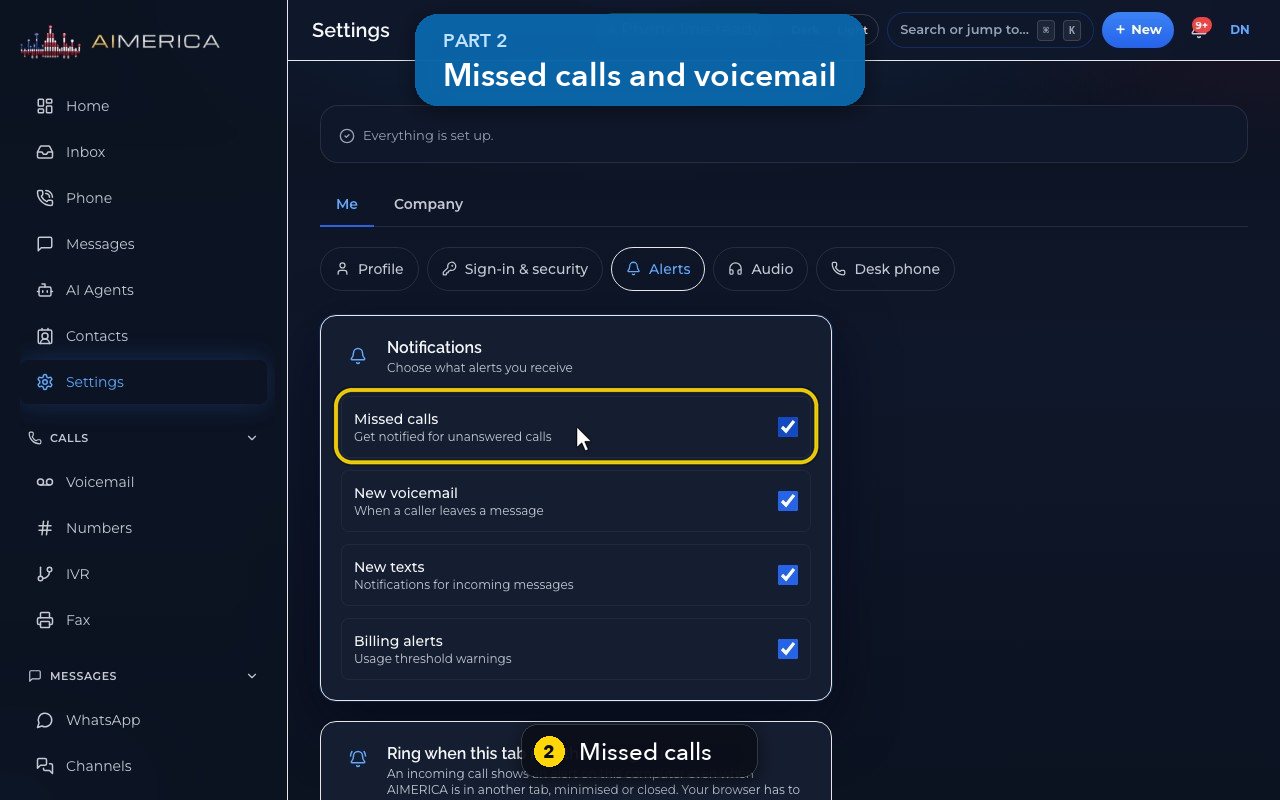
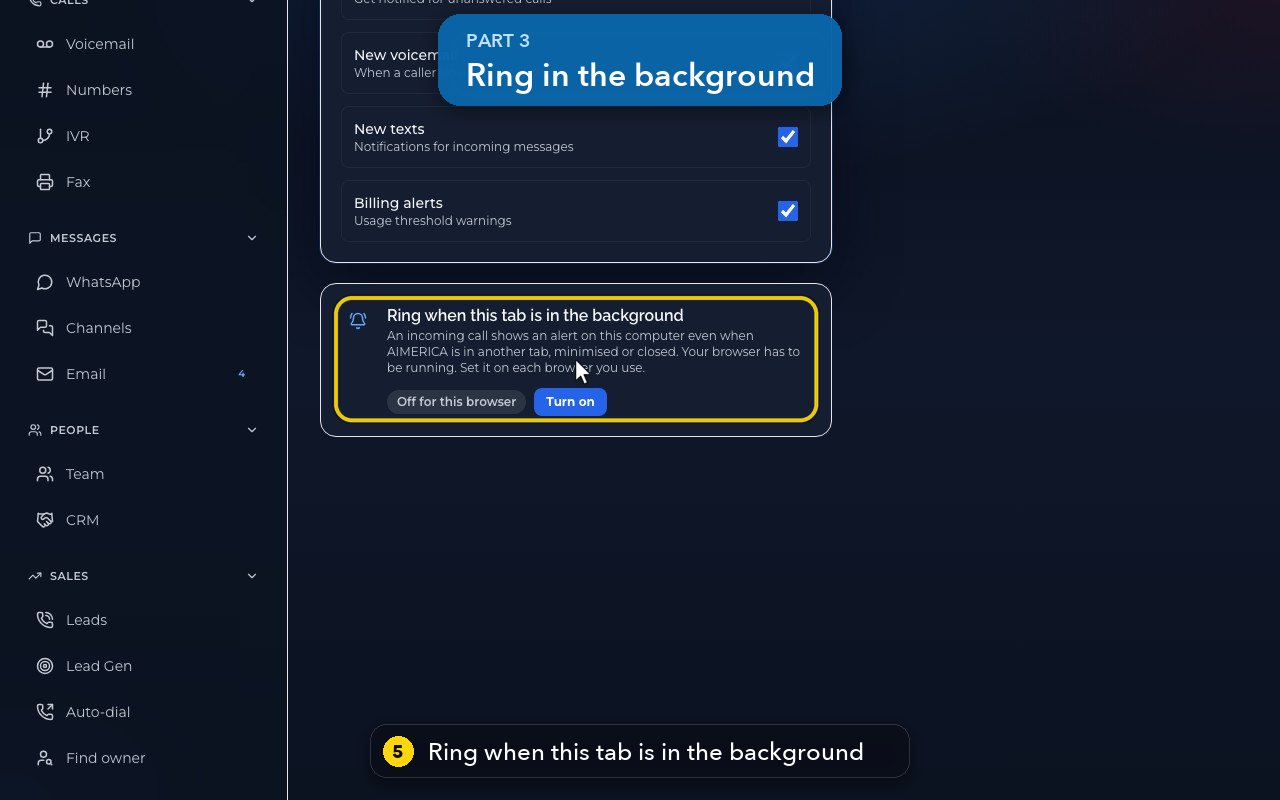
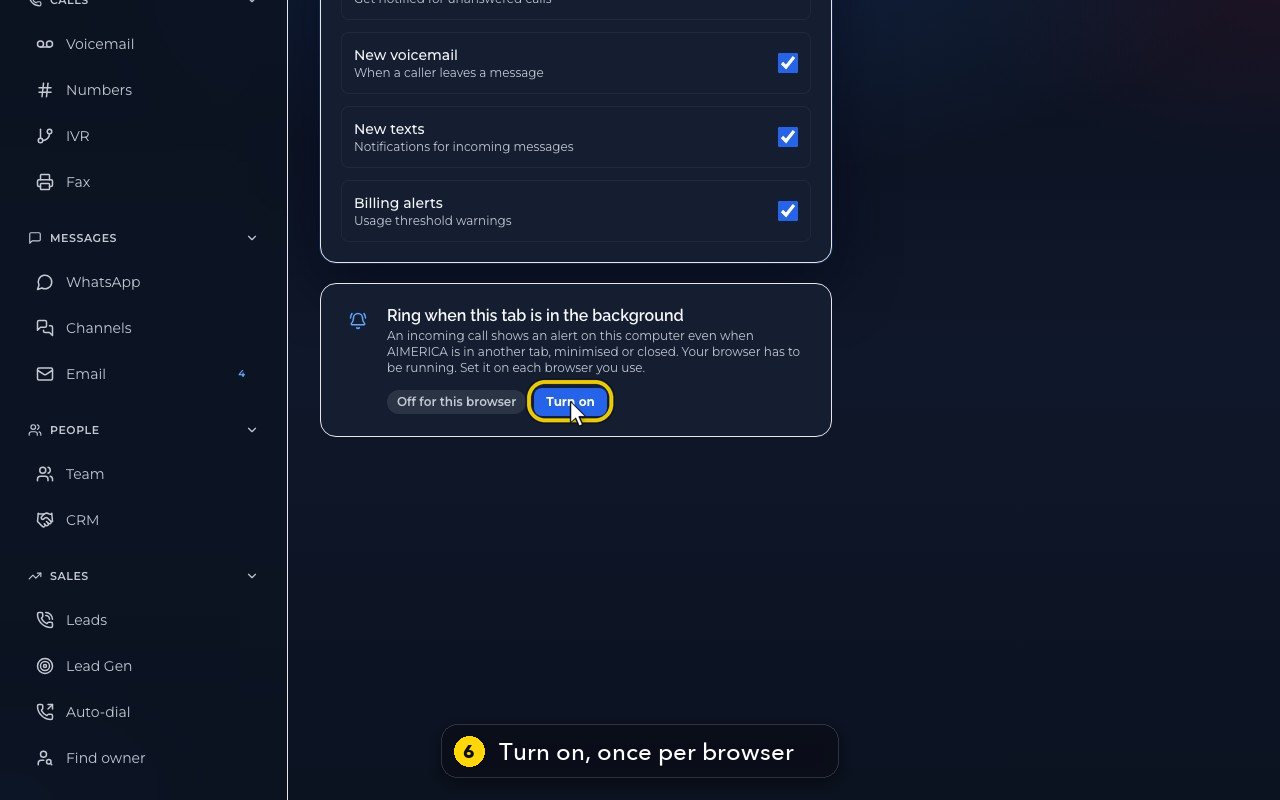
Open Settings › Me › Alerts. Missed calls and New voicemail decide whether you are alerted on your phone and in the app; each box saves as soon as you click it. Ring when this tab is in the background turns on alerts for this browser.
In this video
Step by step
- 1
Alerts are in Settings, under Me. Click Alerts.
- 2
Missed calls decides whether you get an alert, on your phone and in the app, when a call to your line is missed.
- 3
New voicemail does the same, when a caller leaves you a message.
- 4
Untick a box to stop that alert. It saves straight away, so here we only point.
- 5
Ring when this tab is in the background lets this computer alert you to a call, while the app is in another tab, or closed.
- 6
Turn it on once, in each browser you use. Your browser asks for permission the first time.
Related tutorials
 1:09VideoTurn on two-step sign-inProtect your account with a six-digit code from an authenticator app on top of your password.
 0:55VideoChange your passwordChange your AIMERICA password and choose whether SIP desk phones stay connected.
 1:06VideoUse AIMERICA in FrenchSwitch the app between English and French for yourself, and choose your desk phone's voicemail language.
 0:47VideoChange your name and the app's appearanceSet the name your team sees and switch the app between dark and light.
 1:25VideoFind Billing and read your planOpen Billing from your account page and read your plan, this month's minutes, texts and numbers, and the plans you can switch to.
 1:02VideoAdd or change the card on fileAdd the card that pays your AIMERICA bill, or replace it, from the Billing page.
Was this not what you needed? Write to us.