
Change your name and the app's appearance
Set the name your team sees and switch the app between dark and light.
Open Settings: under Me, Profile has Appearance (Dark or Light, kept on this device) and your Full name, saved with Save Changes. Your email is your sign-in and cannot be changed here.
In this video
Step by step
- 1
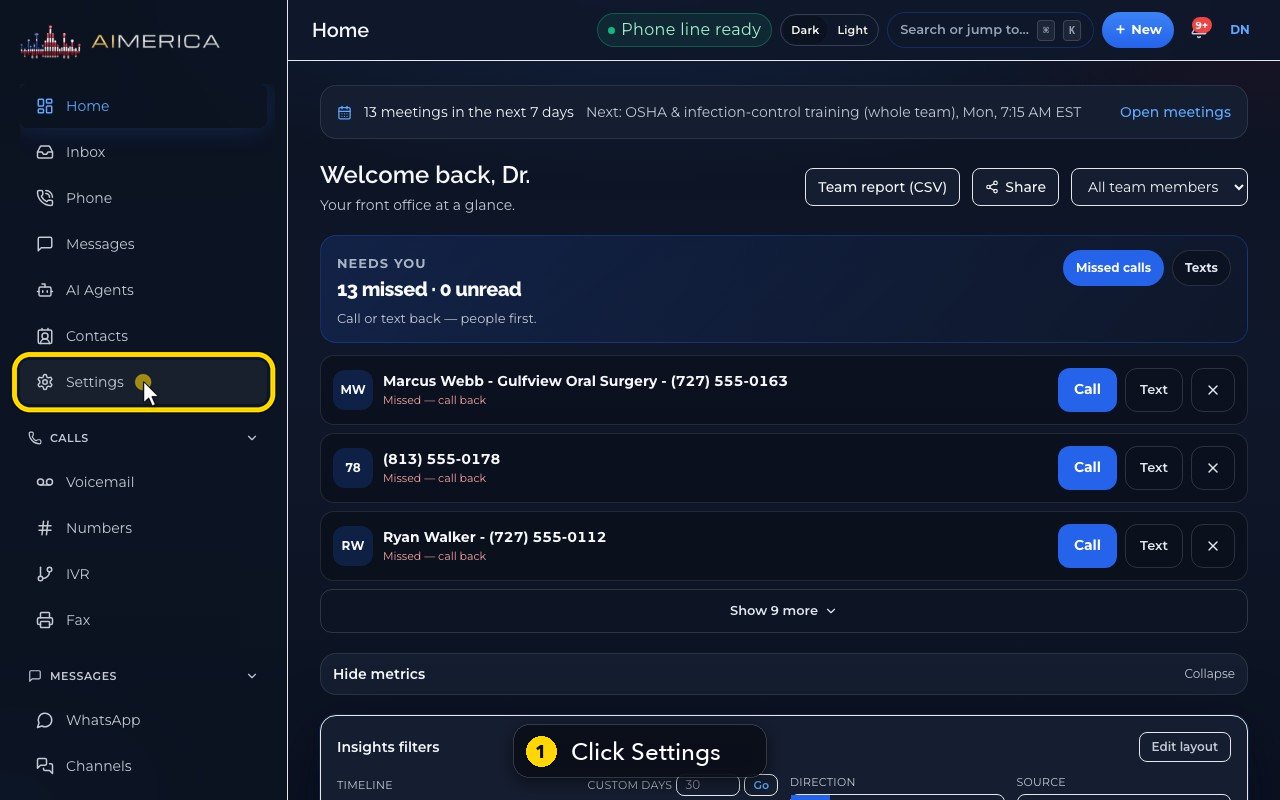
Your profile is the first page of Settings. Click Settings, in the menu on the left.
- 2
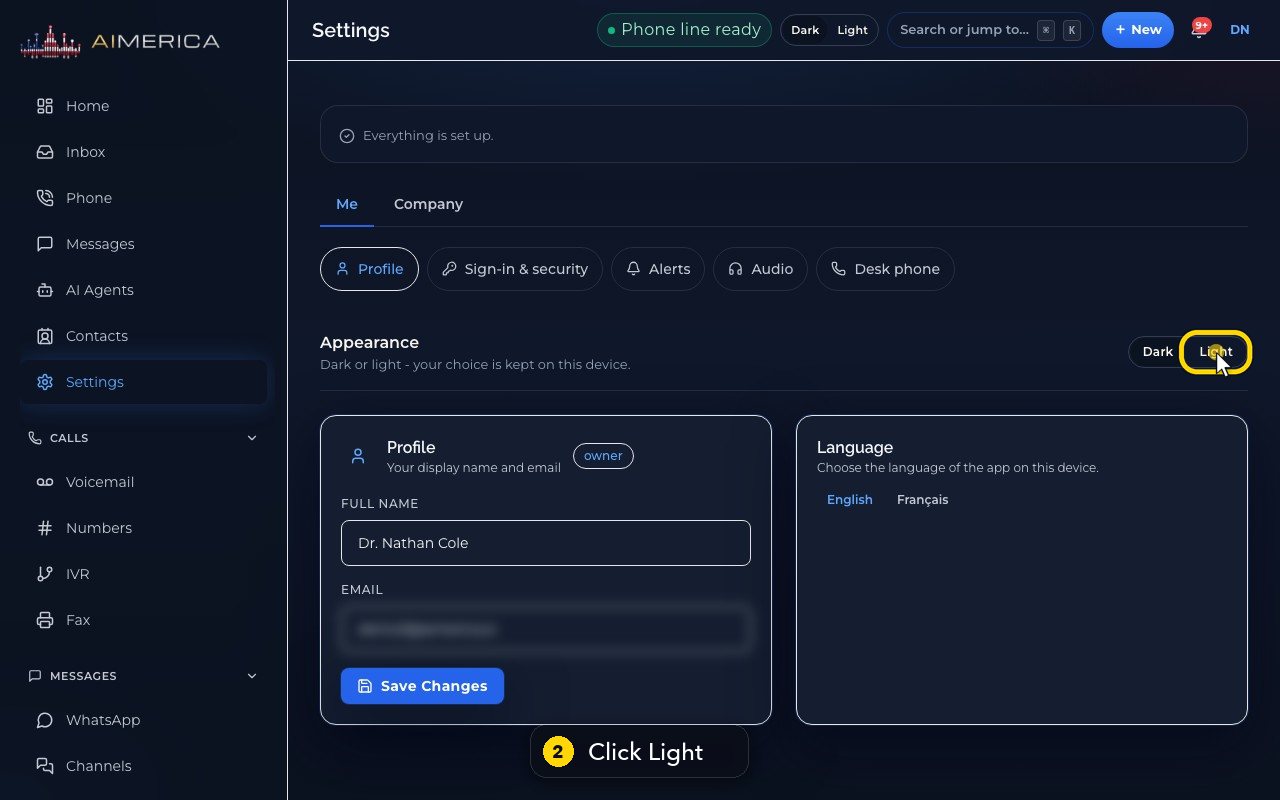
Appearance switches the app between dark and light. Your choice stays on this device.
- 3
Switch back whenever you like.
- 4
The badge shows your role in the company.
- 5
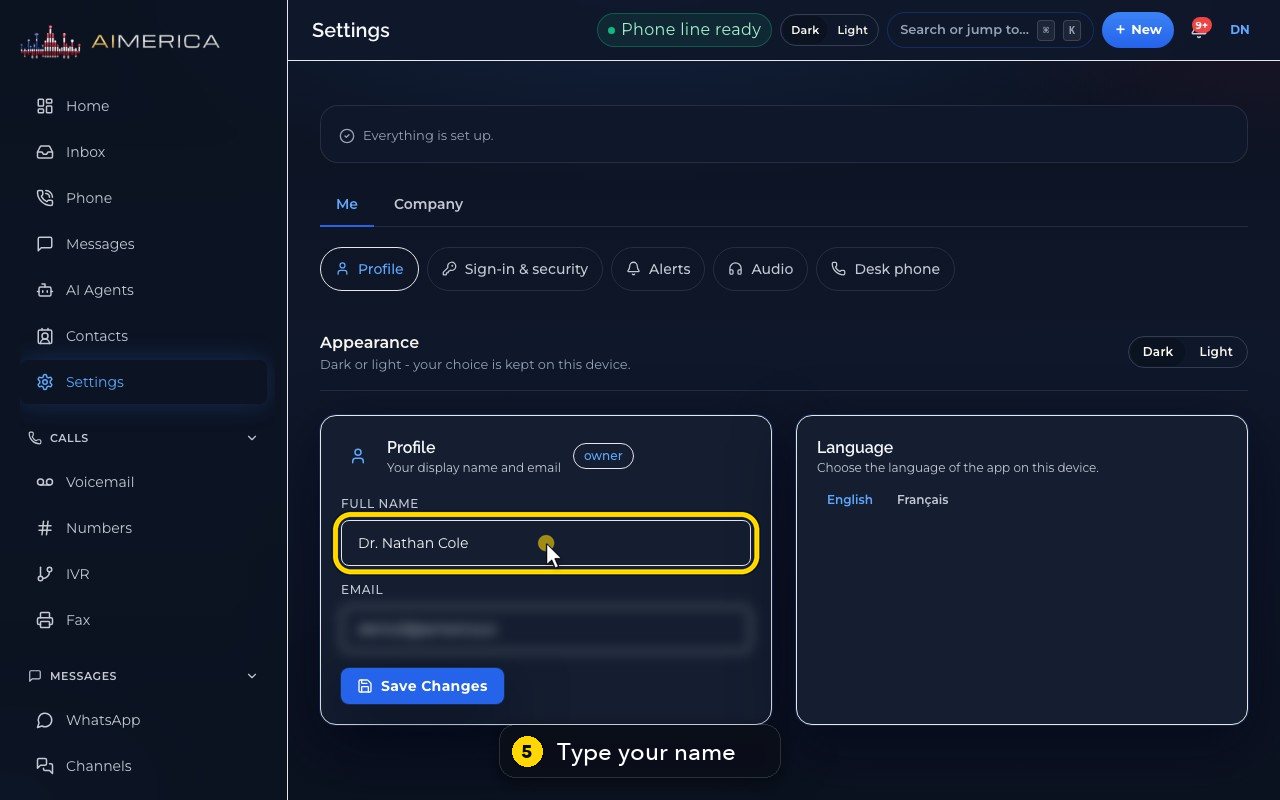
Type your name the way your teammates should see it.
- 6
Your email is your sign-in, and it cannot be changed here.
- 7
Save Changes keeps a new name. In this demo, we do not save.
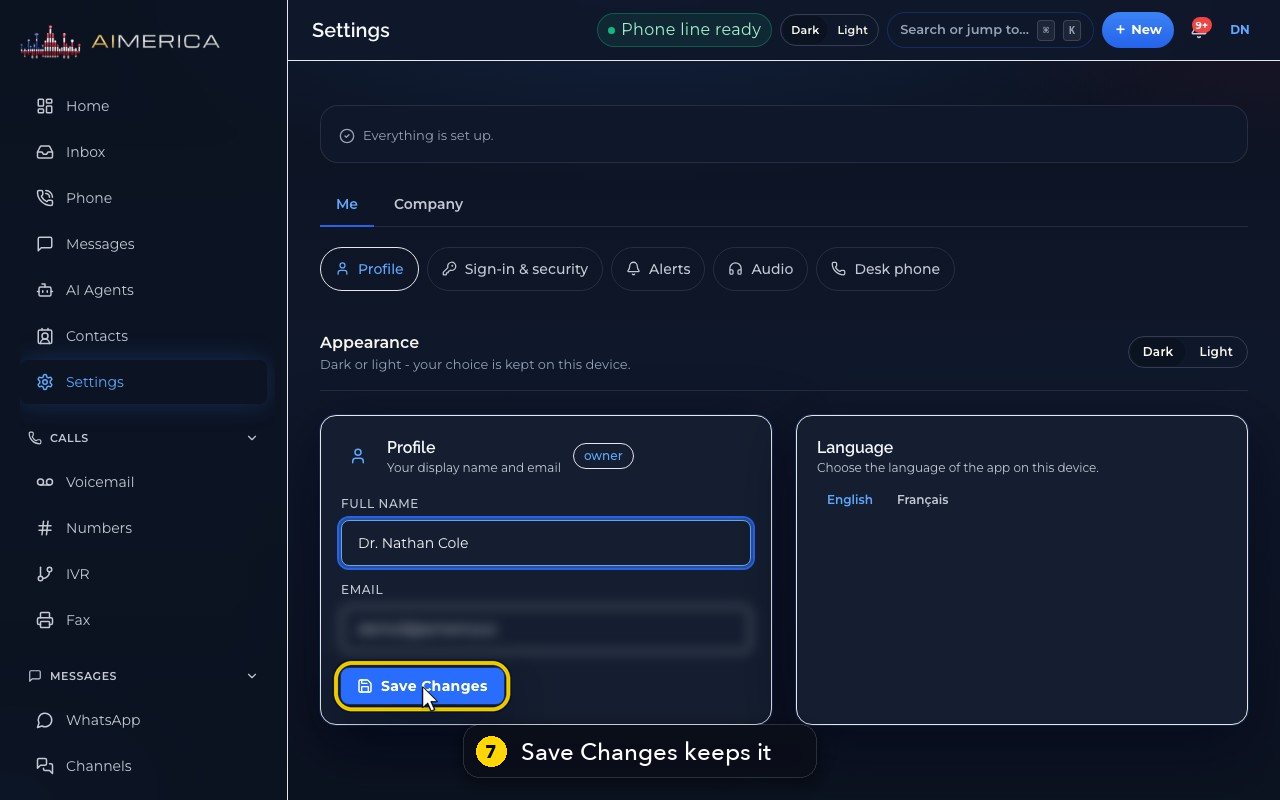
The header also has a Dark / Light switch that does the same.
Related tutorials
 1:09VideoTurn on two-step sign-inProtect your account with a six-digit code from an authenticator app on top of your password.
 0:55VideoChange your passwordChange your AIMERICA password and choose whether SIP desk phones stay connected.
 0:54VideoChoose your call and voicemail alertsChoose whether AIMERICA alerts you to missed calls and new voicemail, and let this browser ring in the background.
 1:06VideoUse AIMERICA in FrenchSwitch the app between English and French for yourself, and choose your desk phone's voicemail language.
 1:25VideoFind Billing and read your planOpen Billing from your account page and read your plan, this month's minutes, texts and numbers, and the plans you can switch to.
 1:02VideoAdd or change the card on fileAdd the card that pays your AIMERICA bill, or replace it, from the Billing page.
Was this not what you needed? Write to us.