
Forgot your password
Ask for a password reset link from the sign-in page.
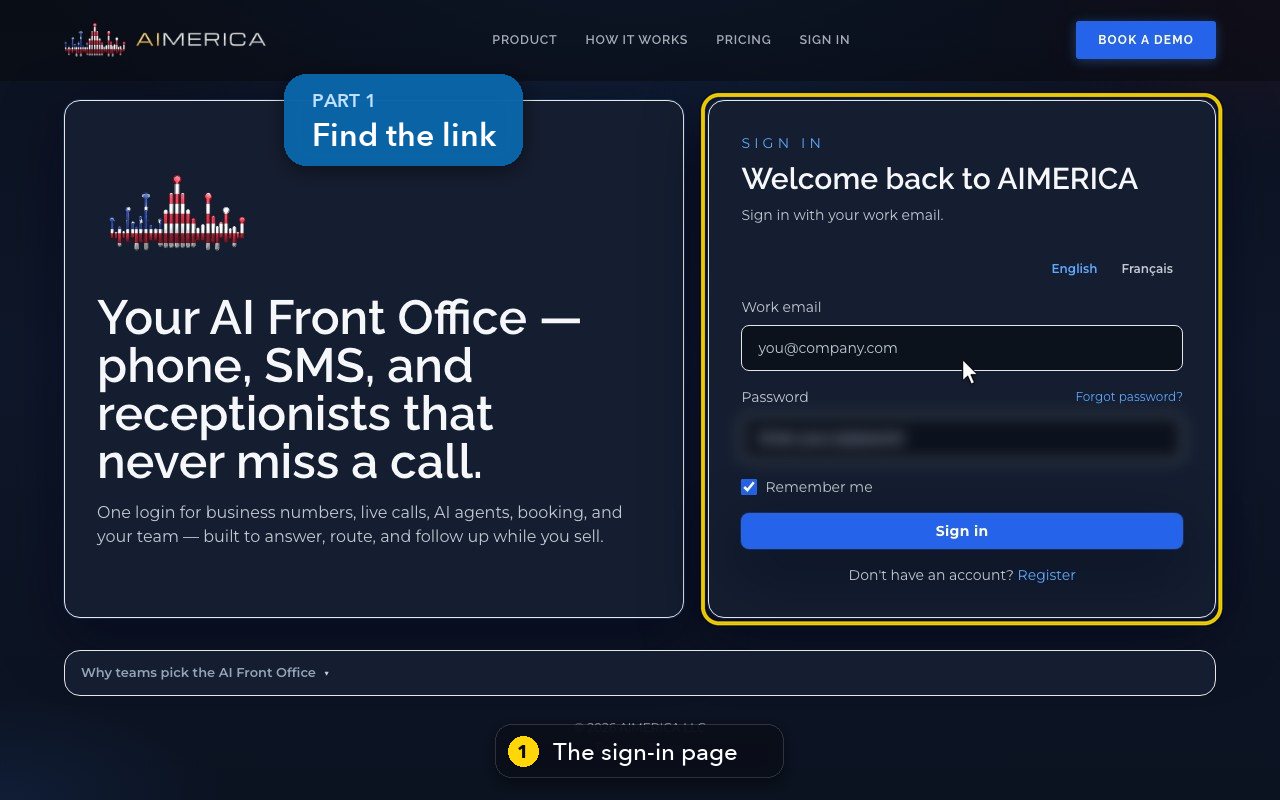
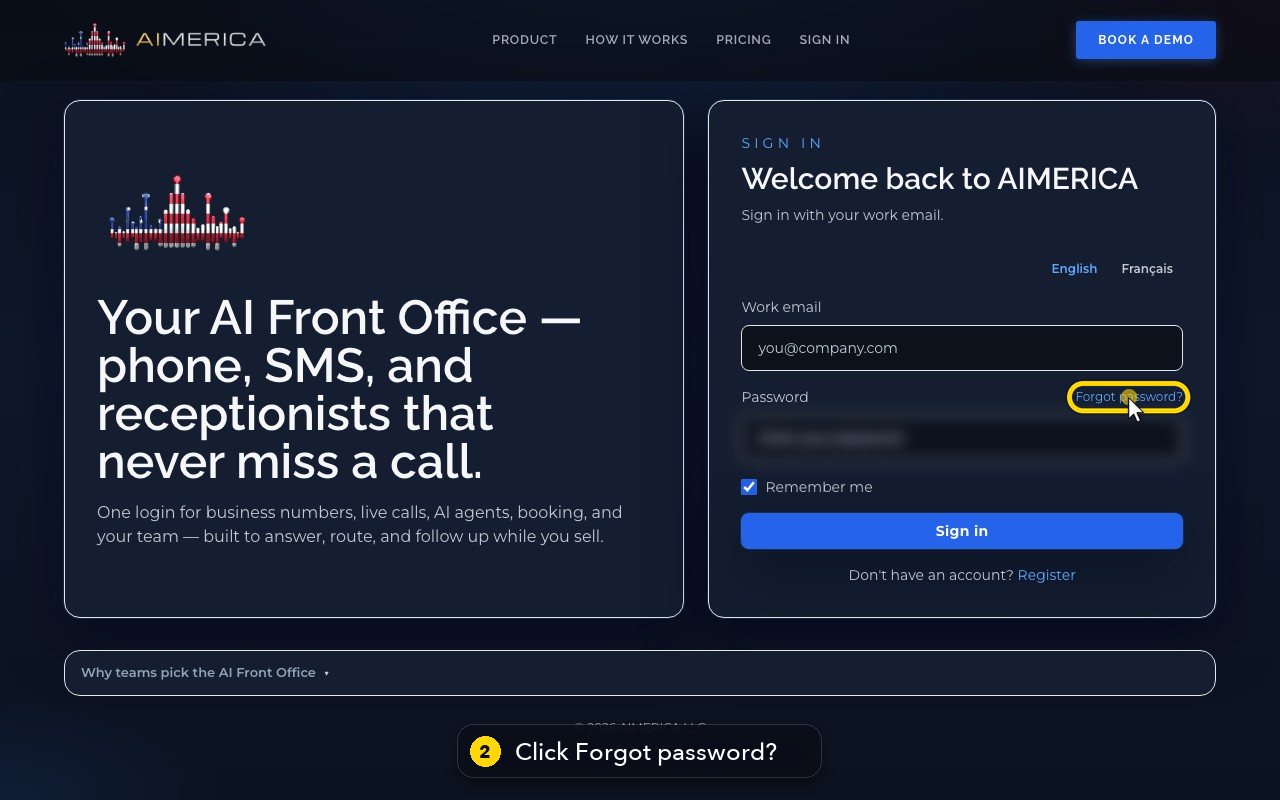
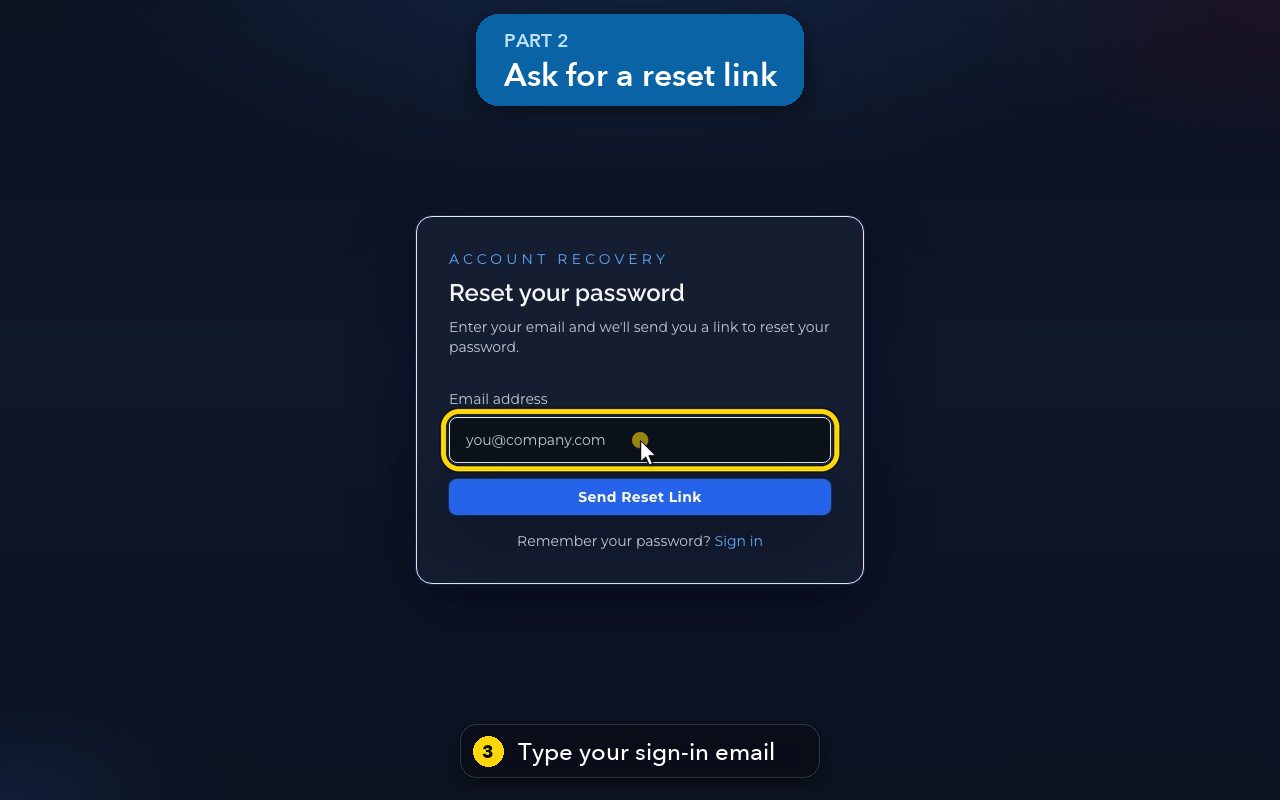
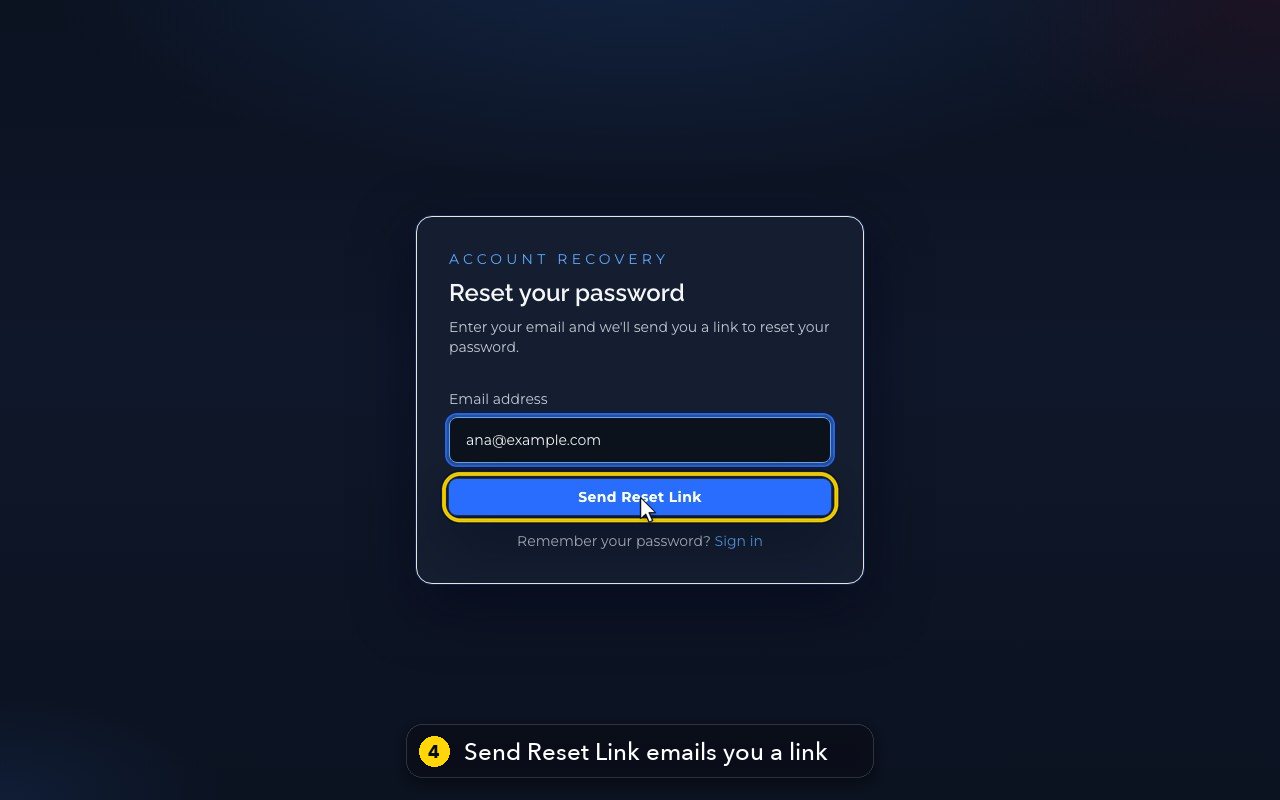
On the sign-in page, click Forgot password?, type the email address you sign in with and press Send Reset Link. The email comes only if an account uses that address.
In this video
Step by step
- 1
Forgot your password? Start on the sign-in page, where you normally sign in.
- 2
Click Forgot password, just above the password box.
- 3
Type the email address you sign in with.
- 4
Send Reset Link emails you a link to choose a new password. In this demo, we do not send it.
- 5
The email comes only if an account uses that address. Its link works once, and for one hour.
- 6
Remembered it after all? Sign in takes you back to the sign-in page.
The reset link works once and for one hour. If it has expired, ask for a new one the same way.
Related tutorials
 1:24VideoSign in and find your way around HomeSign in to the AIMERICA web app and read the Home page: meetings, Needs you, your numbers and the menu.
 1:20VideoThe Get set up checklistFollow the Get set up page to finish your first-week setup: account, 911 address, number, receptionist, test call and go live.
 1:35VideoYour 911 address (calling waits for it)Check the company's emergency address, set your own 911 address when you work elsewhere, and name emergency contacts.
 1:14VideoGet around fast: Search, New and shortcutsJump to any page with Search (Cmd/Ctrl K), start a call, text or contact from New, and see the keyboard shortcuts.
Was this not what you needed? Write to us.