
911 on an internet phone: how it works and its limits
AIMERICA is an internet phone service. 911 works, with differences from a landline or a mobile that you need to know. This is the notice Canada's telecom regulator asks every internet phone provider to give its customers; it is just as true in the United States.
Everything is under Settings › Company › Safety. Placing calls waits for the company's emergency address: until it is on file, the Phone page shows Finish setup to go live.
In this video
Step by step
- 1
Your lines can make calls only once a 9-1-1 address is on file. Until then, the Phone page asks you to finish setup. Open Settings.
- 2
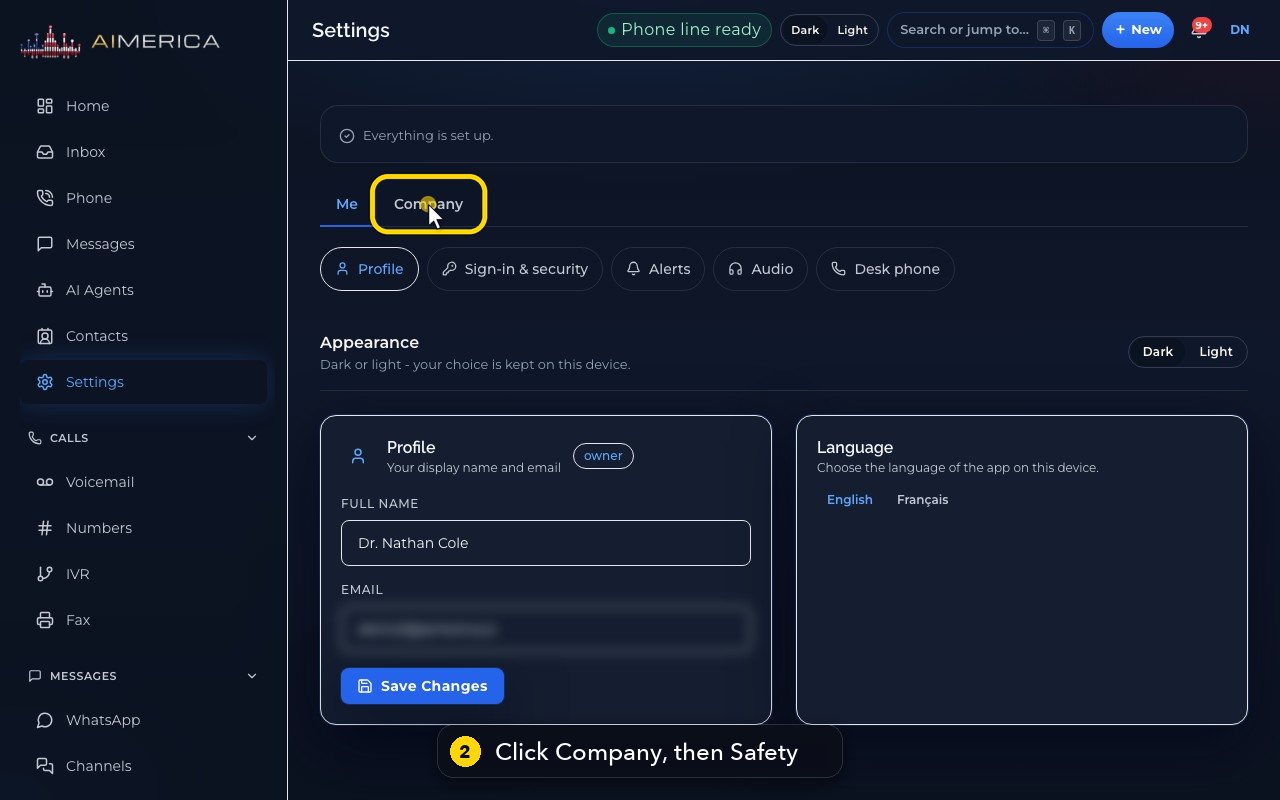
Choose Company at the top. Then, in the row below, choose Safety.
- 3
Safety OK means your emergency address is on file.
- 4
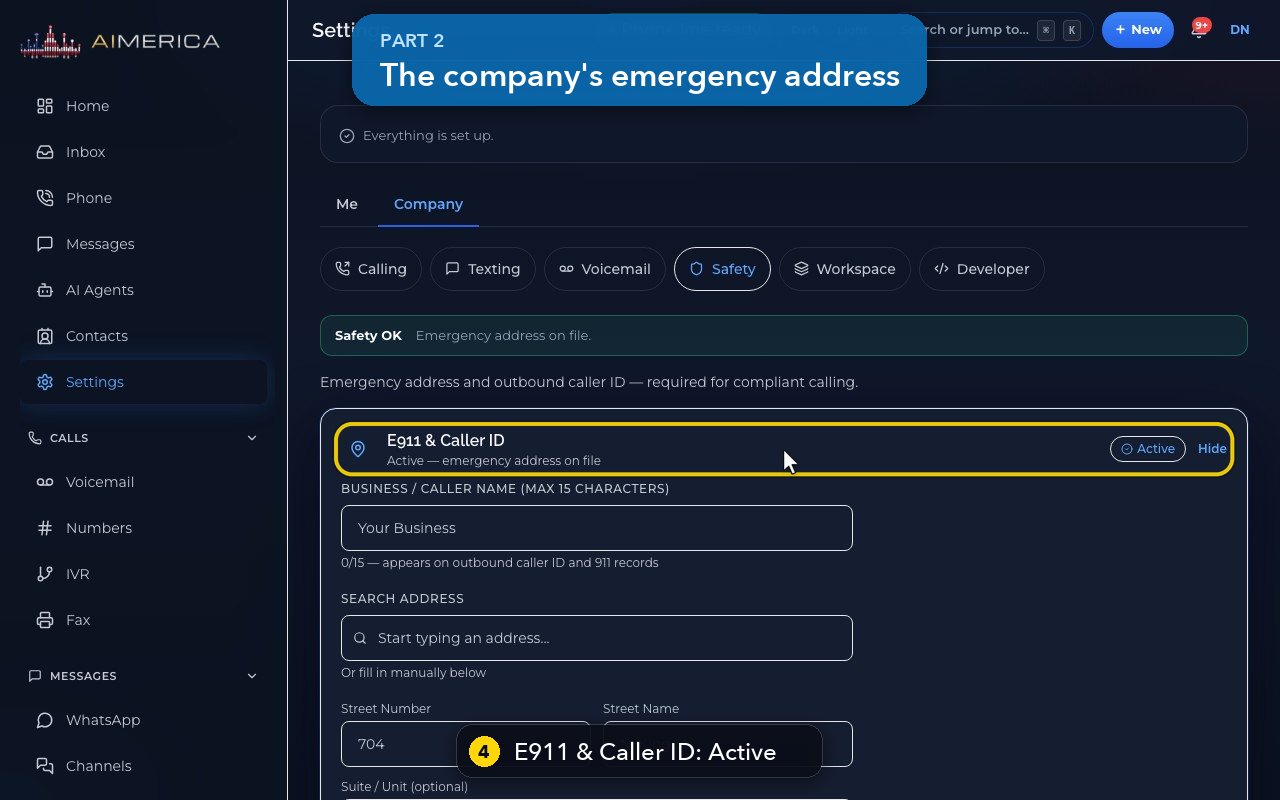
E-9-1-1 and Caller ID holds the company's emergency address, and the name people see when you call. Active means it is on file.
- 5
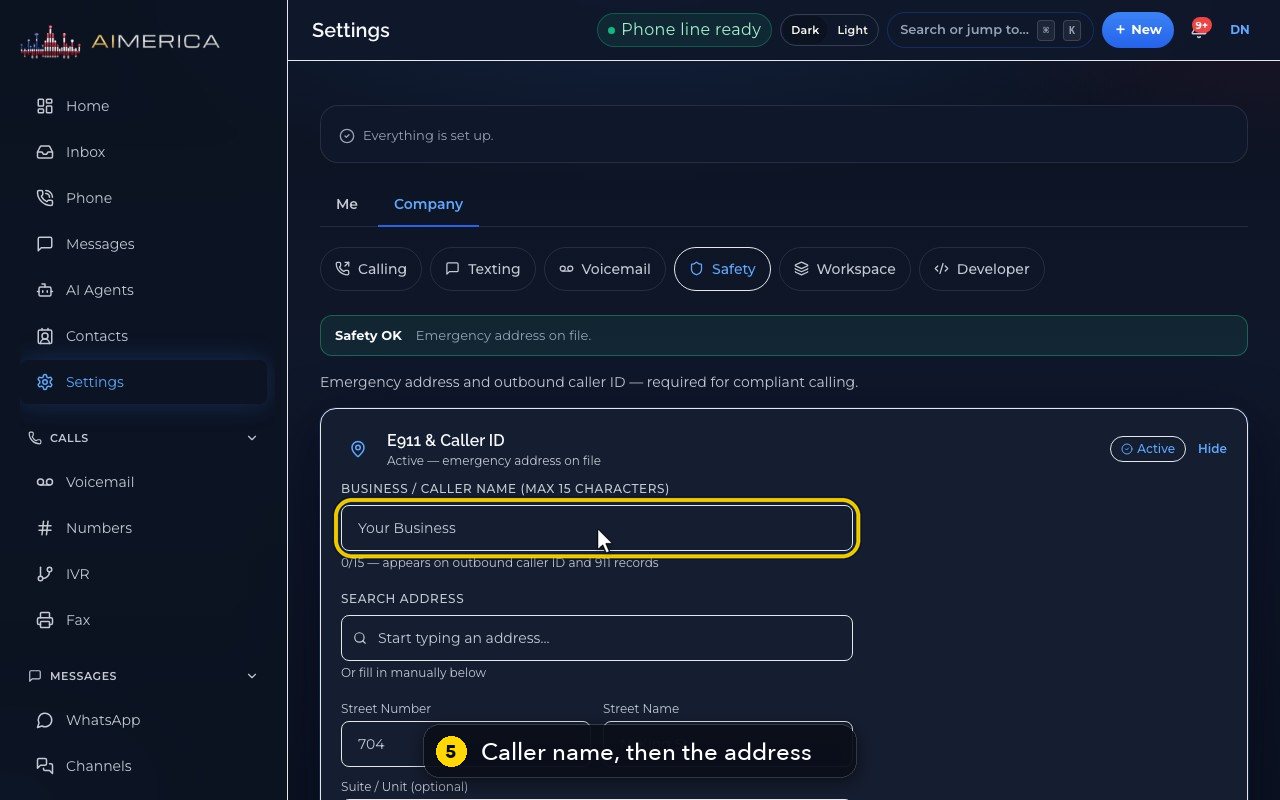
Its form takes a caller name of up to 15 characters, then the address: search for it, or type it in.
- 6
Verify Address checks it, and one more button saves it on every number. Hide closes the form, and Edit opens it again.
- 7
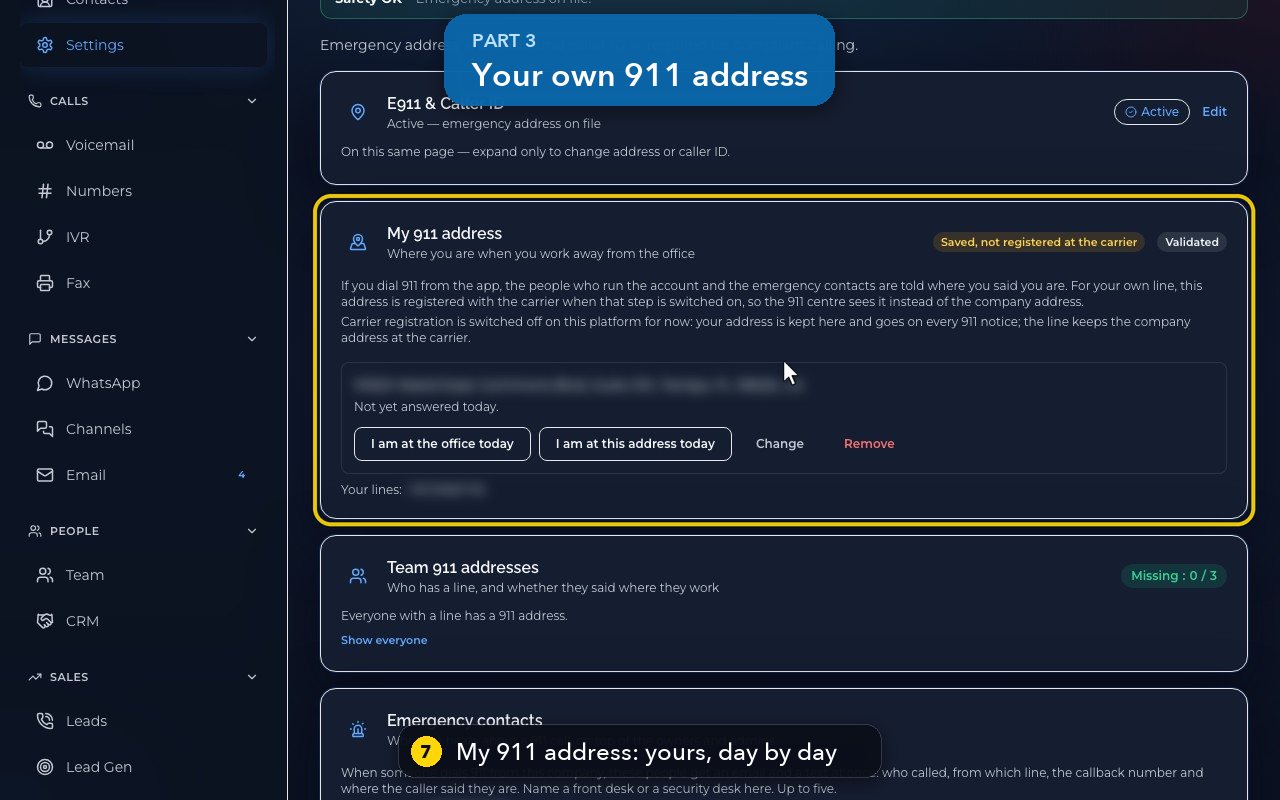
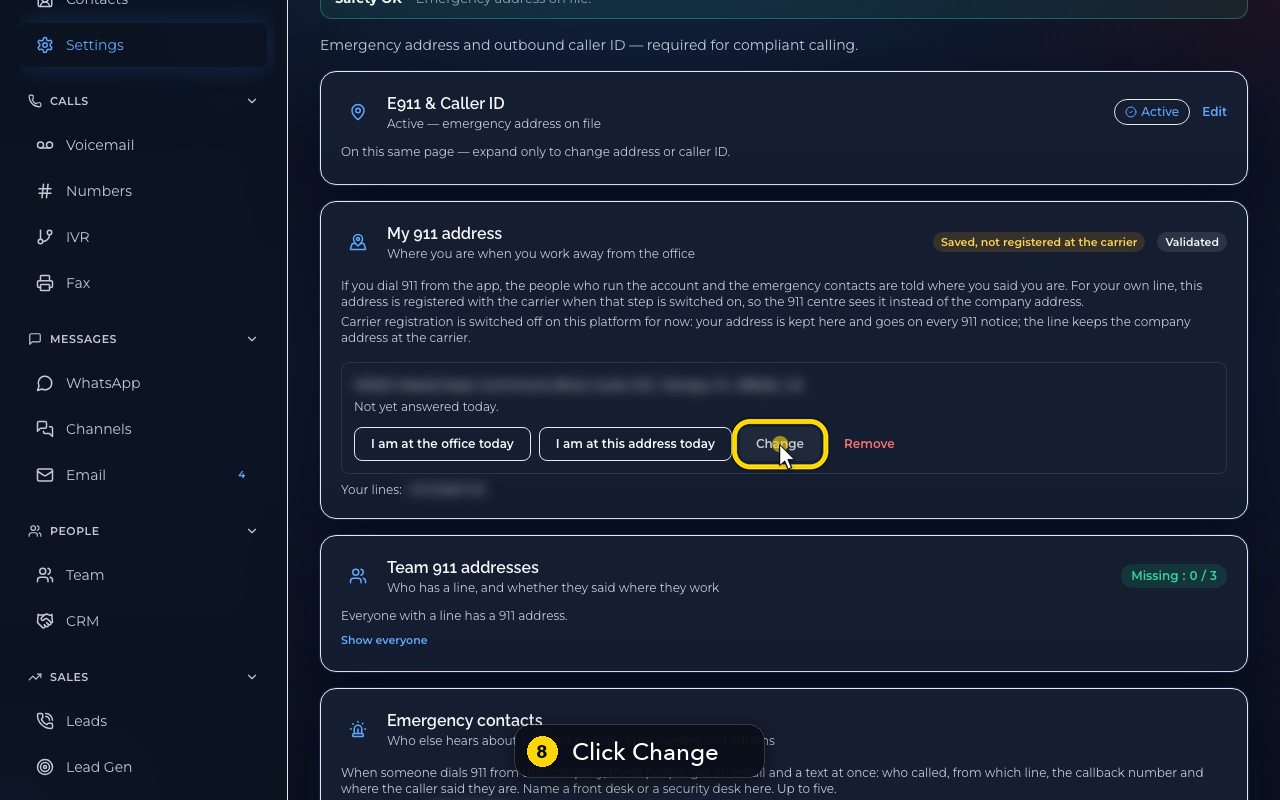
My 9-1-1 address is yours, for the days you work away from the office. Each day, confirm where you are.
- 8
Change lets you type a new address, in the United States or Canada.
- 9
Cancel keeps the address as it was.
- 10
Team 9-1-1 addresses shows who has a line, and whether each person said where they work.
- 11
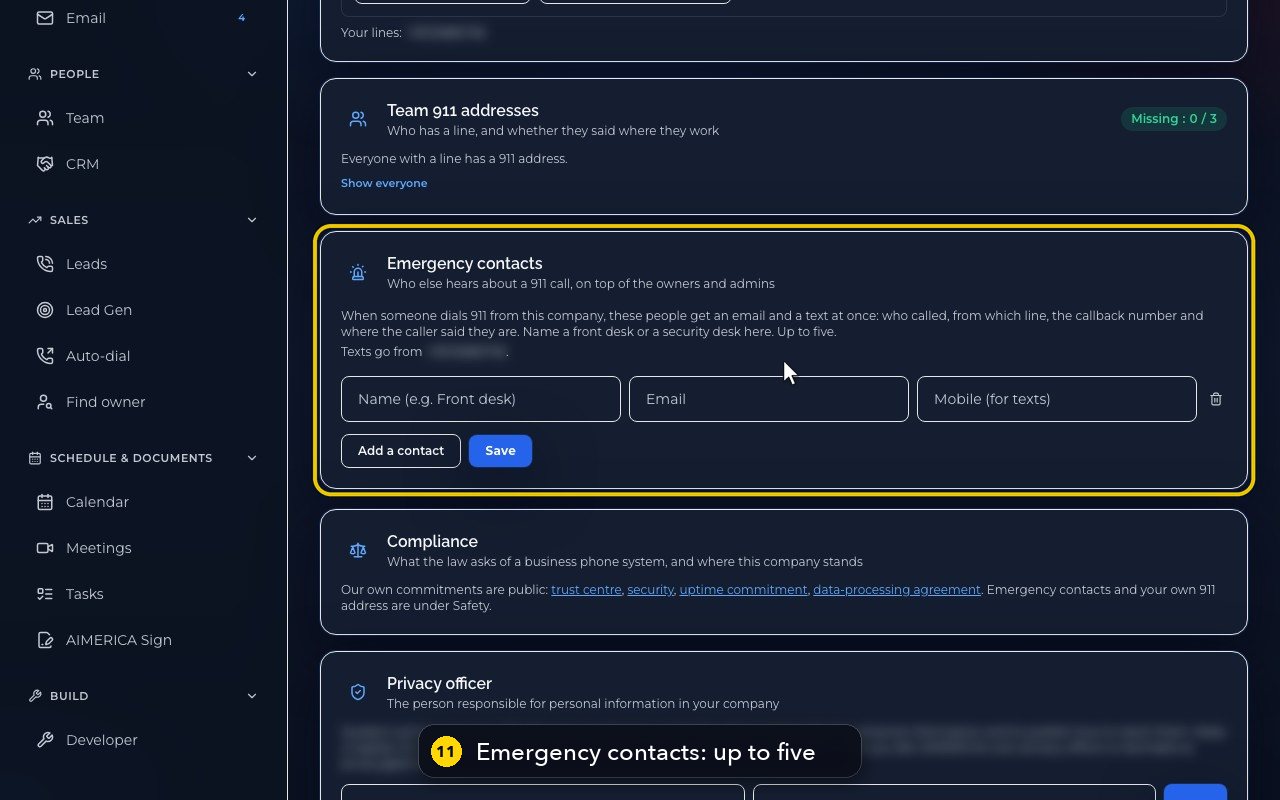
Emergency contacts get an email and a text the moment anyone in your company dials 9-1-1. You can name up to five.
How a 911 call works on AIMERICA
- Every AIMERICA phone number has an emergency address registered with our carrier: the company address you gave at signup, under Settings, Company, Safety, E911 & Caller ID. We re-check that registration every hour. The address a person sets under My 911 address, for days away from the office, goes on every 911 notice to your company; for now it is not registered with the carrier, so always tell the operator where you are.
- When you dial 911 from the web or desktop app or a desk phone, the call goes out on a line that has an address registered, and that line's number is sent as the callback number.
- The 911 centre sees the registered address and the callback number. If the call drops, they call that number back.
- At the same time, the owners and administrators of your company, and the emergency contacts your company named, are told that 911 was dialled, by whom, from which line, and where that person said they are.
The limits
- The address must be right. Help is sent to the registered address. If you moved, or you are working somewhere else today, update your address in Settings first, and always tell the operator where you are.
- If the address is missing or wrong, the call may reach a national emergency call centre rather than your local one. The operator there will ask where you are and pass the call on. That takes longer than a call from a landline.
- No internet, no power, no 911. An internet phone does not work during an internet or power outage, or when your device is off or out of battery. Keep a mobile phone or a landline for emergencies.
- On a mobile phone, the AIMERICA app hands a 911 call to the phone's own dialler, which uses the phone's own location and network.
- Toll-free numbers cannot carry an emergency address; a 911 call from a company that has only toll-free numbers still goes out, without an address.
- Do not dial 911 to test. In the United States, 933 reads back the address and number the 911 centre would see. In Canada there is no test number; check your address in Settings instead.
Related tutorials
 1:24VideoSign in and find your way around HomeSign in to the AIMERICA web app and read the Home page: meetings, Needs you, your numbers and the menu.
 1:20VideoThe Get set up checklistFollow the Get set up page to finish your first-week setup: account, 911 address, number, receptionist, test call and go live.
 1:14VideoGet around fast: Search, New and shortcutsJump to any page with Search (Cmd/Ctrl K), start a call, text or contact from New, and see the keyboard shortcuts.
 0:47VideoForgot your passwordAsk for a password reset link from the sign-in page.
Was this not what you needed? Write to us.