
Get around fast: Search, New and shortcuts
Jump to any page with Search (Cmd/Ctrl K), start a call, text or contact from New, and see the keyboard shortcuts.
Two shortcuts sit at the top of every page: Search (or Cmd K on a Mac, Ctrl K on Windows) and New. Press ? on any page for the keyboard shortcuts.
In this video
Step by step
- 1
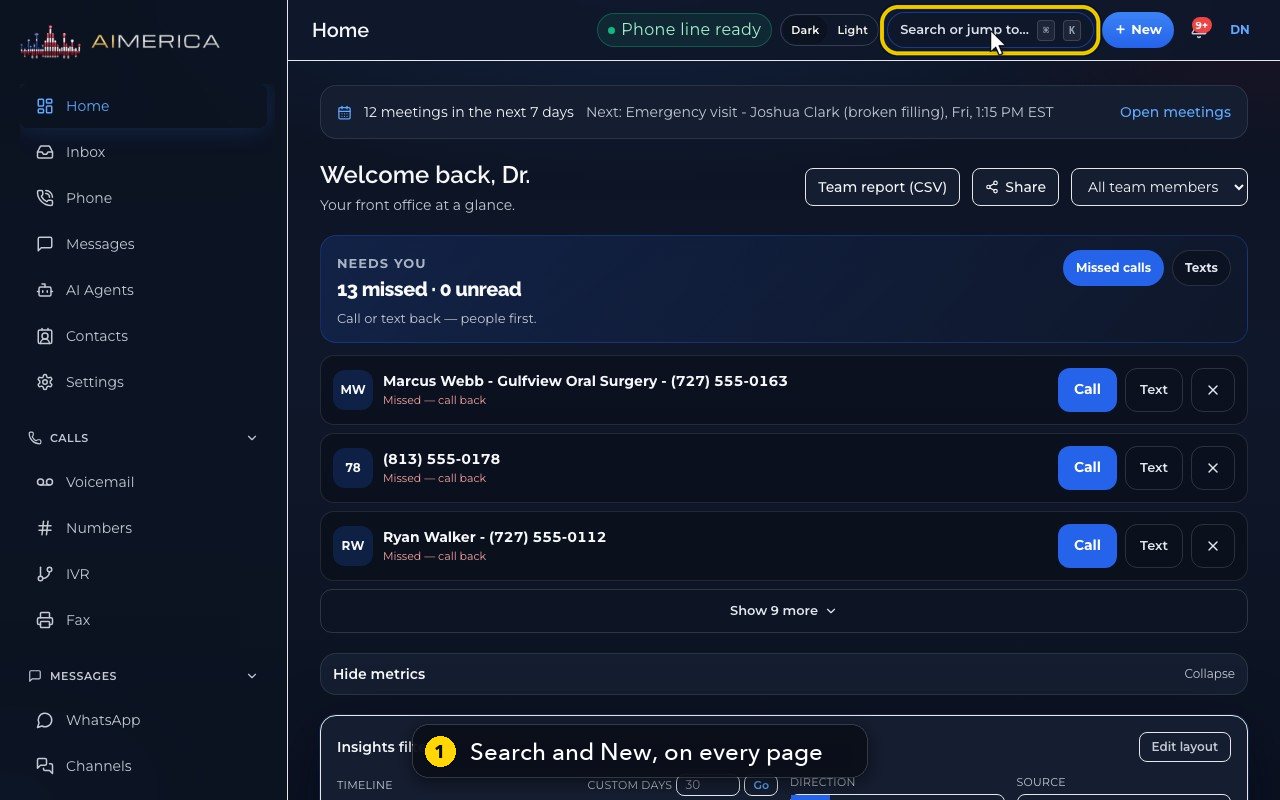
Two shortcuts sit at the top of every page. Search, in the middle, and the New button, on the right.
- 2
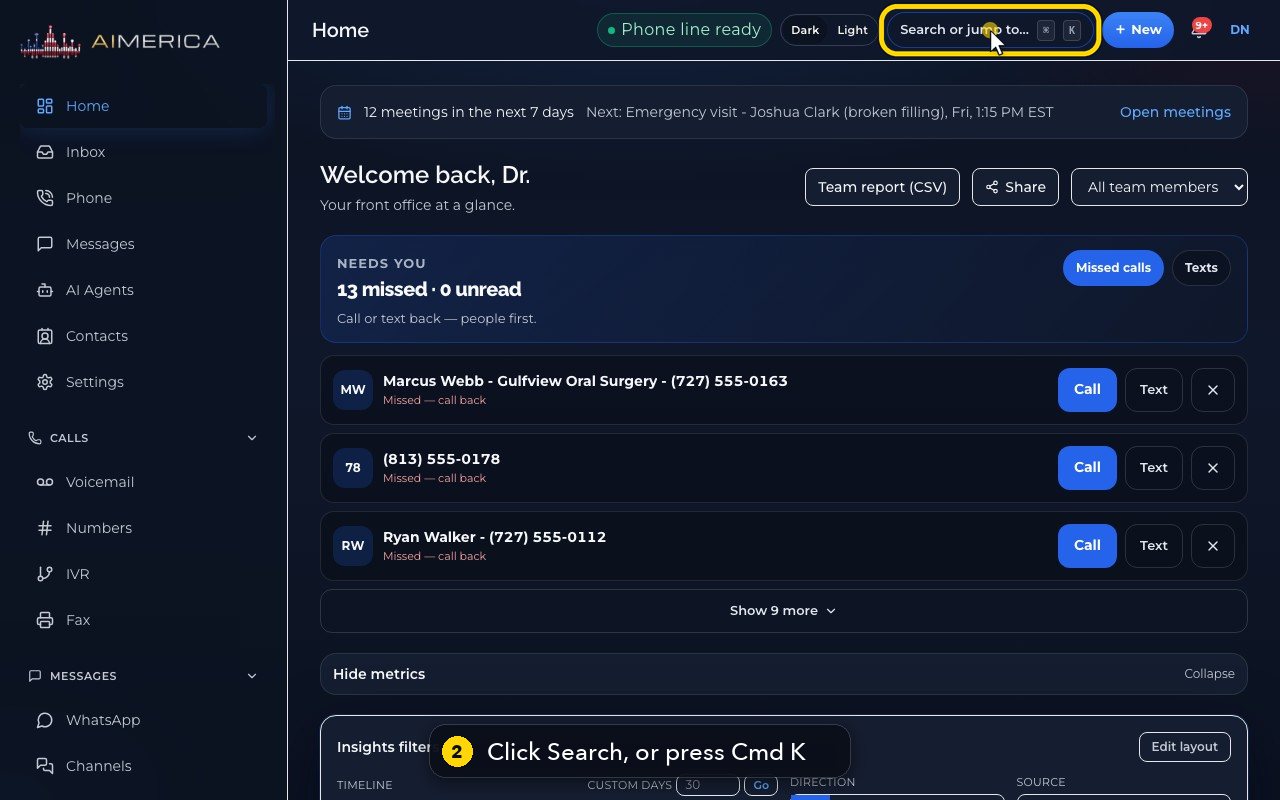
Click Search. Or press Command K on a Mac, or Control K on Windows.
- 3
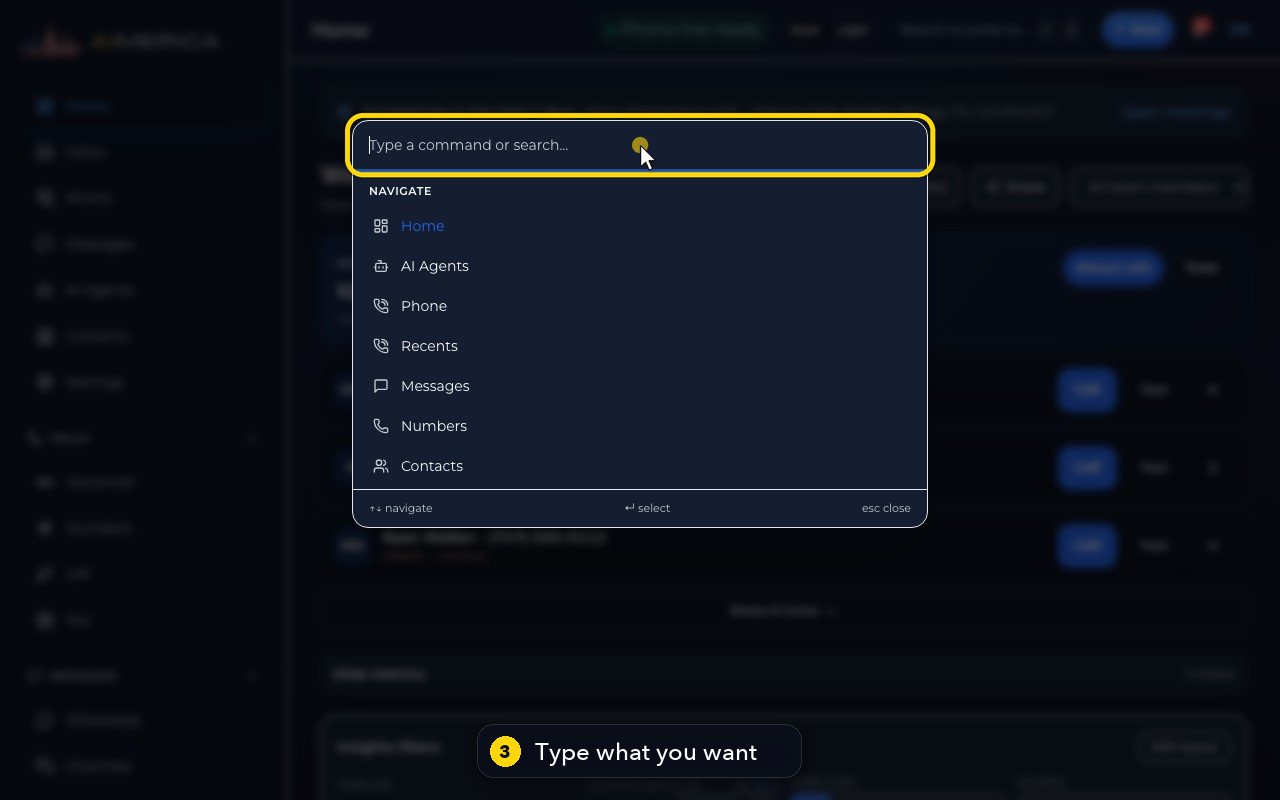
Type what you are looking for. The list keeps only what matches.
- 4
Click the result, or press Enter, and you are there.
- 5
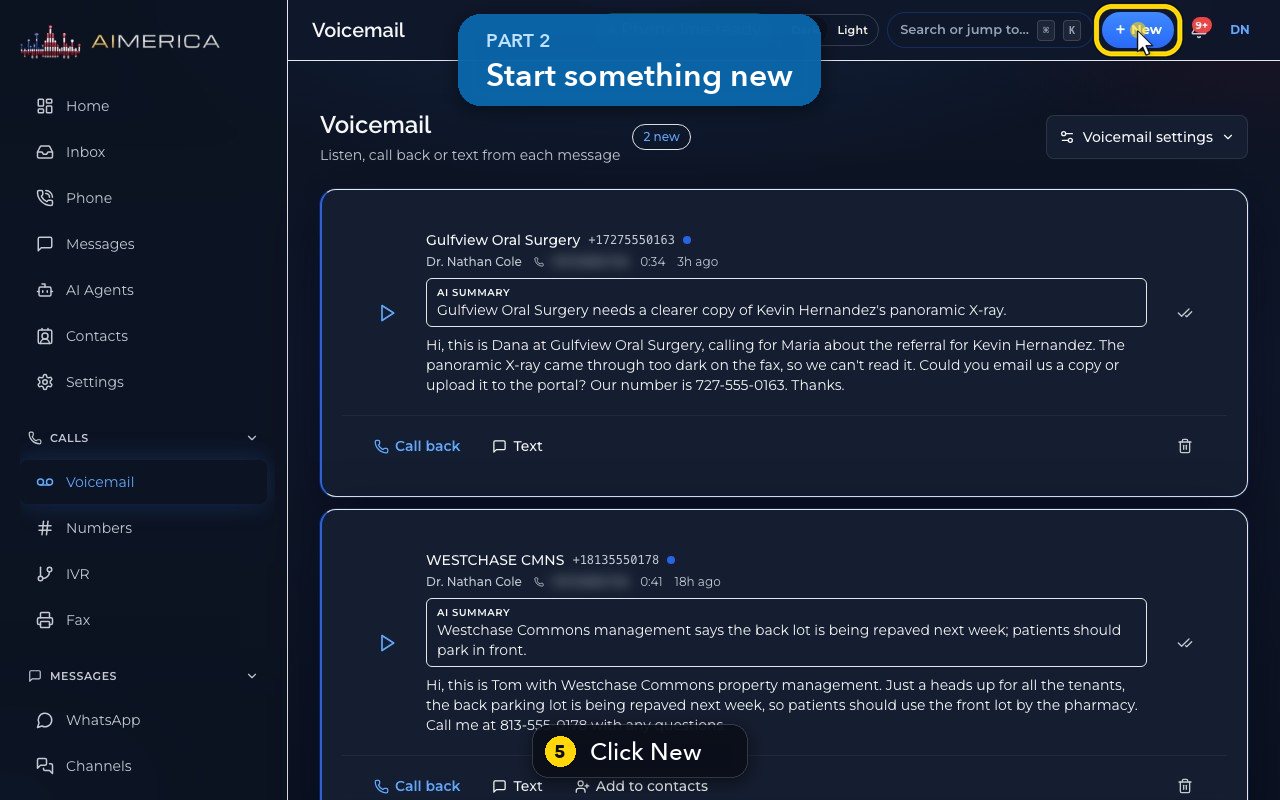
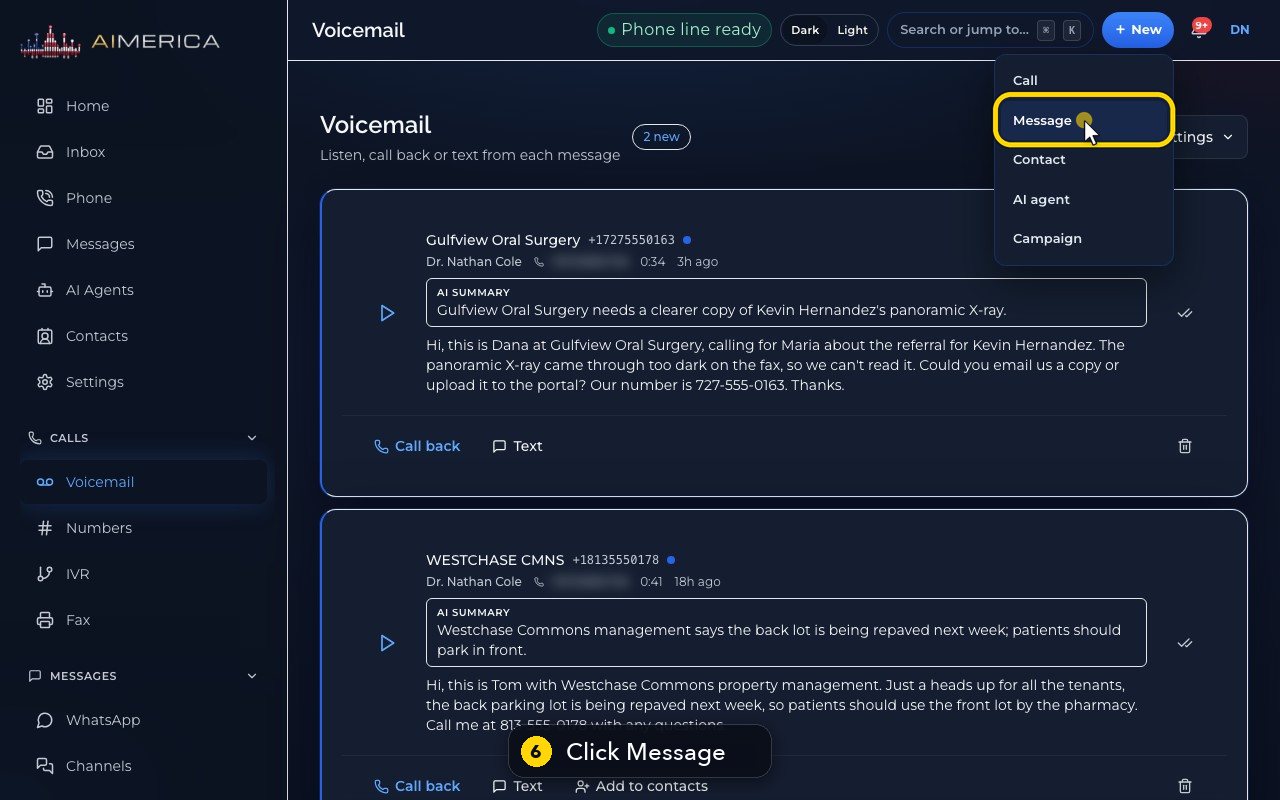
Now click New. It starts the most common jobs in one click: a call, a text, a contact, an AI agent, or a campaign.
- 6
Message opens a new text: who it goes to, which of your lines it comes from, and what to say.
- 7
We will not send it now. Cancel closes it.
- 8
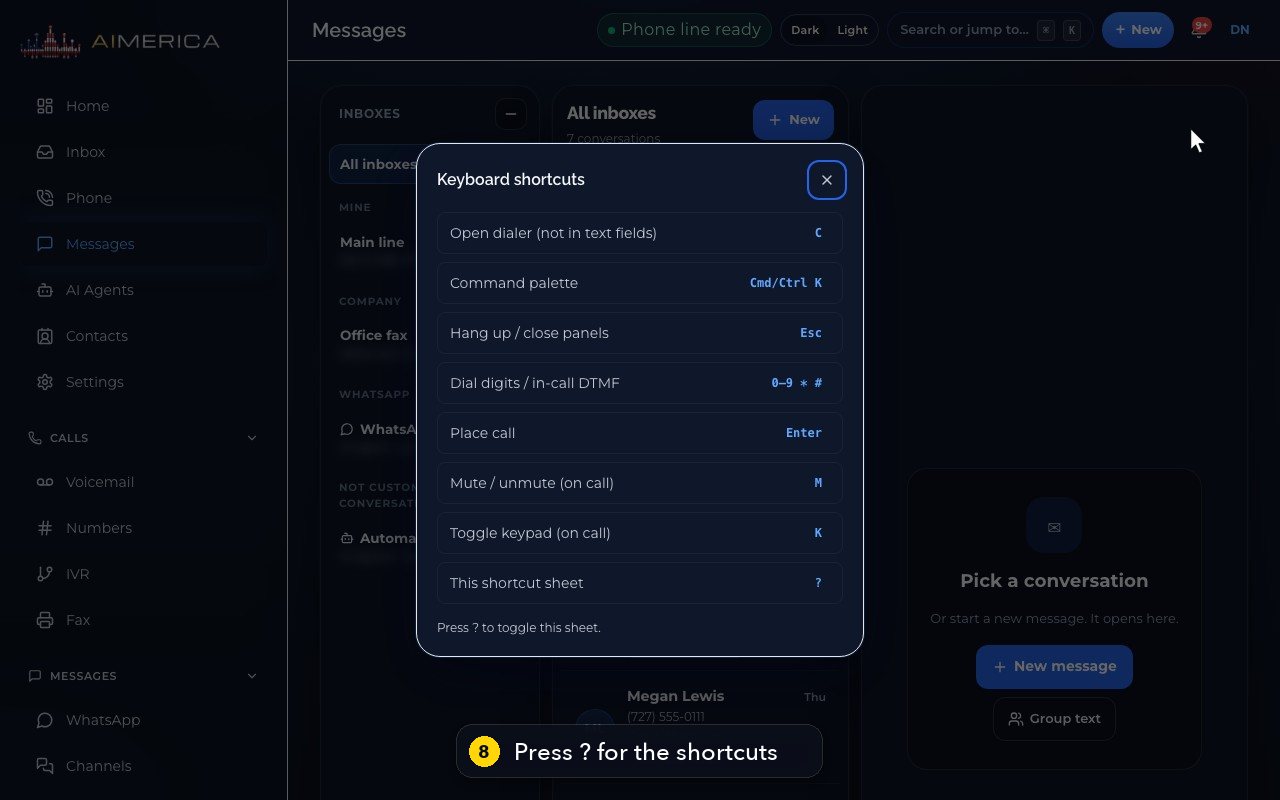
Press the question mark key, and you see every keyboard shortcut.
- 9
C opens the dialer. M mutes you during a call. And Escape hangs up, or closes a panel.
- 10
Press Escape to close the sheet.
Related tutorials
 1:24VideoSign in and find your way around HomeSign in to the AIMERICA web app and read the Home page: meetings, Needs you, your numbers and the menu.
 1:20VideoThe Get set up checklistFollow the Get set up page to finish your first-week setup: account, 911 address, number, receptionist, test call and go live.
 1:35VideoYour 911 address (calling waits for it)Check the company's emergency address, set your own 911 address when you work elsewhere, and name emergency contacts.
 0:47VideoForgot your passwordAsk for a password reset link from the sign-in page.
Was this not what you needed? Write to us.