
Connect HubSpot, Salesforce or Odoo
Find Integrations, see what each CRM connection syncs, and where a HubSpot private-app token goes.
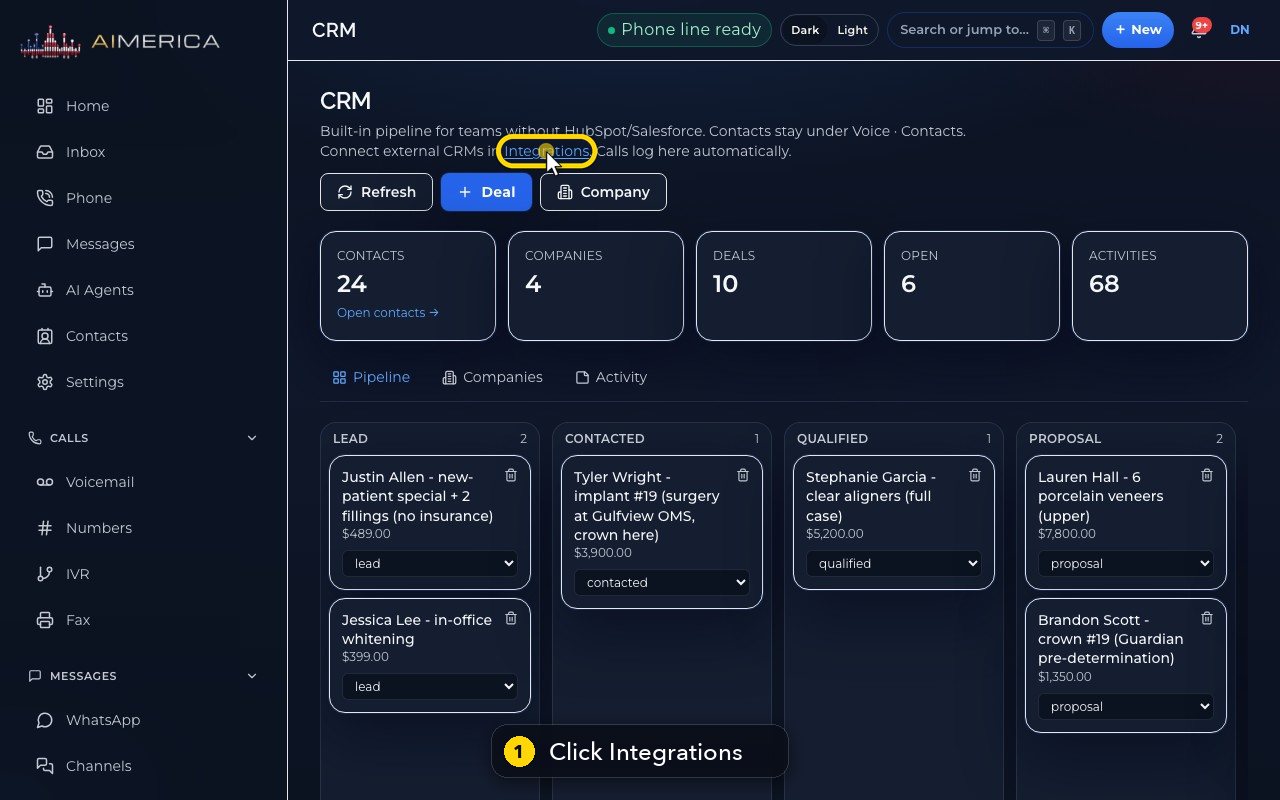
On a computer, open CRM and click Integrations in the line at the top. The built-in CRM is always on. HubSpot: Connect OAuth, or Private token to paste a private app's access token. Salesforce: OAuth or user name. Odoo: Connect Odoo with its address, database, user name and API key.
In this video
Step by step
- 1
On a computer, the way into Integrations is the link in the CRM page's intro.
- 2
The built-in CRM is always on: contacts, companies, deals and call activity.
- 3
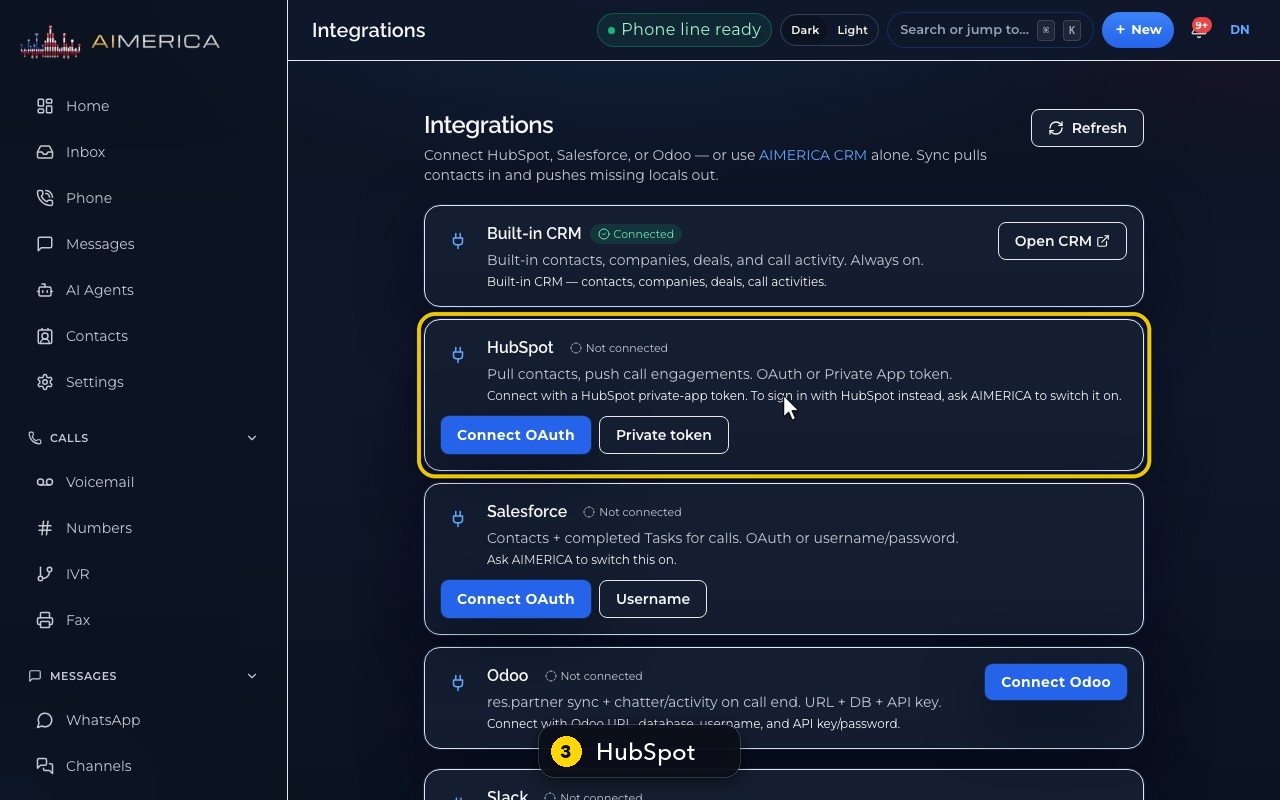
HubSpot pulls contacts in and pushes your calls out. Connect OAuth signs in with HubSpot.
- 4
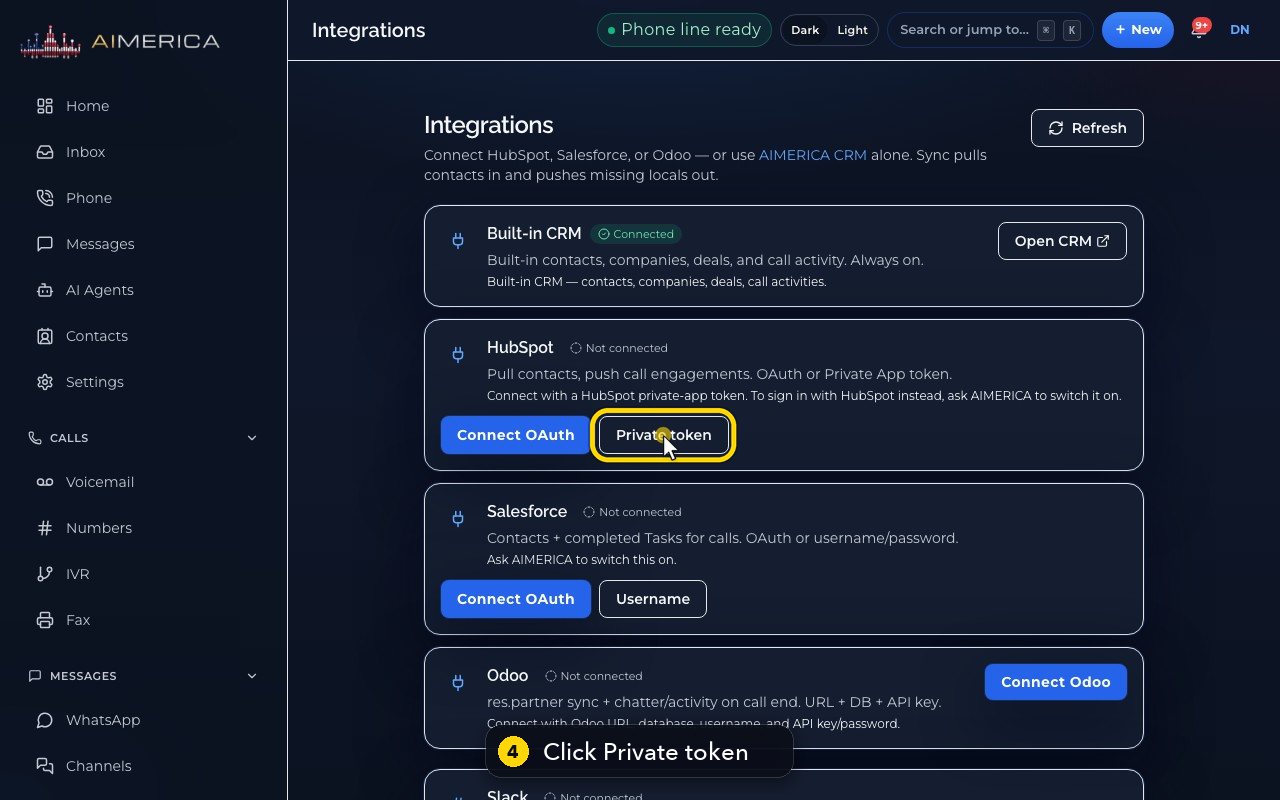
Private token shows where to make a HubSpot private app, and a box for its access token.
- 5
Save token would connect it. We stop here.
- 6
Salesforce syncs contacts, and logs your calls as tasks.
- 7
Odoo connects with its address, database, user name and API key.
- 8
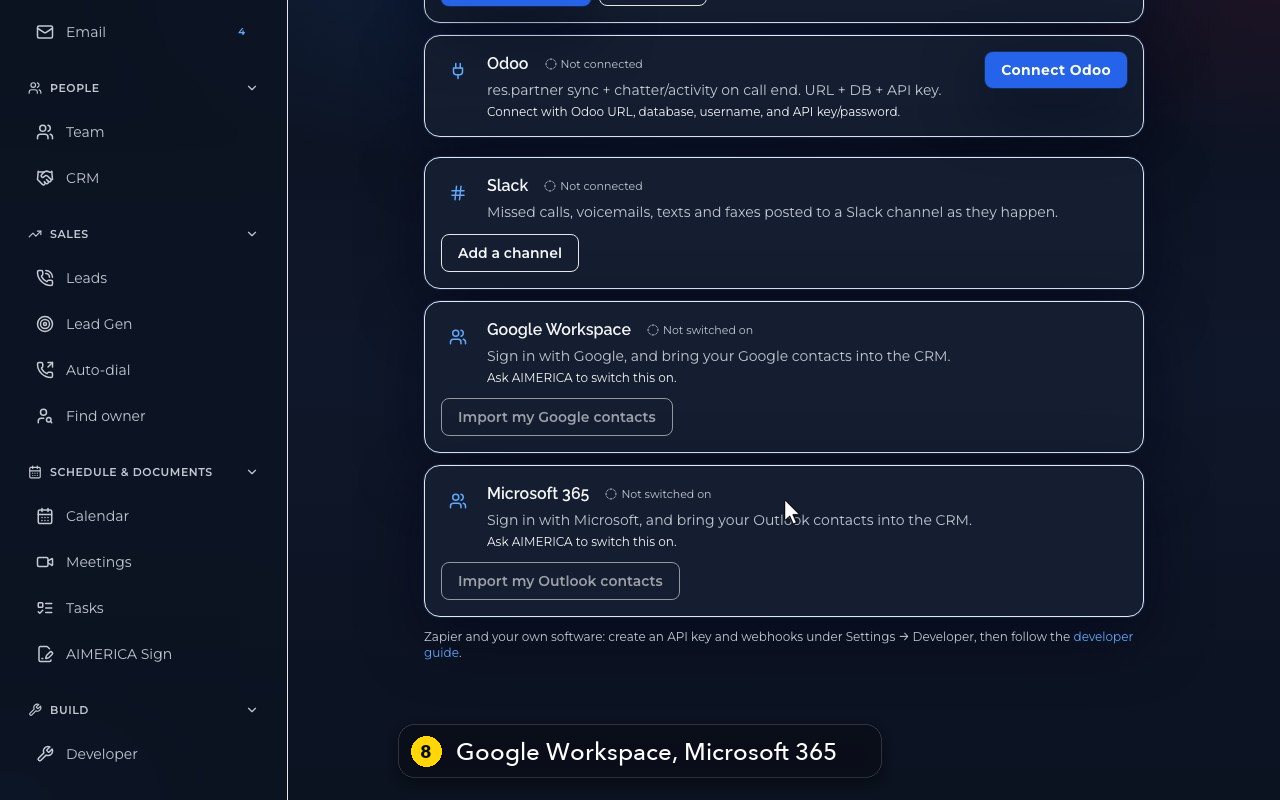
Google Workspace and Microsoft 365 bring your team's contacts into the CRM, once we switch them on for you.
- 9
Zapier and your own software use API keys and webhooks, under Settings, Developer.
Related tutorials
 1:05VideoPost missed calls and voicemails to SlackSend missed calls, voicemails, texts and faxes to a Slack channel as they happen.
 1:09VideoZapier webhooks in Settings, DeveloperUnder Settings, Company, Developer, make keys and the simple webhooks Zapier uses for calls, texts, voicemail and fax.
 1:19VideoCreate an API key for your own softwareMake an API key with only the permissions your software needs, for tools like Zapier or your own code.
 1:22VideoSubscribe to events with webhooksAdd a webhook subscription that sends calls, texts, voicemails and other events to your server.
 1:16VideoRegister an app other companies can authorizeRegister an OAuth app with its redirect addresses and scopes, so other AIMERICA companies can allow it.
 1:07VideoPut your phone line inside your own web appAllow your web app's address and see how a browser phone registers your AIMERICA line over a secure WebSocket.
Was this not what you needed? Write to us.