
Track payments, deposits and disputes
Follow payments and refunds in Activity, deposits in Payouts, and chargebacks in Disputes.
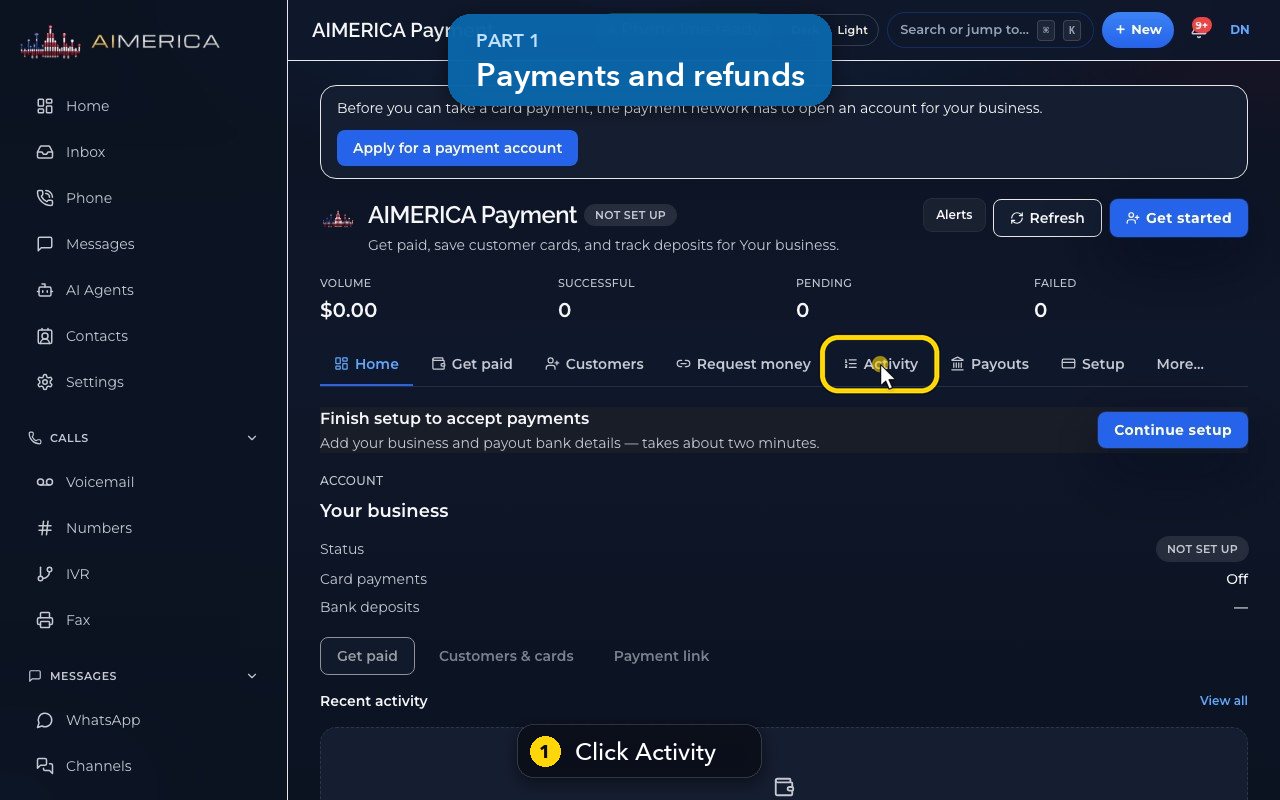
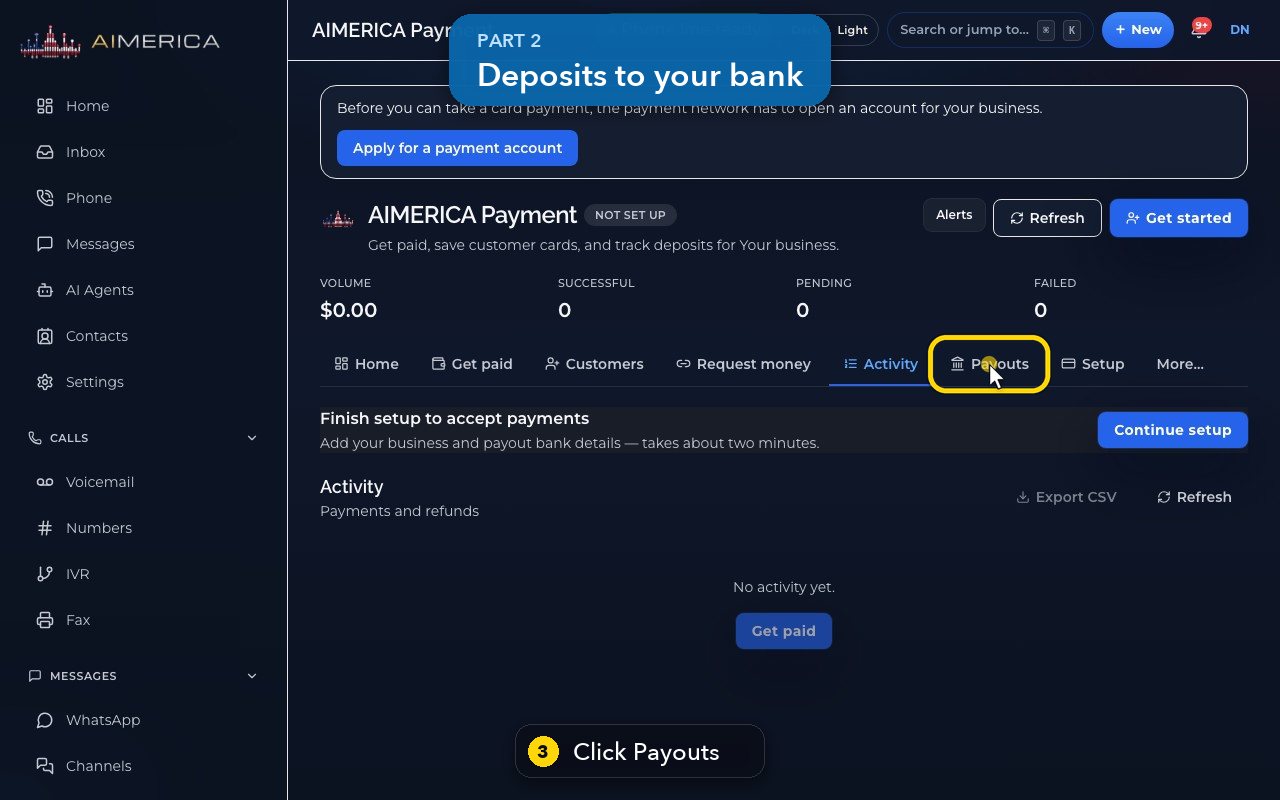
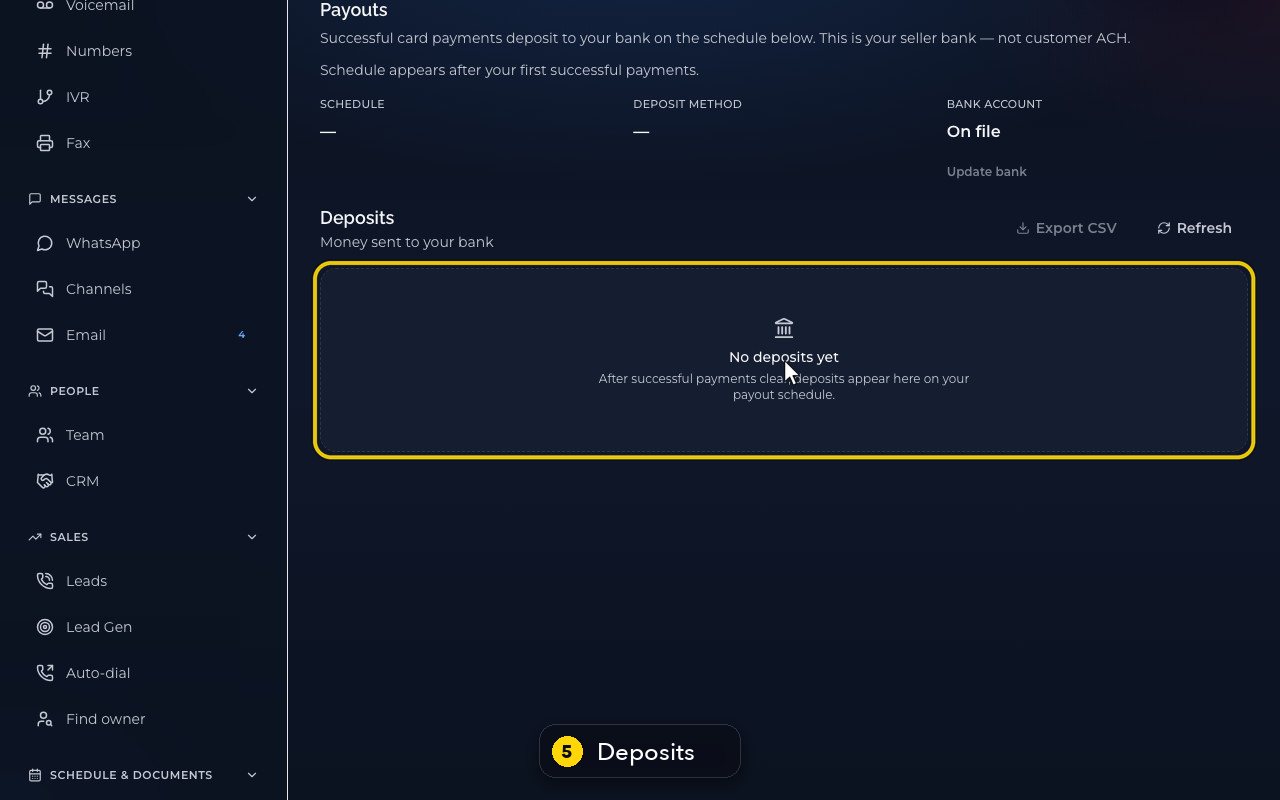
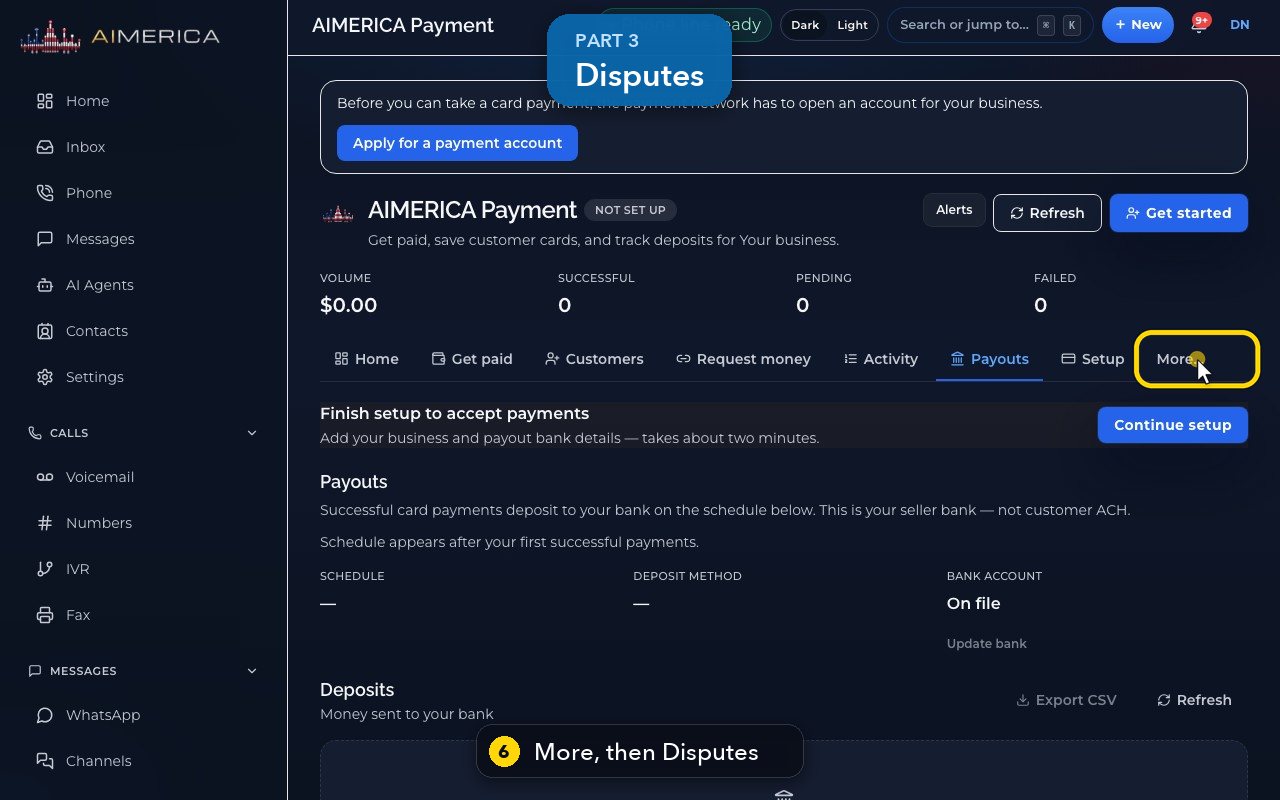
Open AIMERICA Payment. Activity lists payments and refunds (date, type, amount, status, reference), with Export CSV. Payouts shows the schedule, the deposit method, your bank account (Update bank) and the deposits. More > Disputes lists chargebacks and the date to respond by.
In this video
Step by step
- 1
Activity lists payments and refunds, with the date, type, amount, status and reference.
- 2
Export CSV downloads the list.
- 3
Payouts: your successful card payments go to your bank on a schedule.
- 4
Update bank changes where the deposits go.
- 5
Deposits lists the money sent to your bank.
- 6
Disputes, under More, lists chargebacks and the date to respond by.
- 7
Home shows your recent activity at a glance.
Related tutorials
 1:09VideoTurn on two-step sign-inProtect your account with a six-digit code from an authenticator app on top of your password.
 0:55VideoChange your passwordChange your AIMERICA password and choose whether SIP desk phones stay connected.
 0:54VideoChoose your call and voicemail alertsChoose whether AIMERICA alerts you to missed calls and new voicemail, and let this browser ring in the background.
 1:06VideoUse AIMERICA in FrenchSwitch the app between English and French for yourself, and choose your desk phone's voicemail language.
 0:47VideoChange your name and the app's appearanceSet the name your team sees and switch the app between dark and light.
 1:25VideoFind Billing and read your planOpen Billing from your account page and read your plan, this month's minutes, texts and numbers, and the plans you can switch to.
Was this not what you needed? Write to us.