
Hold callers in a queue for a team
Keep callers waiting in line when everyone is busy, and set the wait, the overflow, wrap-up time and a target.
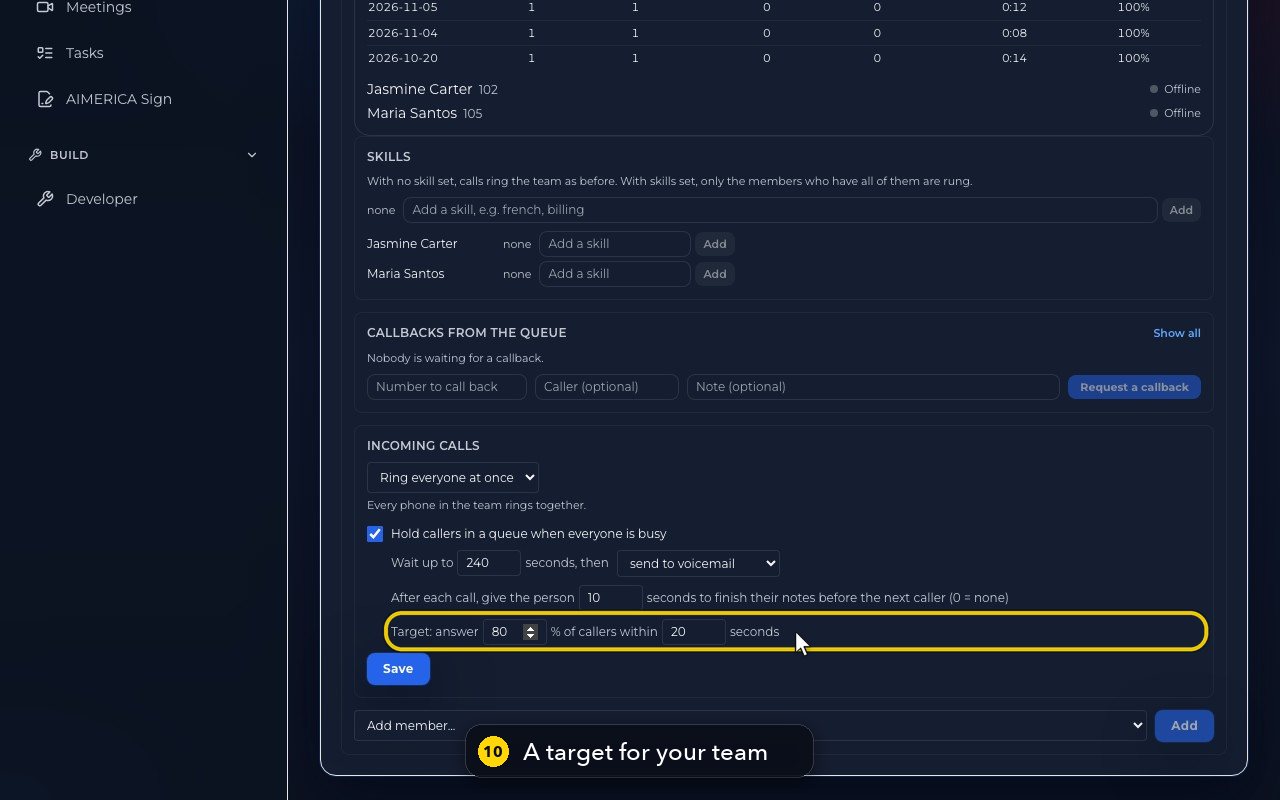
Open Team, click a group under Groups, and tick Hold callers in a queue when everyone is busy under Incoming calls. Choose the wait, what happens when it runs out, the wrap-up time and a target, then press Save.
In this video
Step by step
- 1
A ring group can hold callers in a queue when everyone is busy. Open Team, in the menu on the left.
- 2
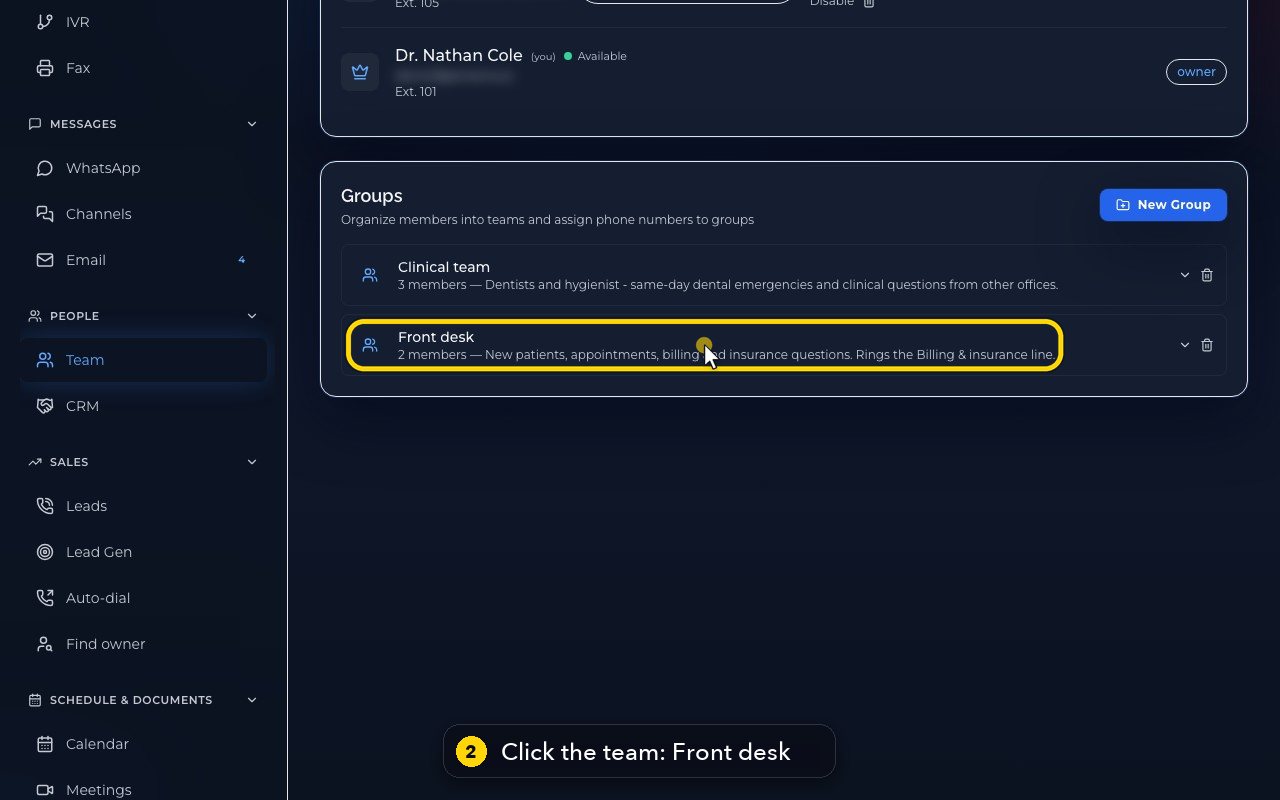
Under Groups, click the team. Here, Front desk.
- 3
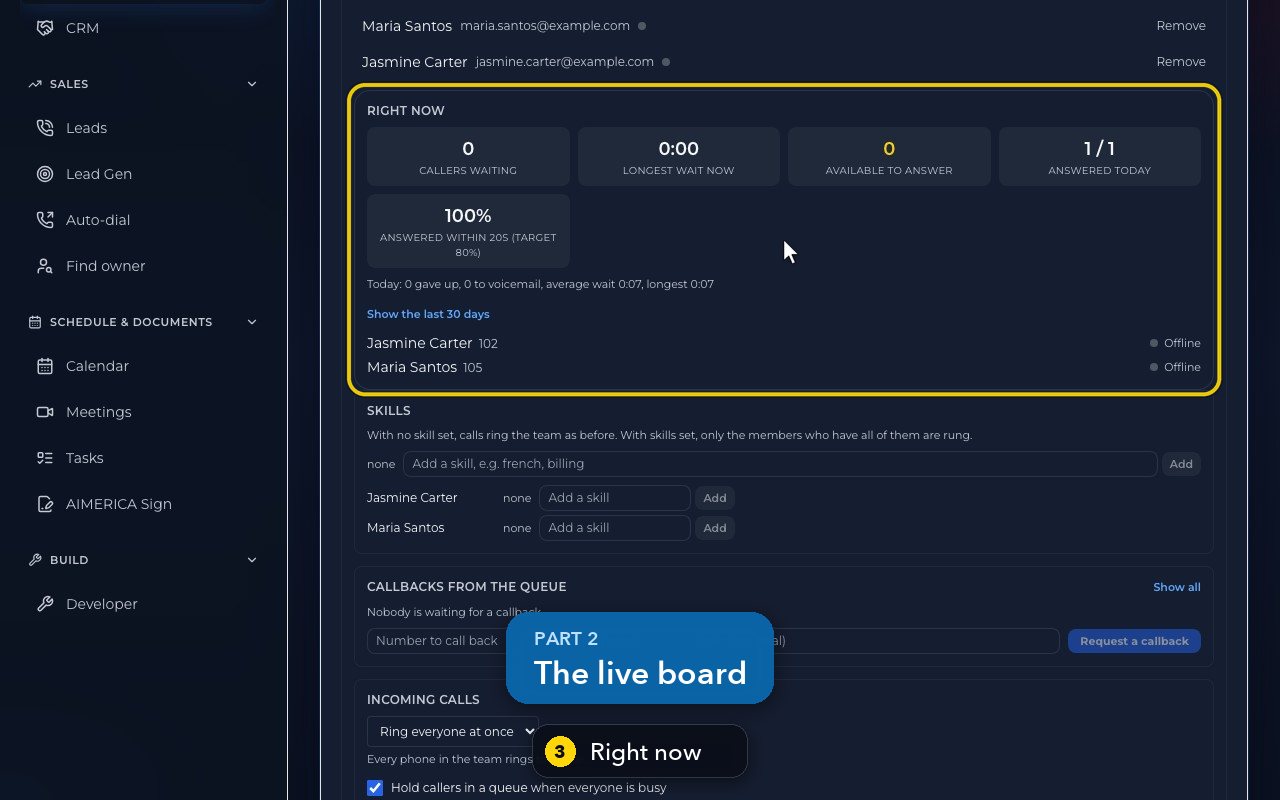
Right now shows callers waiting, the longest wait, who can answer, and today's answered calls.
- 4
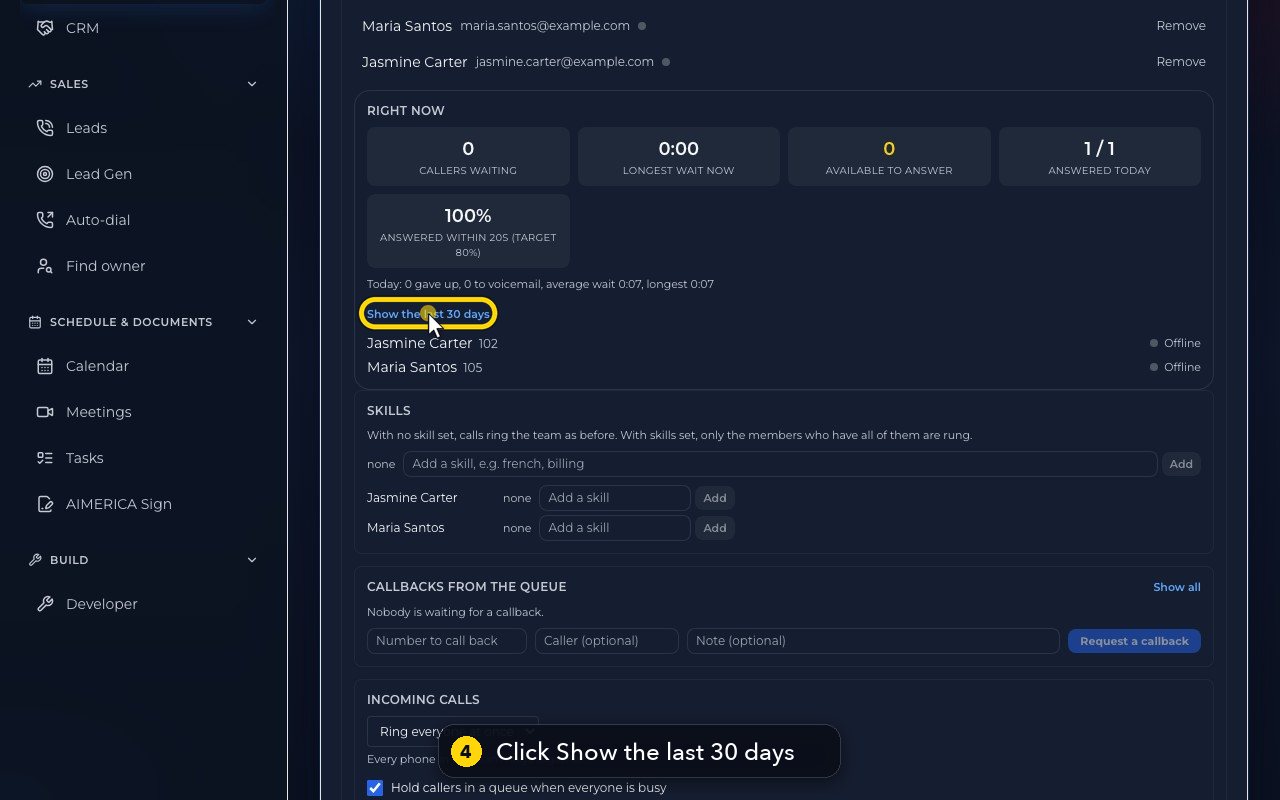
Show the last 30 days lists each day's calls, and how many were answered in time.
- 5
Skills narrow who rings. With no skill set, the whole team rings, as before.
- 6
Callbacks from the queue lists the callers waiting to be called back.
- 7
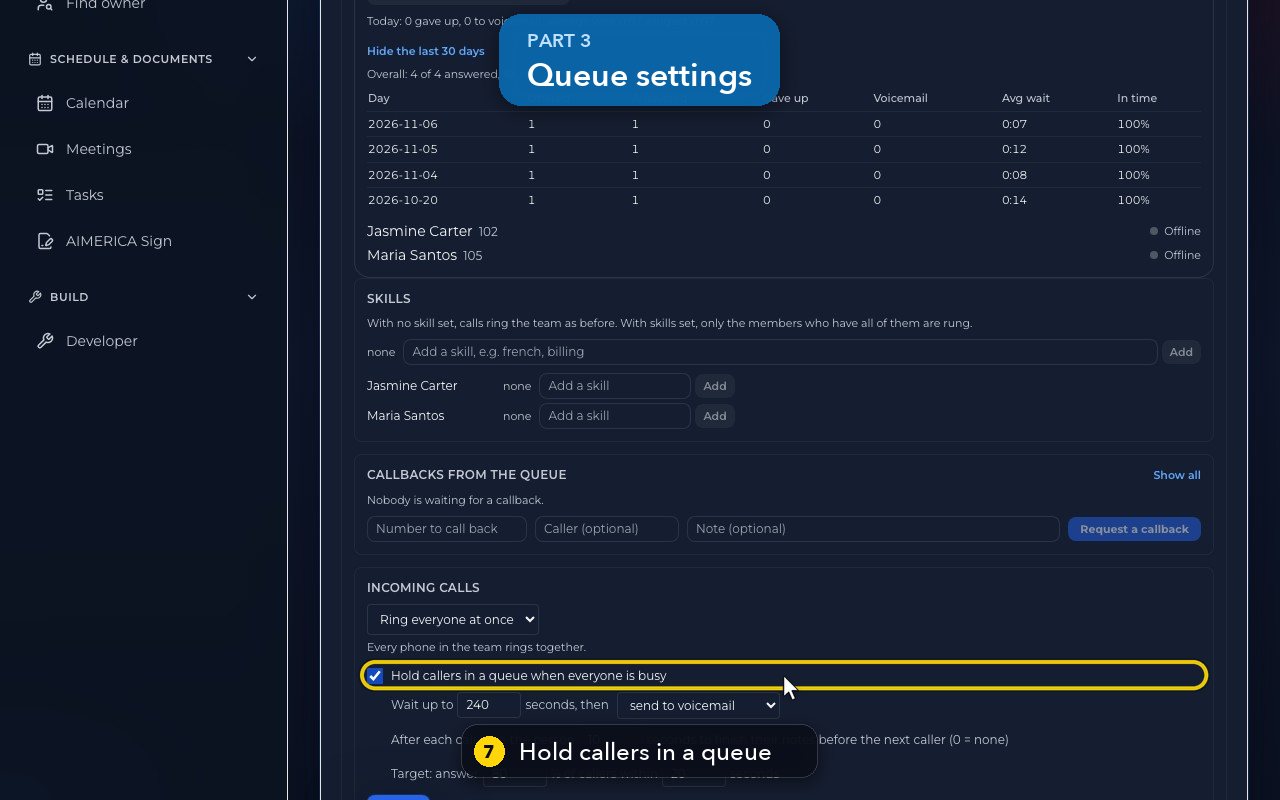
Further down, Hold callers in a queue is ticked for this team.
- 8
Choose how long callers wait. Then, what happens next: voicemail, a forward to a number, or hang up.
- 9
Wrap-up time gives each person a few seconds after a call, to finish their notes.
- 10
Set a target, like 80 percent of callers answered within 20 seconds. The board and the history compare against it.
- 11
Save applies all of this. In this demo, we only look.
Related tutorials
 1:38VideoBusiness hours and call forwardingChoose when a line is open, and where calls go when you are closed, away or busy.
 1:18VideoChoose who answers each numberRead your numbers list and point each line at a person, a ring group, a phone menu or an AI agent.
 1:16VideoAdd a teammateInvite a new person with a title, a number and an extension, without ever knowing their password.
 1:15VideoExtensions: reach a colleague in a few digitsFind each person's extension, choose one for a new person, and dial it from the browser phone.
 1:24VideoCreate a ring group and choose how it ringsPut people in a group, choose whether phones ring together, one at a time or in turns, and point a number at it.
 1:23VideoGet a new phone numberSearch for a local or toll-free number, see the price, and know what happens before you add it.
Was this not what you needed? Write to us.