
Extensions
Reach a colleague in three digits.
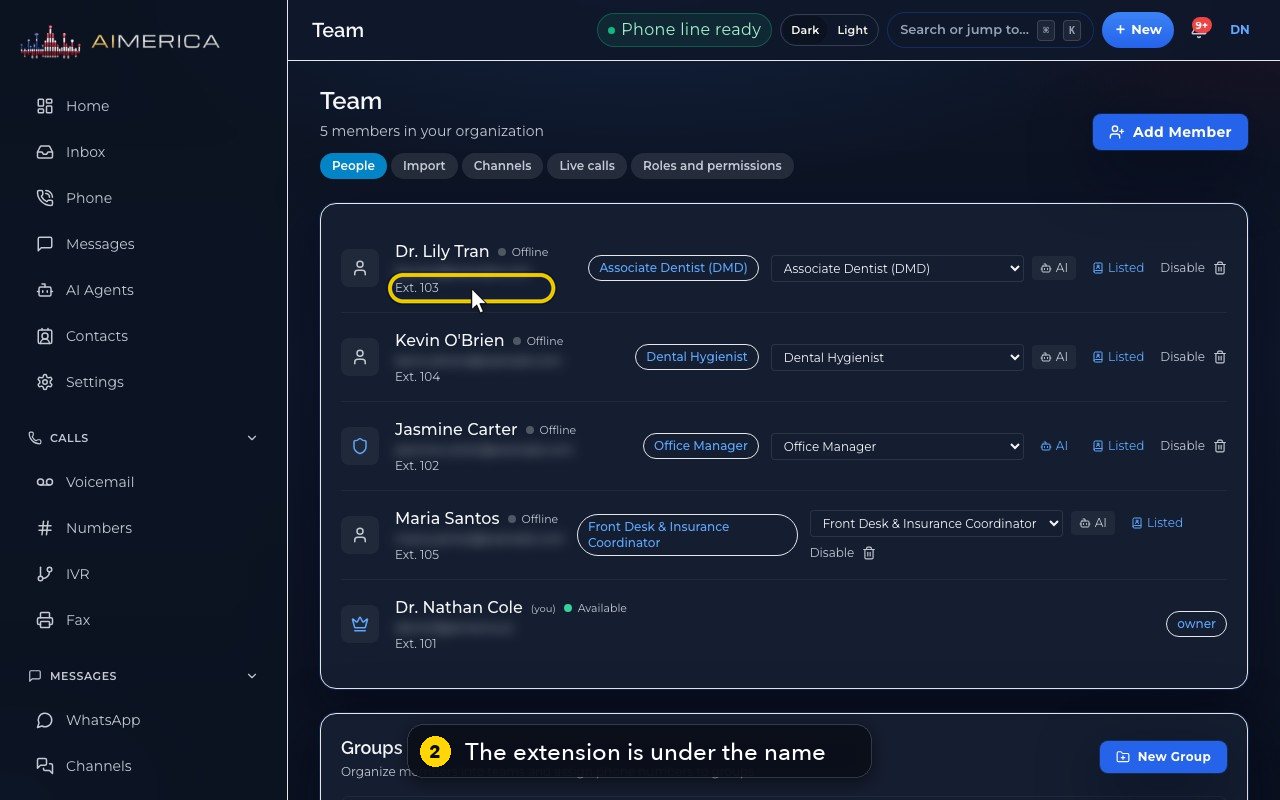
Every person has an extension of three or four digits. You see it under their name in Team, and you dial it on the Phone keypad.
In this video
Step by step
- 1
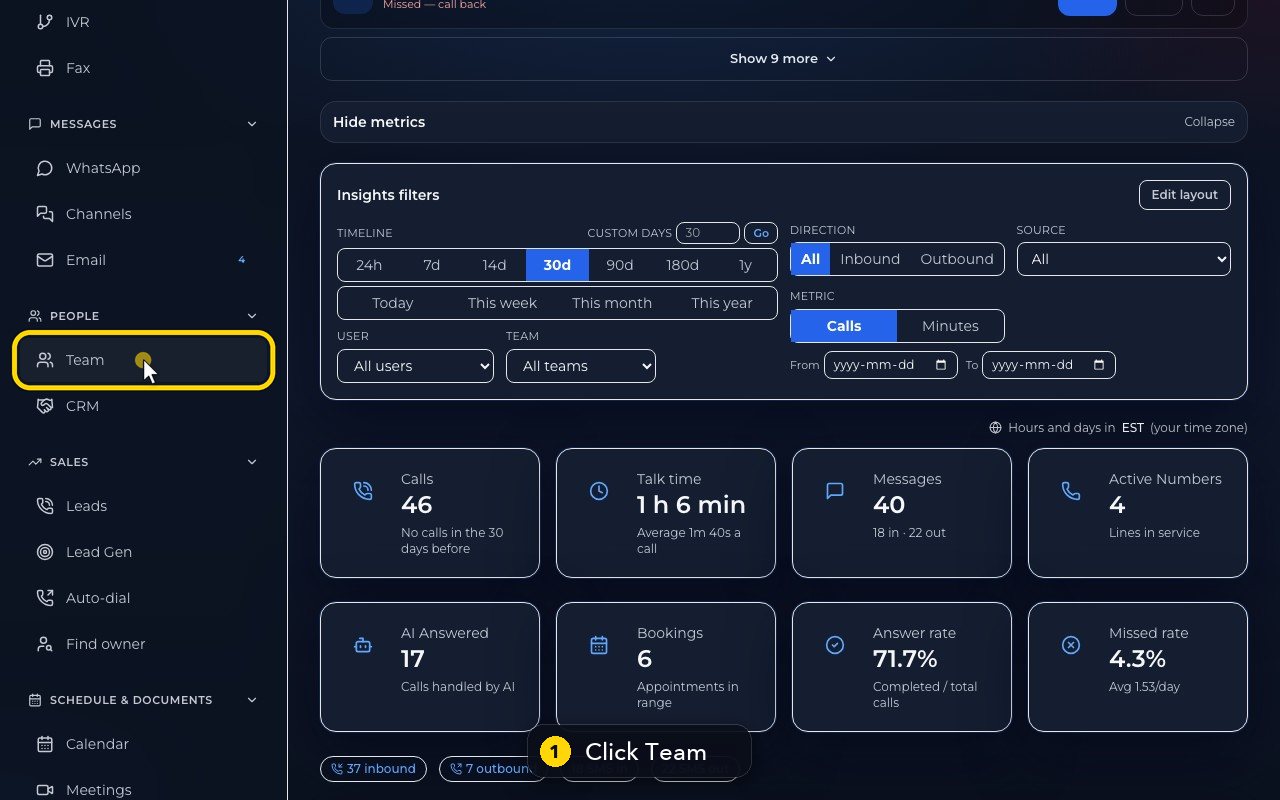
Everyone in your company has a short extension. Click Team, in the menu on the left.
- 2
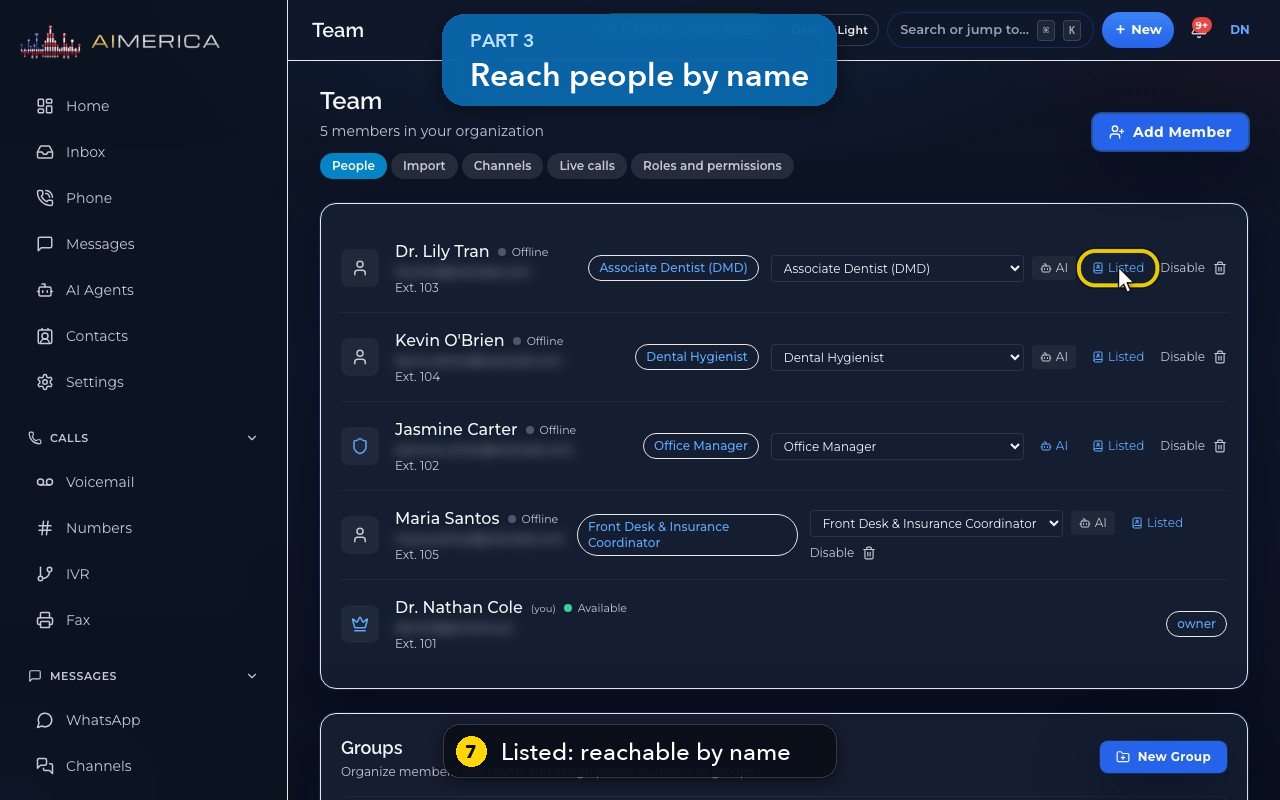
The extension is under each name. Lily Tran is on 103.
- 3
New people get the next free extension, starting at 101. Here, 101 to 105 are taken.
- 4
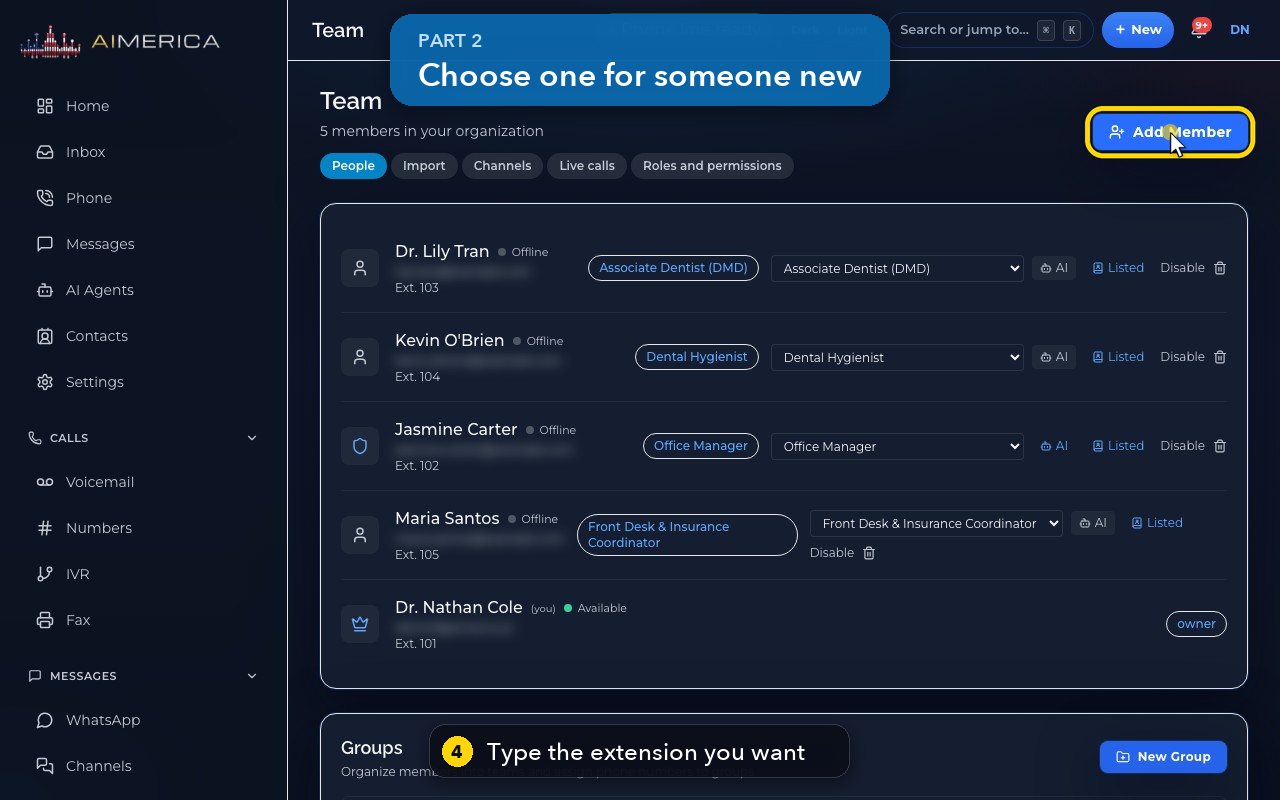
To choose one yourself, click Add Member, then type it in Extension.
- 5
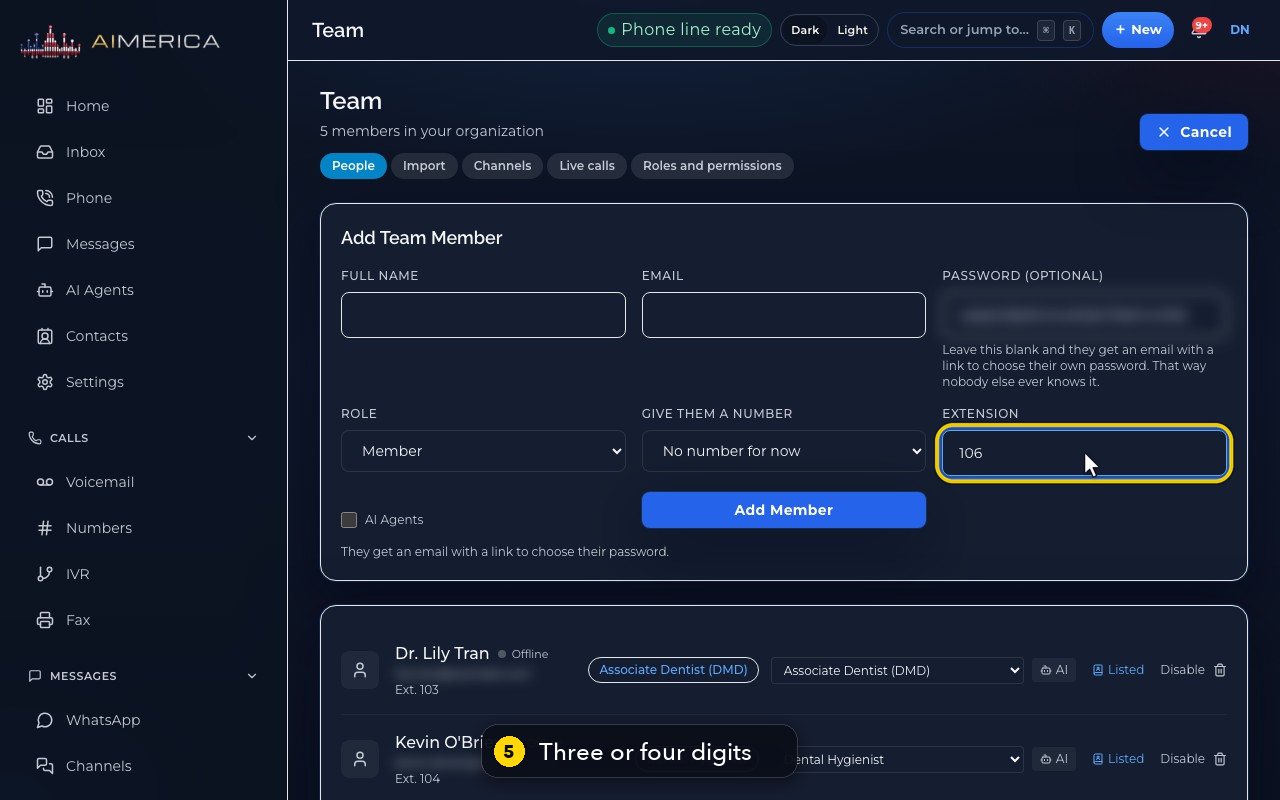
An extension has three or four digits. Help numbers, like 9-1-1 or 9-8-8, can never be extensions.
- 6
Click Cancel to close the form without adding anyone.
- 7
Listed means callers can also reach this person by spelling their name in your phone menu.
- 8
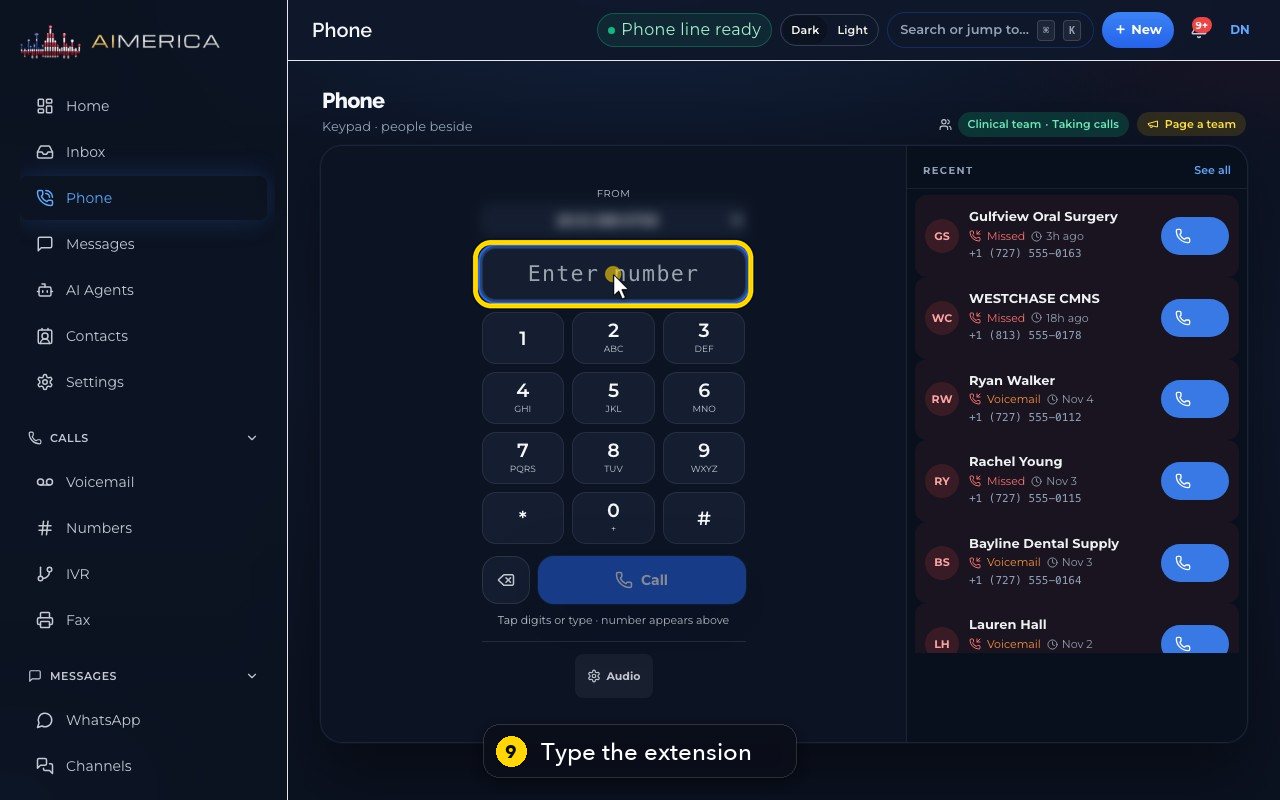
To call a colleague, click Phone, in the menu on the left.
- 9
Type their extension in the number box. Here, 103 for Lily.
- 10
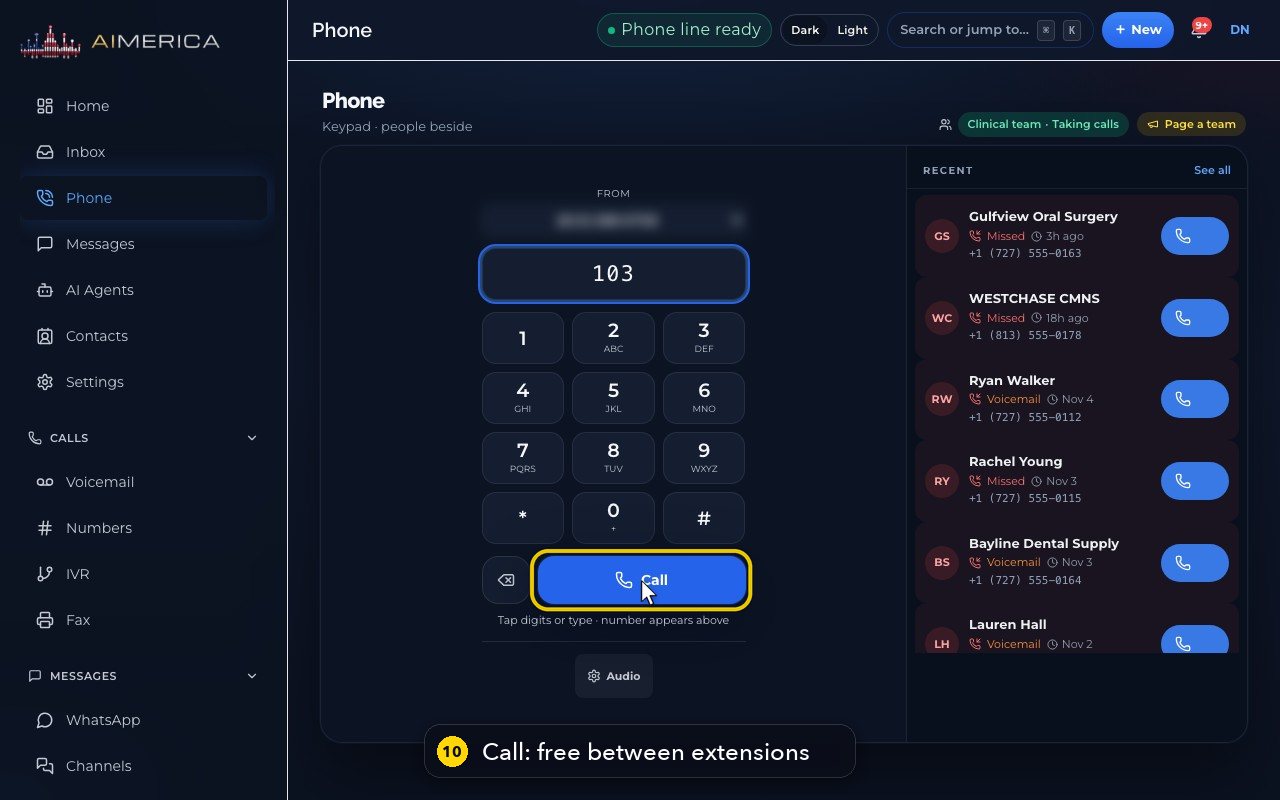
Then press Call. Calls between extensions are free: they never use your minutes.
In short
Everyone in your company has an extension of three or four digits. Dial it from the app or a desk phone to ring that colleague directly. Calls between extensions stay inside AIMERICA and use none of your minutes.
- Choose a person's extension when you add them in Team, with Add Member, or leave it empty to give them the next free one. Two people cannot share one.
- Numbers such as 911, 988 and 411 can never be extensions.
- In a phone menu, add the “Dial by extension” step so callers can key an extension themselves.
Related tutorials
 1:38VideoBusiness hours and call forwardingChoose when a line is open, and where calls go when you are closed, away or busy.
 1:18VideoChoose who answers each numberRead your numbers list and point each line at a person, a ring group, a phone menu or an AI agent.
 1:16VideoAdd a teammateInvite a new person with a title, a number and an extension, without ever knowing their password.
 1:24VideoCreate a ring group and choose how it ringsPut people in a group, choose whether phones ring together, one at a time or in turns, and point a number at it.
 1:23VideoGet a new phone numberSearch for a local or toll-free number, see the price, and know what happens before you add it.
 1:27VideoBring your existing number (porting)Start moving a number from your current provider and know what the carrier will ask for.
Was this not what you needed? Write to us.