
Keep your existing number
Moving (porting) a number from another provider.
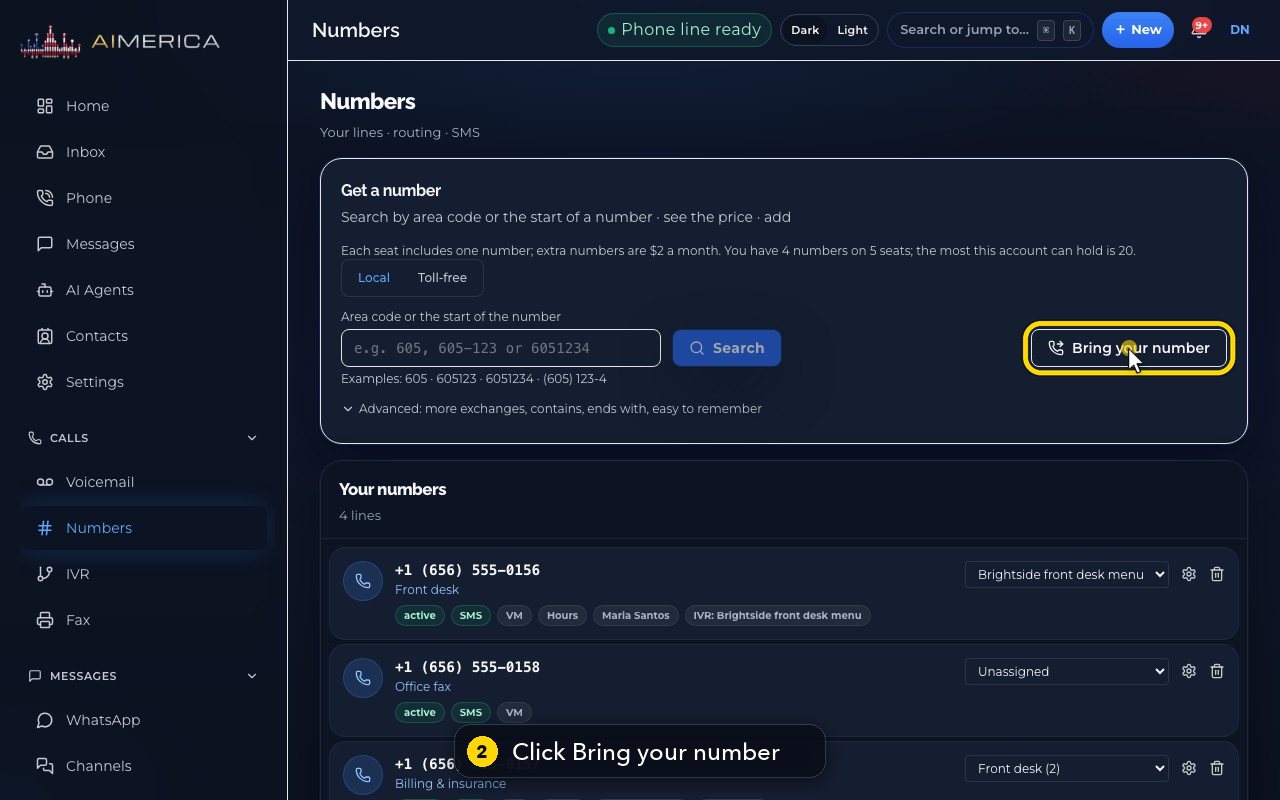
In Numbers, click Bring your number. Type the number and press Check: it tells you at once, for free, if the number can move, then guides you through details, documents and done.
In this video
Step by step
- 1
Moving your number from another provider is called porting. Start in Numbers, in the menu on the left.
- 2
Click Bring your number. Your old service keeps working until the move.
- 3
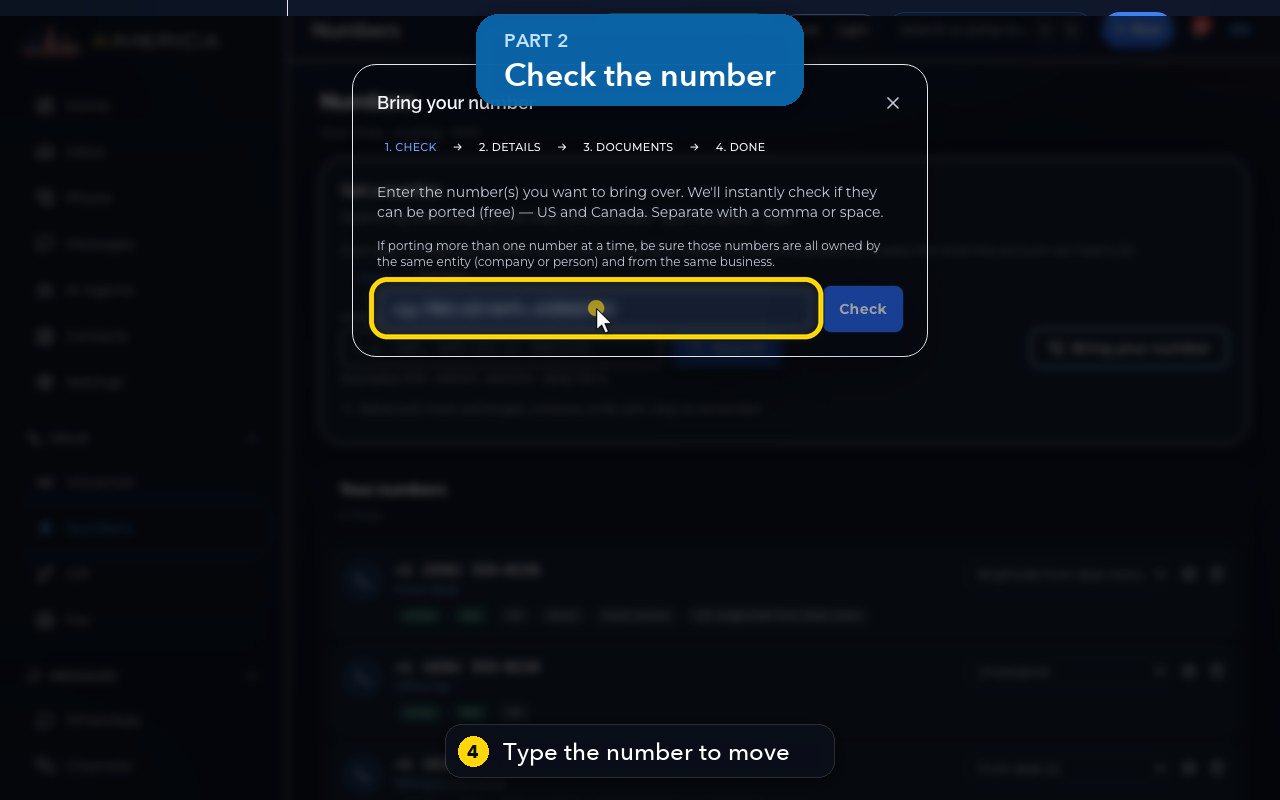
There are four steps: check, details, documents, and done.
- 4
Type the number to move. Several numbers work too, when the same business owns them.
- 5
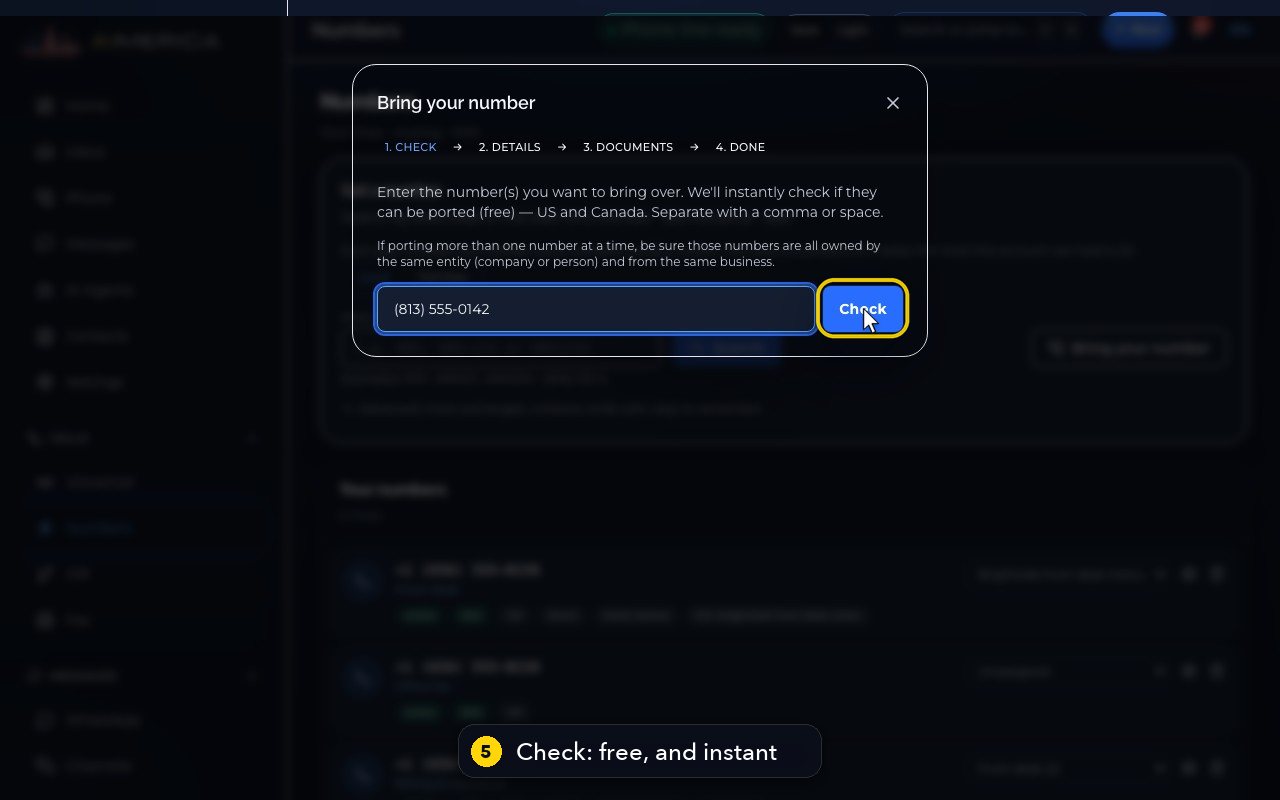
Check tells you at once, for free, if it can move: the current carrier, how fast, and if texting moves too. In this demo, we do not press it.
- 6
Next, Details must match your current carrier's account exactly. A mismatch is the top reason a port is refused.
- 7
You give the name on the account, the person who signs, the account number, and the service address. A mobile line also needs a transfer PIN.
- 8
Then, under Documents, you sign the letter of agency online, and upload a carrier bill from the last 90 days.
- 9
Do not cancel your old service first. Cancel it only after the number works here.
- 10
To close the window, click the X at its top right.
In short
You can bring numbers from almost any provider in the US and Canada. Nothing changes for your callers, and your old service keeps working until the moment the number moves.
- In Numbers, click Bring your number and type the number. Several numbers work too, when the same business owns them. Check tells you at once, for free, if it can move, who the current carrier is, how fast it moves and whether texting moves too.
- Details: the name on the account with your current carrier, the person who signs, the account number, the service address and an email for status updates. A mobile number also needs the transfer PIN from your carrier. Everything must match the carrier's account exactly: a mismatch is the top reason a port is refused.
- Documents: sign the Letter of Agency in AIMERICA Sign (or download it, sign it and upload it), and upload a bill from the last 90 days that shows the account name, the account number and this phone number.
- We send the request and email you at every step: submitted, confirmed and live.
Related tutorials
 1:38VideoBusiness hours and call forwardingChoose when a line is open, and where calls go when you are closed, away or busy.
 1:18VideoChoose who answers each numberRead your numbers list and point each line at a person, a ring group, a phone menu or an AI agent.
 1:16VideoAdd a teammateInvite a new person with a title, a number and an extension, without ever knowing their password.
 1:15VideoExtensions: reach a colleague in a few digitsFind each person's extension, choose one for a new person, and dial it from the browser phone.
 1:24VideoCreate a ring group and choose how it ringsPut people in a group, choose whether phones ring together, one at a time or in turns, and point a number at it.
 1:23VideoGet a new phone numberSearch for a local or toll-free number, see the price, and know what happens before you add it.
Was this not what you needed? Write to us.