
Calling limits and international calling
See and set the brakes on outgoing calls, give one person their own limit, and check international calling.
Owners and admins open Settings › Company › Calling, card Calling limits: calls per person in ten minutes, per person in 24 hours, and for the whole company in 24 hours. Change a number and press Save limits.
In this video
Step by step
- 1
Calling limits are a company setting. Open Settings, in the menu on the left.
- 2
Choose Company at the top. Then, in the row below, choose Calling.
- 3
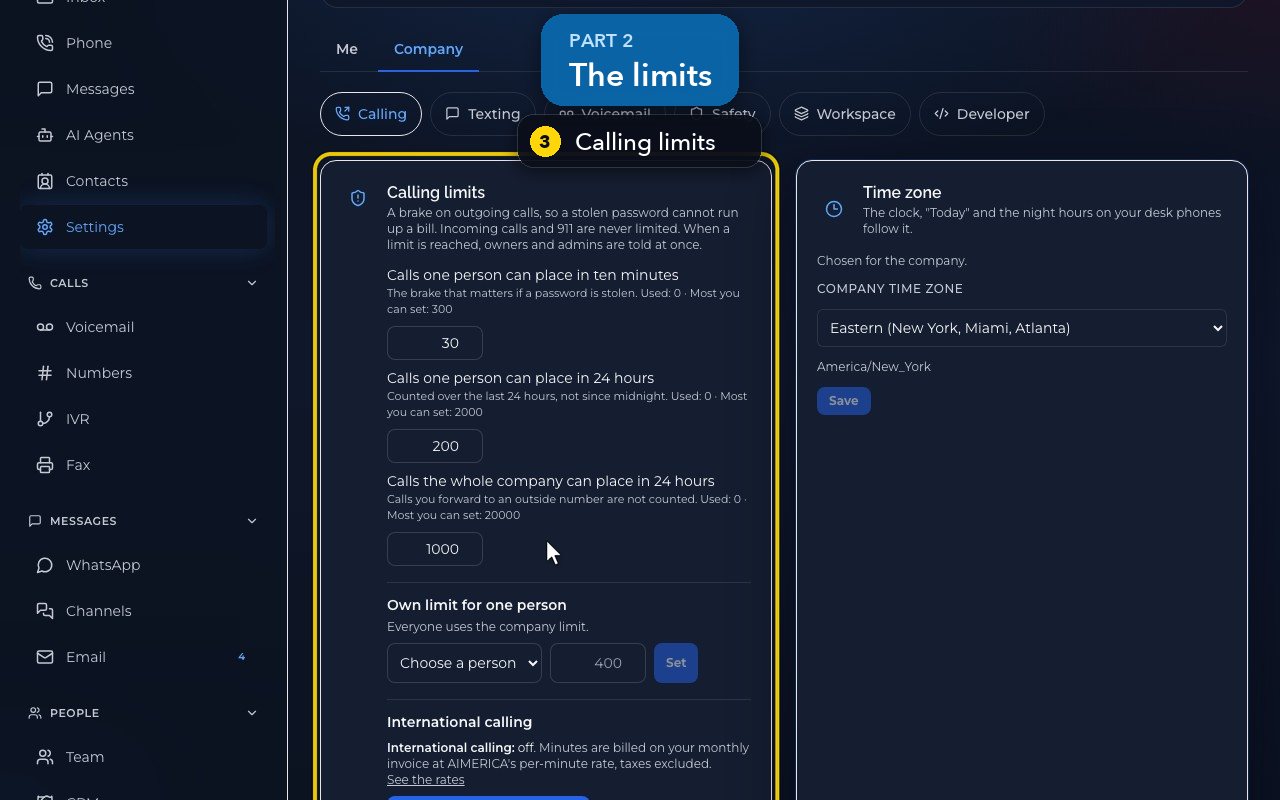
Calling limits protect your bill if a password is ever stolen. Incoming calls and 9-1-1 are never limited.
- 4
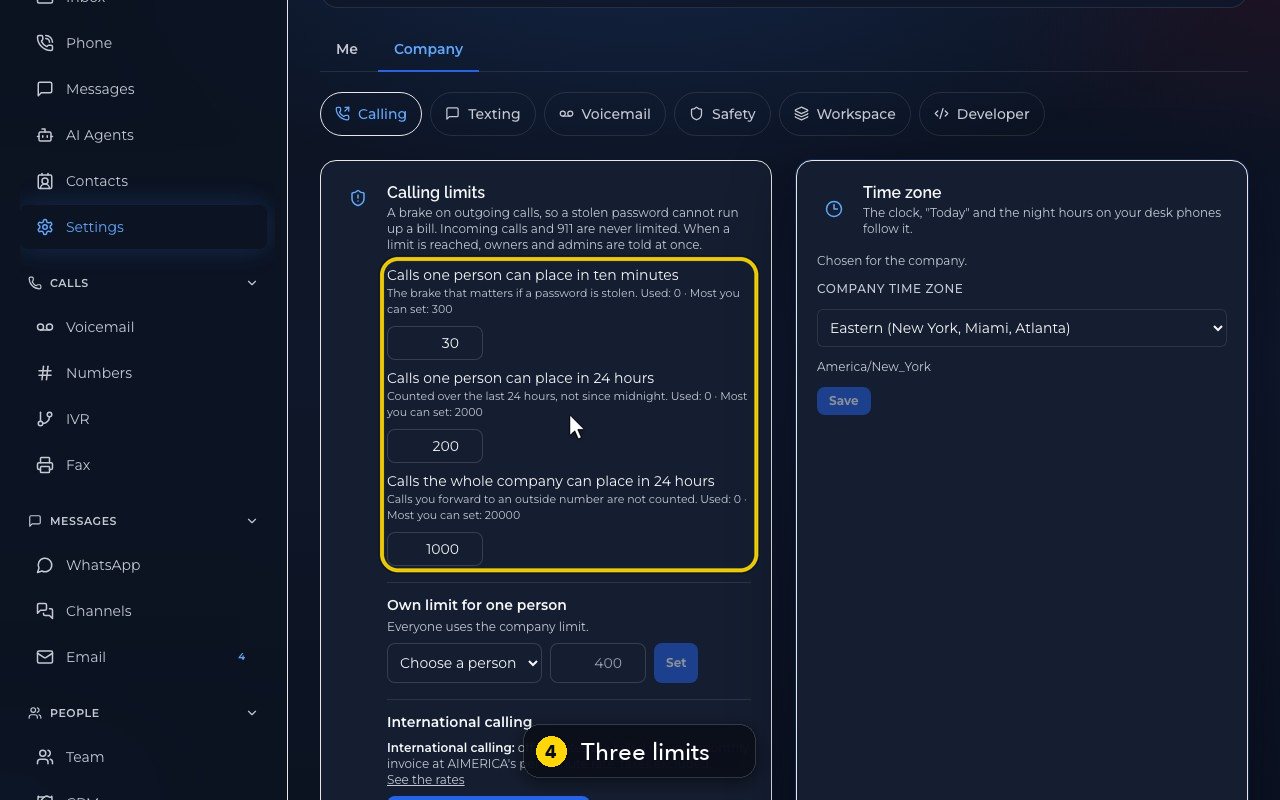
There are three: per person in ten minutes, per person in 24 hours, and the whole company in 24 hours. When one is reached, owners and admins are told at once.
- 5
Each shows how many calls were used, and the most you can set.
- 6
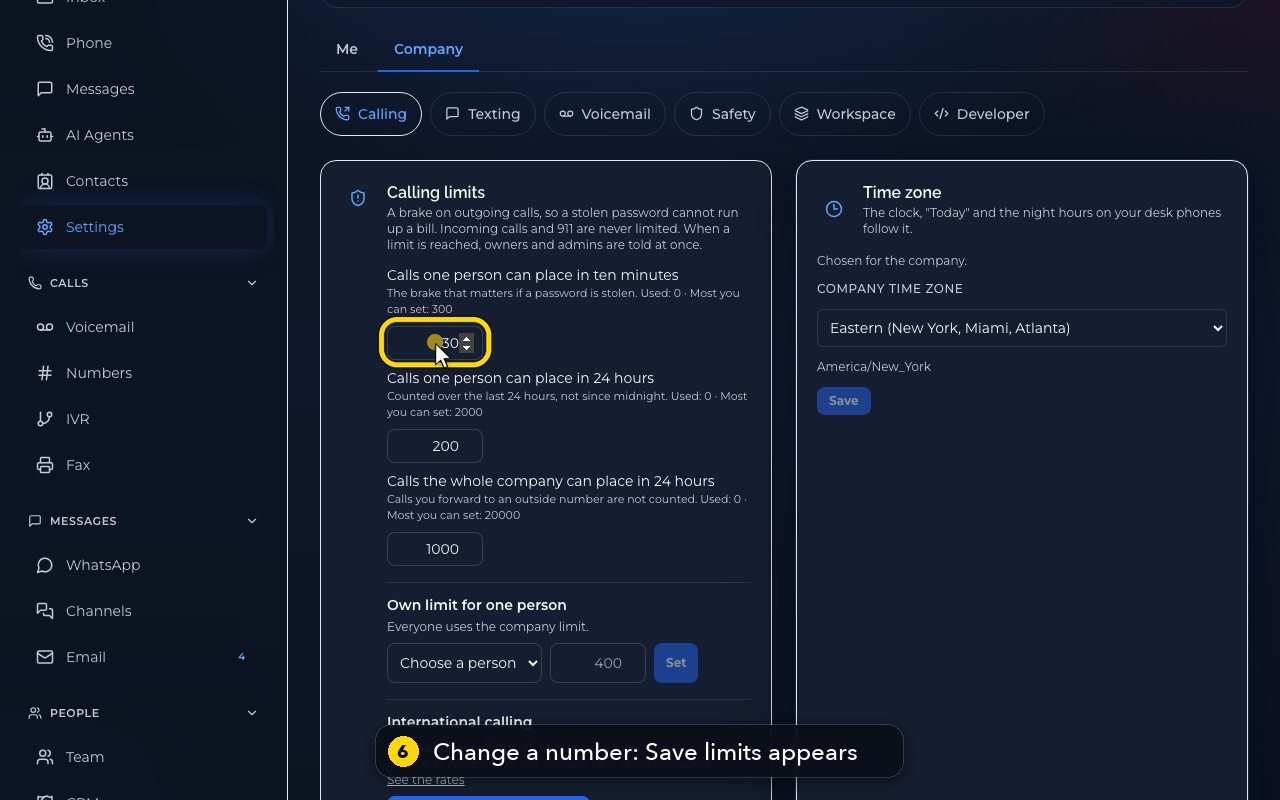
Change a number, and a Save limits button appears.
- 7
In this demo, we do not save. Opening the page again drops the change.
- 8
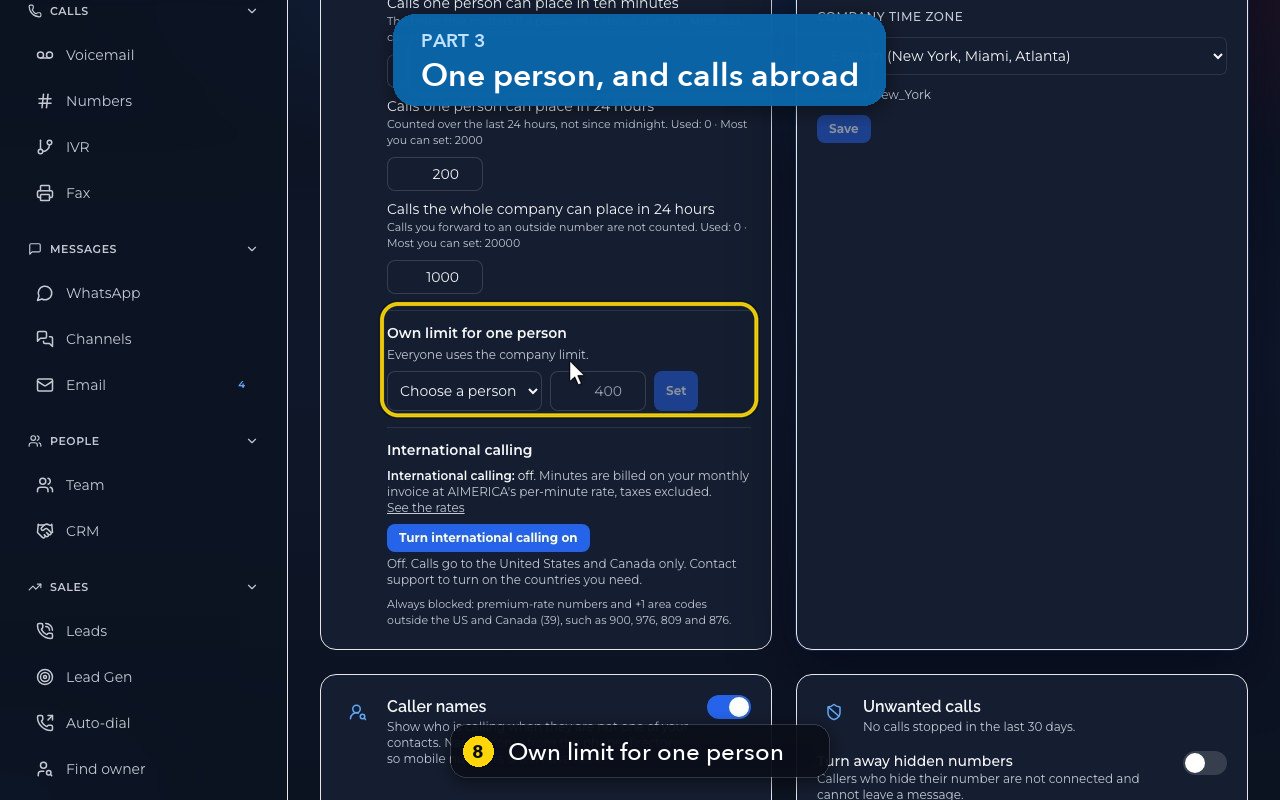
Own limit for one person raises or lowers the daily limit for just that person.
- 9
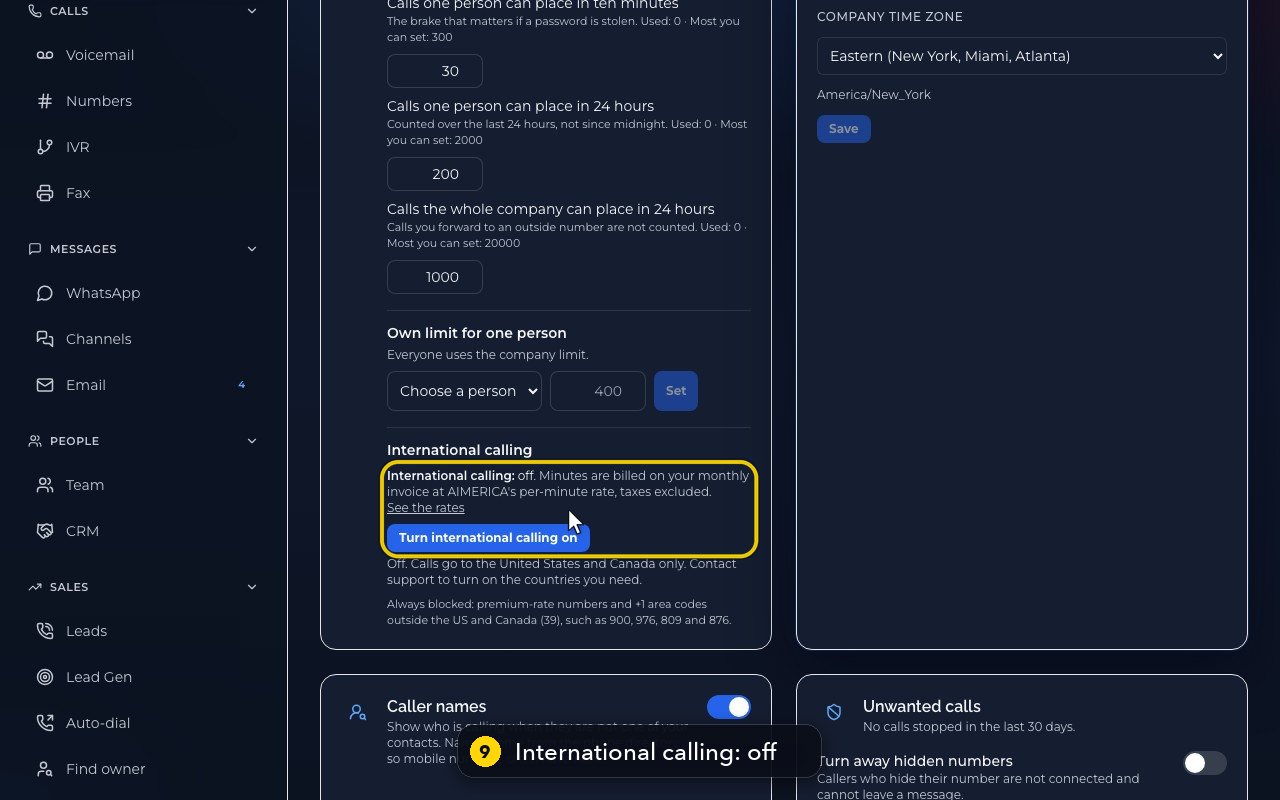
International calling is off here: calls go to the United States and Canada only. Support turns on the countries you need.
- 10
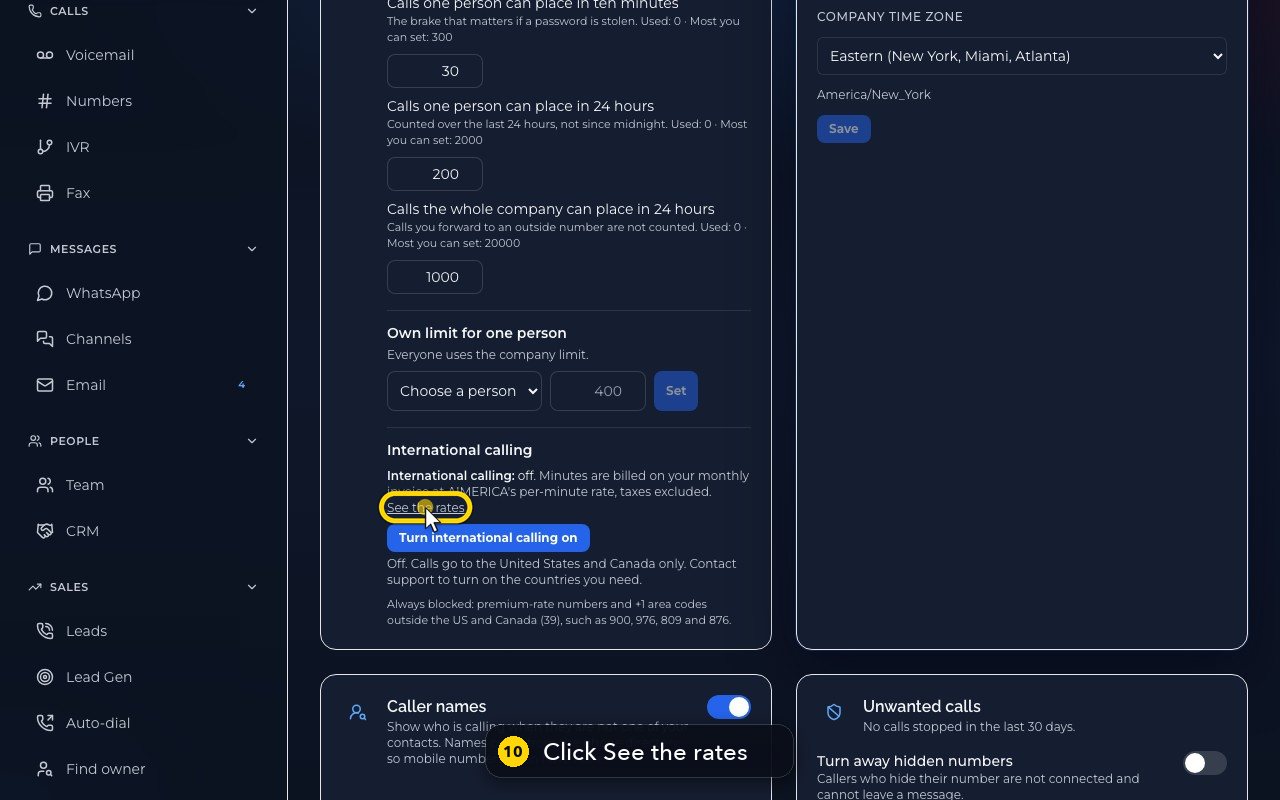
See the rates lists the price per minute, country by country.
- 11
Hide the rates folds the list away. Premium-rate numbers, and some area codes outside the US and Canada, are always blocked.
Related tutorials
 1:38VideoBusiness hours and call forwardingChoose when a line is open, and where calls go when you are closed, away or busy.
 1:18VideoChoose who answers each numberRead your numbers list and point each line at a person, a ring group, a phone menu or an AI agent.
 1:16VideoAdd a teammateInvite a new person with a title, a number and an extension, without ever knowing their password.
 1:15VideoExtensions: reach a colleague in a few digitsFind each person's extension, choose one for a new person, and dial it from the browser phone.
 1:24VideoCreate a ring group and choose how it ringsPut people in a group, choose whether phones ring together, one at a time or in turns, and point a number at it.
 1:23VideoGet a new phone numberSearch for a local or toll-free number, see the price, and know what happens before you add it.
Was this not what you needed? Write to us.