
Set the company time zone
Check the time zone your desk phones use for the clock, Today and night hours.
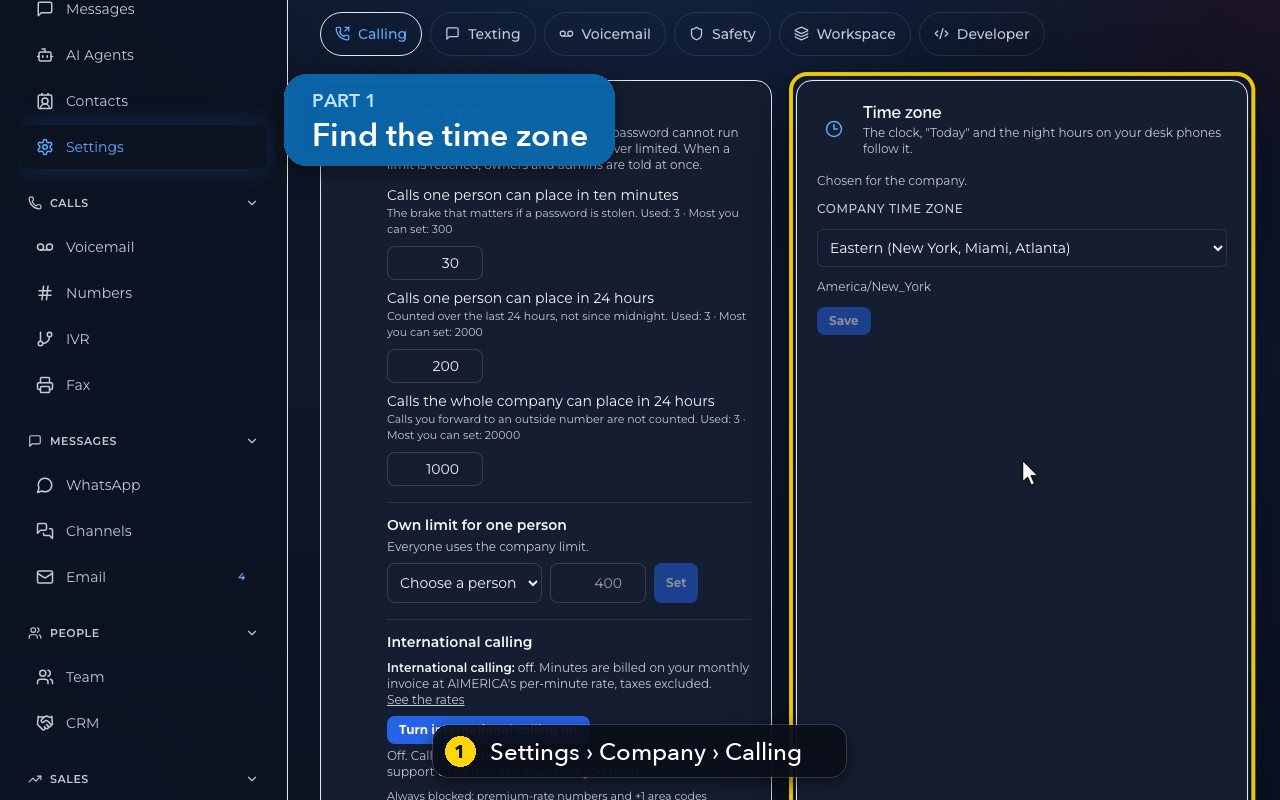
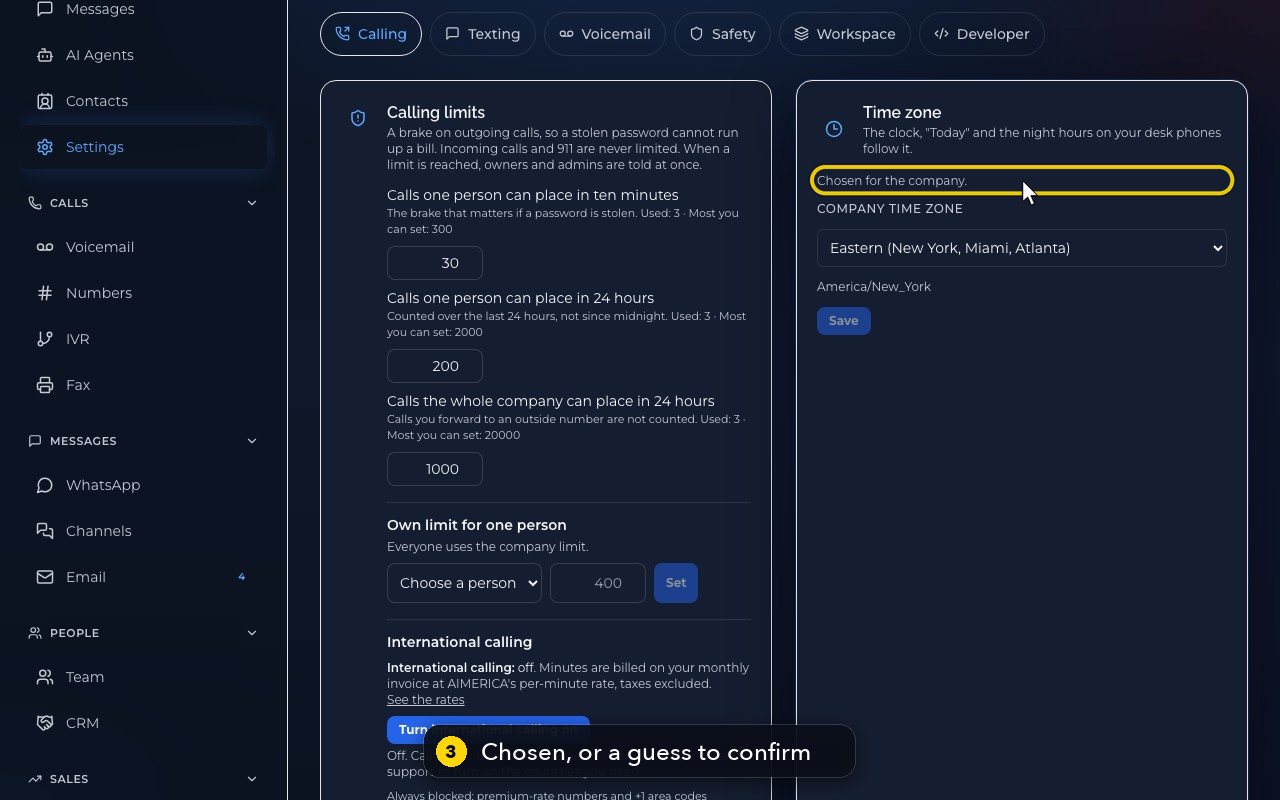
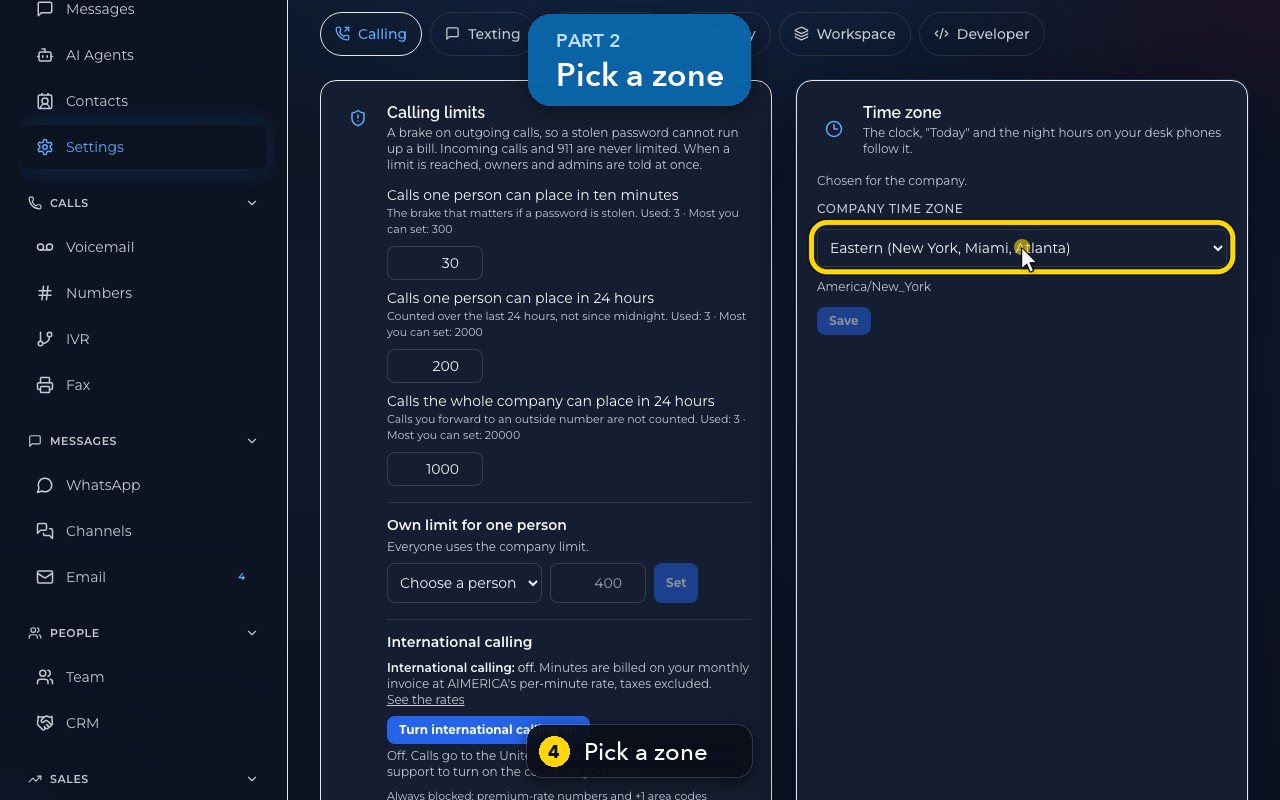
Owners and admins open Settings › Company › Calling. The Time zone card sets the zone your desk phones use for their clock, "Today" and their night hours. Chosen for the company. means someone set it; otherwise it is a guess and the button says Confirm and save. Pick a zone in Company time zone, then press Save: the desk phones follow within a few minutes.
In this video
Step by step
- 1
The company time zone is in Settings, Company, Calling.
- 2
Your desk phones use it for their clock, for Today, and for their night hours.
- 3
Chosen for the company means someone set it. Otherwise it is a guess, and the card asks you to confirm it.
- 4
To change it, pick a zone in the list, from Eastern to Hawaii.
- 5
Save would store it, and the desk phones follow within a few minutes.
- 6
In this demo, we put Eastern back and do not save.
- 7
Business hours use each number's own time zone, set in Numbers.
Related tutorials
 1:38VideoBusiness hours and call forwardingChoose when a line is open, and where calls go when you are closed, away or busy.
 1:18VideoChoose who answers each numberRead your numbers list and point each line at a person, a ring group, a phone menu or an AI agent.
 1:16VideoAdd a teammateInvite a new person with a title, a number and an extension, without ever knowing their password.
 1:15VideoExtensions: reach a colleague in a few digitsFind each person's extension, choose one for a new person, and dial it from the browser phone.
 1:24VideoCreate a ring group and choose how it ringsPut people in a group, choose whether phones ring together, one at a time or in turns, and point a number at it.
 1:23VideoGet a new phone numberSearch for a local or toll-free number, see the price, and know what happens before you add it.
Was this not what you needed? Write to us.