
Sign in a desk phone for a teammate
As an owner or admin, sign a desk phone in for someone on your team, for example a new hire's desk.
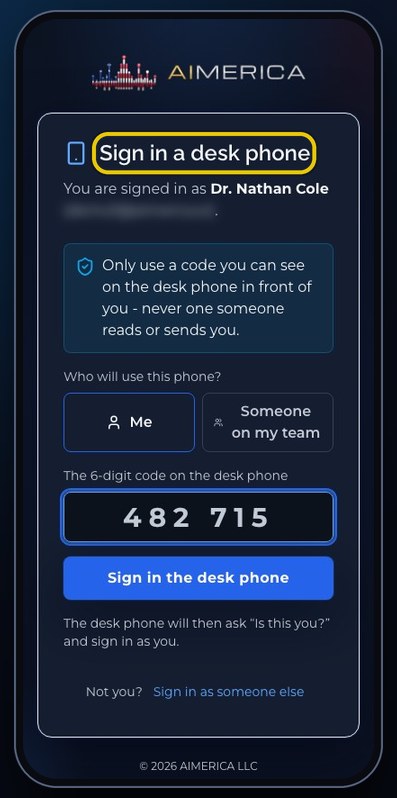
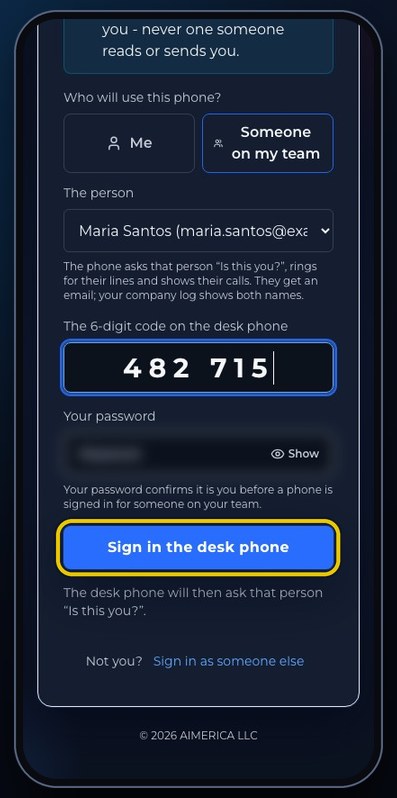
On the pairing page (a1merica.ai/pair), choose Someone on my team, pick the person, type the six-digit code the desk phone shows and your own password, then press Sign in the desk phone.
In this video
Step by step
- 1
Owners and admins can sign a desk phone in for a teammate, from the pairing page.
- 2
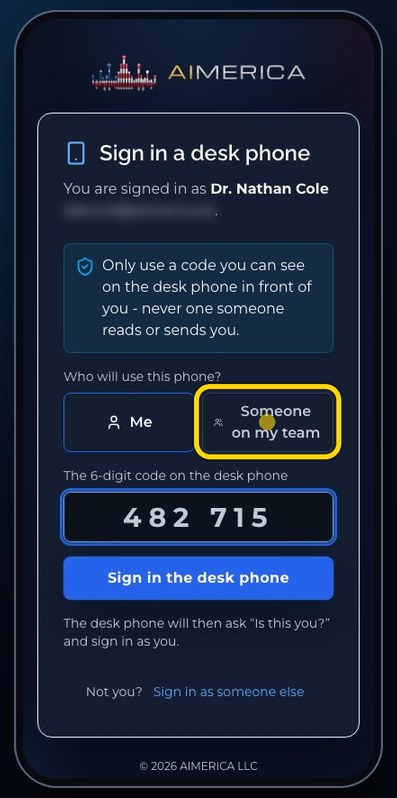
Choose Someone on my team.
- 3
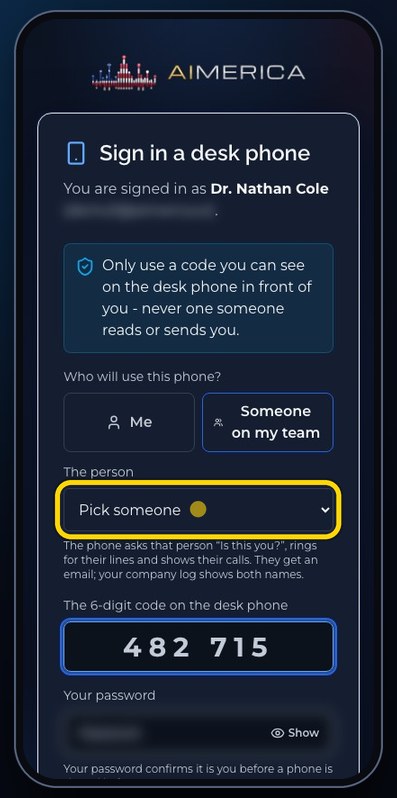
Pick the person who will use the phone.
- 4
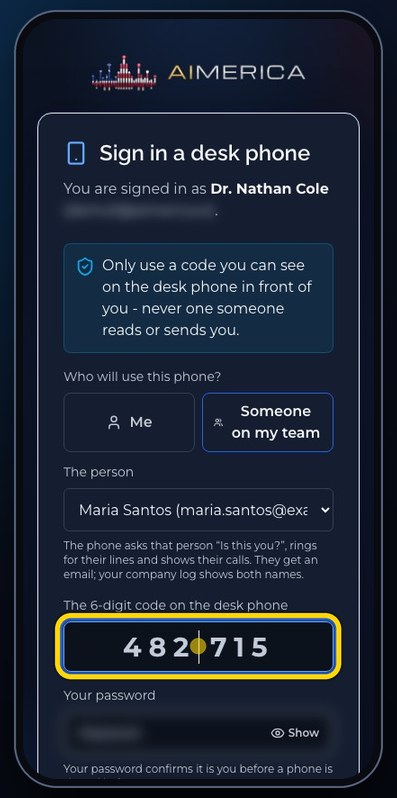
Type the six-digit code the desk phone shows.
- 5
Your own password confirms it is you, before a phone is signed in for someone else.
- 6
Sign in the desk phone sends it. The phone then asks that person: is this you? It rings for their lines, and they get an email.
- 7
To sign a phone in for yourself, switch back to Me.
Related tutorials
 4:31VideoThe desk phone: a full walkthroughEverything the AIMERICA desk phone does: calls, voicemail, contacts, texts and the menu.
 0:41VideoDesk phone: home screen and recent callsRead the home screen, filter your recent calls and open a call's details.
 0:37VideoDesk phone: voicemailRead and play your voicemail, call back or delete, and open the voicemail settings.
 0:51VideoDesk phone: make a call, hold, mute and transferDial a number, then use hold, mute, transfer and the other buttons during a call.
 0:18VideoDesk phone: use the handsetLift the handset to dial, and move a call from the speaker to the handset.
 0:29VideoDesk phone: contactsFind a contact by name or number, then call or text in one tap.
Was this not what you needed? Write to us.