
Host controls: waiting room, lock and mute
As host, let people in, lock the meeting, mute everyone and share the invite or dial-in.
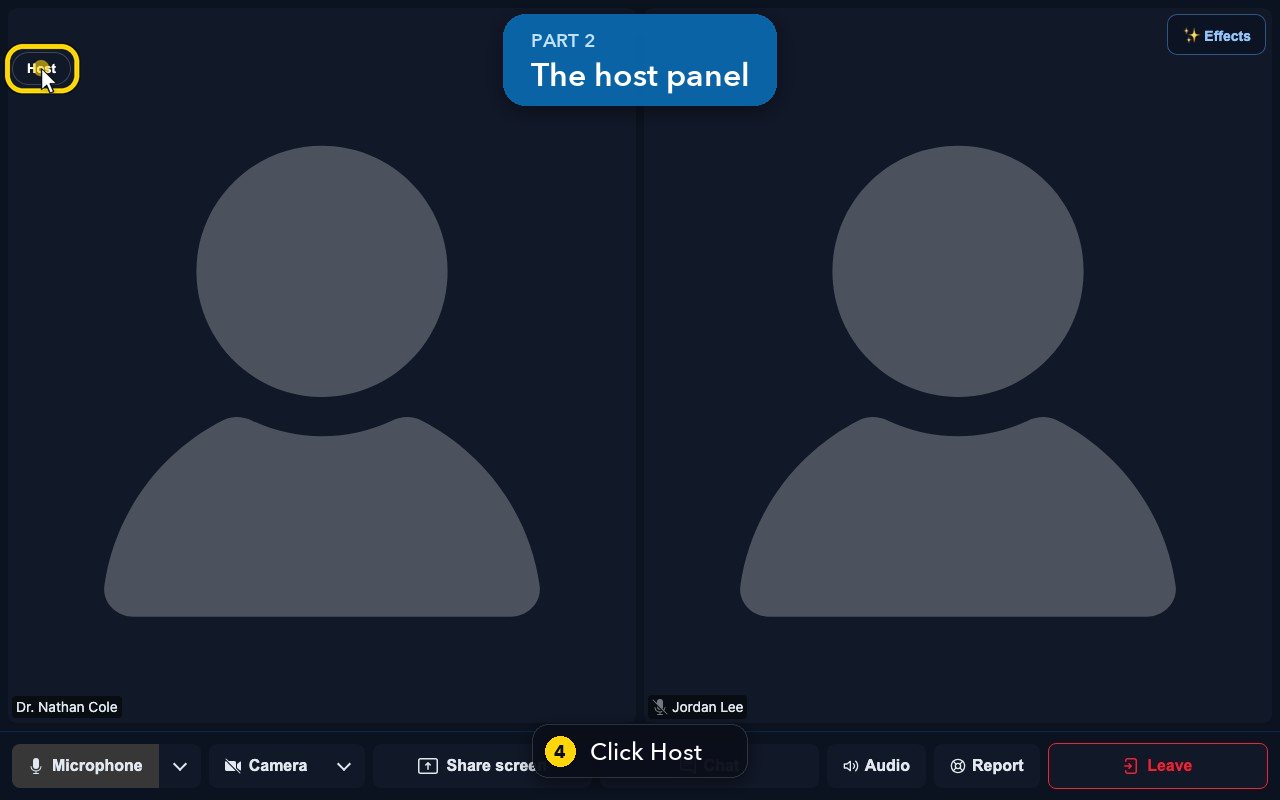
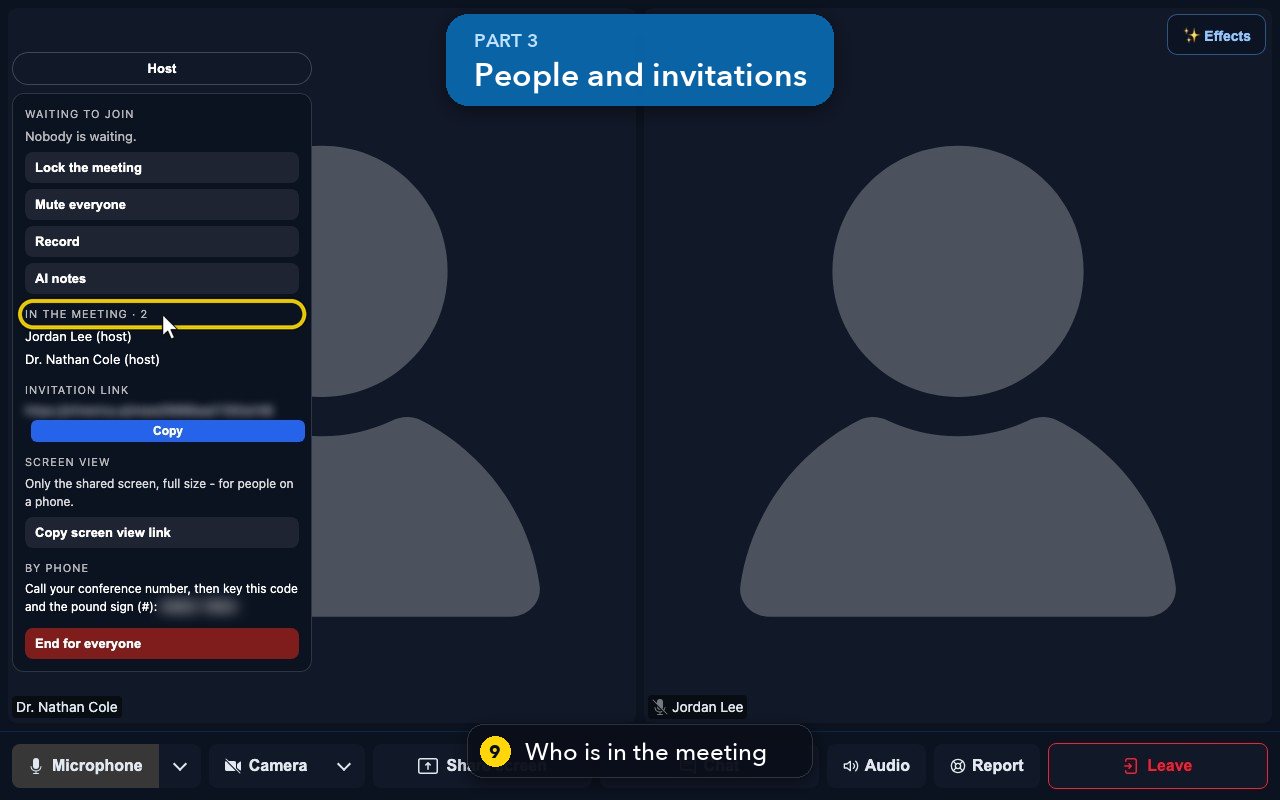
Join your meeting from Meetings, then click Host at the top left. Waiting to join lists the people in the waiting room (Admit or Deny). Lock the meeting stops anyone new from joining, Mute everyone silences every microphone, Record records the meeting and AI notes adds a visible note-taker. In the meeting lists everyone; copy the Invitation link to bring someone in, or share the screen view link and the dial-in code under By phone.
In this video
Step by step
- 1
When you host a meeting, you get extra controls. First, join your meeting from Meetings.
- 2
Type the name the others will see.
- 3
Then click Join now.
- 4
In the meeting, click Host, at the top left, to open the host panel.
- 5
Waiting to join lists the people in the waiting room. Admit lets them in, and Deny keeps them out.
- 6
Lock the meeting stops anyone new from joining.
- 7
Mute everyone silences every microphone at once.
- 8
Record records the meeting, and AI notes adds a visible note-taker. We don't press them here.
- 9
In the meeting lists everyone who is in the room.
- 10
Copy the invitation link, to bring someone in.
- 11
People on a phone can use the screen view link, or dial in, with the code under By phone.
- 12
End for everyone closes the meeting for all. Here, we simply leave.
Related tutorials
 1:15VideoSchedule a video meeting and invite guestsPlan a video meeting, add guests from Contacts or Team, and check the time before inviting.
 1:14VideoJoin a meeting and share your screenJoin a meeting from its link, check your microphone, then share your screen.
 0:50VideoPlan a meeting straight from the calendarClick an empty hour in week view to open the meeting form with that day and time filled in.
 1:17VideoChange a meeting's time or guestsOpen a meeting's details to change its time, guests or notes, and choose whether guests are told.
 0:56VideoSee who accepted a meeting inviteRead the RSVP badges so you know who is coming.
 0:52VideoLook back at past and cancelled meetingsFind meetings that are over, cancelled or no-shows, and open their details.
Was this not what you needed? Write to us.