
Send and check faxes from the phone app
Send a PDF or a photo as a fax from the phone app and see your recent faxes.
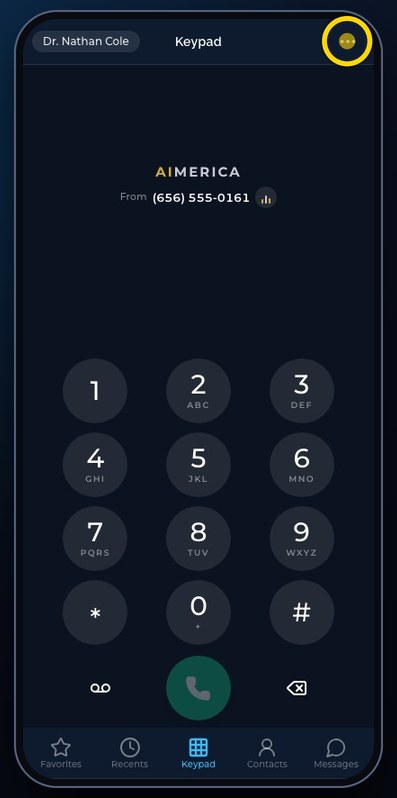
In the phone app, open the menu at the top right and tap Fax. Choose the line under From, type the fax number under To, choose a PDF or a photo, then tap Send fax. Recent lists the faxes sent and received, with their status.
In this video
Step by step
- 1
Fax is in the menu, at the top right. Tap the menu, then Fax.
- 2
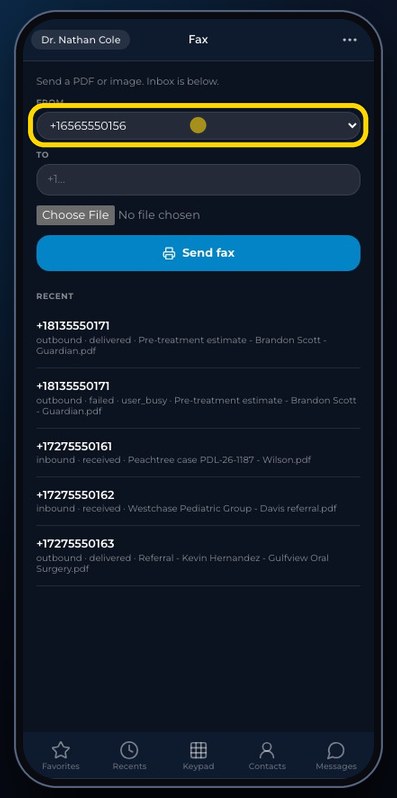
From is the fax line it goes out on.
- 3
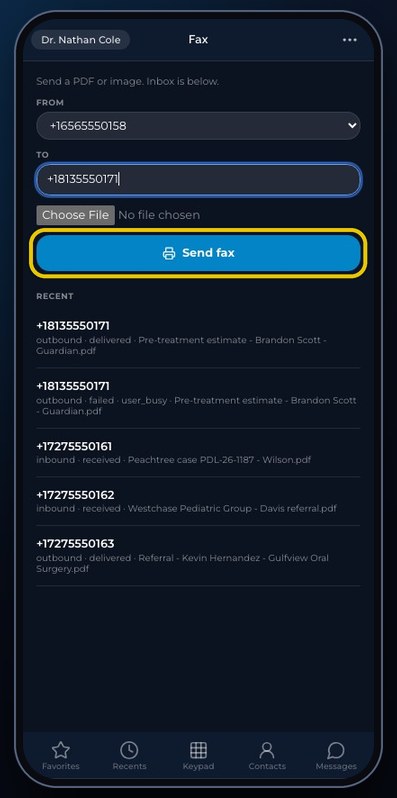
Type the number of the fax machine you send to.
- 4
Then choose a PDF, or a photo from your phone.
- 5
Send fax sends it. In this demo, we stop here.
- 6
Recent lists the faxes sent and received, with their status, like delivered or failed.
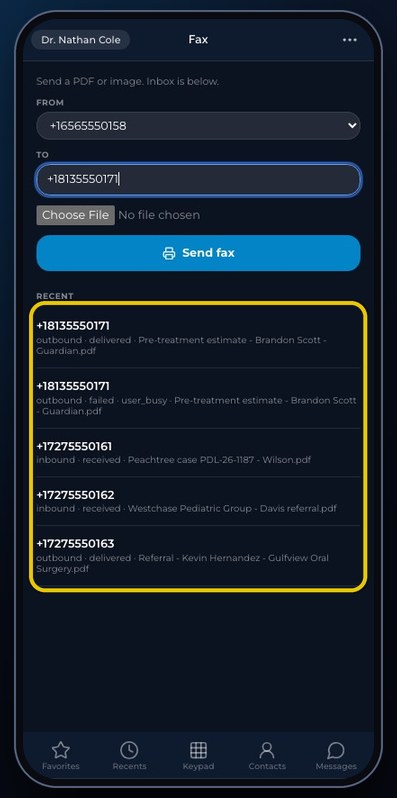
Faxes go out on your fax line; the status shows delivered or failed, with the reason.
Related tutorials
 4:31VideoThe desk phone: a full walkthroughEverything the AIMERICA desk phone does: calls, voicemail, contacts, texts and the menu.
 0:41VideoDesk phone: home screen and recent callsRead the home screen, filter your recent calls and open a call's details.
 0:37VideoDesk phone: voicemailRead and play your voicemail, call back or delete, and open the voicemail settings.
 0:51VideoDesk phone: make a call, hold, mute and transferDial a number, then use hold, mute, transfer and the other buttons during a call.
 0:18VideoDesk phone: use the handsetLift the handset to dial, and move a call from the speaker to the handset.
 0:29VideoDesk phone: contactsFind a contact by name or number, then call or text in one tap.
Was this not what you needed? Write to us.