
Listen to voicemail on the phone app
Find, play and search your voicemails in the phone app, and see what callers hear on each line.
The phone app is the AIMERICA app on your iPhone or Android phone. Your voicemail is the same there and on the web.
In this video
Step by step
- 1
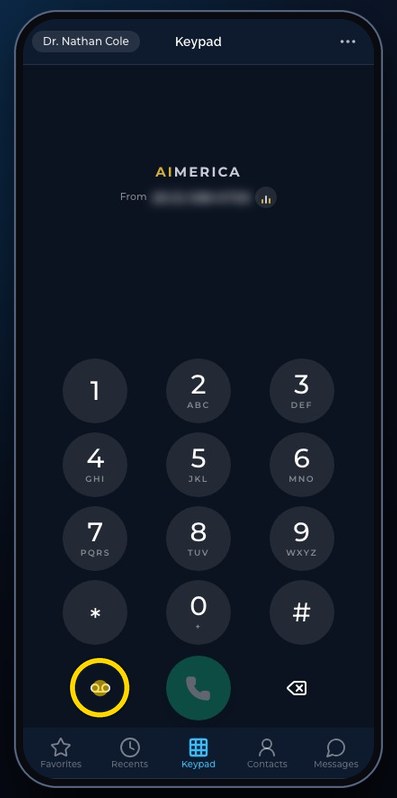
Voicemail has its own key on the keypad, at the bottom left. It is also in the Menu.
- 2
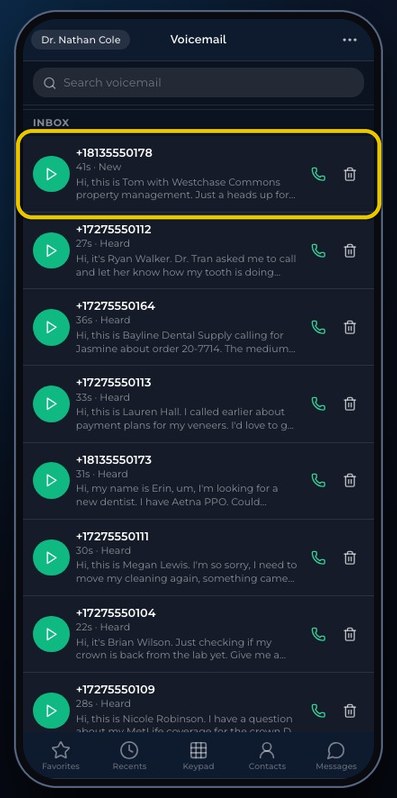
Your messages are under Inbox, newest first: the number that called, how long, New or Heard, and the message written out.
- 3
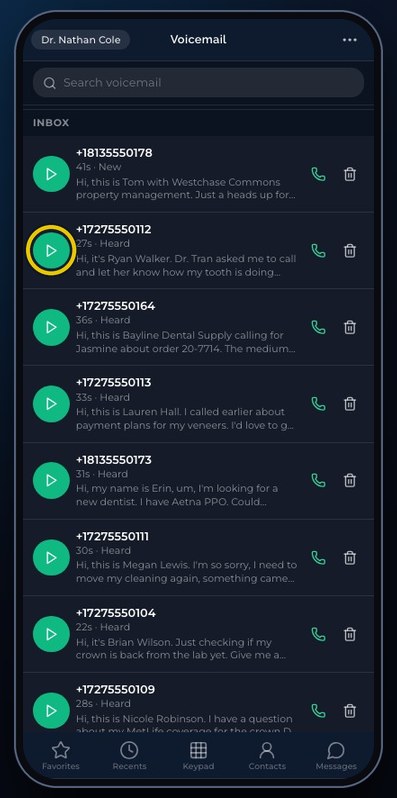
Tap play to listen to a message, and tap it again to pause. The words of the message are written under the number.
- 4
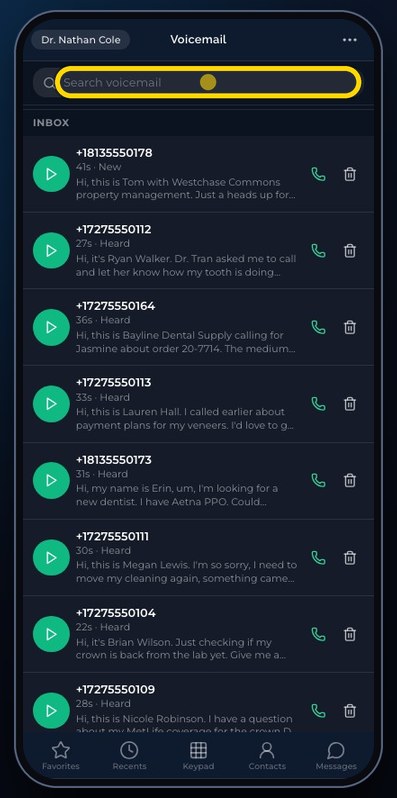
Search finds a message by its number, or by the words in it.
- 5
The green phone calls the person back. The bin deletes the message, after you confirm.
- 6
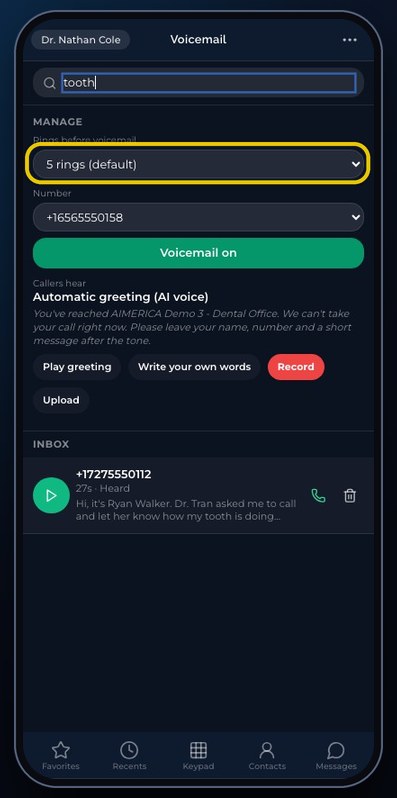
At the top, Manage sets how many rings come before voicemail.
- 7
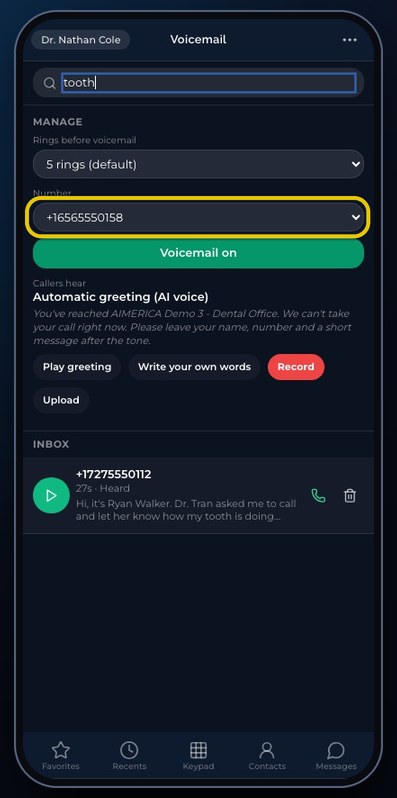
Pick one of your numbers to see what its callers hear. Play greeting plays it. You can also write your own words, record, or upload one.
- 8
Voicemail on means this line takes messages. Each change here saves at once, so change only what you mean to.
Related tutorials
 4:31VideoThe desk phone: a full walkthroughEverything the AIMERICA desk phone does: calls, voicemail, contacts, texts and the menu.
 0:41VideoDesk phone: home screen and recent callsRead the home screen, filter your recent calls and open a call's details.
 0:37VideoDesk phone: voicemailRead and play your voicemail, call back or delete, and open the voicemail settings.
 0:51VideoDesk phone: make a call, hold, mute and transferDial a number, then use hold, mute, transfer and the other buttons during a call.
 0:18VideoDesk phone: use the handsetLift the handset to dial, and move a call from the speaker to the handset.
 0:29VideoDesk phone: contactsFind a contact by name or number, then call or text in one tap.
Was this not what you needed? Write to us.