
Queue report and callback rules
Compare every team's queue and answer times, and see the company's callback rules.
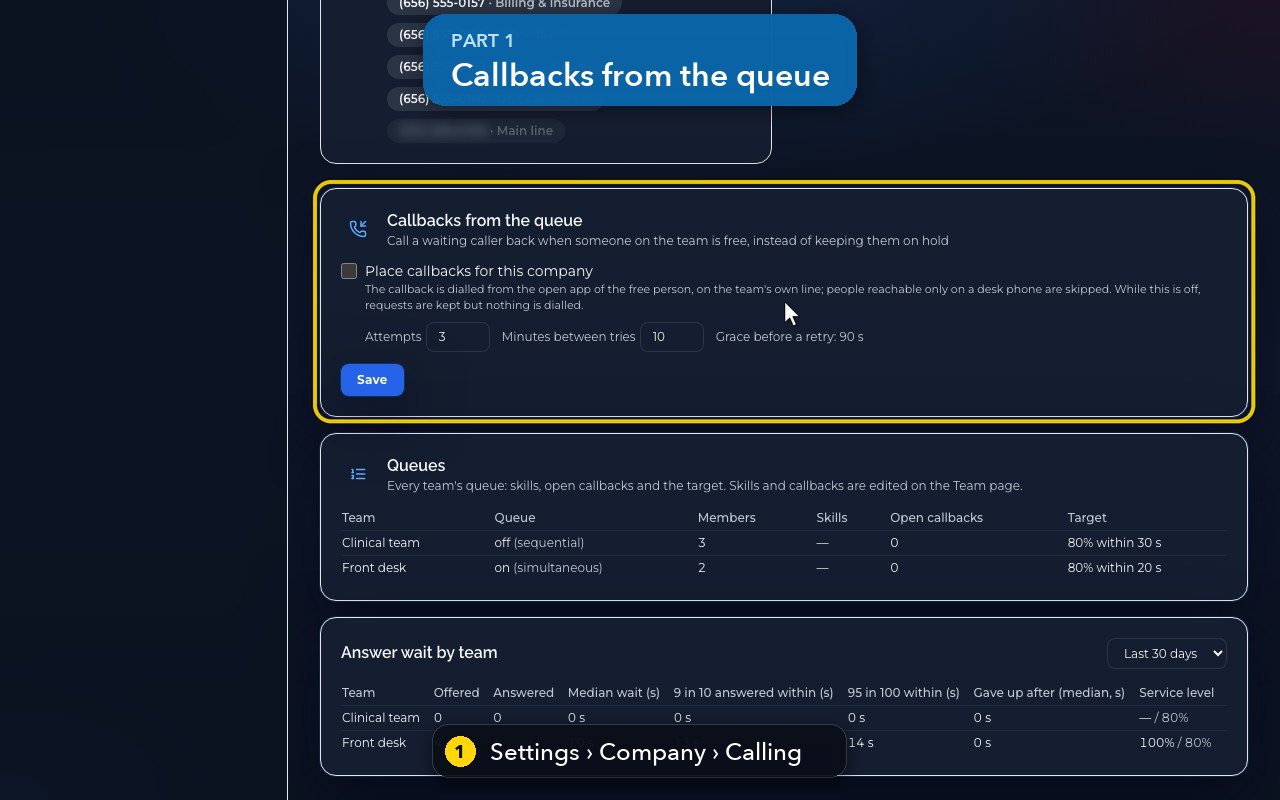
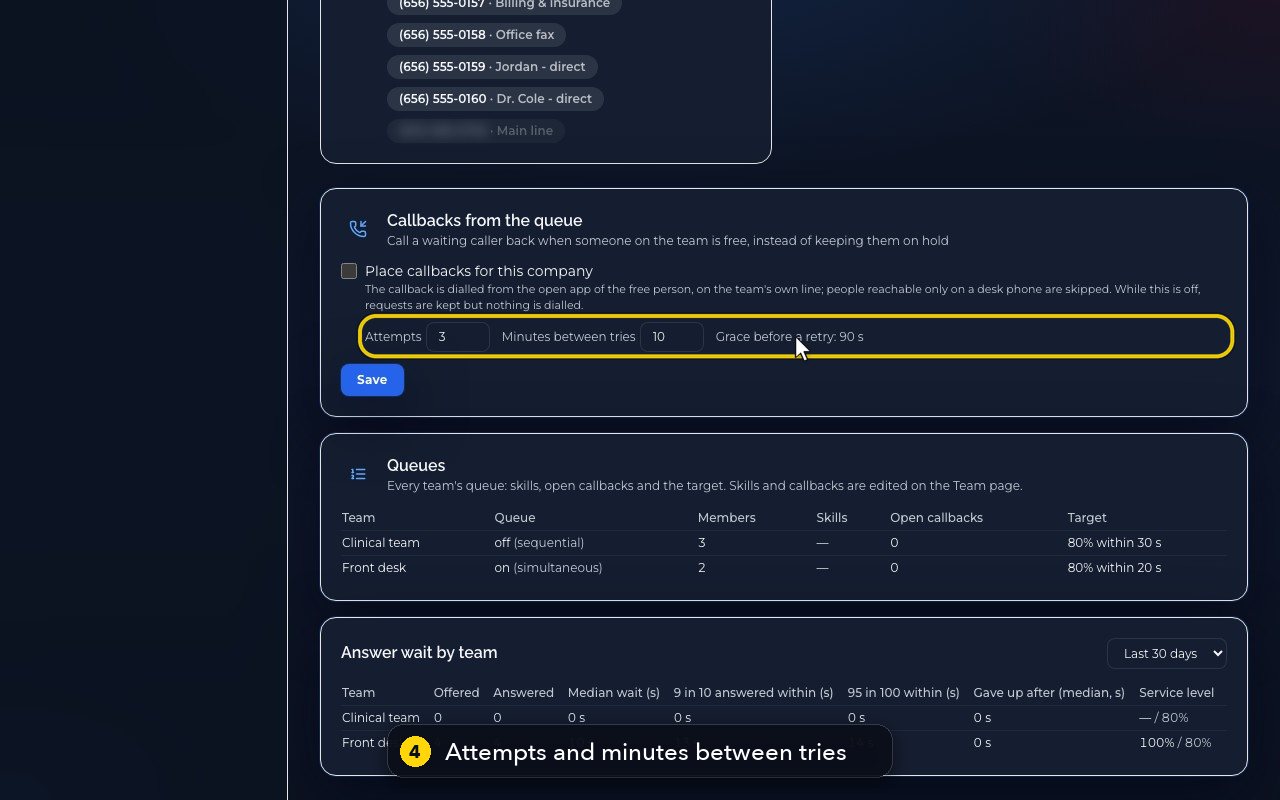
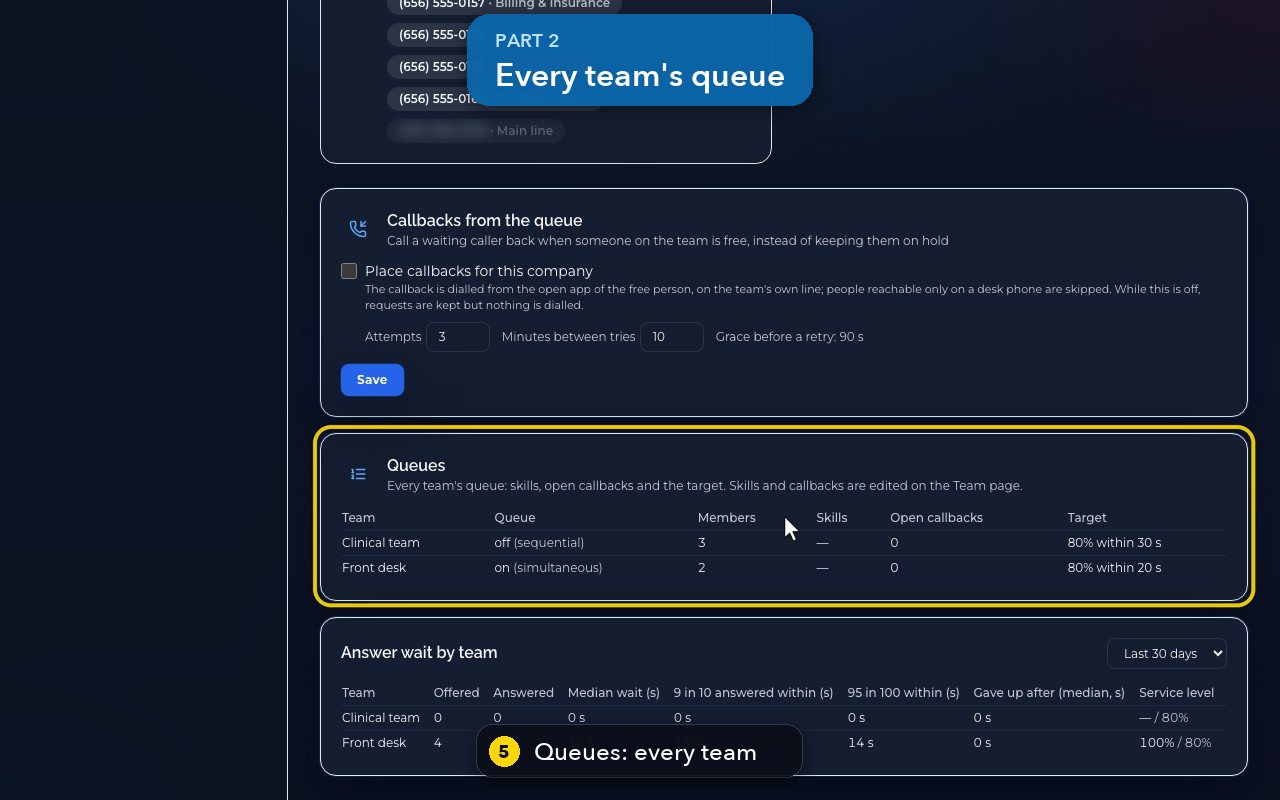
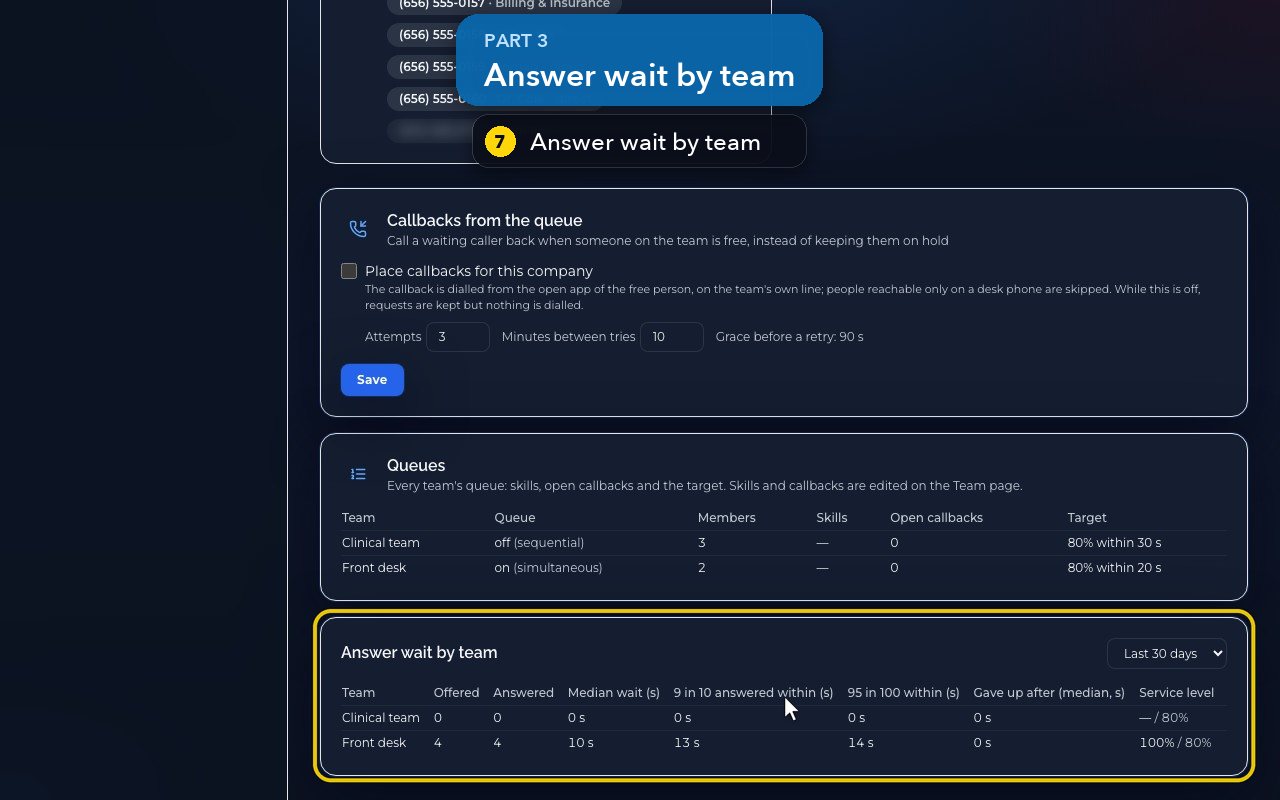
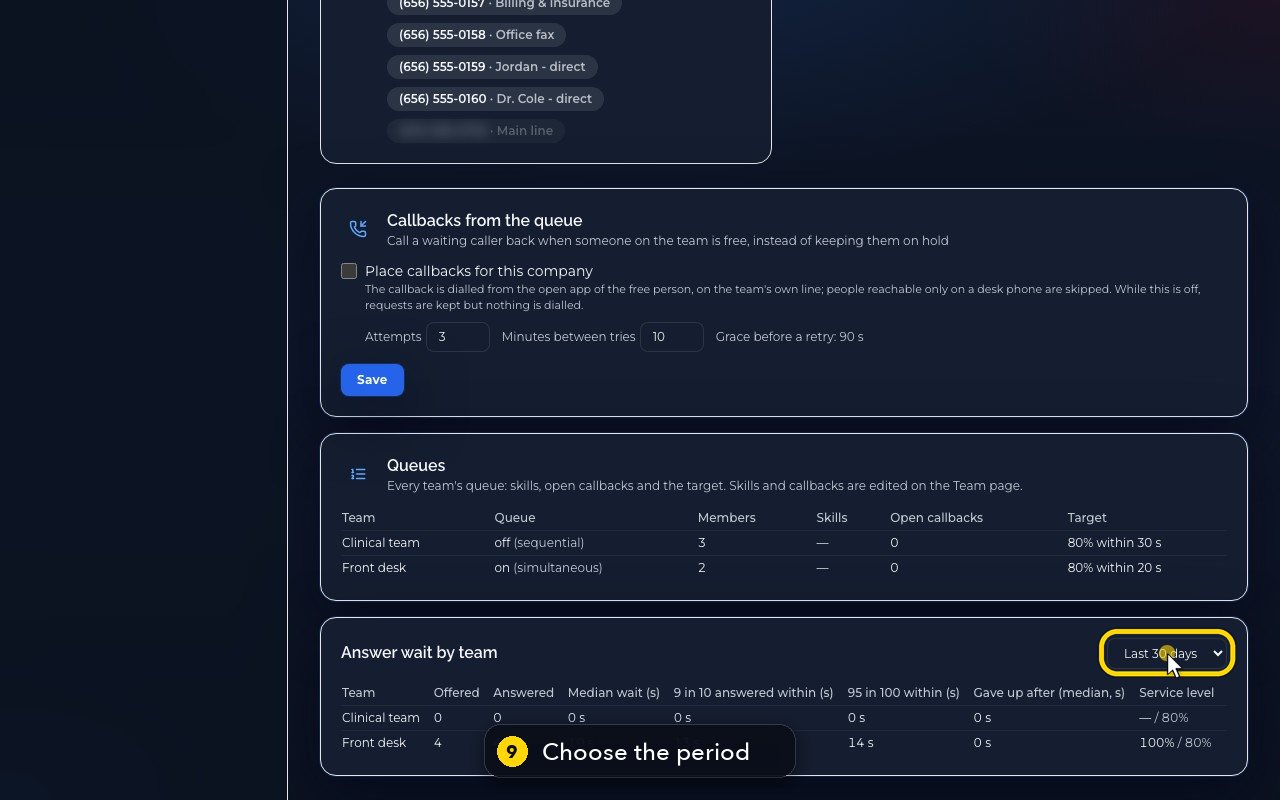
Owners and admins open Settings › Company › Calling and scroll to the bottom. Callbacks from the queue calls a waiting caller back when someone on the team is free (from that person's open app, on the team's line), with Attempts and Minutes between tries. Queues lists every team's queue, members, skills, open callbacks and target. Answer wait by team shows answer and give-up wait times and the service level for the last 7, 30 or 90 days.
In this video
Step by step
- 1
The company view of queues is in Settings, Company, Calling, near the bottom.
- 2
Callbacks call a waiting caller back when someone on the team is free, instead of keeping them on hold.
- 3
The call goes out from the free person's open app, on the team's own line. While this is off, nothing is dialled.
- 4
Attempts and minutes between tries set how hard it tries. Save would store a change; in this demo we leave it.
- 5
Queues lists every team: queue on or off, members, skills, open callbacks, and the target.
- 6
Skills and callbacks are edited on the Team page.
- 7
Answer wait by team shows how long callers waited before someone answered, and how long those who gave up waited.
- 8
Service level compares the share answered in time with the team's target.
- 9
Change the period to compare the last 7, 30, or 90 days.
- 10
Ninety days gives the whole quarter.
Related tutorials
 1:38VideoBusiness hours and call forwardingChoose when a line is open, and where calls go when you are closed, away or busy.
 1:18VideoChoose who answers each numberRead your numbers list and point each line at a person, a ring group, a phone menu or an AI agent.
 1:16VideoAdd a teammateInvite a new person with a title, a number and an extension, without ever knowing their password.
 1:15VideoExtensions: reach a colleague in a few digitsFind each person's extension, choose one for a new person, and dial it from the browser phone.
 1:24VideoCreate a ring group and choose how it ringsPut people in a group, choose whether phones ring together, one at a time or in turns, and point a number at it.
 1:23VideoGet a new phone numberSearch for a local or toll-free number, see the price, and know what happens before you add it.
Was this not what you needed? Write to us.