
Add your sites and their addresses
List the places your company works from, so each site's numbers use the right 911 address.
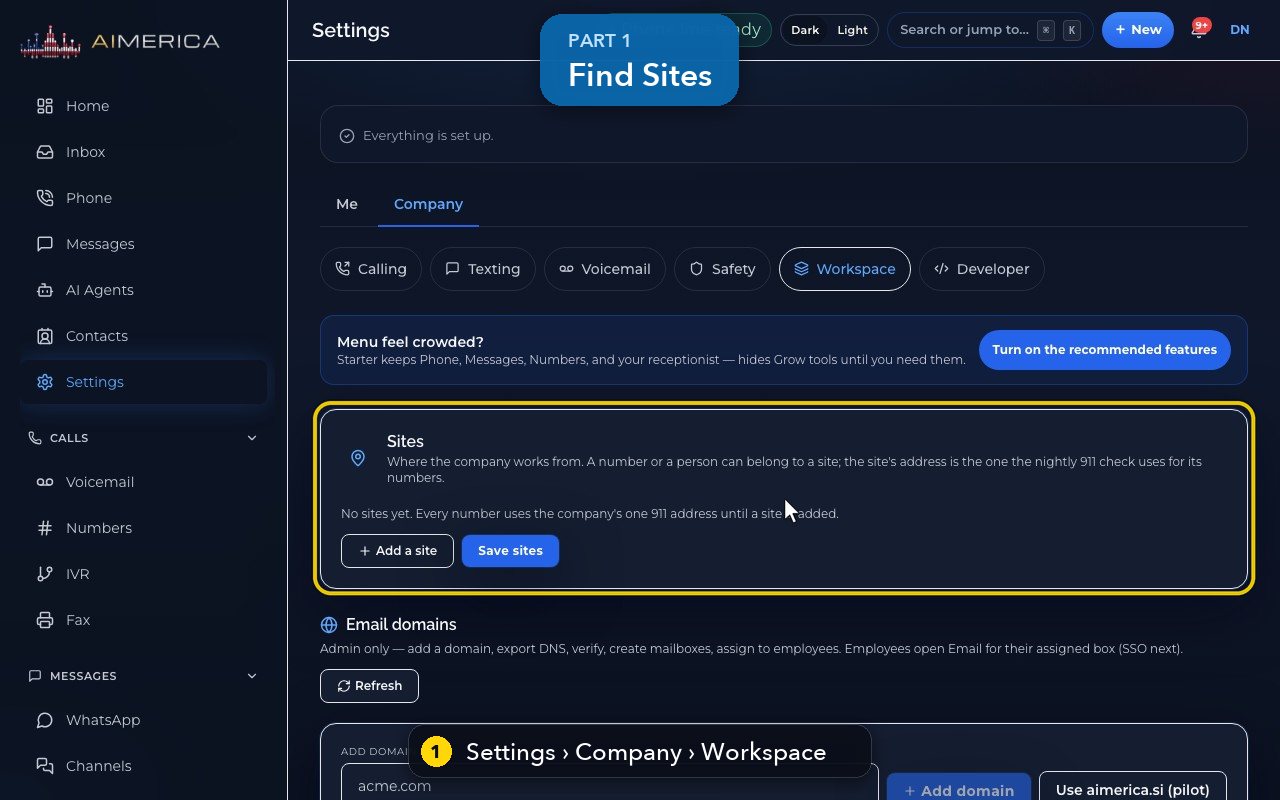
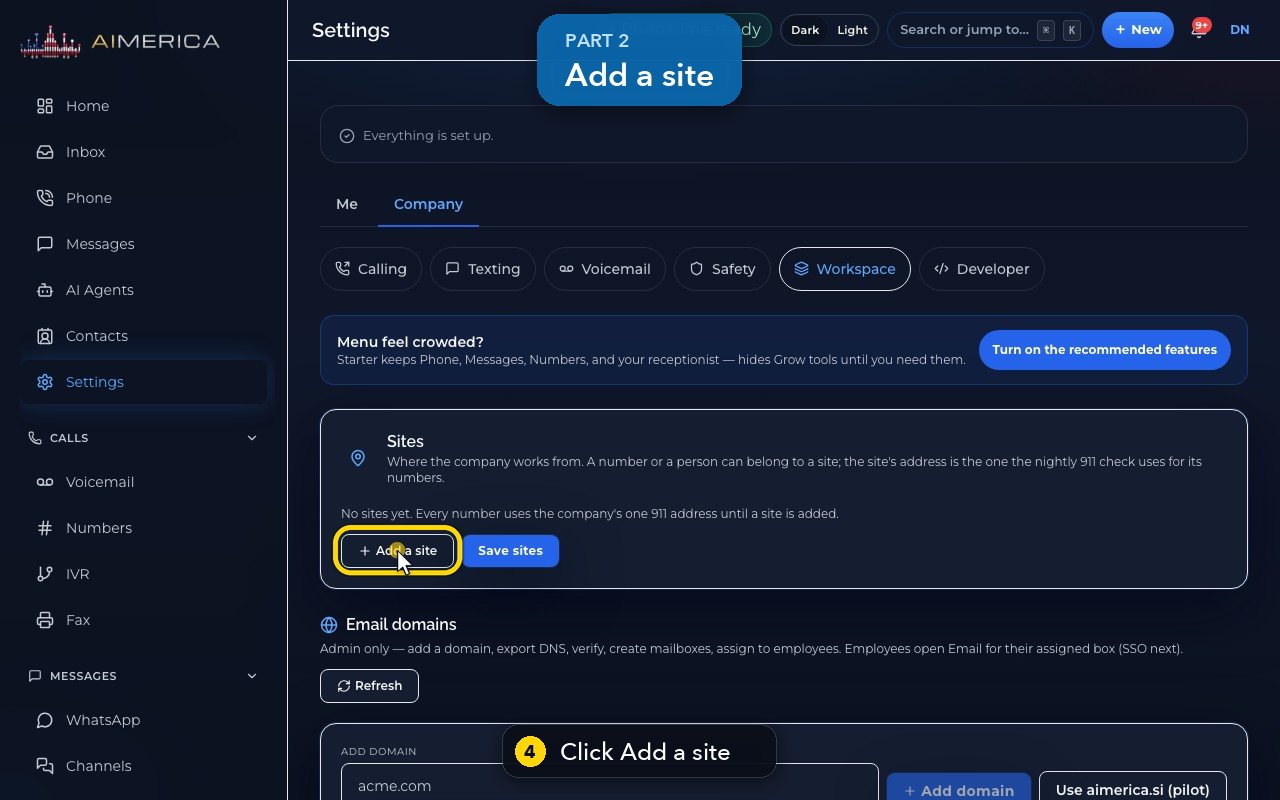
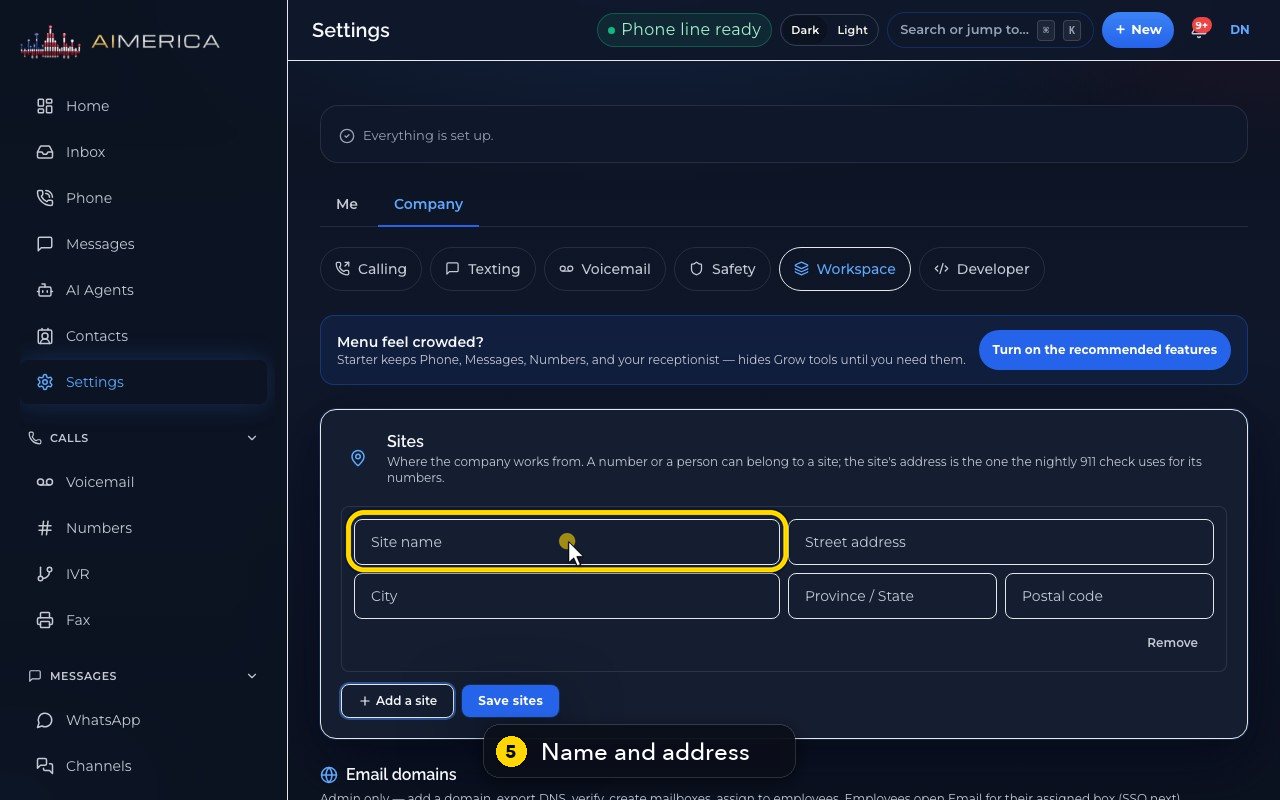
Owners and admins open Settings › Company › Workspace and scroll to Sites. Press Add a site, type the site's name and address, then Save sites. Once a site is saved, add its numbers and people: the nightly 9-1-1 check then uses the site's address for its numbers. With no site, every number uses the company's one 9-1-1 address.
In this video
Step by step
- 1
Sites are in Settings, Company, Workspace.
- 2
A site is a place you work from. Its address is the one the nightly 9-1-1 check uses for its numbers.
- 3
With no site, every number uses the company's one 9-1-1 address.
- 4
Add a site opens a blank site.
- 5
Type its name and its address.
- 6
Once the site is saved, you can put numbers and people on it.
- 7
Save sites would store it. In this demo, we leave the page without saving, so nothing changes.
Related tutorials
 1:38VideoBusiness hours and call forwardingChoose when a line is open, and where calls go when you are closed, away or busy.
 1:18VideoChoose who answers each numberRead your numbers list and point each line at a person, a ring group, a phone menu or an AI agent.
 1:16VideoAdd a teammateInvite a new person with a title, a number and an extension, without ever knowing their password.
 1:15VideoExtensions: reach a colleague in a few digitsFind each person's extension, choose one for a new person, and dial it from the browser phone.
 1:24VideoCreate a ring group and choose how it ringsPut people in a group, choose whether phones ring together, one at a time or in turns, and point a number at it.
 1:23VideoGet a new phone numberSearch for a local or toll-free number, see the price, and know what happens before you add it.
Was this not what you needed? Write to us.