
Use the AIMERICA web app on a phone's browser
Find your way around AIMERICA in a phone's browser: the bottom bar, More, and where Settings and Help are.
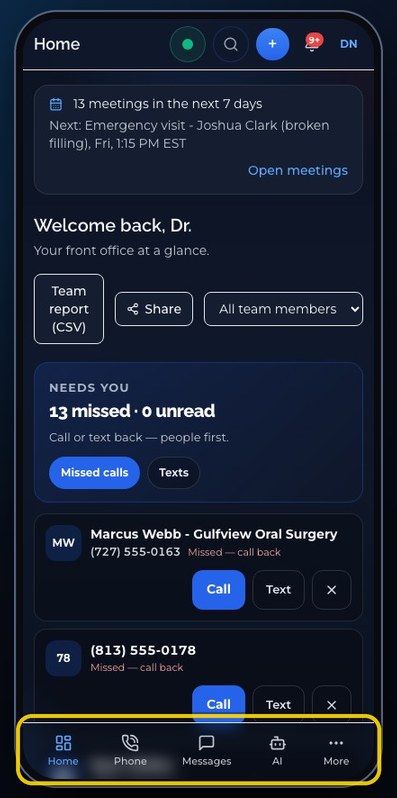
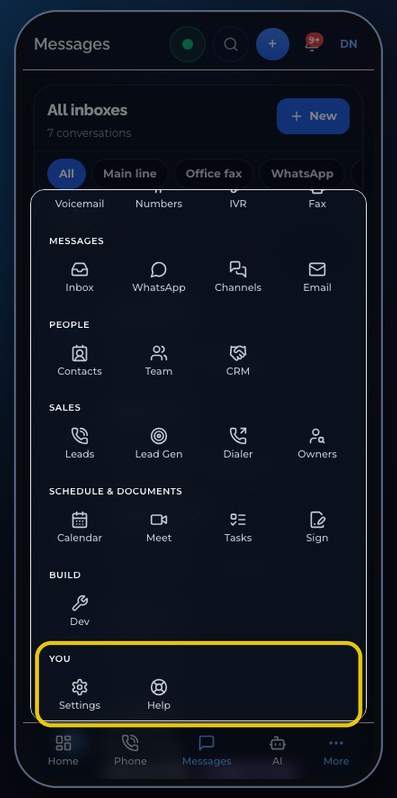
In a phone's browser, AIMERICA keeps the same pages with a bar at the bottom: Home, Phone, Messages and AI for owners and admins (team members see Phone, Messages and Contacts). More opens everything else, and You, at its bottom, holds Settings and Help.
In this video
Step by step
- 1
In a phone's browser, the web app keeps the same pages, with a bar at the bottom.
- 2
Owners and admins see Home, Phone, Messages and AI. Team members see Phone, Messages and Contacts.
- 3
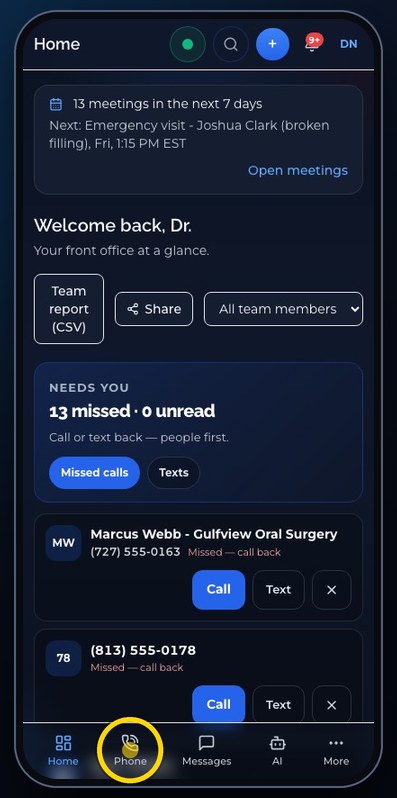
Phone is the browser phone: the calling line, the keypad, and your recent calls.
- 4
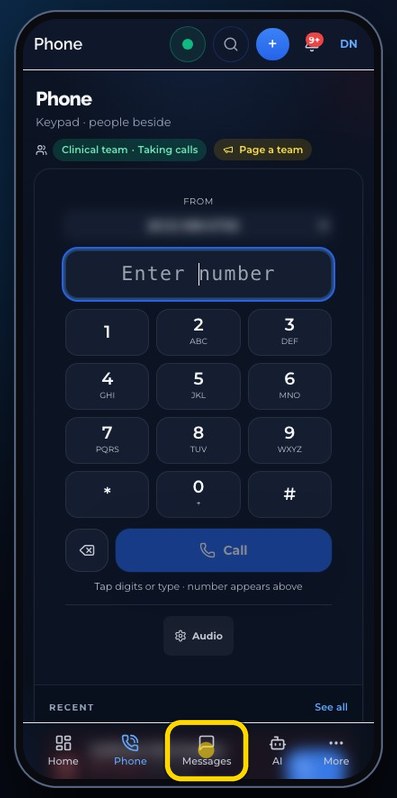
Messages is the same inbox as on a computer.
- 5
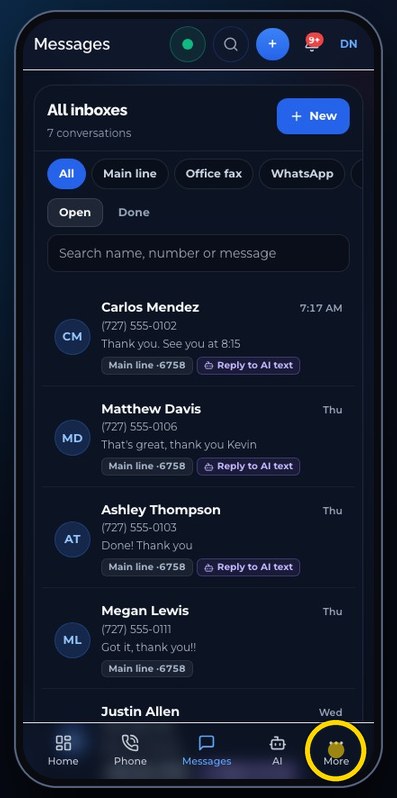
More opens everything else, grouped like the menu on a computer.
- 6
Calls has Voicemail, Numbers, IVR and Fax. People has Contacts, Team and the CRM.
- 7
At the bottom, You holds Settings and Help.
- 8
Tap a place to open it, or tap outside the list to close it.
Related tutorials
 4:31VideoThe desk phone: a full walkthroughEverything the AIMERICA desk phone does: calls, voicemail, contacts, texts and the menu.
 0:41VideoDesk phone: home screen and recent callsRead the home screen, filter your recent calls and open a call's details.
 0:37VideoDesk phone: voicemailRead and play your voicemail, call back or delete, and open the voicemail settings.
 0:51VideoDesk phone: make a call, hold, mute and transferDial a number, then use hold, mute, transfer and the other buttons during a call.
 0:18VideoDesk phone: use the handsetLift the handset to dial, and move a call from the speaker to the handset.
 0:29VideoDesk phone: contactsFind a contact by name or number, then call or text in one tap.
Was this not what you needed? Write to us.