
Ask customers questions when they book
Add your own questions, such as insurance or reason for visit, to a booking page.
Open Calendar › Booking Pages and click the pencil of a page. Under Custom Questions, turn the switch on, write each question, choose its type (short text, long text or dropdown) and tick Required if needed, then press Save Changes.
In this video
Step by step
- 1
Need some information before the visit? Ask for it on the booking page. Open Booking Pages.
- 2
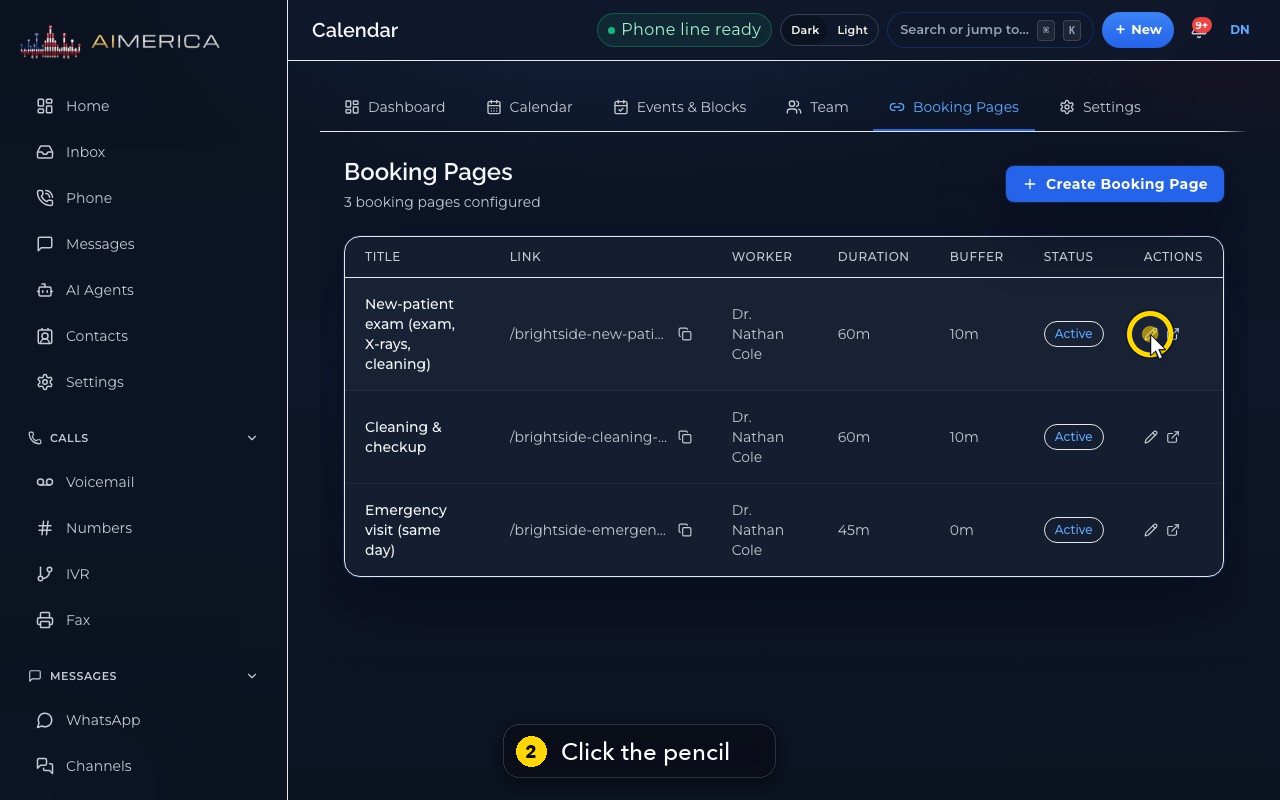
Open a page with its pencil icon.
- 3
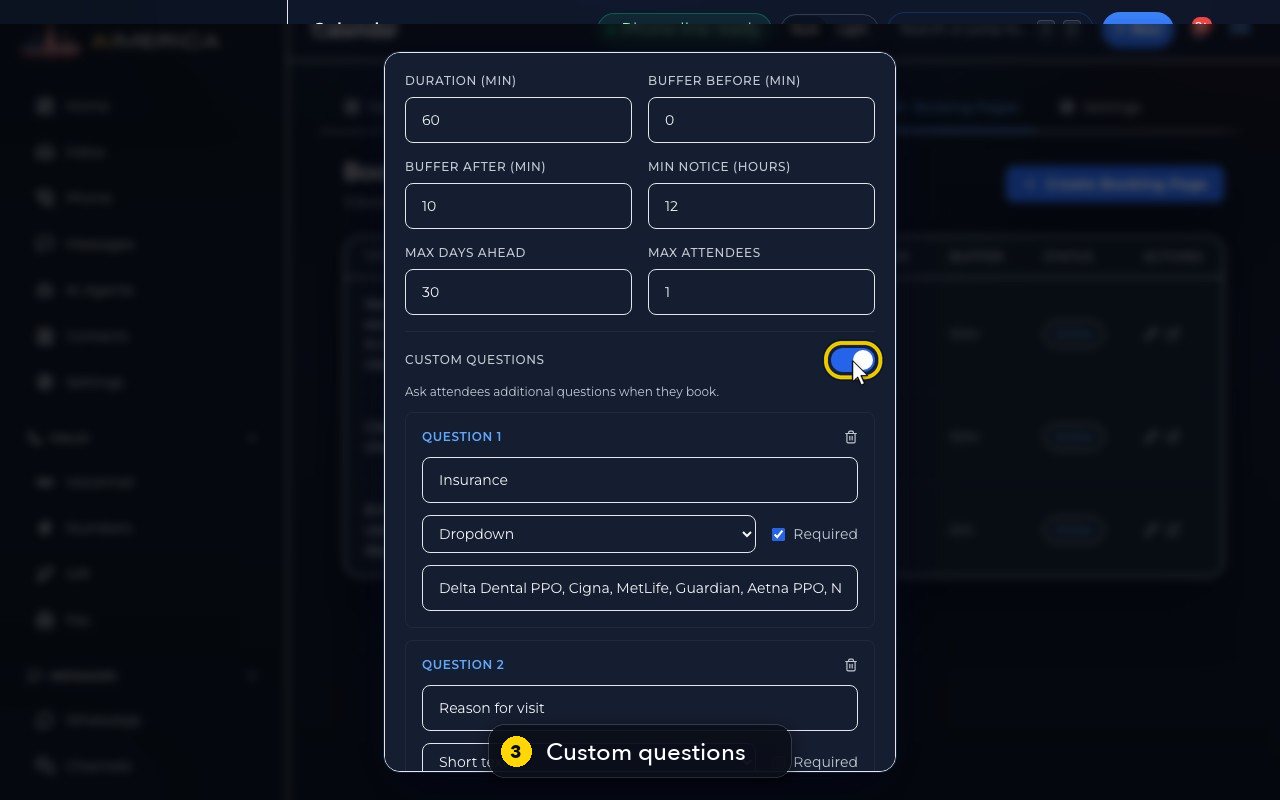
Further down, Custom questions has its own switch, turned on here.
- 4
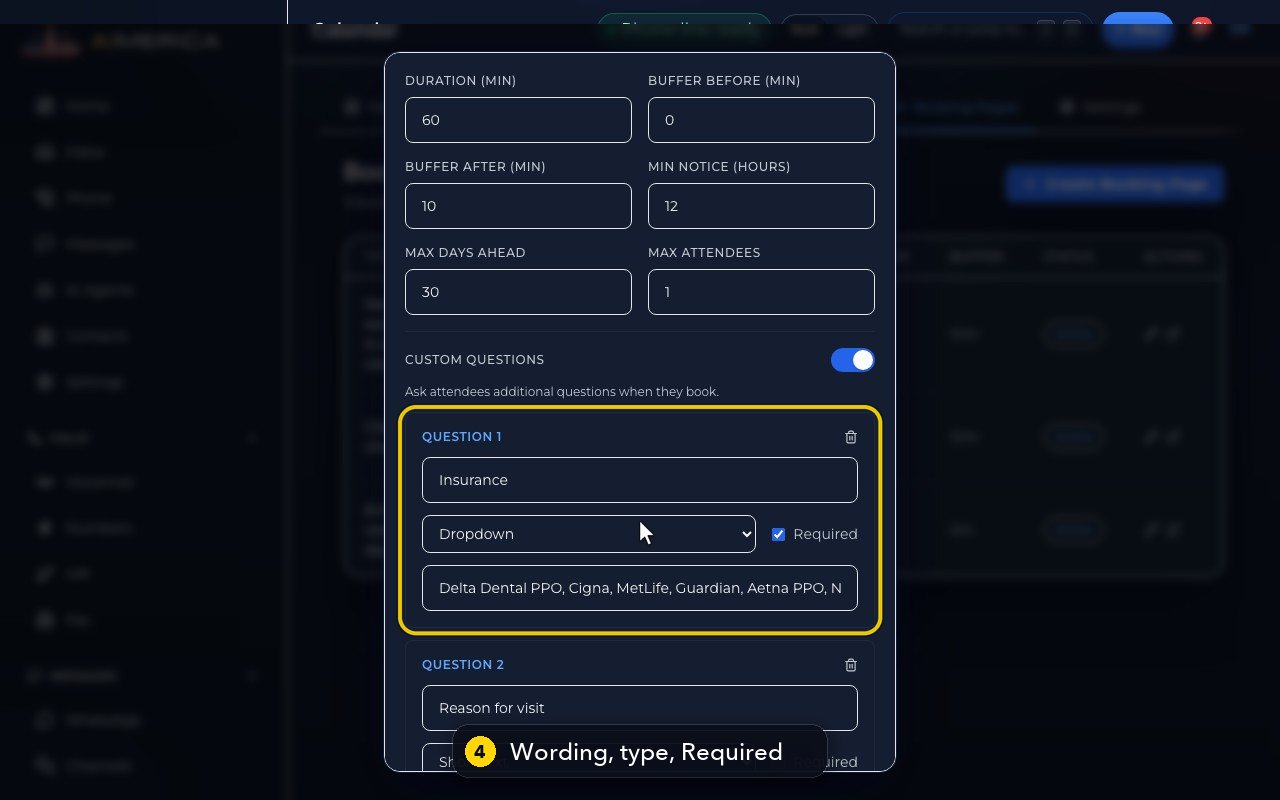
Each question has its wording, a type, and a Required box.
- 5
The type is short text, long text, or a dropdown. For a dropdown, type the choices, separated by commas.
- 6
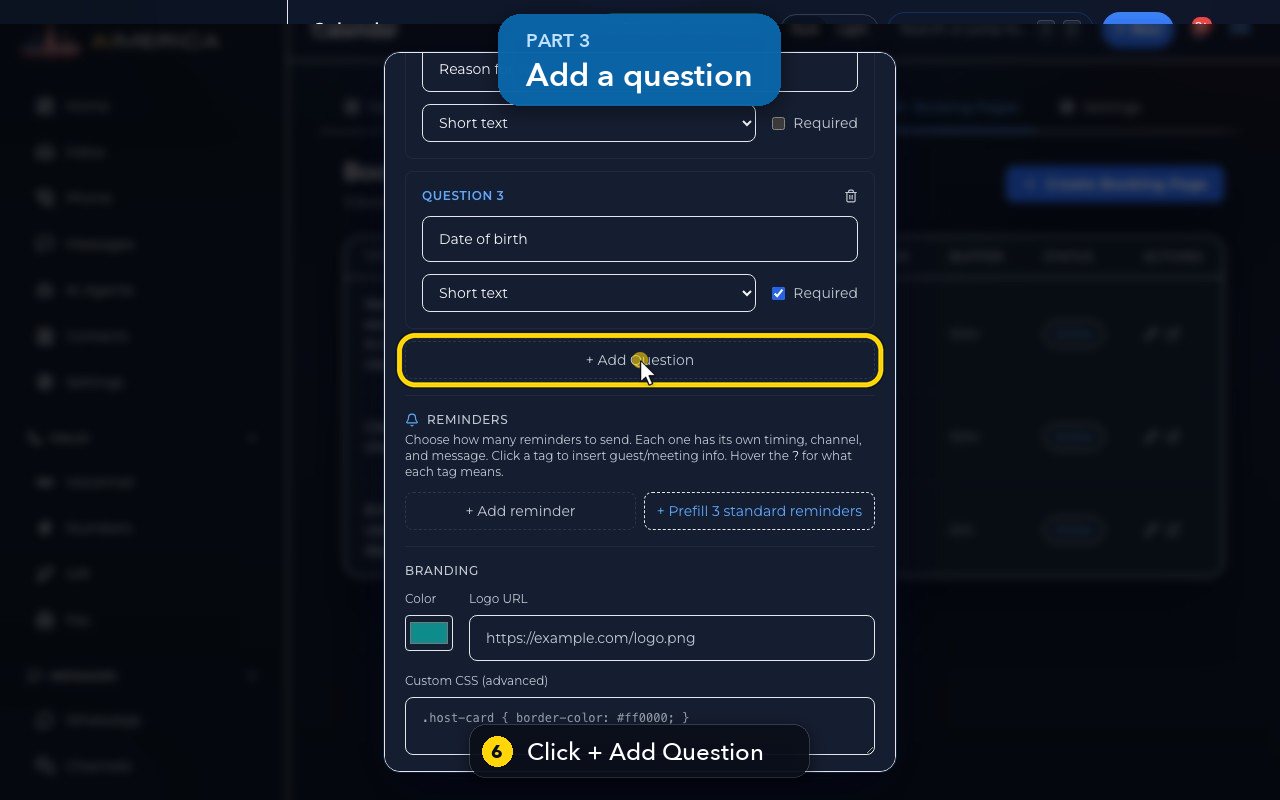
Need one more? Click Add Question, at the bottom of the list.
- 7
Type the question.
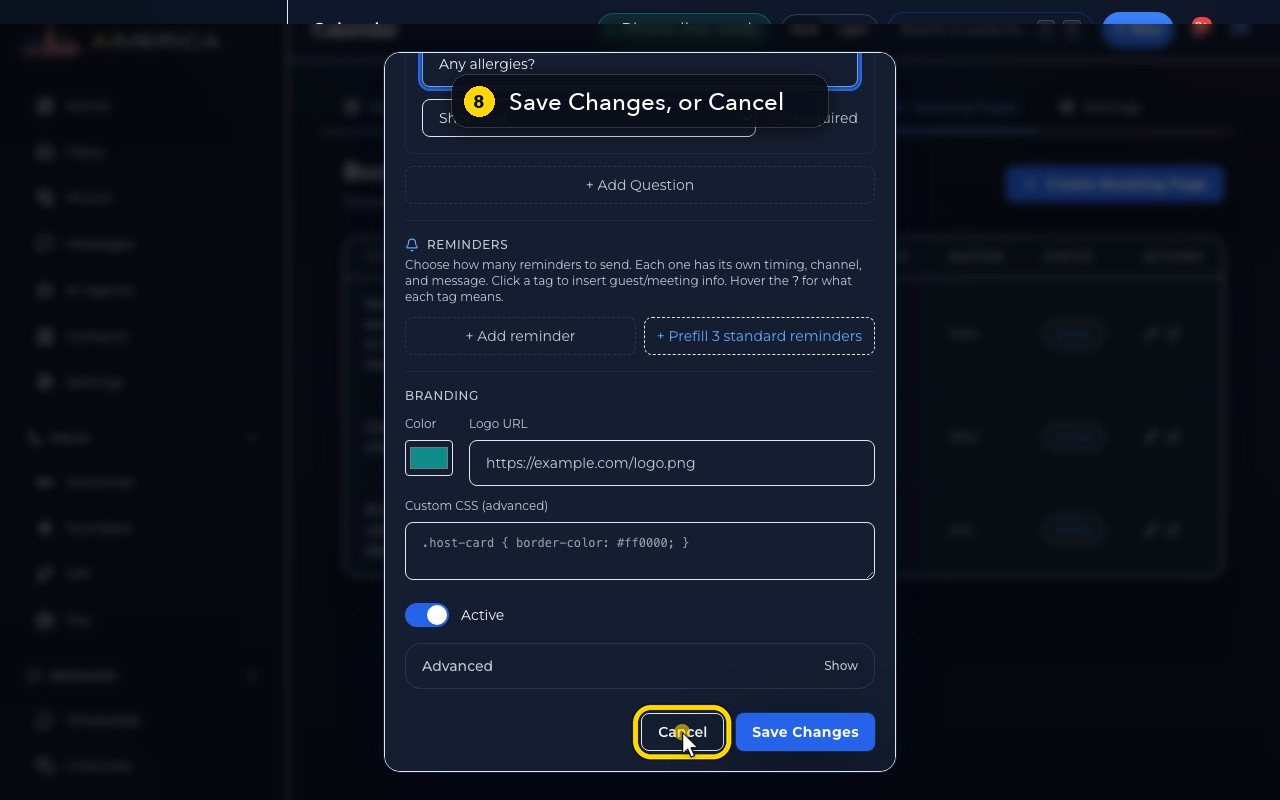
- 8
Customers answer these on the form, after they pick a time. Save Changes would keep them. Here we press Cancel, so the page stays as it is.
Related tutorials
 1:15VideoSchedule a video meeting and invite guestsPlan a video meeting, add guests from Contacts or Team, and check the time before inviting.
 1:14VideoJoin a meeting and share your screenJoin a meeting from its link, check your microphone, then share your screen.
 0:50VideoPlan a meeting straight from the calendarClick an empty hour in week view to open the meeting form with that day and time filled in.
 1:17VideoChange a meeting's time or guestsOpen a meeting's details to change its time, guests or notes, and choose whether guests are told.
 0:56VideoSee who accepted a meeting inviteRead the RSVP badges so you know who is coming.
 1:14VideoHost controls: waiting room, lock and muteAs host, let people in, lock the meeting, mute everyone and share the invite or dial-in.
Was this not what you needed? Write to us.