
No admin? Paste your calendar link
Share your busy times from Outlook or Google with a published calendar link.
Open Calendar › Settings (the tab inside Calendar) › Integrations and scroll to No admin? Paste your calendar link. Pick Outlook, Google or Other, follow the steps to publish your calendar, paste its ICS link and press Save the link.
In this video
Step by step
- 1
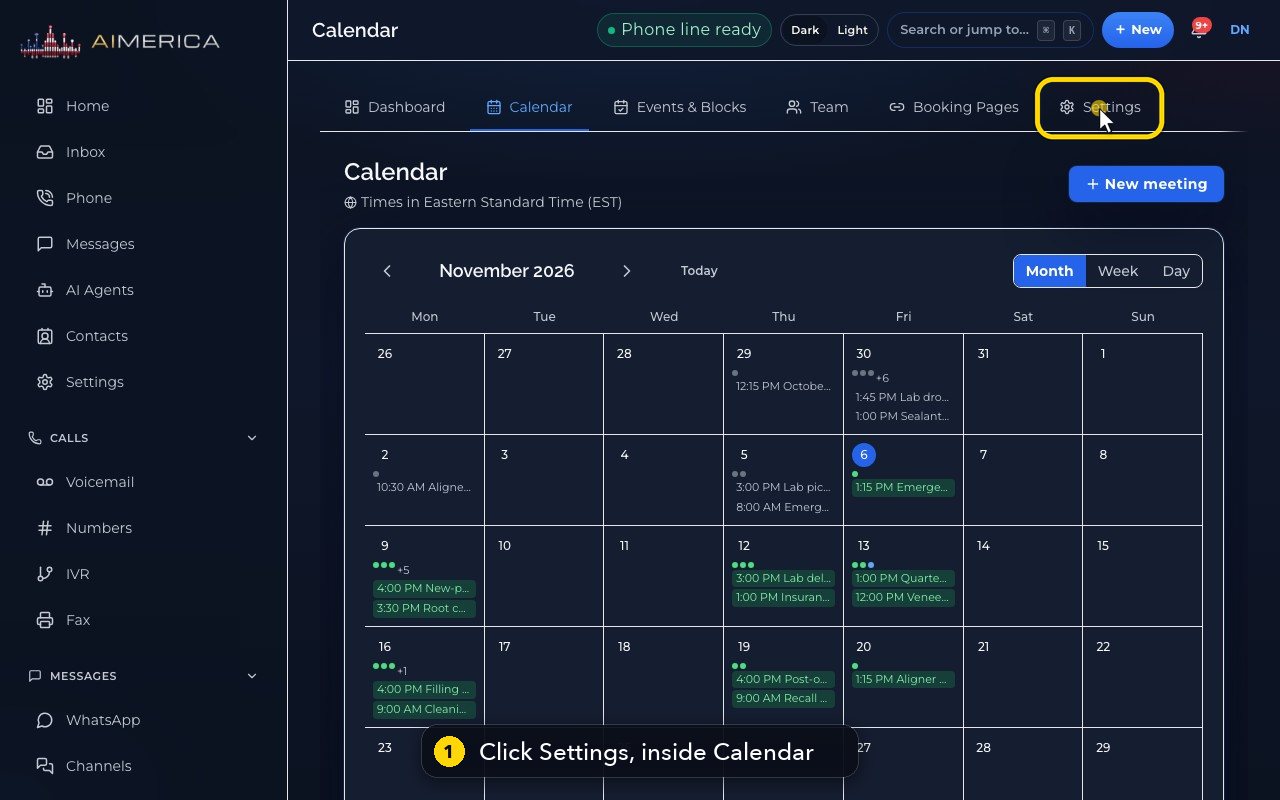
If you cannot connect your work calendar directly, you can publish it and paste its link. Open the Settings tab inside Calendar.
- 2
Further down: No admin? Paste your calendar link.
- 3
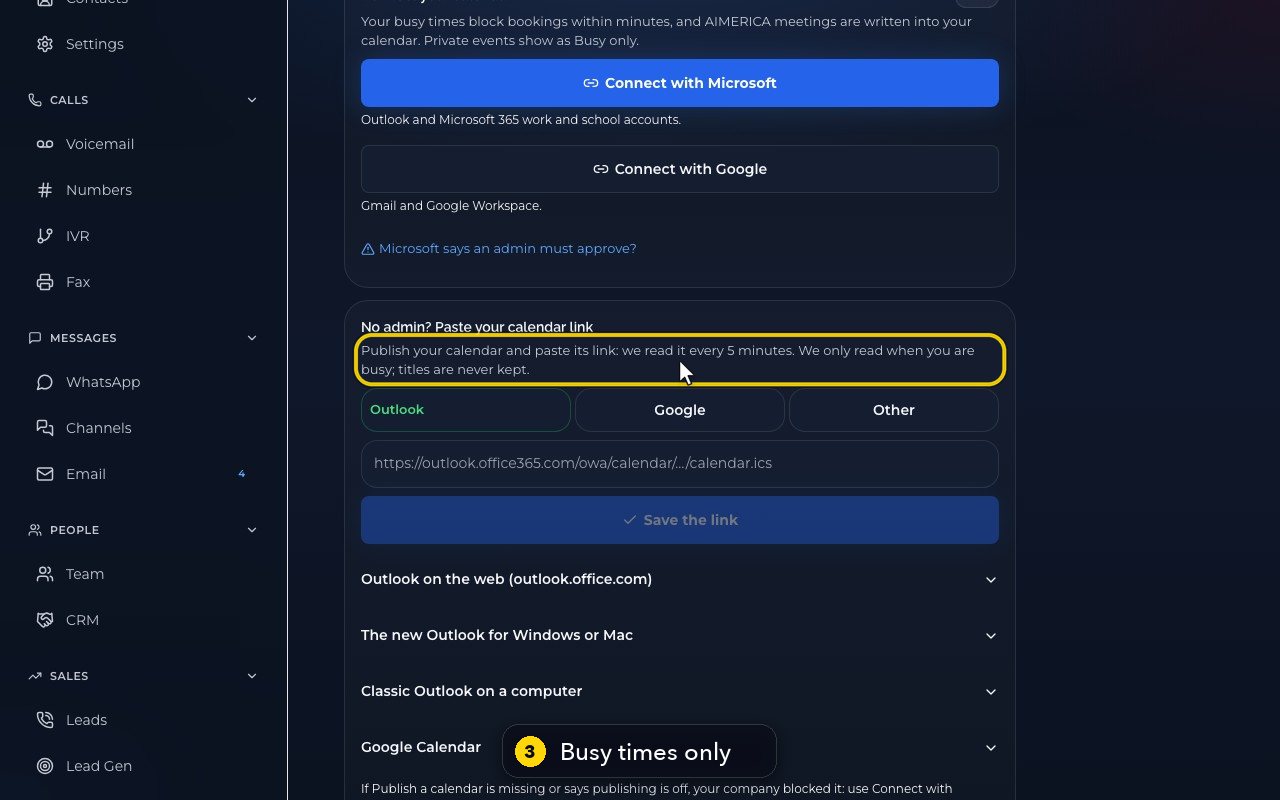
The link is read every five minutes, only for your busy times. Titles are never kept.
- 4
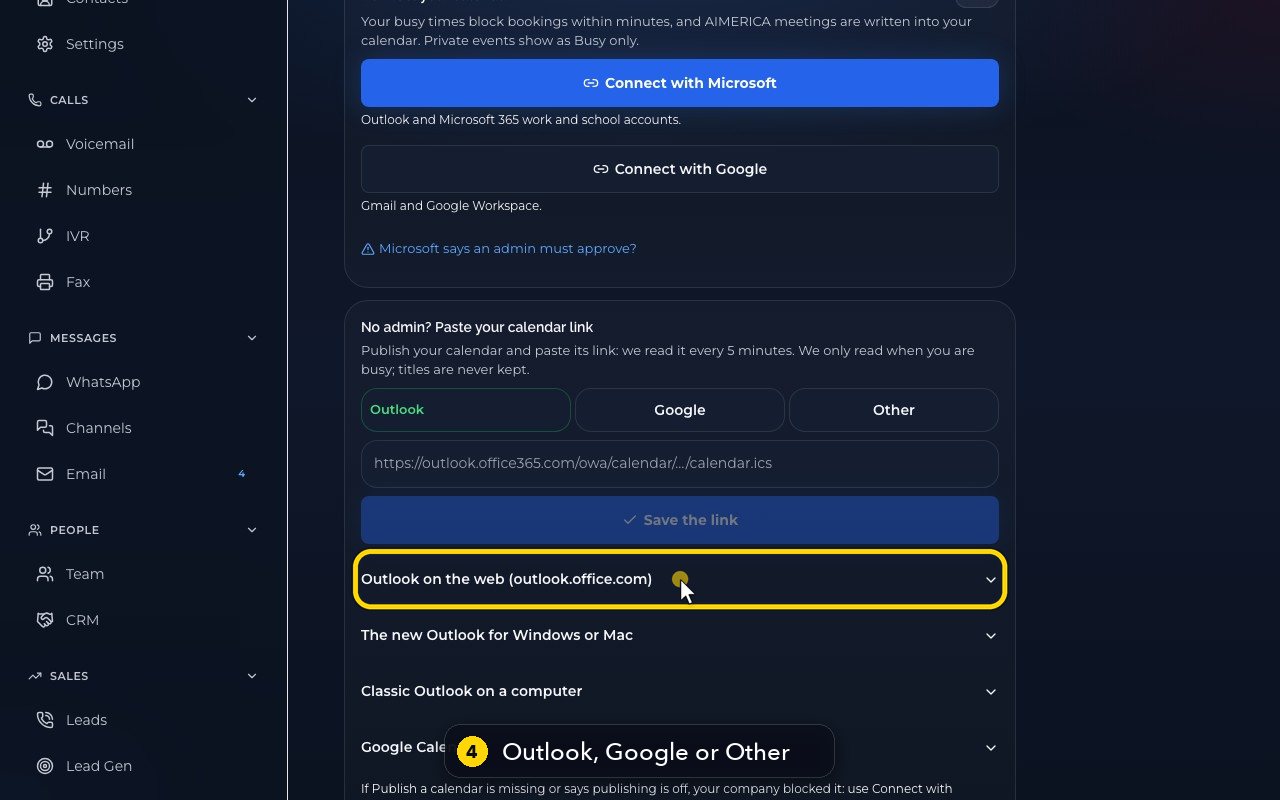
Pick your calendar: Outlook, Google or Other. Step-by-step help is right here, for each one.
- 5
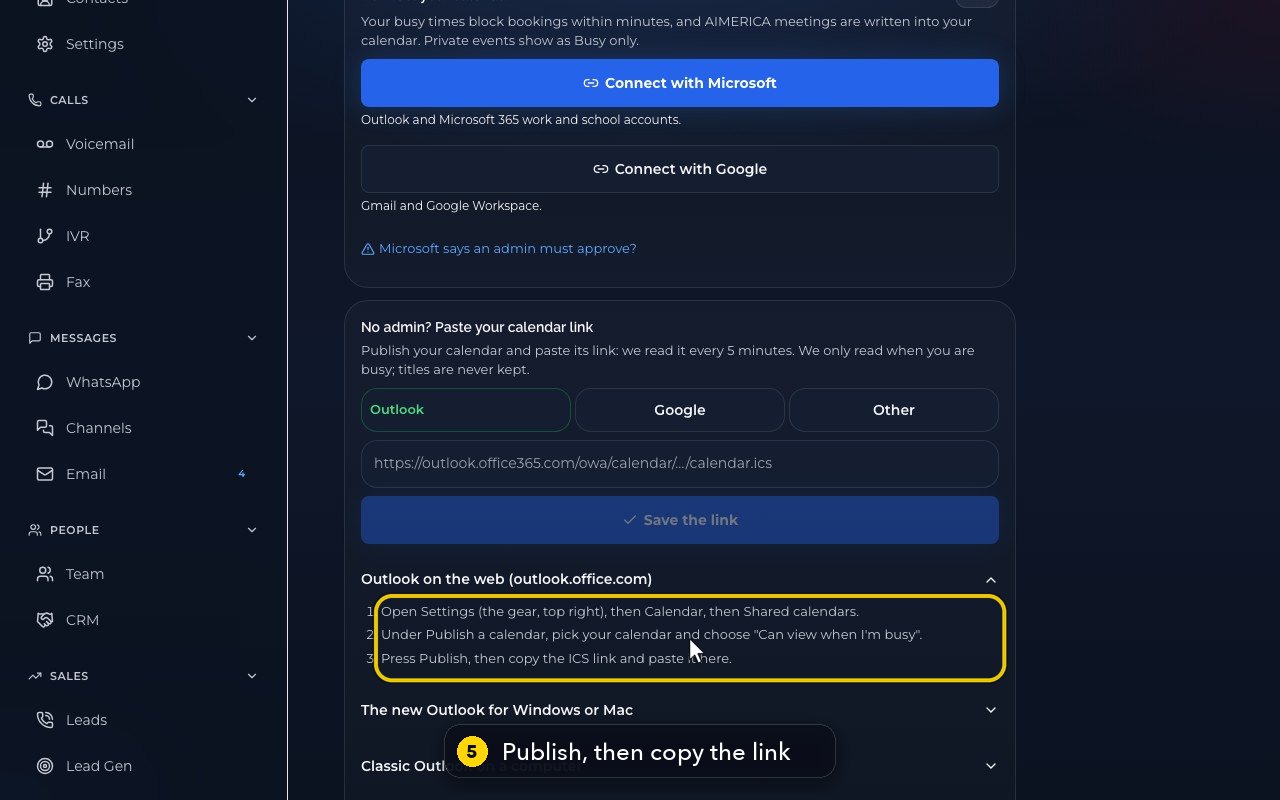
In Outlook, publish your calendar with Can view when I'm busy, then copy the ICS link.
- 6
Paste it in the box, and press Save the link. Here we stop before saving.
- 7
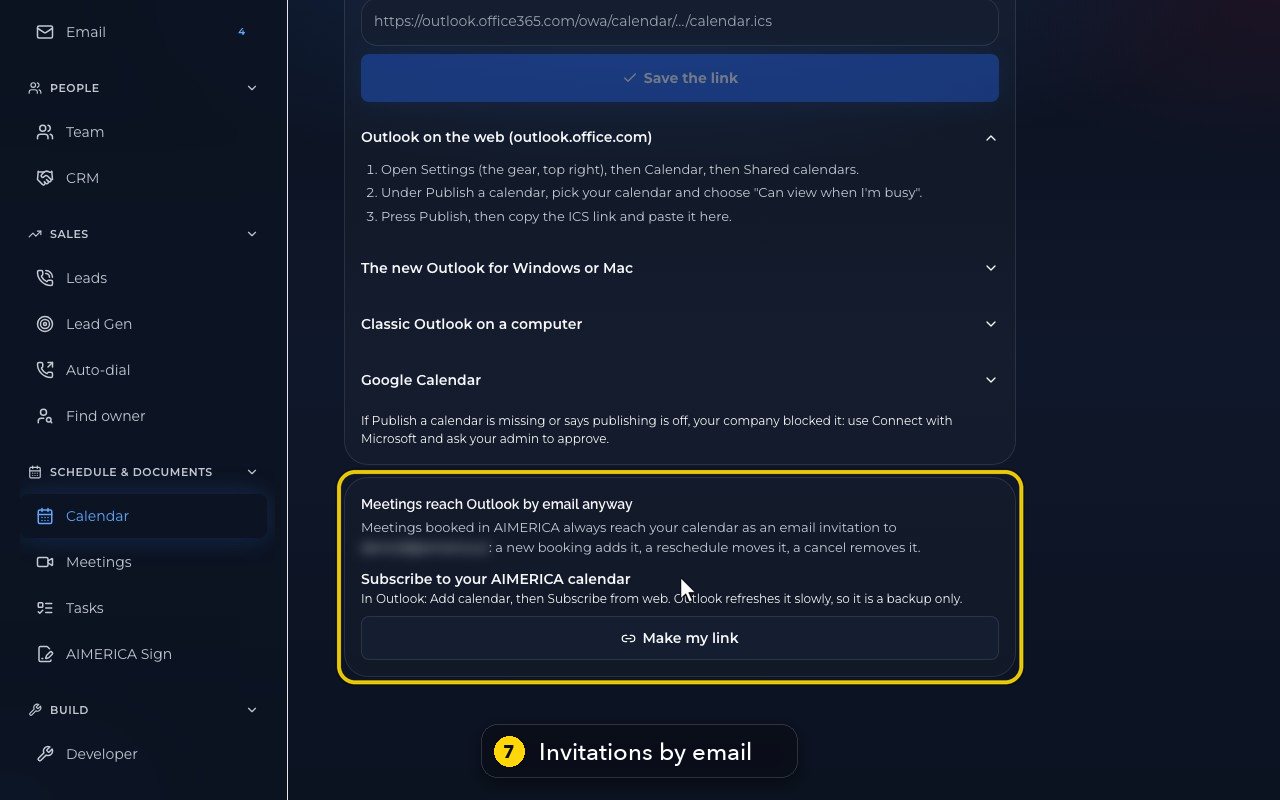
Meetings booked here always reach your calendar anyway, as an email invitation.
- 8
As a slower backup, you can also subscribe to your calendar's own address. Make my link creates it.
Related tutorials
 1:15VideoSchedule a video meeting and invite guestsPlan a video meeting, add guests from Contacts or Team, and check the time before inviting.
 1:14VideoJoin a meeting and share your screenJoin a meeting from its link, check your microphone, then share your screen.
 0:50VideoPlan a meeting straight from the calendarClick an empty hour in week view to open the meeting form with that day and time filled in.
 1:17VideoChange a meeting's time or guestsOpen a meeting's details to change its time, guests or notes, and choose whether guests are told.
 0:56VideoSee who accepted a meeting inviteRead the RSVP badges so you know who is coming.
 1:14VideoHost controls: waiting room, lock and muteAs host, let people in, lock the meeting, mute everyone and share the invite or dial-in.
Was this not what you needed? Write to us.