
Do not disturb and your status
Turn Do not disturb on or off and tell your teams you are away, from the bell at the top of every page.
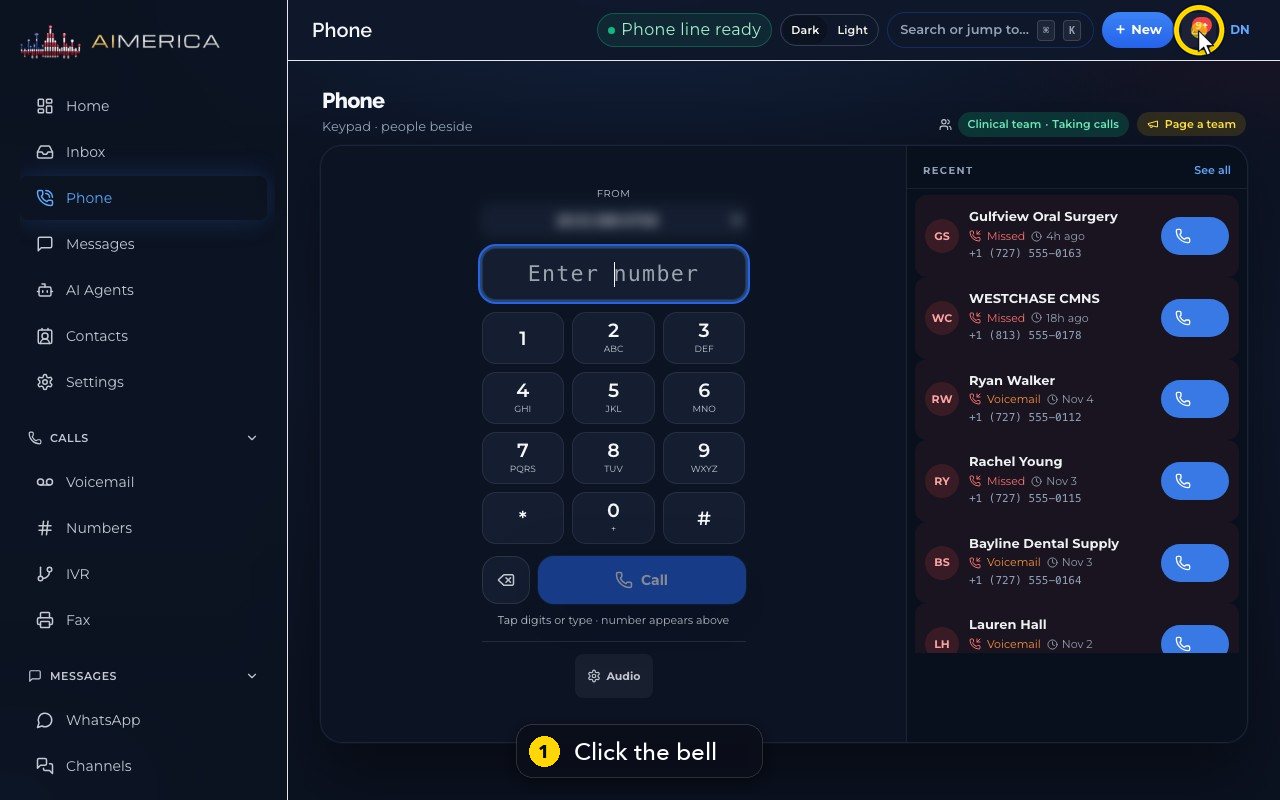
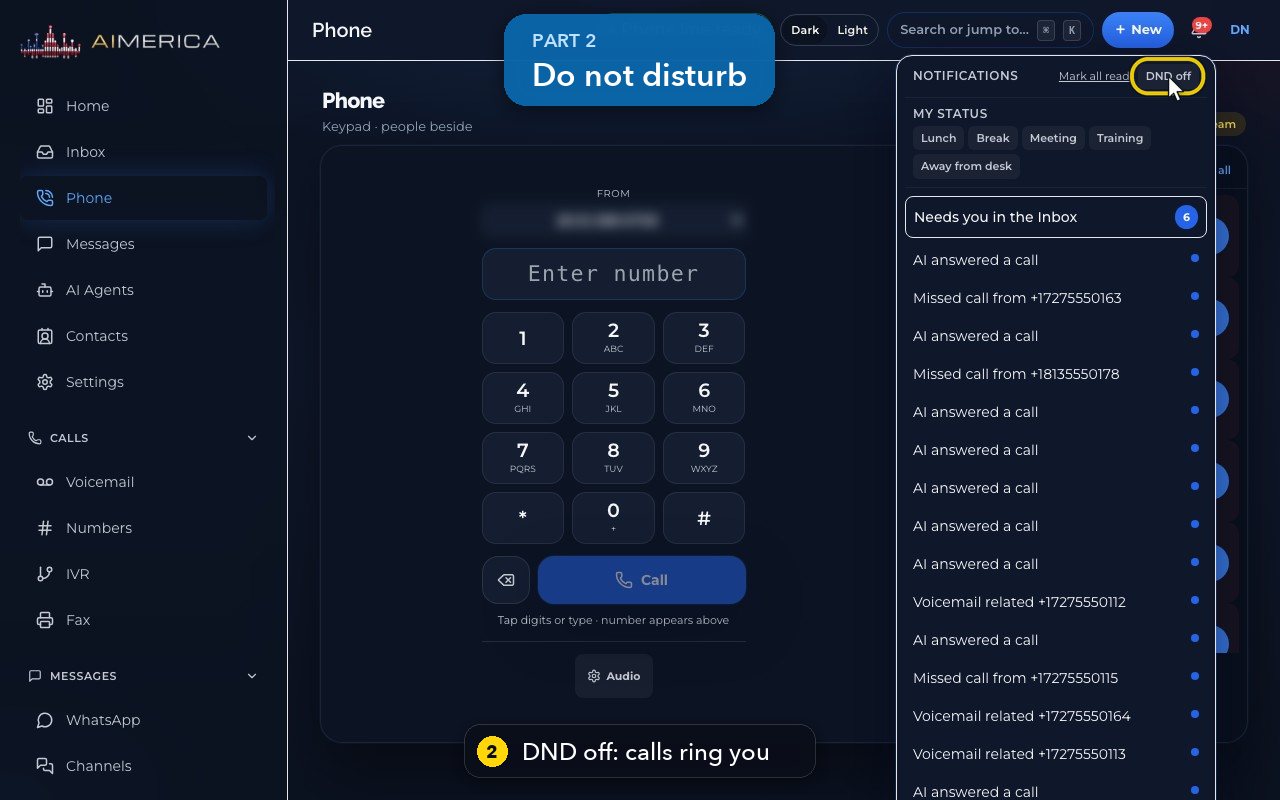
Click the bell at the top right of any page. DND off means calls ring you; turn it on and calls to your own line go to voicemail. My status tells your teams you are away.
In this video
Step by step
- 1
Do not disturb and your status live under the bell, at the top right of every page.
- 2
The button at the top says DND off: calls ring you as usual.
- 3
Turn it on, and calls to your own line go straight to voicemail. Turn it off again when you are ready.
- 4
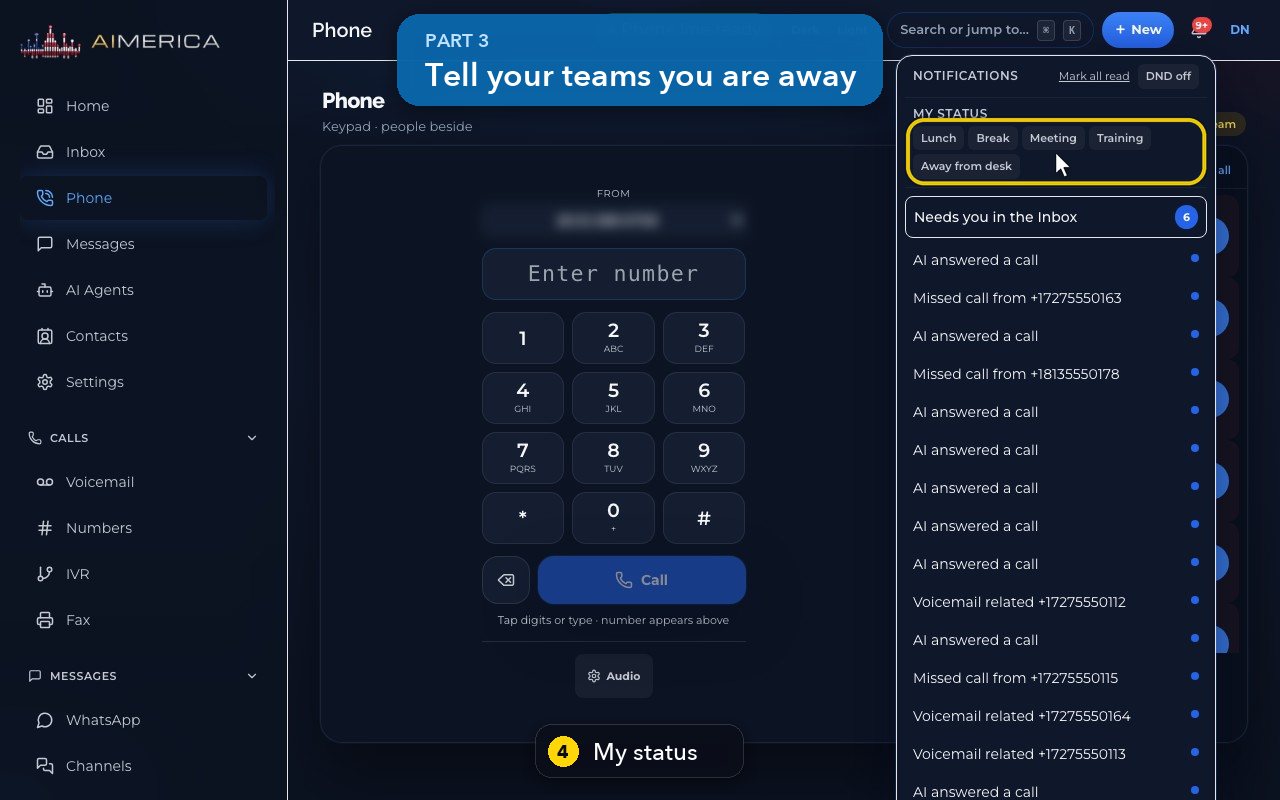
My status tells your teams you are away: Lunch, Break, Meeting, Training, or Away from desk.
- 5
While you are away, team calls pass you by, but your own line still rings. When you return, press Back in the same place.
- 6
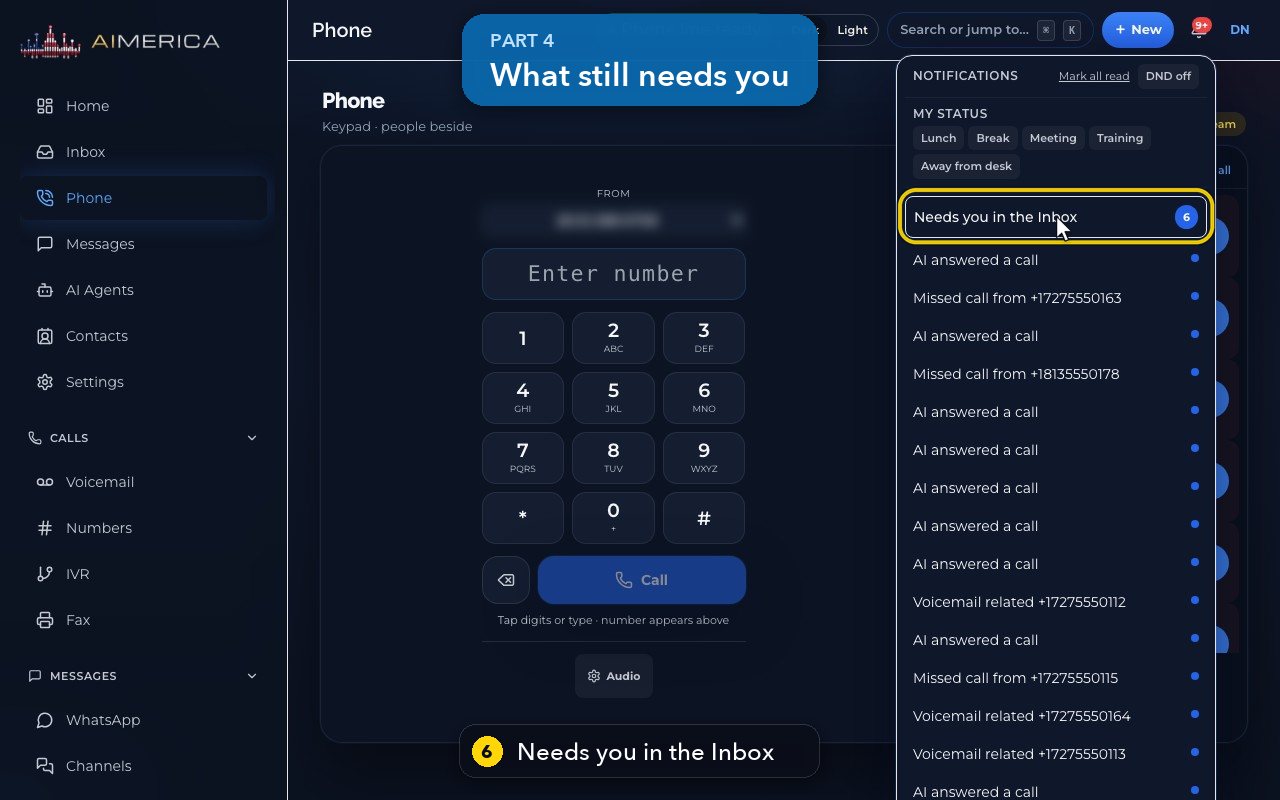
Needs you in the Inbox counts what still waits for you: missed calls, texts and voicemail.
- 7
Below are your latest notifications. Press Escape, or click outside the panel, to close it.
Related tutorials
 1:28VideoMake a call in the browser phoneDial a number from the Phone page keypad or from Recent, choose the line callers see, and check your audio.
 1:15VideoAnswer a call in the browser phoneTurn on call alerts, then answer, decline or send to voicemail a call that rings in your browser.
 1:27VideoRecent calls and AI call summariesFind any call in Recent, filter missed, AI and booked calls, and read what the AI receptionist did on a call.
 1:01VideoReturn a missed call: call back, text back, save the nameOpen a missed caller from Phone, call or text them back, and save their name to Contacts.
 0:58VideoTransfer a call to a teammateHand a live call to a teammate, a team, an extension or another number, straight away or after talking first.
 0:59VideoRecord a callStart and stop recording during a call, with the spoken notice, and find the recording in Recent.
Was this not what you needed? Write to us.