
Return a missed call: call back, text back, save the name
Open a missed caller from Phone, call or text them back, and save their name to Contacts.
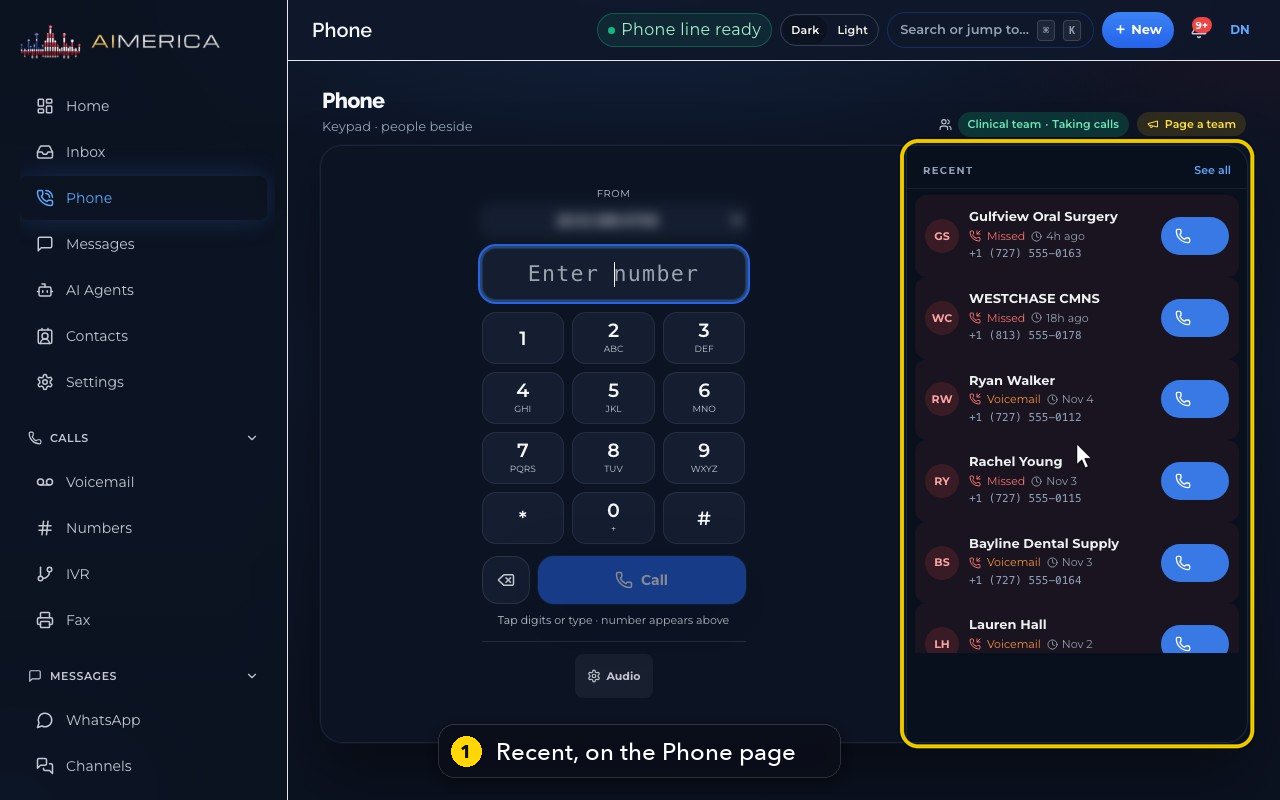
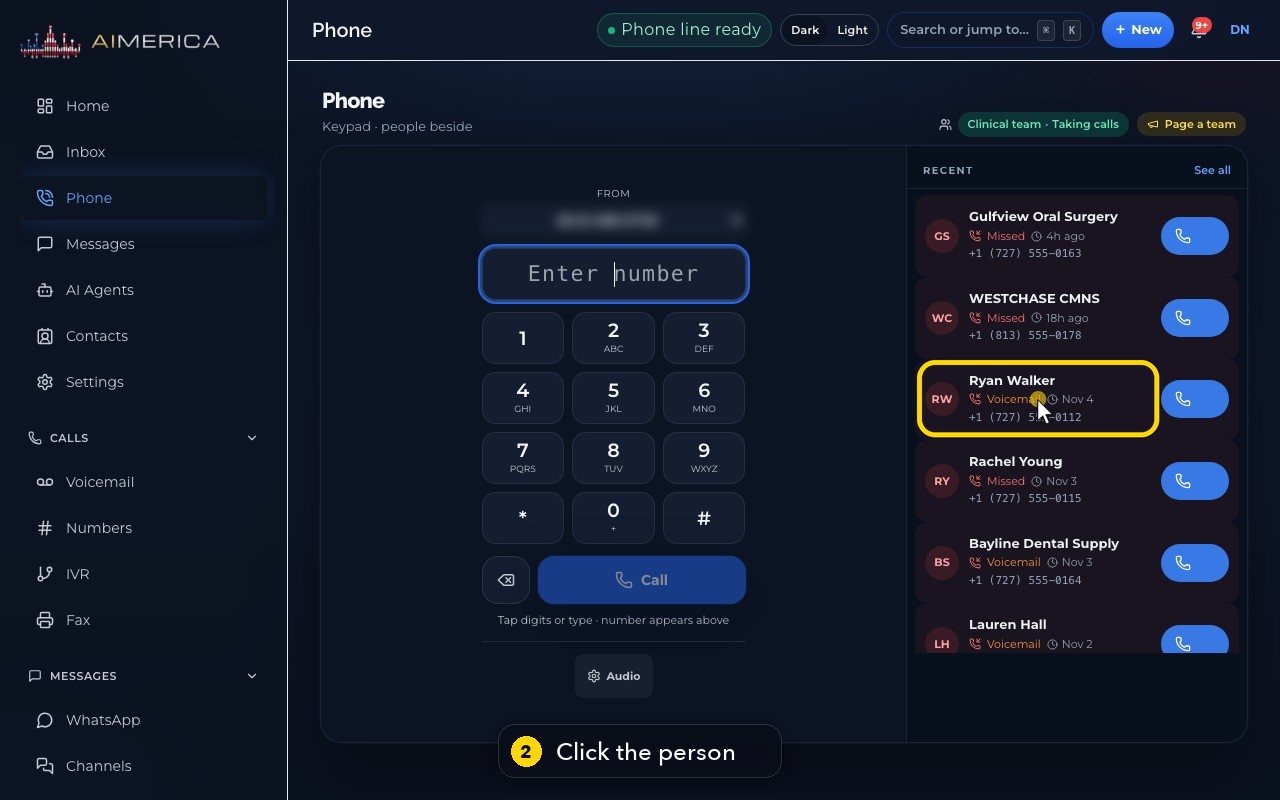
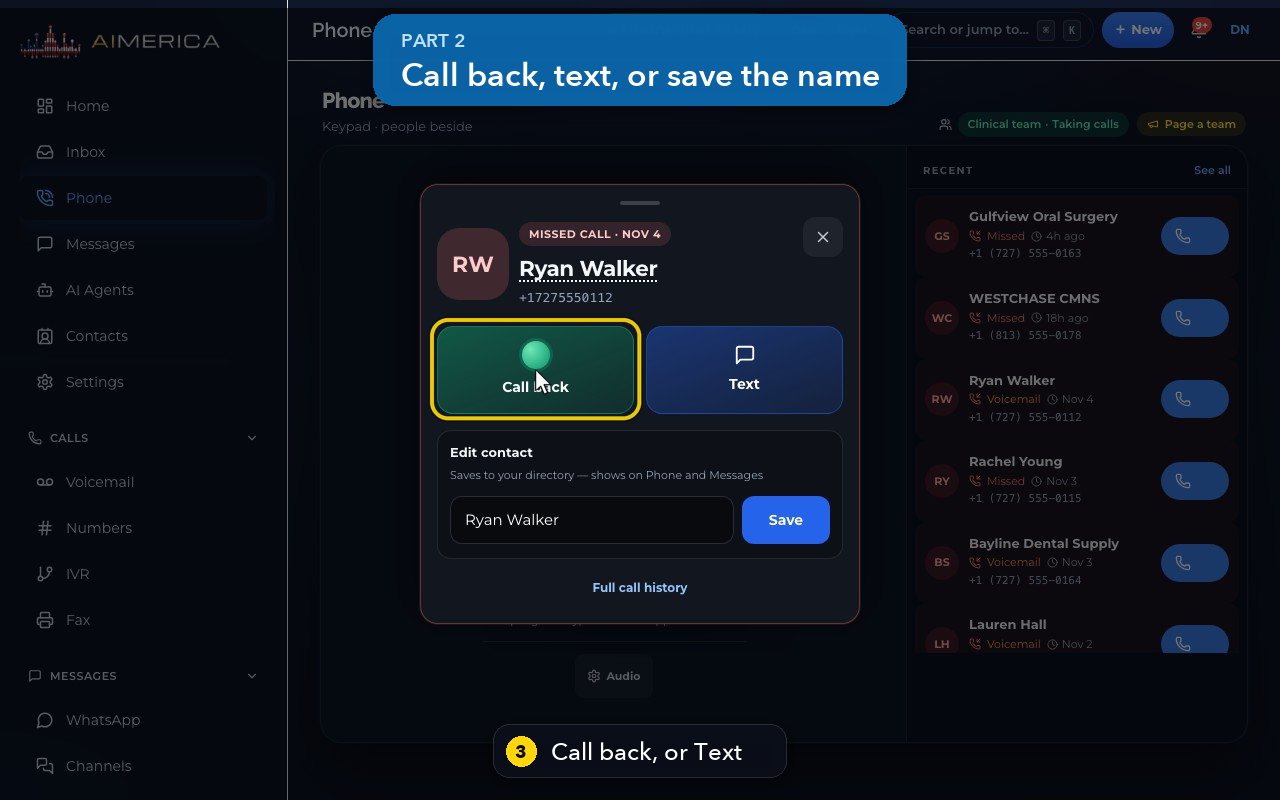
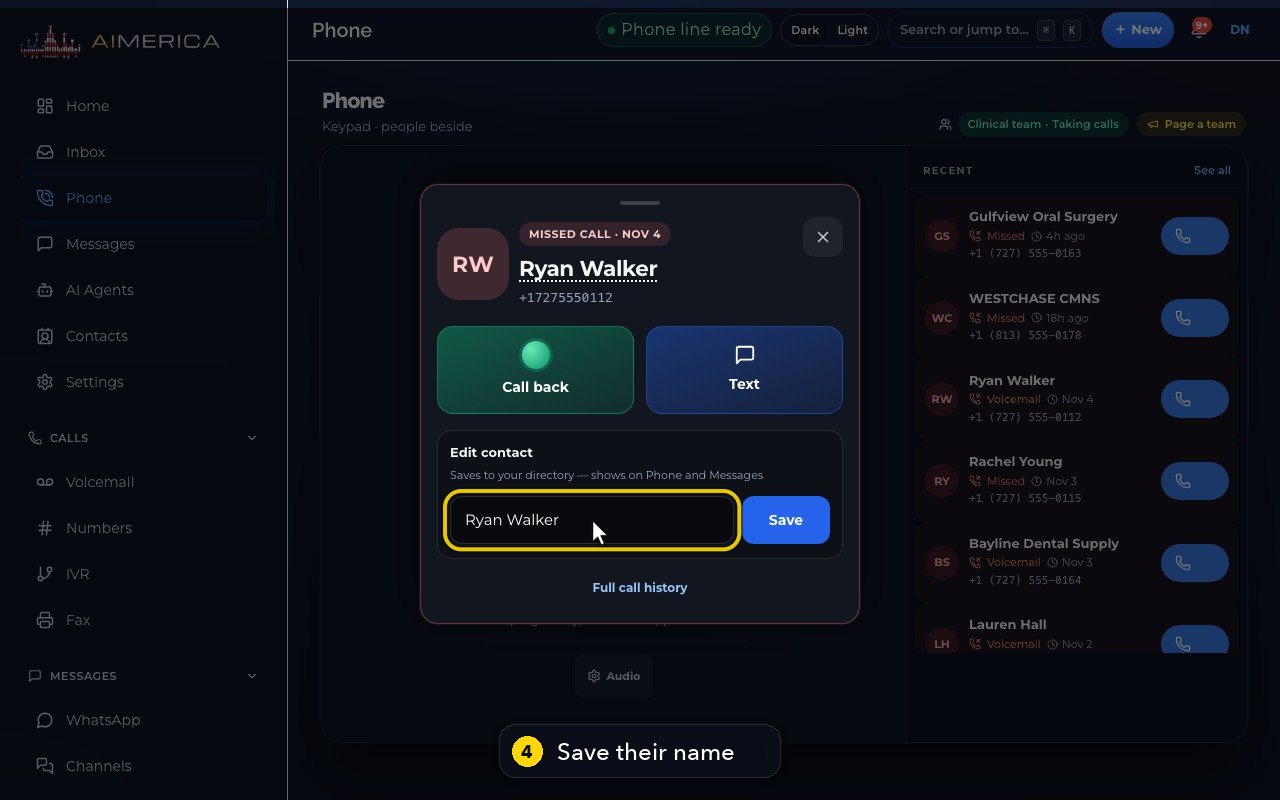
Open Phone. Missed calls and voicemails show in red under Recent. Click the person to open their card: Call back, Text, or save their name under Edit contact.
In this video
Step by step
- 1
Missed calls and voicemails show in red, under Recent, on the Phone page.
- 2
Click a person to open their card.
- 3
Call back rings them from your line. Text opens a new message to them, in Messages.
- 4
Type a name under Edit contact, and Save keeps it in your directory. It then shows on Phone and Messages.
- 5
Full call history opens Recent, with every call from this person.
- 6
Press Escape to close the card.
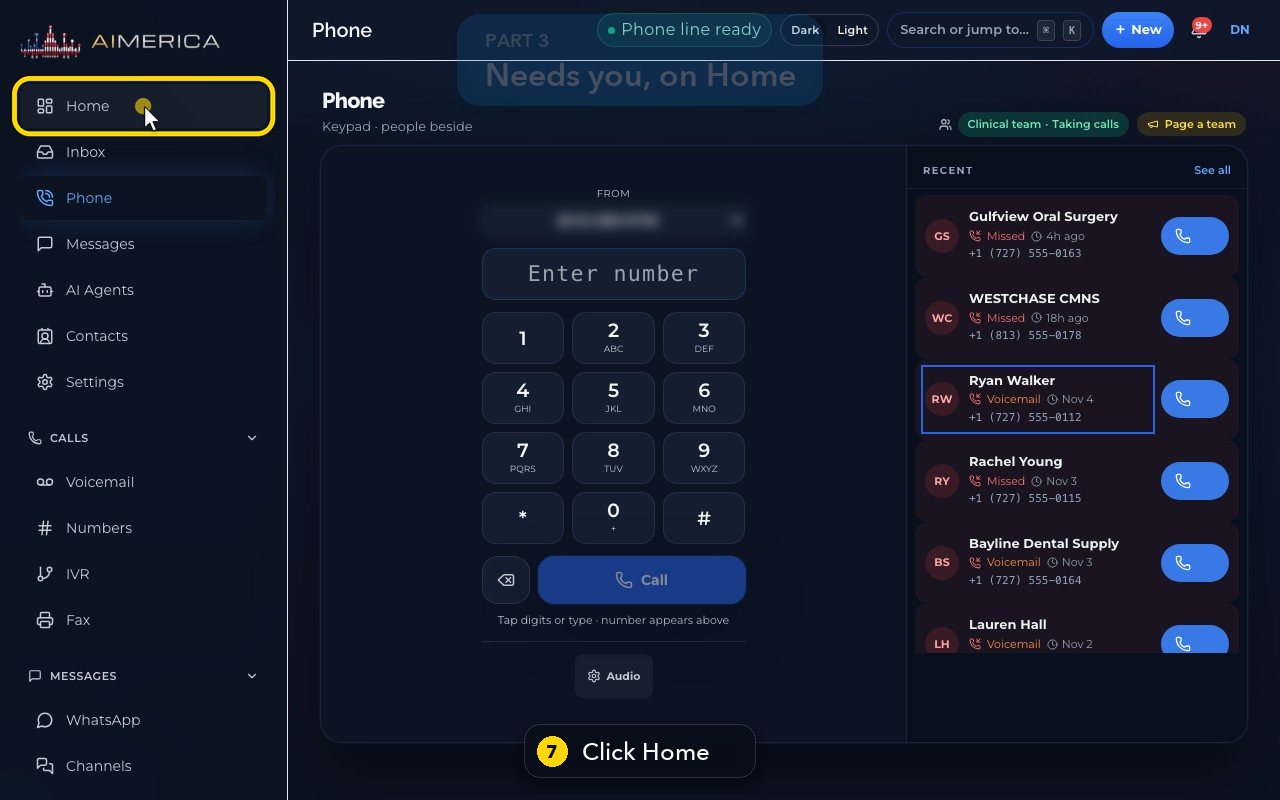
- 7
Owners and admins also see these people on Home, in the Needs you list.
- 8
Each row has Call and Text, the same as on the card.
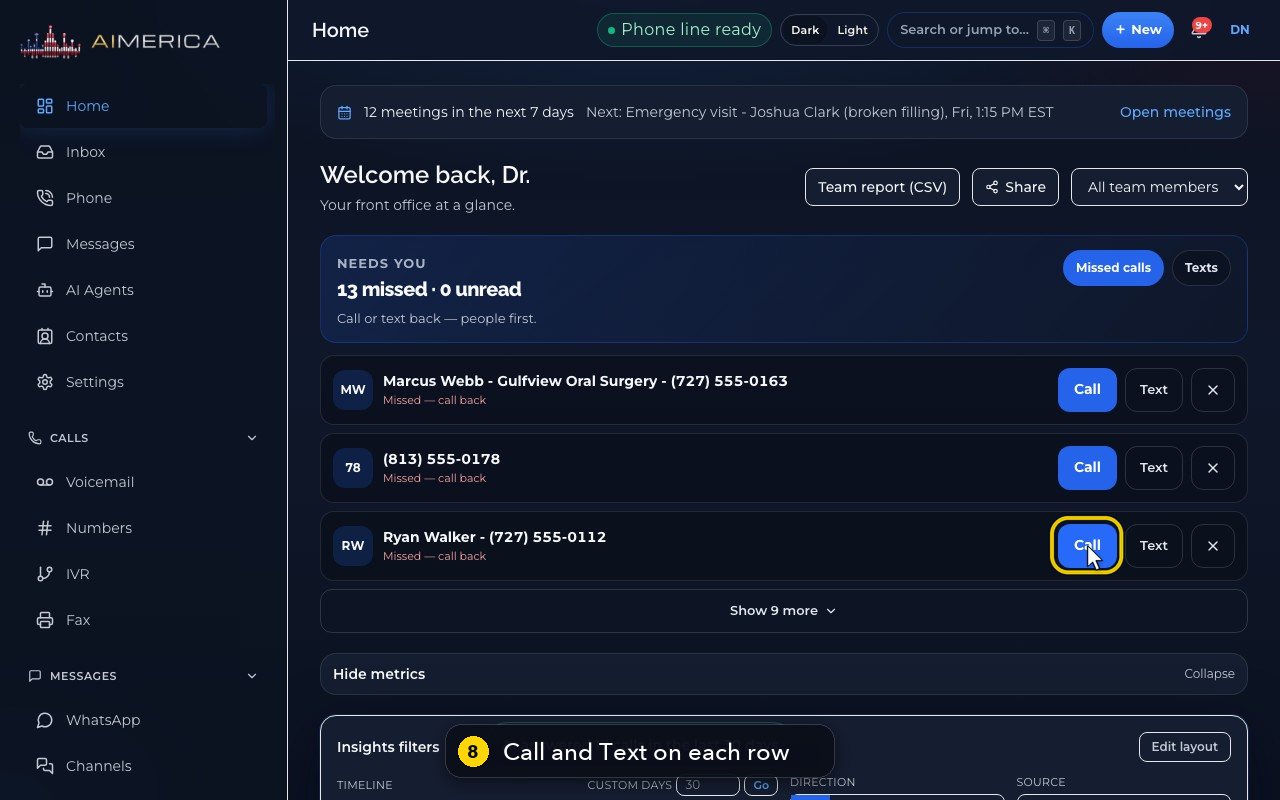
- 9
The X button hides a row from your own list. A new missed call from them brings it back.
Related tutorials
 1:28VideoMake a call in the browser phoneDial a number from the Phone page keypad or from Recent, choose the line callers see, and check your audio.
 1:15VideoAnswer a call in the browser phoneTurn on call alerts, then answer, decline or send to voicemail a call that rings in your browser.
 1:27VideoRecent calls and AI call summariesFind any call in Recent, filter missed, AI and booked calls, and read what the AI receptionist did on a call.
 0:58VideoTransfer a call to a teammateHand a live call to a teammate, a team, an extension or another number, straight away or after talking first.
 0:59VideoRecord a callStart and stop recording during a call, with the spoken notice, and find the recording in Recent.
 0:54VideoCall waiting: a second call while you talkHold and answer, end and answer, or send to voicemail a second caller, then swap between calls.
Was this not what you needed? Write to us.