
Recent calls and AI call summaries
Find any call in Recent, filter missed, AI and booked calls, and read what the AI receptionist did on a call.
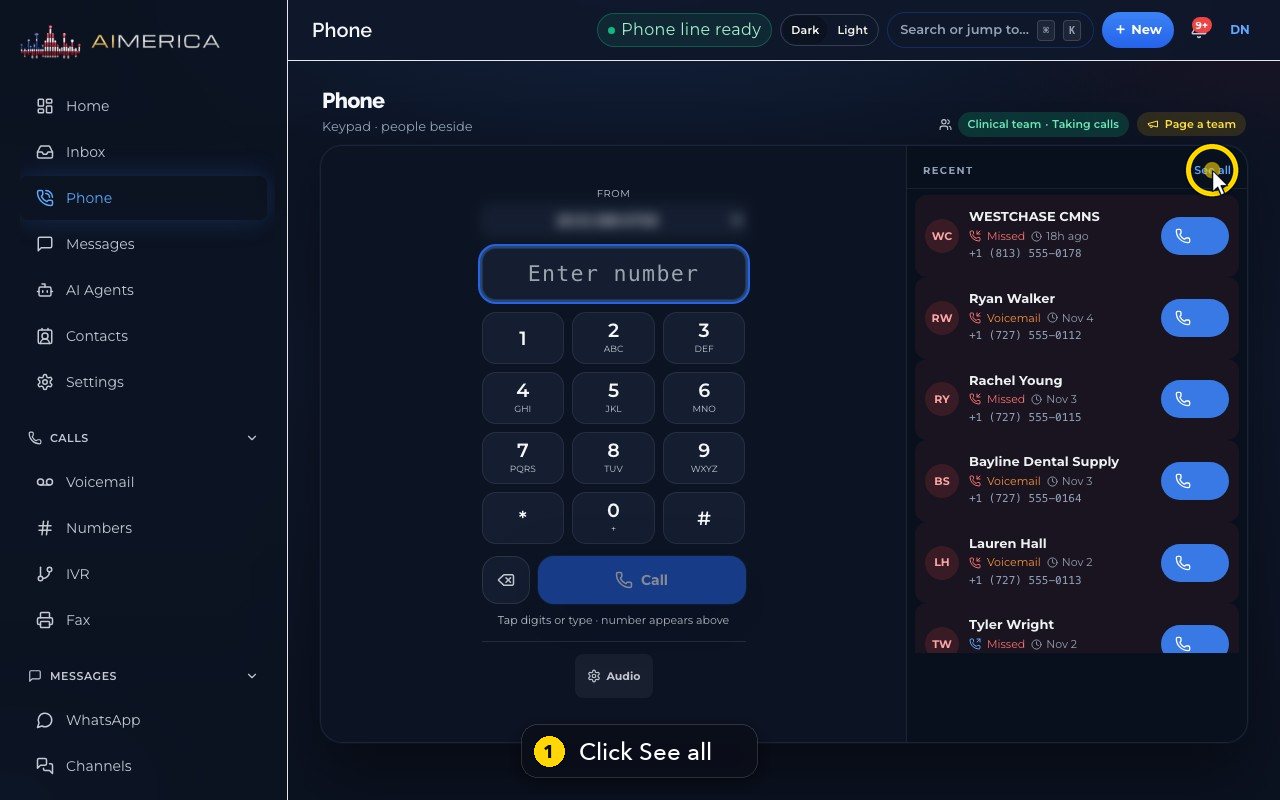
Recent is on the Phone page: click See all next to your recent calls.
In this video
Step by step
- 1
Recent is your full call history. On the Phone page, click See all.
- 2
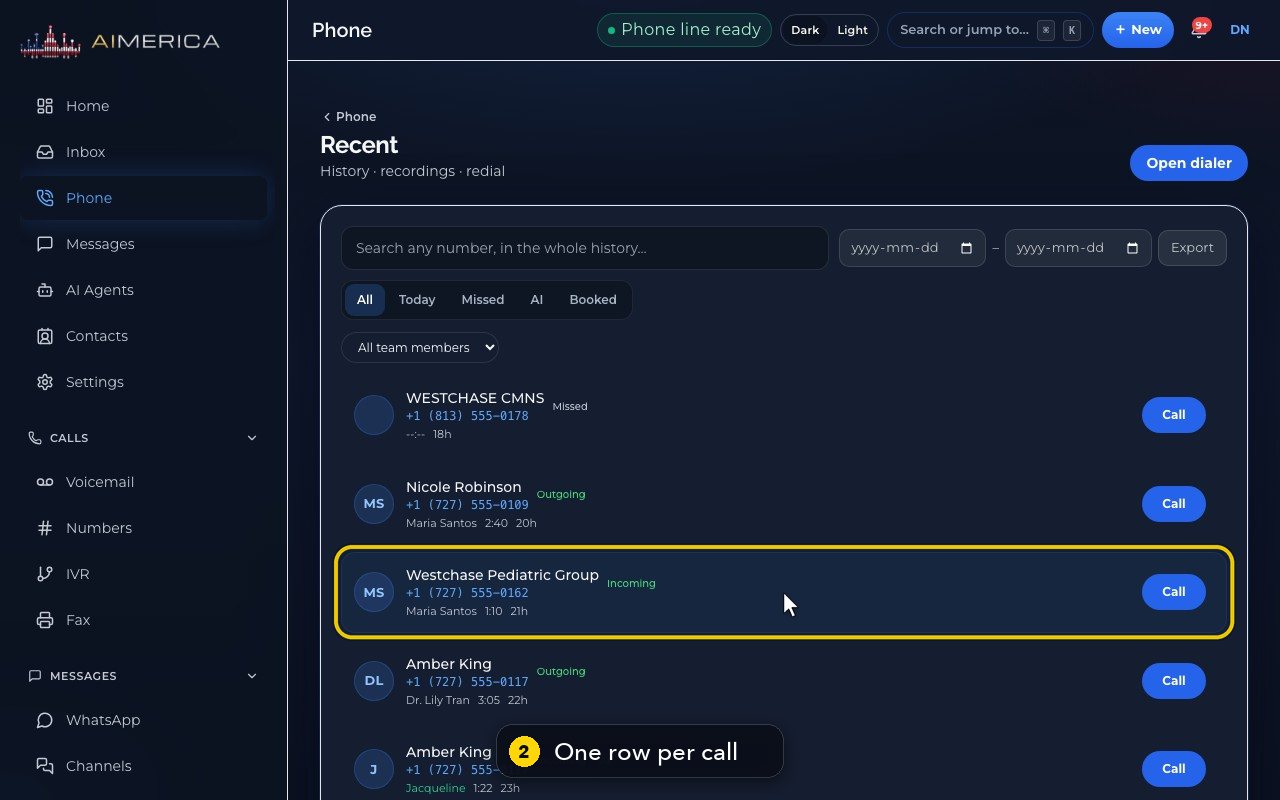
Each row shows who called, their number, what happened, who answered, how long the call lasted, and when.
- 3
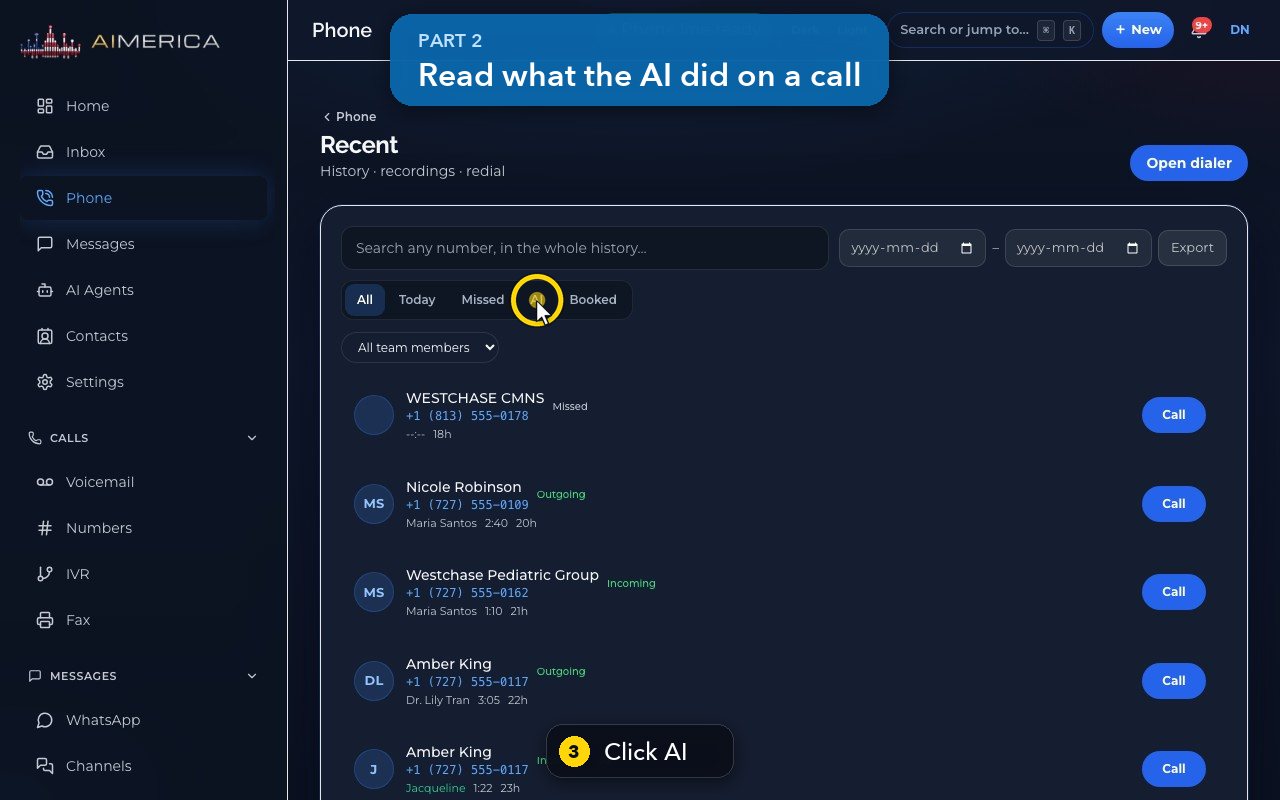
AI lists the calls your AI receptionist answered.
- 4
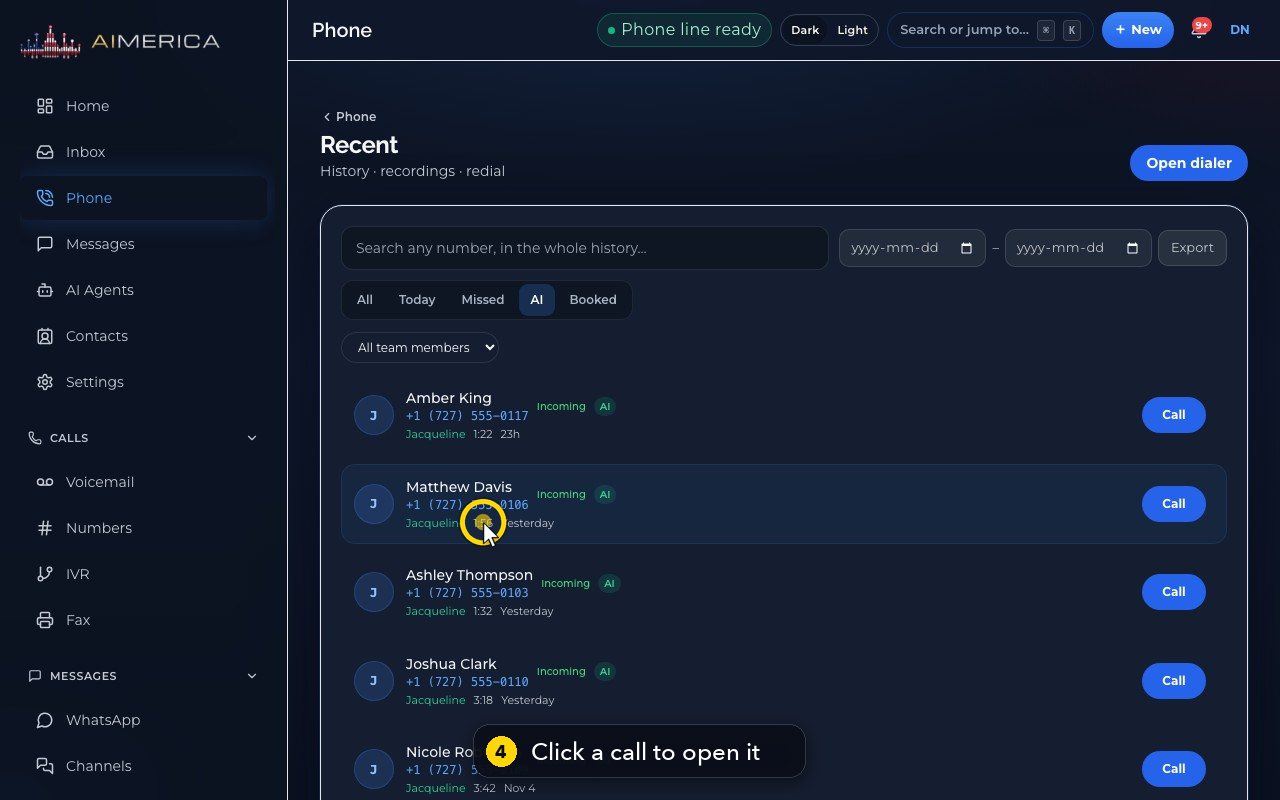
Click a call to open its details: who called, the line they called, when, and who answered.
- 5
Call and Text reach the caller from here. The small icons next to each number call, text or copy it.
- 6
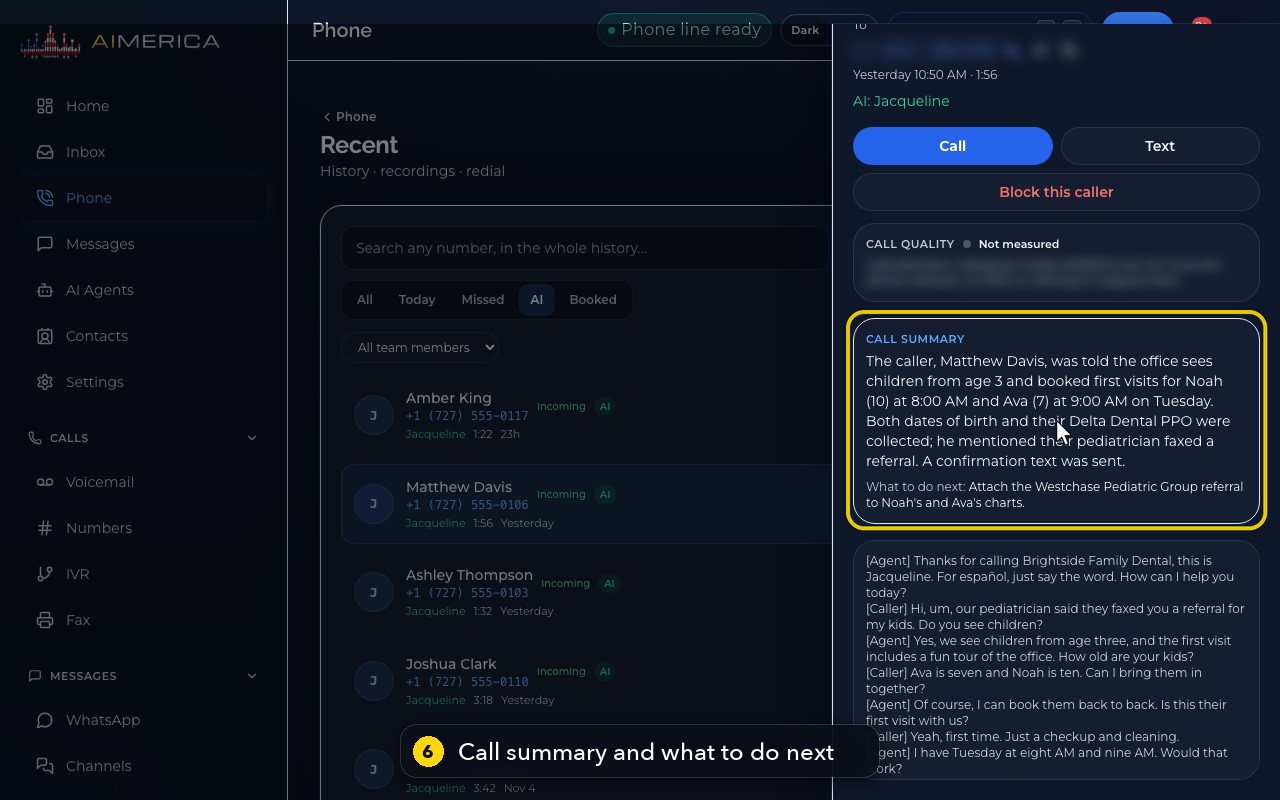
Call summary says what the caller wanted and what the AI did. What to do next is your follow-up.
- 7
Under it is the whole conversation, line by line.
- 8
When you are done, click Close.
- 9
Missed lists the calls and voicemails you missed, so you can work through them.
- 10
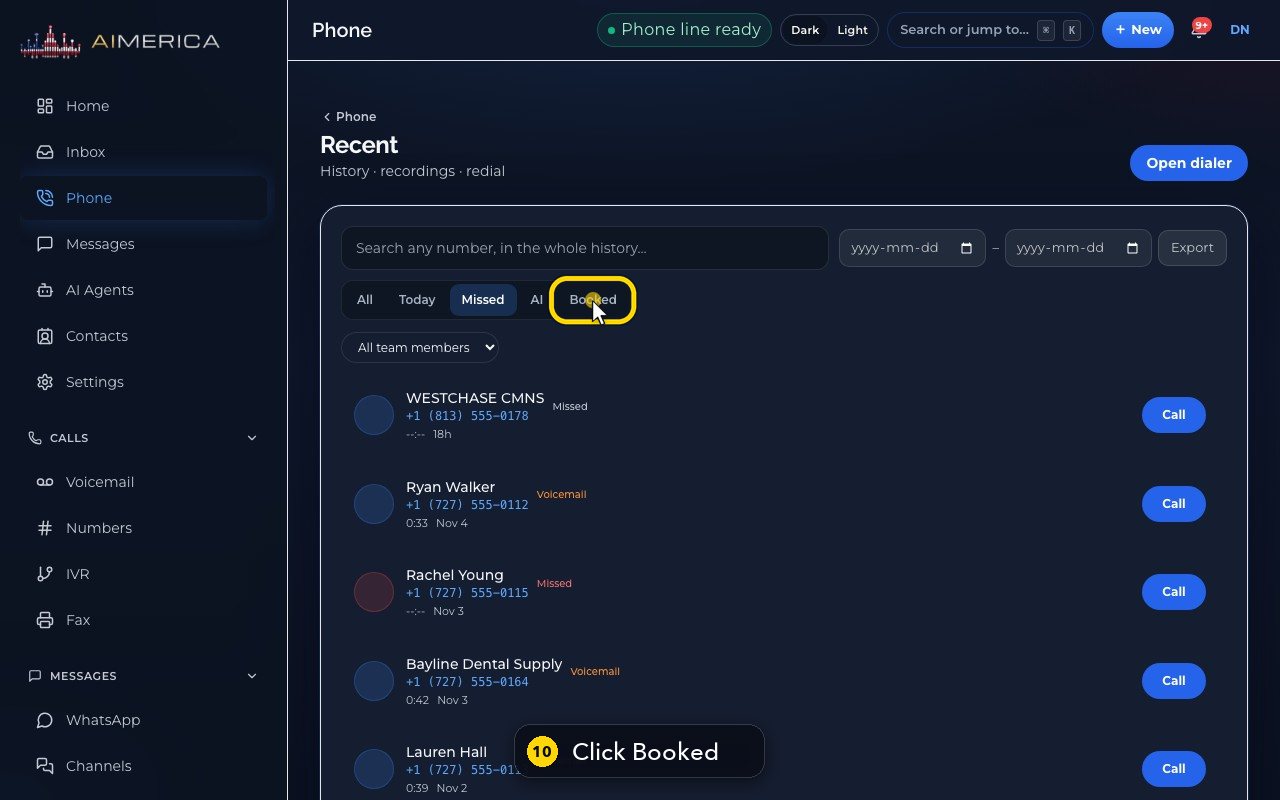
Booked shows the calls where the AI booked an appointment.
- 11
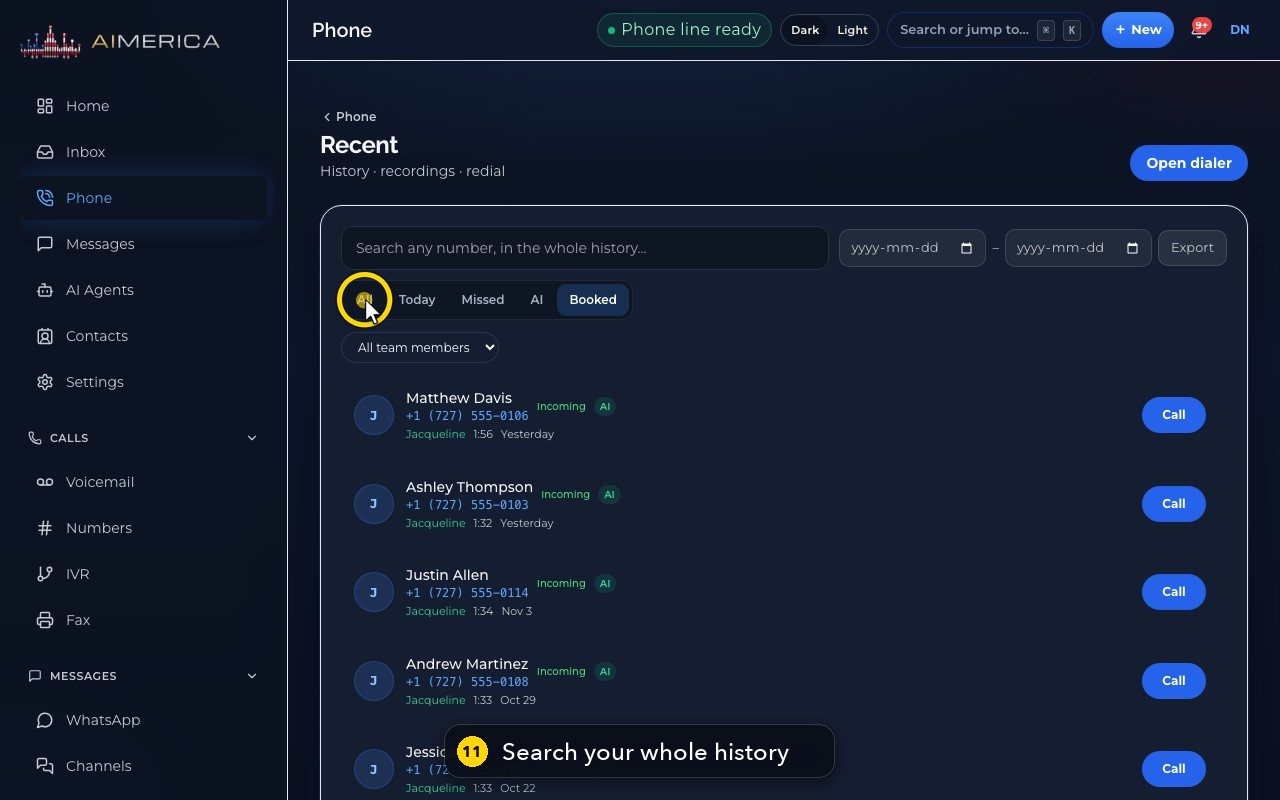
Click All. Then type a name or a number in Search: it looks through your whole history.
- 12
From and To pick the dates, All team members picks a teammate, and Export downloads the list as a spreadsheet.
Related tutorials
 1:28VideoMake a call in the browser phoneDial a number from the Phone page keypad or from Recent, choose the line callers see, and check your audio.
 1:15VideoAnswer a call in the browser phoneTurn on call alerts, then answer, decline or send to voicemail a call that rings in your browser.
 1:01VideoReturn a missed call: call back, text back, save the nameOpen a missed caller from Phone, call or text them back, and save their name to Contacts.
 0:58VideoTransfer a call to a teammateHand a live call to a teammate, a team, an extension or another number, straight away or after talking first.
 0:59VideoRecord a callStart and stop recording during a call, with the spoken notice, and find the recording in Recent.
 0:54VideoCall waiting: a second call while you talkHold and answer, end and answer, or send to voicemail a second caller, then swap between calls.
Was this not what you needed? Write to us.