
Transfer a call to a teammate
Hand a live call to a teammate, a team, an extension or another number, straight away or after talking first.
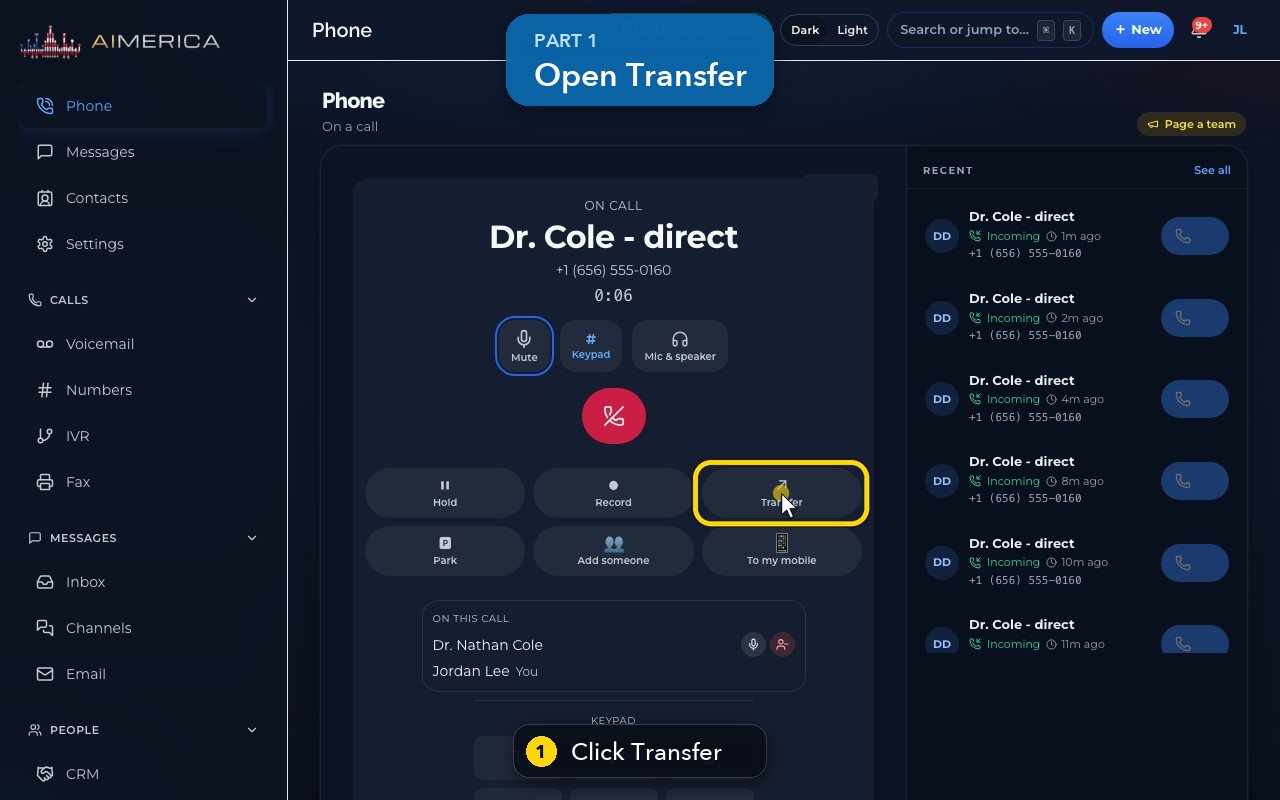
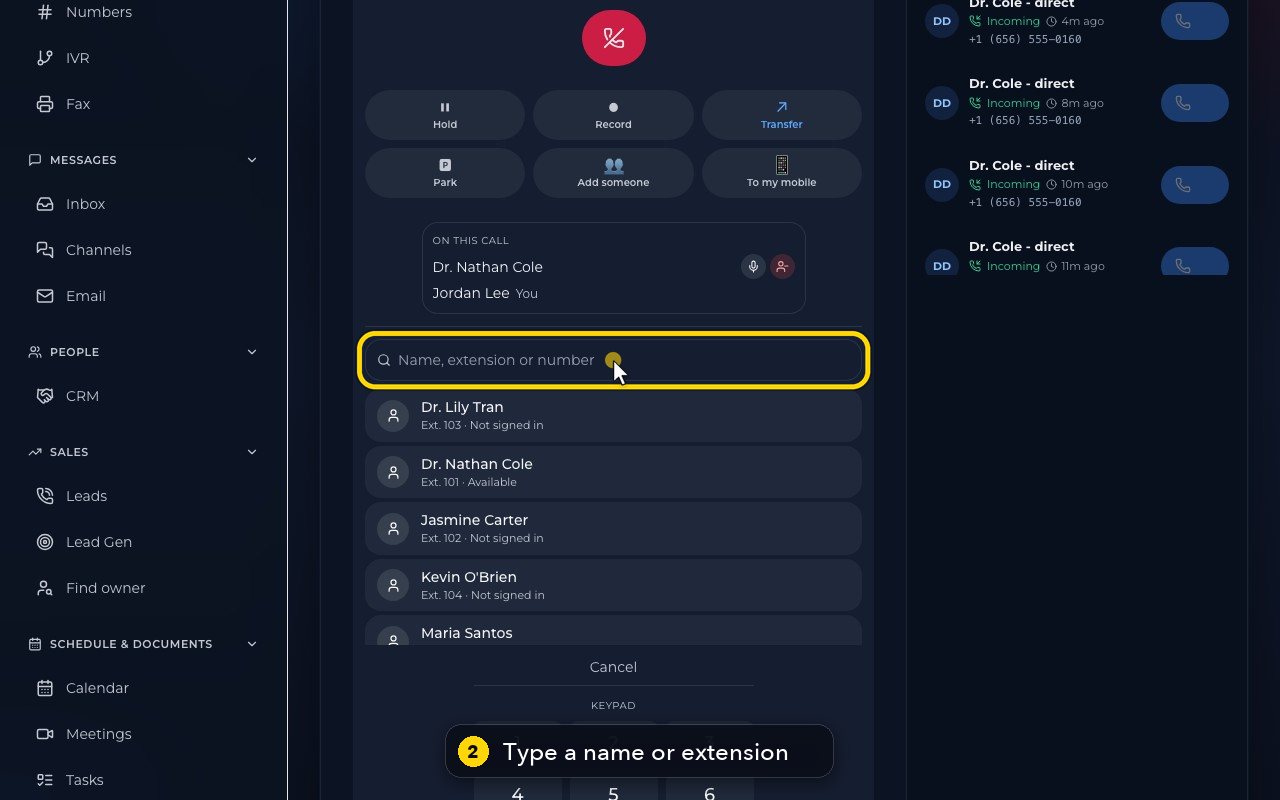
Transfer is in the call buttons of the Phone page during a call. Search a teammate by name or extension, or type a full phone number.
In this video
Step by step
- 1
You're on a call. Transfer hands the caller to a teammate, a team, an extension, or another number.
- 2
In the search box, type a name, an extension, or a full phone number.
- 3
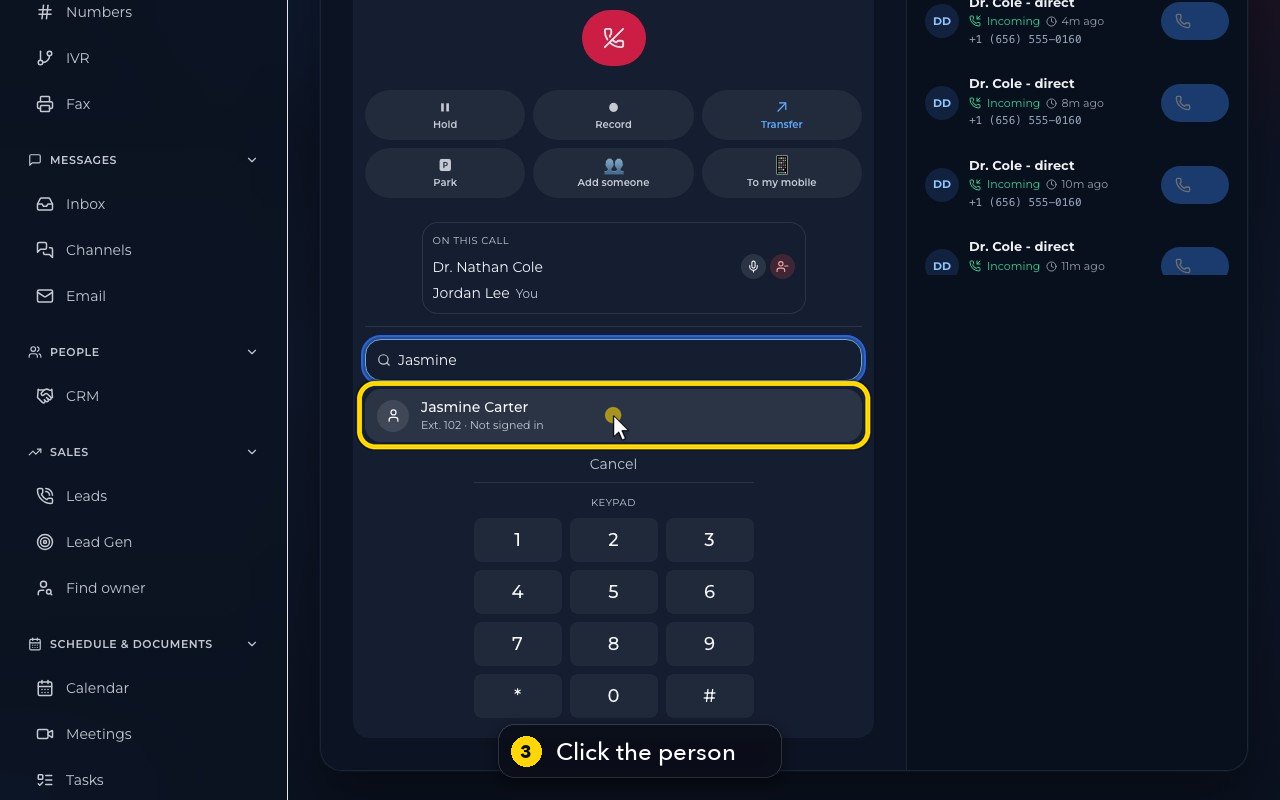
Each teammate shows their extension, and whether they can take a call right now. Click the person.
- 4
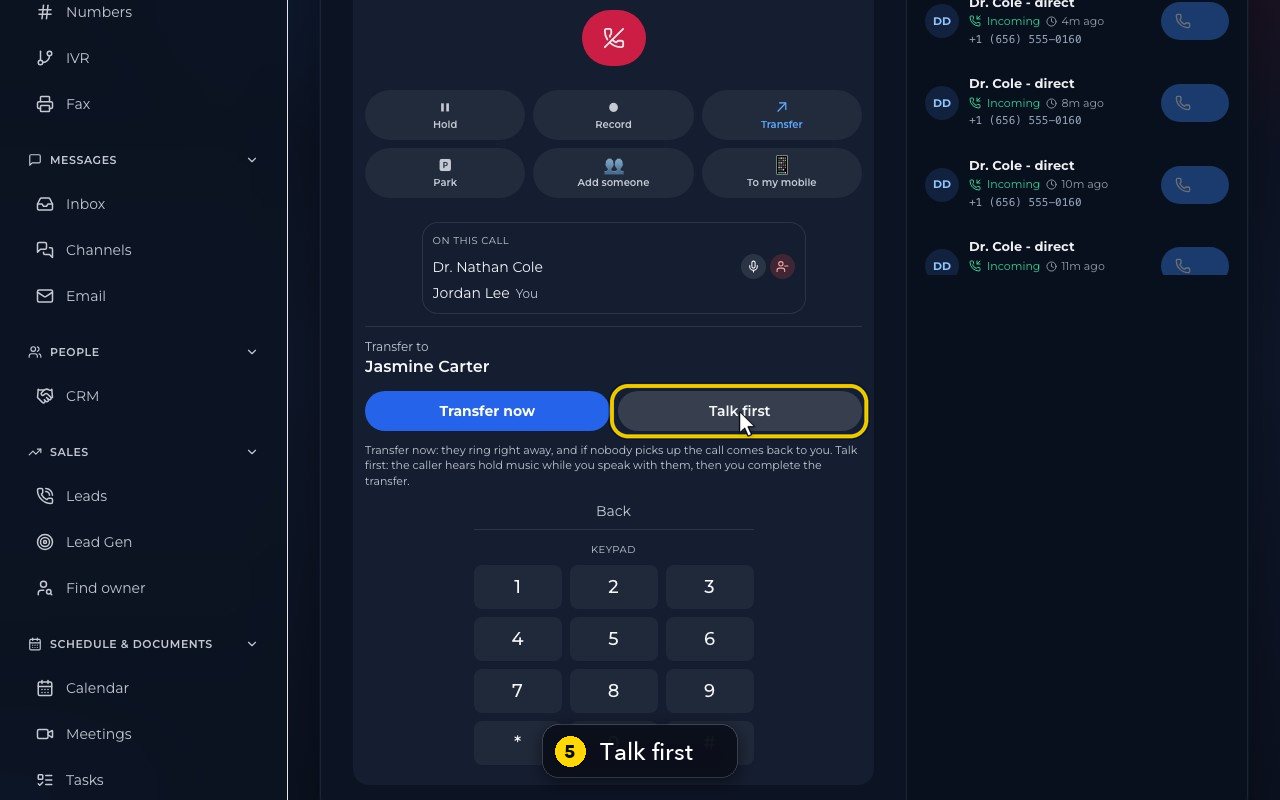
Transfer now rings them right away. If nobody picks up, the call comes back to you.
- 5
Talk first puts the caller on hold with music while you speak to your teammate. Then you complete the transfer, or go back to the caller.
- 6
Back returns to the list. Cancel closes Transfer, and the call carries on with you.
Related tutorials
 1:28VideoMake a call in the browser phoneDial a number from the Phone page keypad or from Recent, choose the line callers see, and check your audio.
 1:15VideoAnswer a call in the browser phoneTurn on call alerts, then answer, decline or send to voicemail a call that rings in your browser.
 1:27VideoRecent calls and AI call summariesFind any call in Recent, filter missed, AI and booked calls, and read what the AI receptionist did on a call.
 1:01VideoReturn a missed call: call back, text back, save the nameOpen a missed caller from Phone, call or text them back, and save their name to Contacts.
 0:59VideoRecord a callStart and stop recording during a call, with the spoken notice, and find the recording in Recent.
 0:54VideoCall waiting: a second call while you talkHold and answer, end and answer, or send to voicemail a second caller, then swap between calls.
Was this not what you needed? Write to us.