
Compare teammates and teams side by side
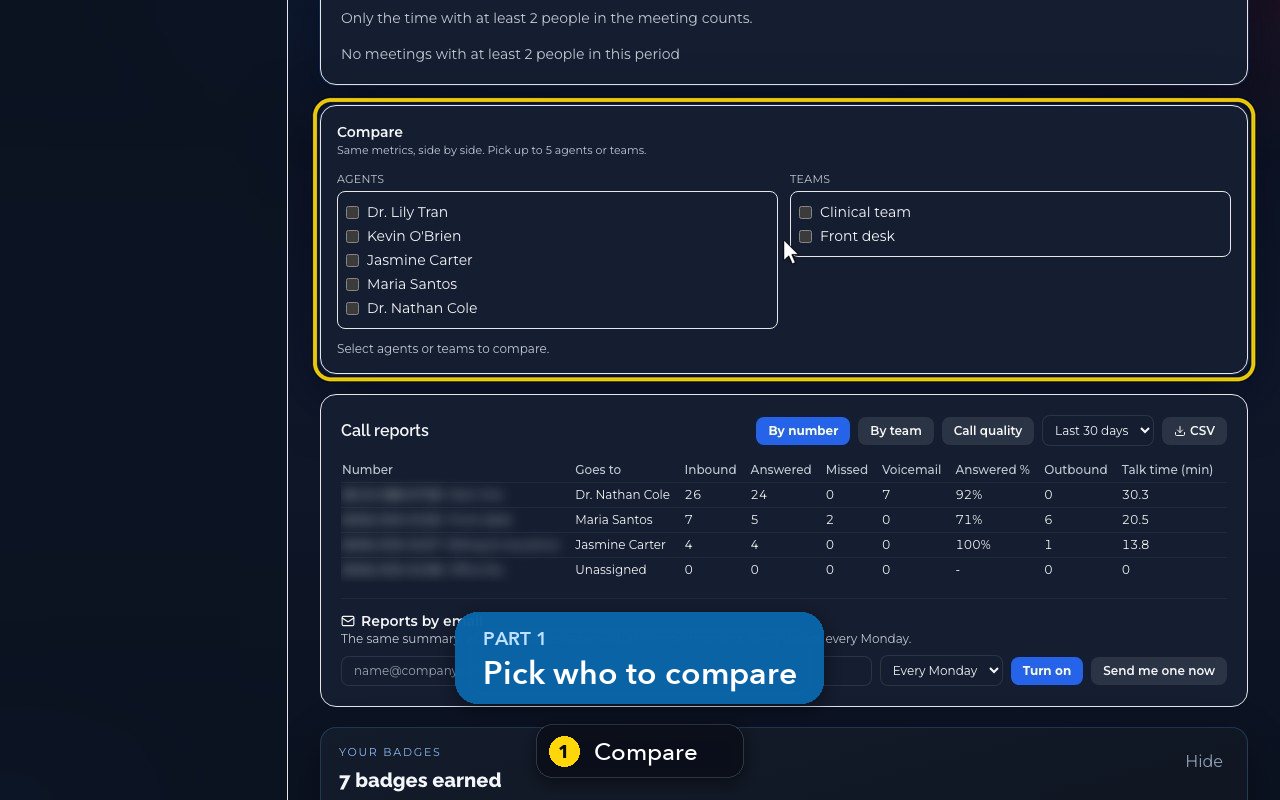
Pick up to five people or teams on Home and read their calls, minutes, answer rate and missed rate side by side.
On Home, below the charts, Compare puts up to five people (Agents) or Teams side by side: calls, minutes, messages, answer rate, missed rate, AI-answered calls and average duration.
In this video
Step by step
- 1
Compare sits on Home, below the charts. Same metrics, side by side, for up to five people or teams.
- 2
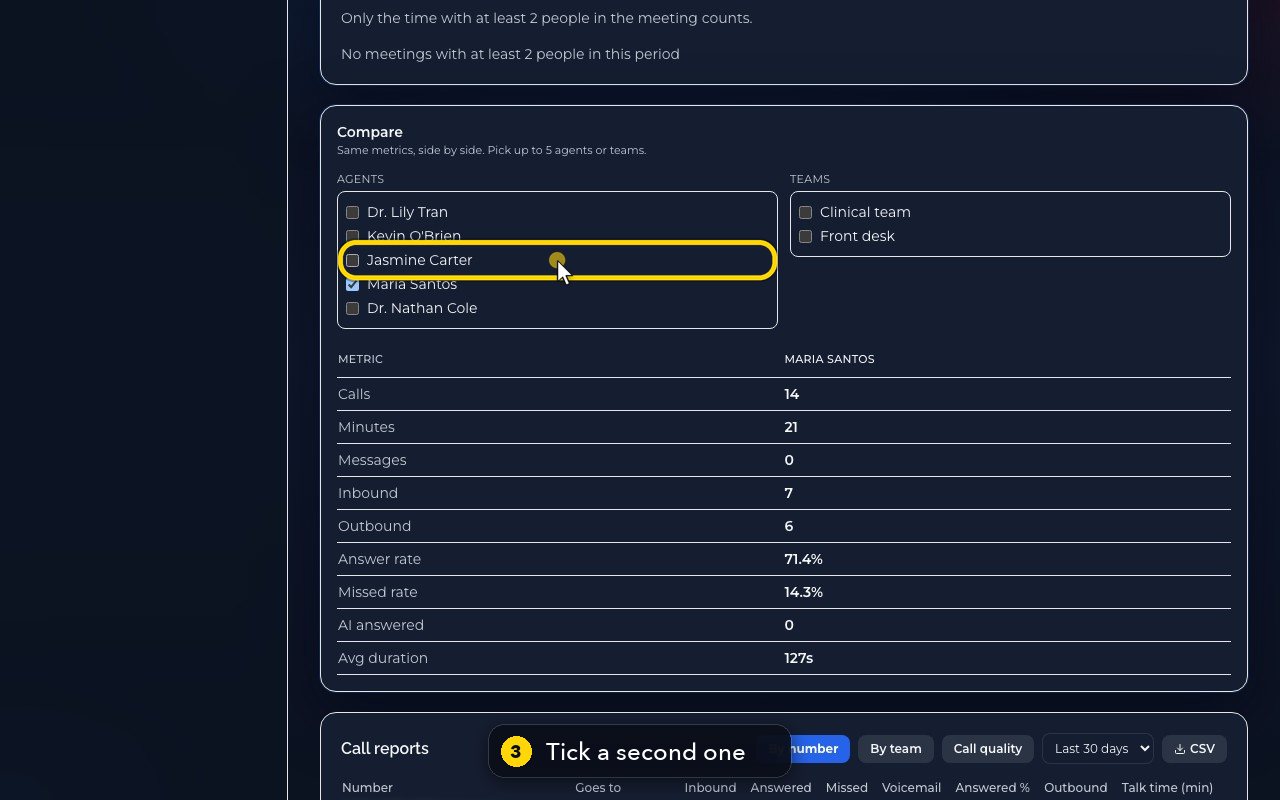
Tick a first person.
- 3
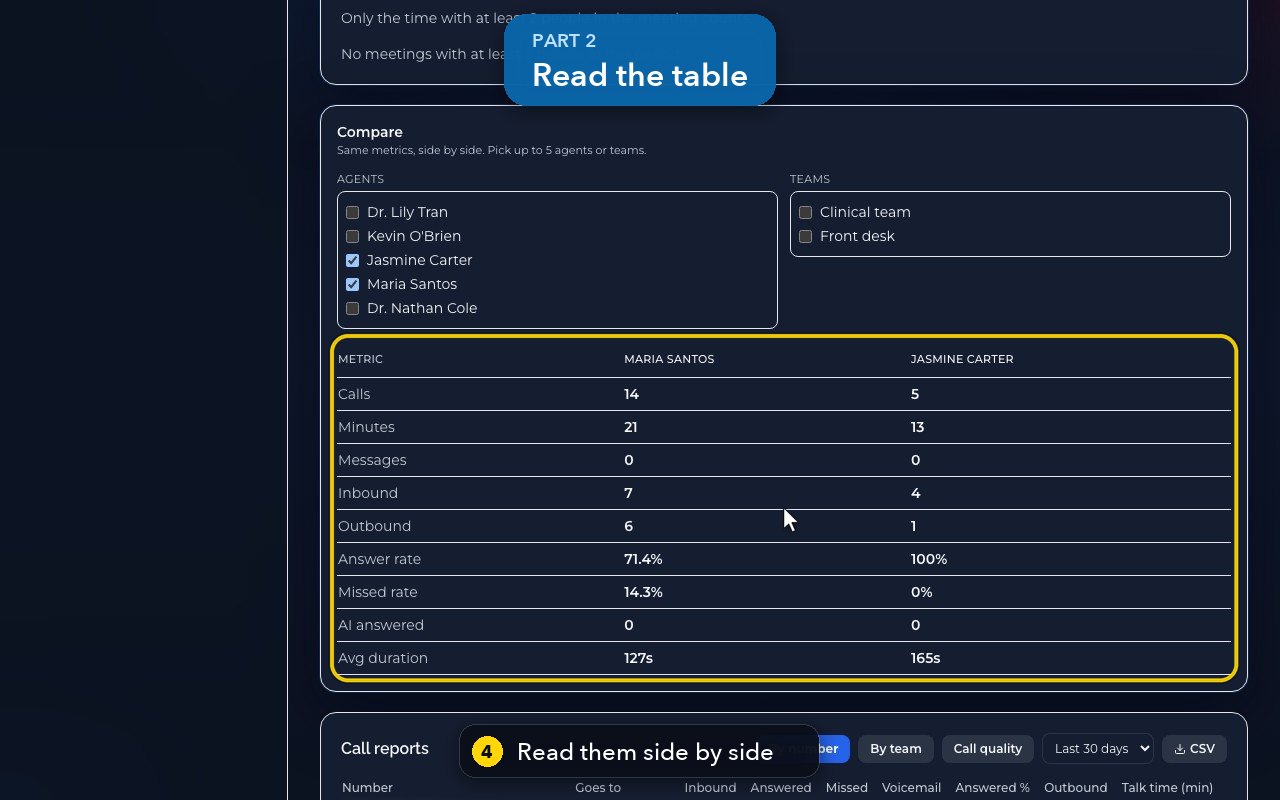
Then a second one. The table appears.
- 4
Read calls, minutes, messages, inbound and outbound, answer rate, missed rate, AI-answered calls and average duration.
- 5
The comparison follows the period in Insights filters. Seven days shows this week only.
- 6
Back to thirty days, for the whole month, and back down to the table.
- 7
Then untick both, to clear the comparison.
Related tutorials
 1:28VideoMake a call in the browser phoneDial a number from the Phone page keypad or from Recent, choose the line callers see, and check your audio.
 1:15VideoAnswer a call in the browser phoneTurn on call alerts, then answer, decline or send to voicemail a call that rings in your browser.
 1:27VideoRecent calls and AI call summariesFind any call in Recent, filter missed, AI and booked calls, and read what the AI receptionist did on a call.
 1:01VideoReturn a missed call: call back, text back, save the nameOpen a missed caller from Phone, call or text them back, and save their name to Contacts.
 0:58VideoTransfer a call to a teammateHand a live call to a teammate, a team, an extension or another number, straight away or after talking first.
 0:59VideoRecord a callStart and stop recording during a call, with the spoken notice, and find the recording in Recent.
Was this not what you needed? Write to us.