
Team calls and paging from the Phone page
See which team's calls you take, and page a team over their phones like an intercom.
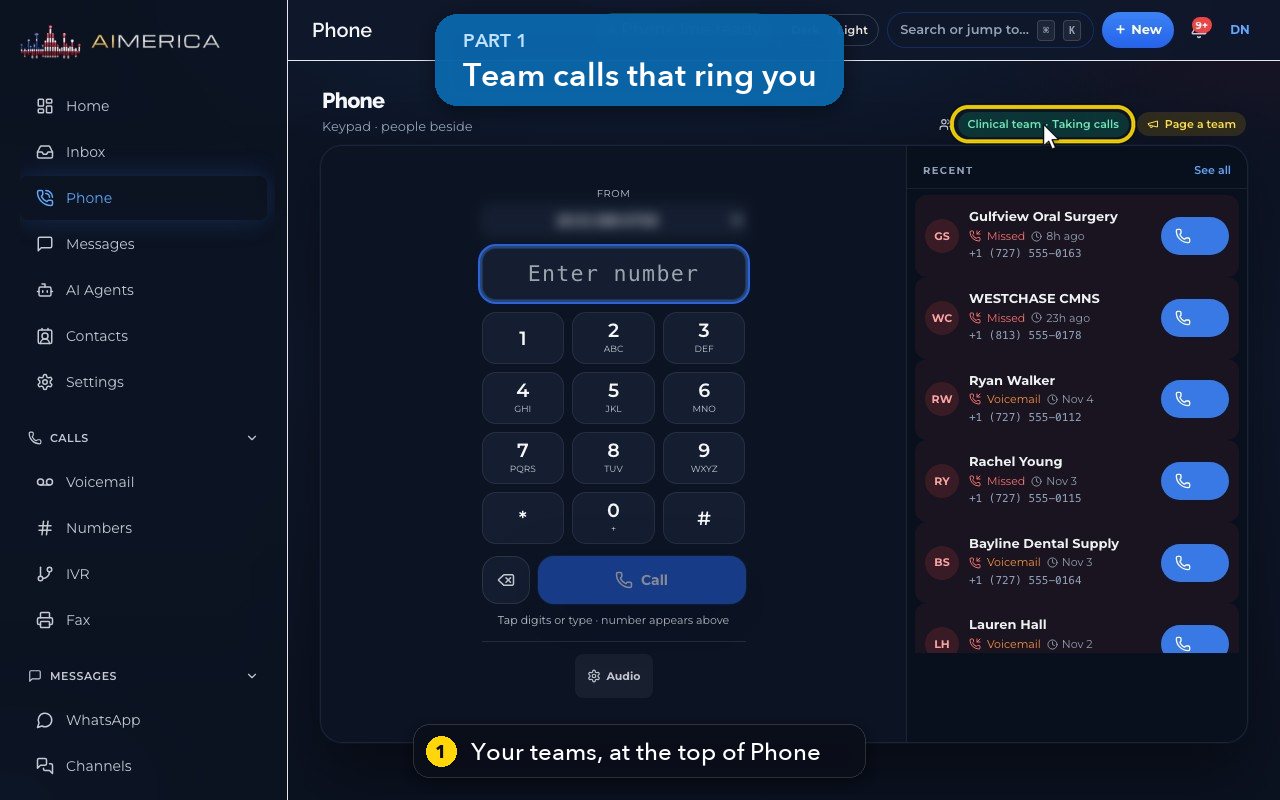
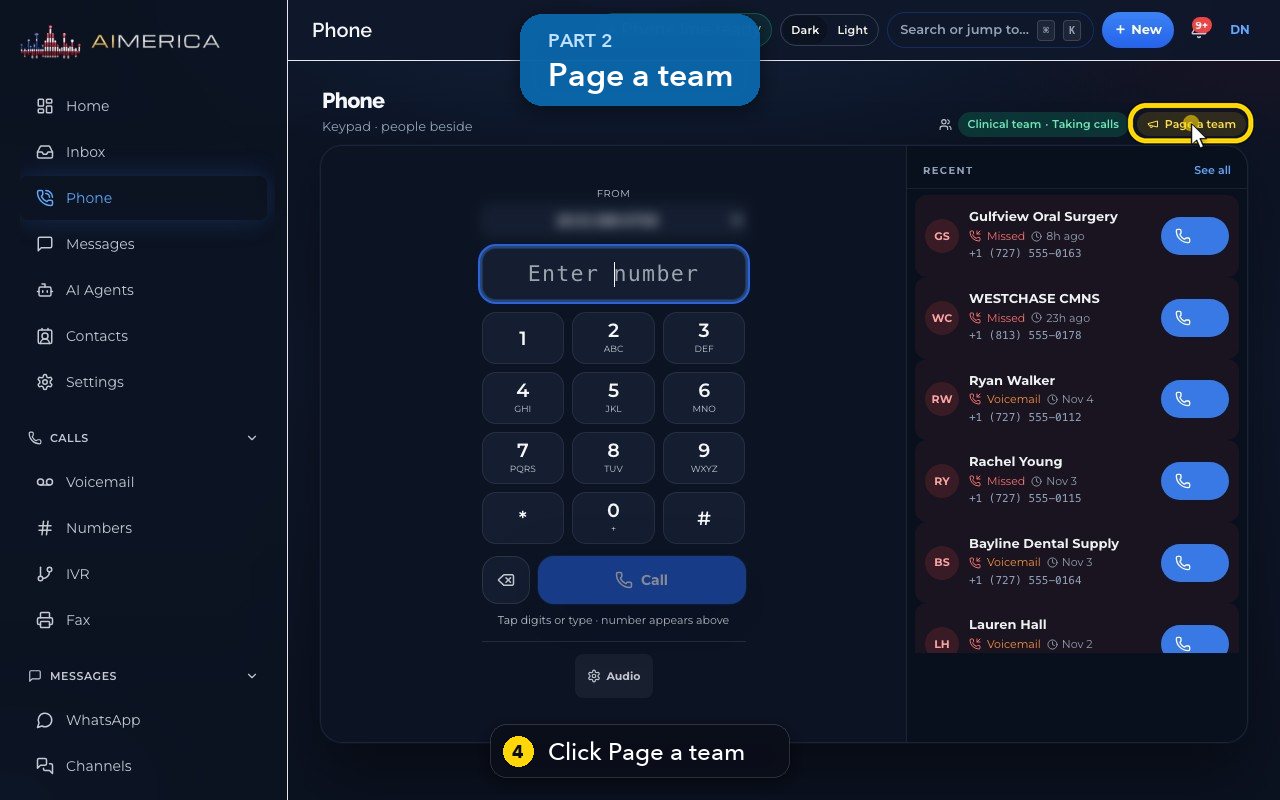
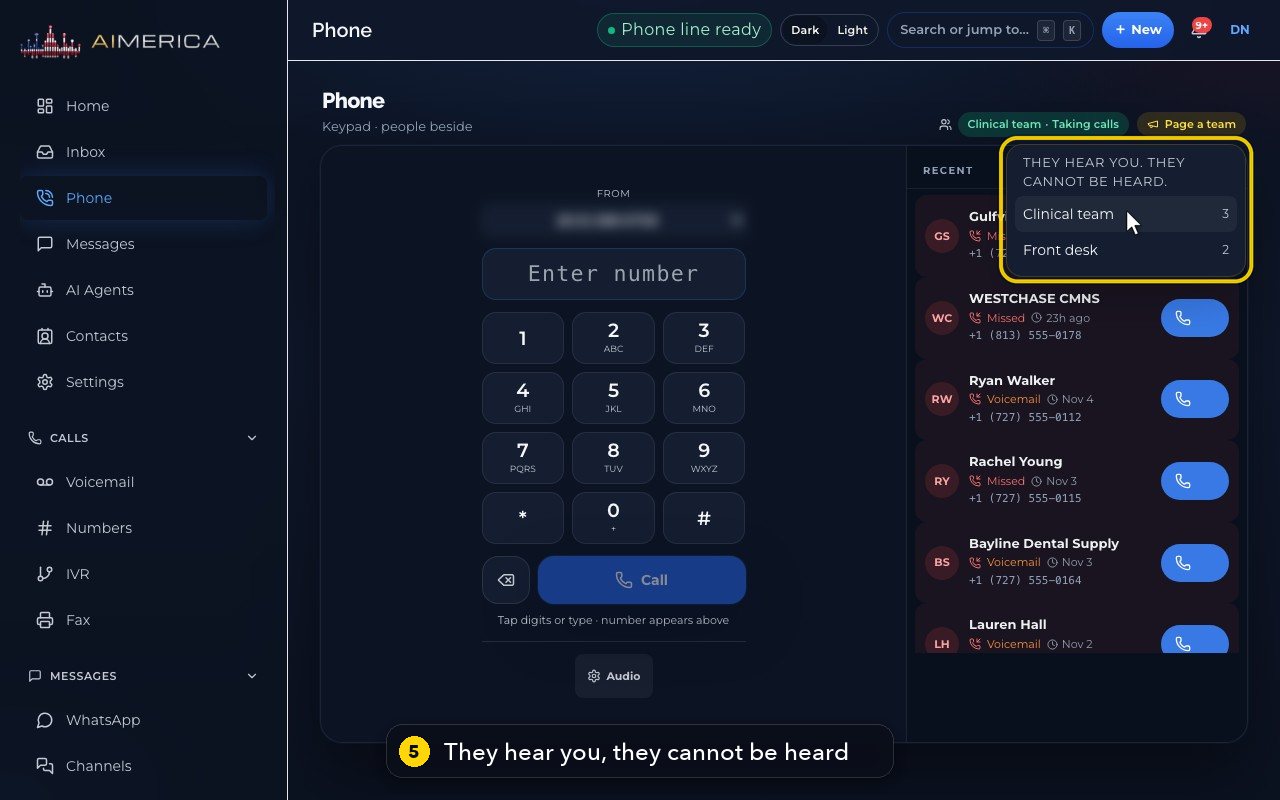
On the Phone page, the green chip at the top (for example Clinical team · Taking calls) shows a team whose calls ring you. Click it to stop or start taking that team's calls; your own number always rings. Page a team opens the list of your teams: pressing a team's name starts a page at once, and everyone free in that team hears you without being heard.
In this video
Step by step
- 1
At the top of the Phone page, the green chip shows a team whose calls you take.
- 2
Clinical team, Taking calls: when the team's number rings, your phone rings too.
- 3
Clicking the chip stops or starts that, for example during a break. Calls to your own number always ring you.
- 4
Page a team talks over your team's phones, like an intercom.
- 5
They hear you, but they cannot be heard. The number is how many people are in each team.
- 6
Clicking a team's name starts the page straight away, so only click it when you are ready to speak.
- 7
Click Page a team again to close the list.
Related tutorials
 1:28VideoMake a call in the browser phoneDial a number from the Phone page keypad or from Recent, choose the line callers see, and check your audio.
 1:15VideoAnswer a call in the browser phoneTurn on call alerts, then answer, decline or send to voicemail a call that rings in your browser.
 1:27VideoRecent calls and AI call summariesFind any call in Recent, filter missed, AI and booked calls, and read what the AI receptionist did on a call.
 1:01VideoReturn a missed call: call back, text back, save the nameOpen a missed caller from Phone, call or text them back, and save their name to Contacts.
 0:58VideoTransfer a call to a teammateHand a live call to a teammate, a team, an extension or another number, straight away or after talking first.
 0:59VideoRecord a callStart and stop recording during a call, with the spoken notice, and find the recording in Recent.
Was this not what you needed? Write to us.