
Set a voicemail PIN for your desk phone
Choose the PIN and the language you get when you check voicemail from a desk phone with *97.
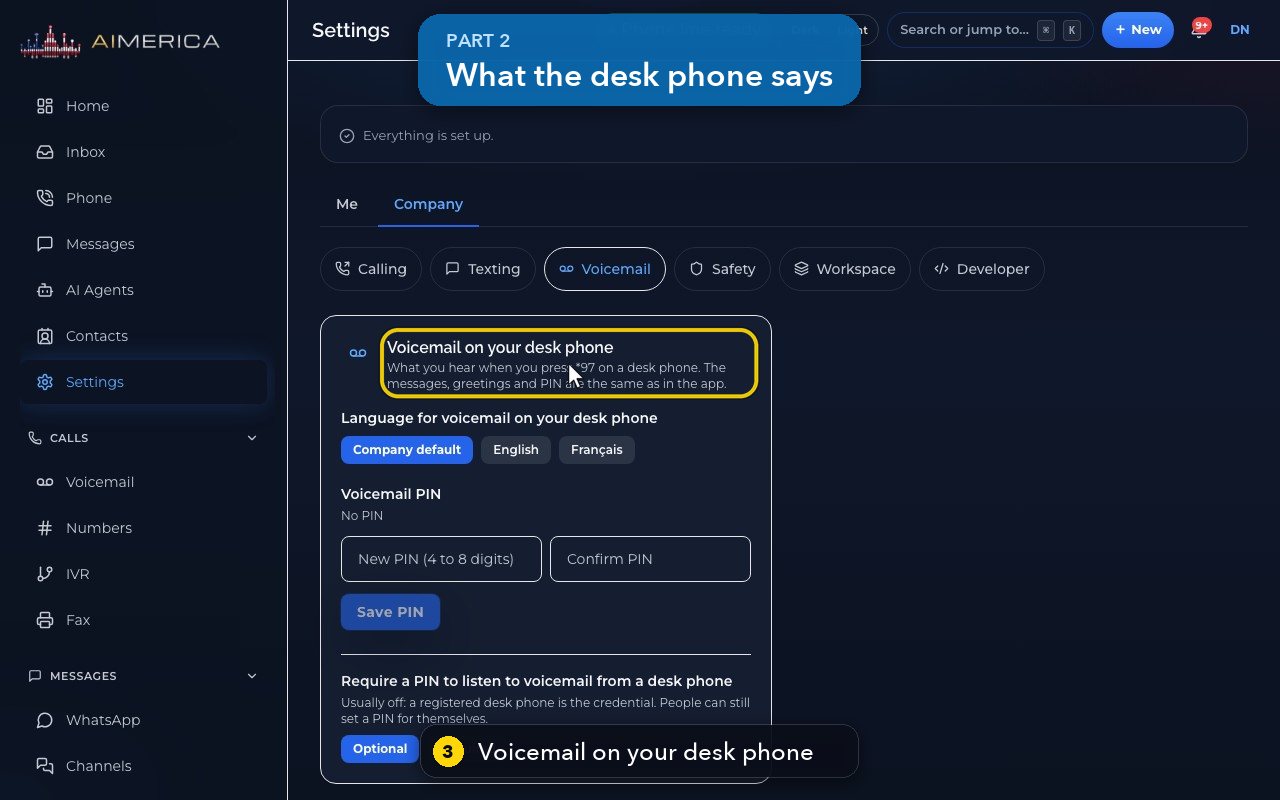
Open Settings › Company › Voicemail. The card Voicemail on your desk phone sets what you hear when you press *97 on a desk phone: its language and your PIN.
In this video
Step by step
- 1
Your desk phone's voicemail options are in Settings, in the menu on the left.
- 2
Choose Company at the top. Then, in the row below, choose Voicemail.
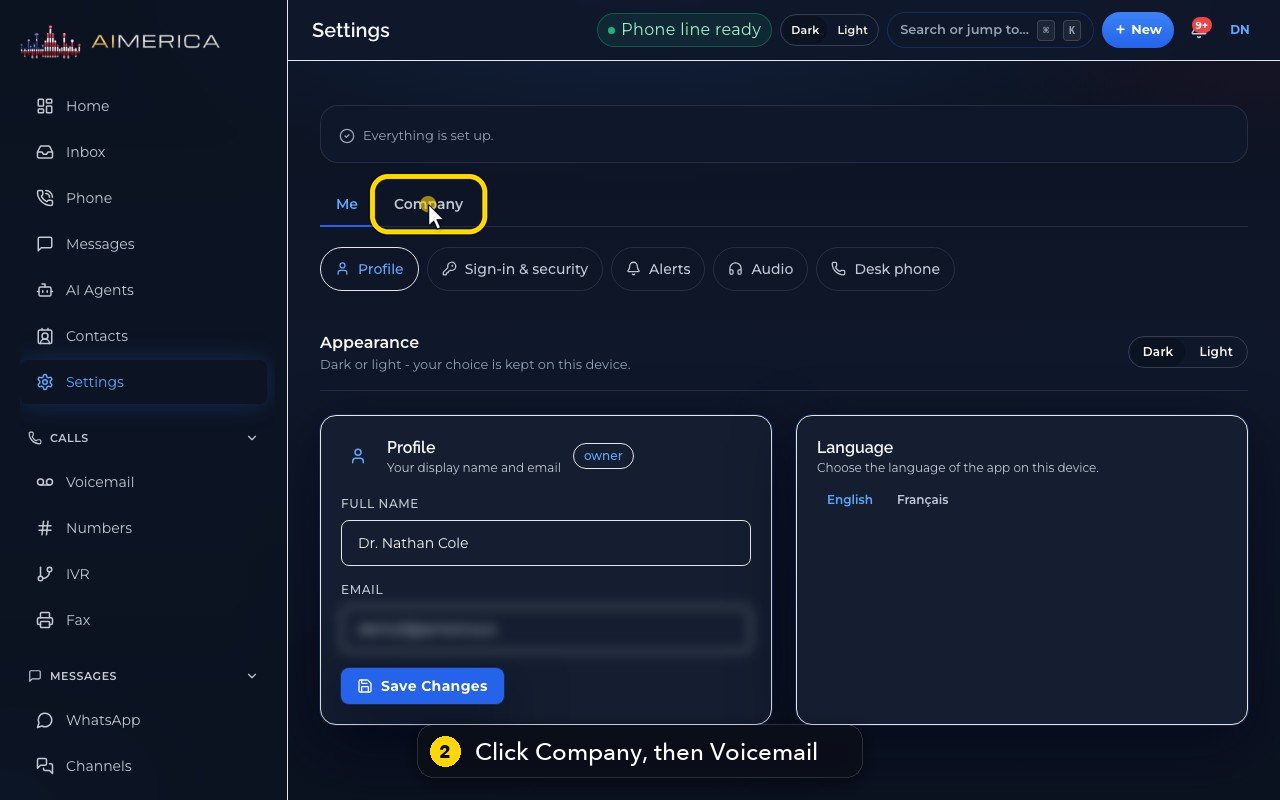
- 3
This is what you hear when you press star 9 7 on a desk phone. Your messages and greetings are the same as in the app.
- 4
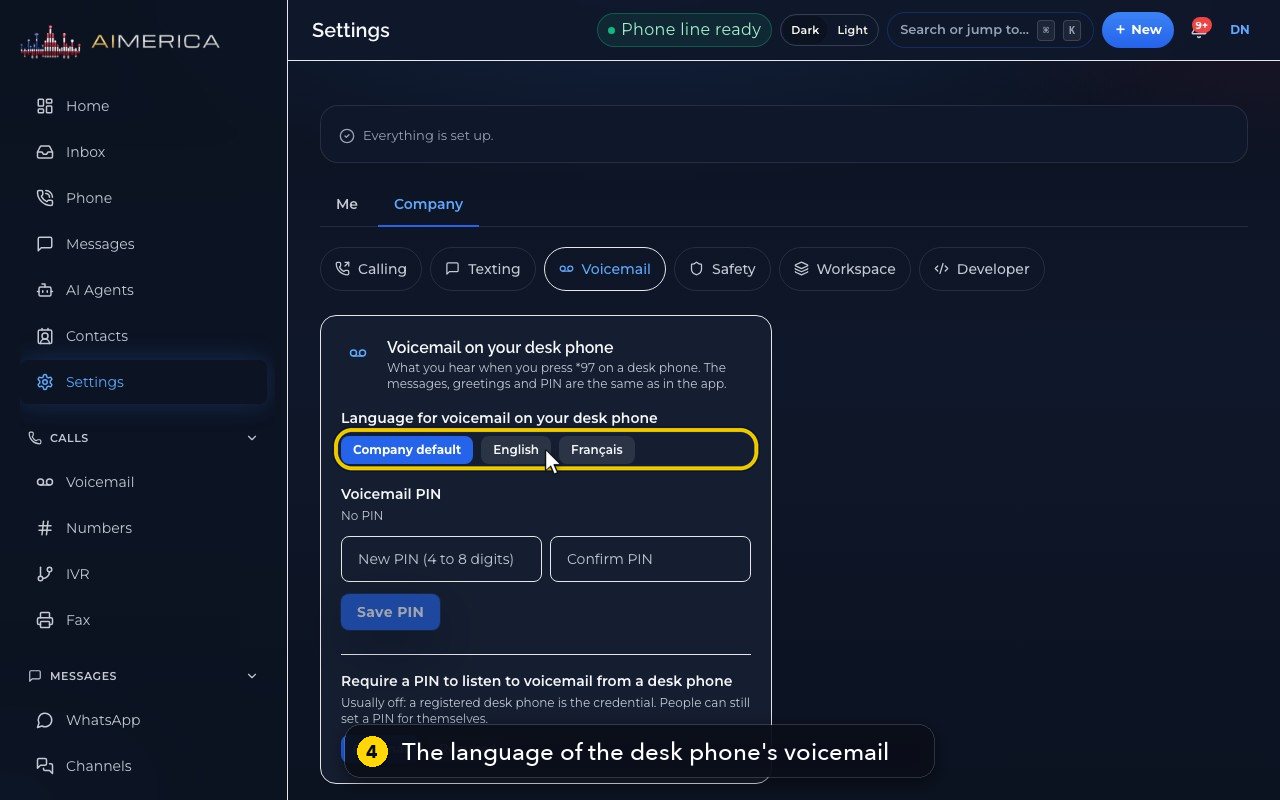
Choose the language it speaks to you: the company's default, English, or French. A choice saves at once, so here we only point.
- 5
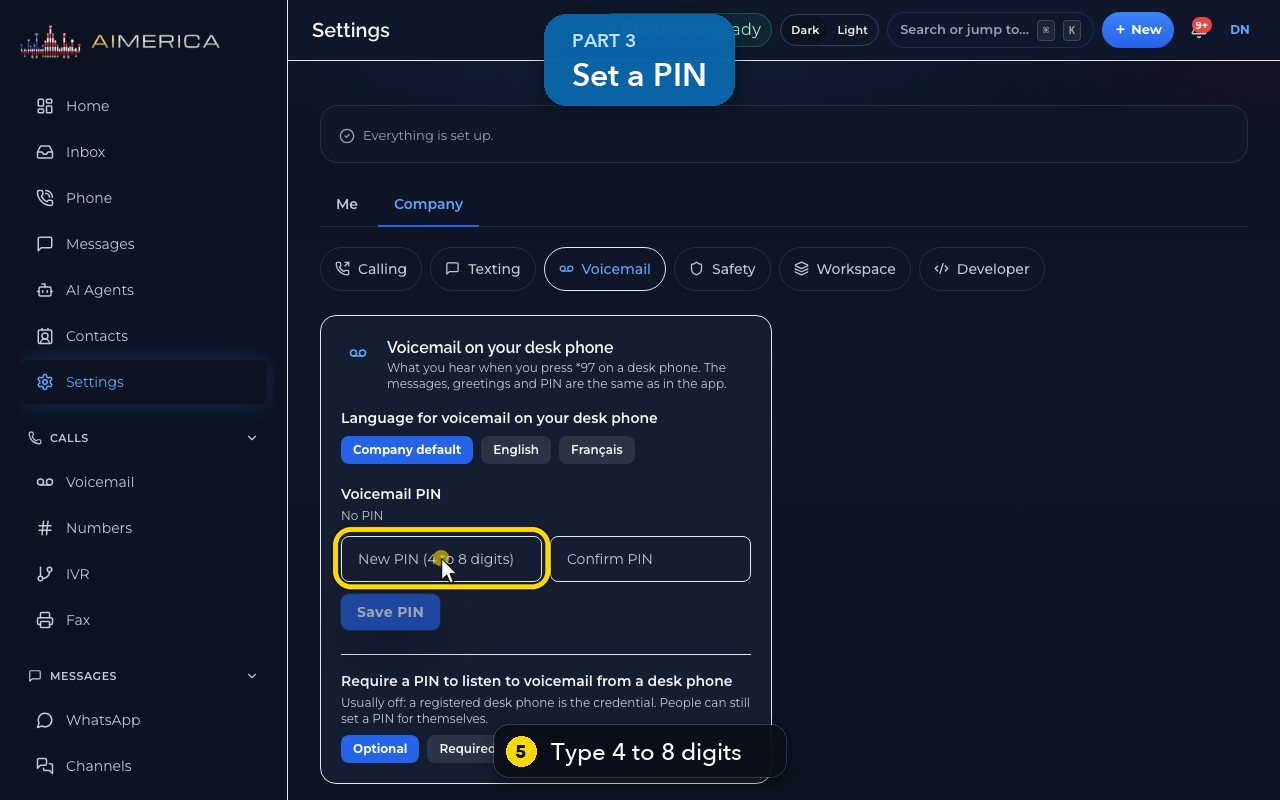
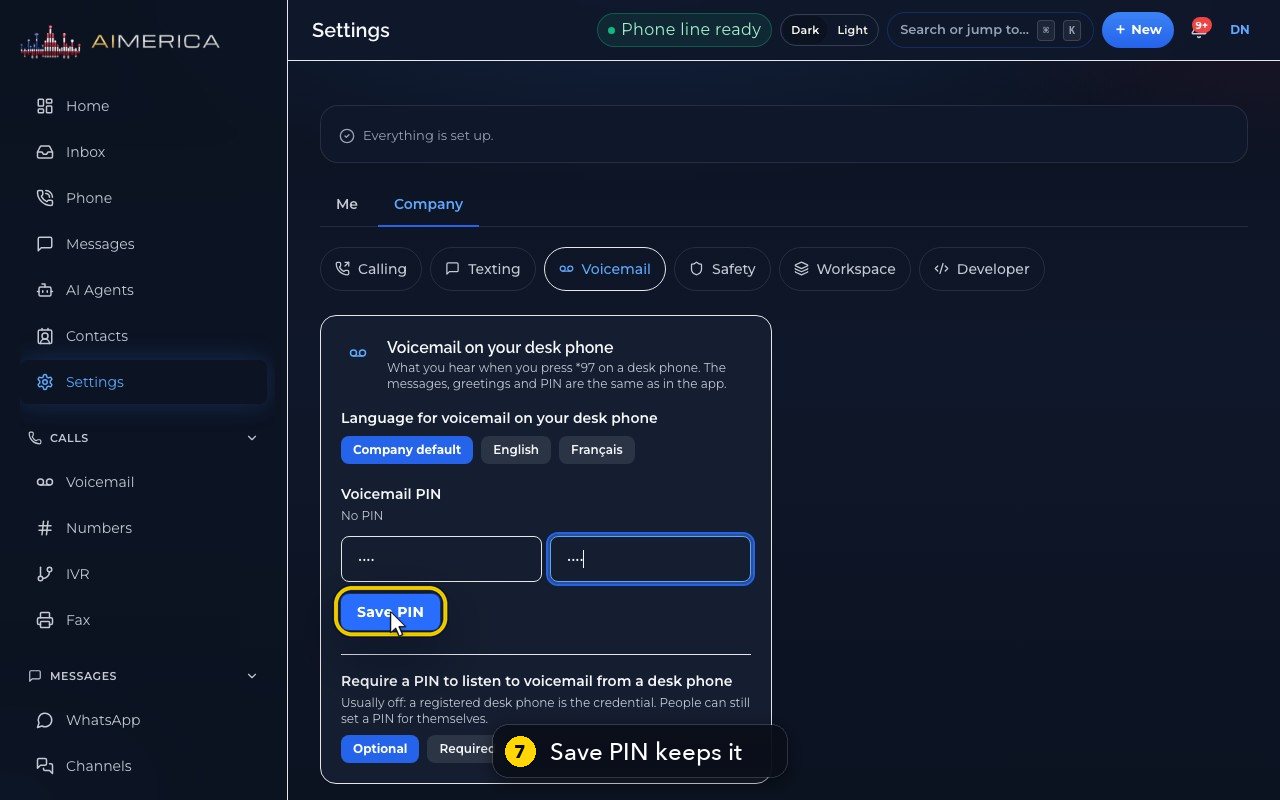
For a PIN, type 4 to 8 digits.
- 6
Type it again, to confirm it.
- 7
Save PIN keeps it. In this demo, we do not save it.
- 8
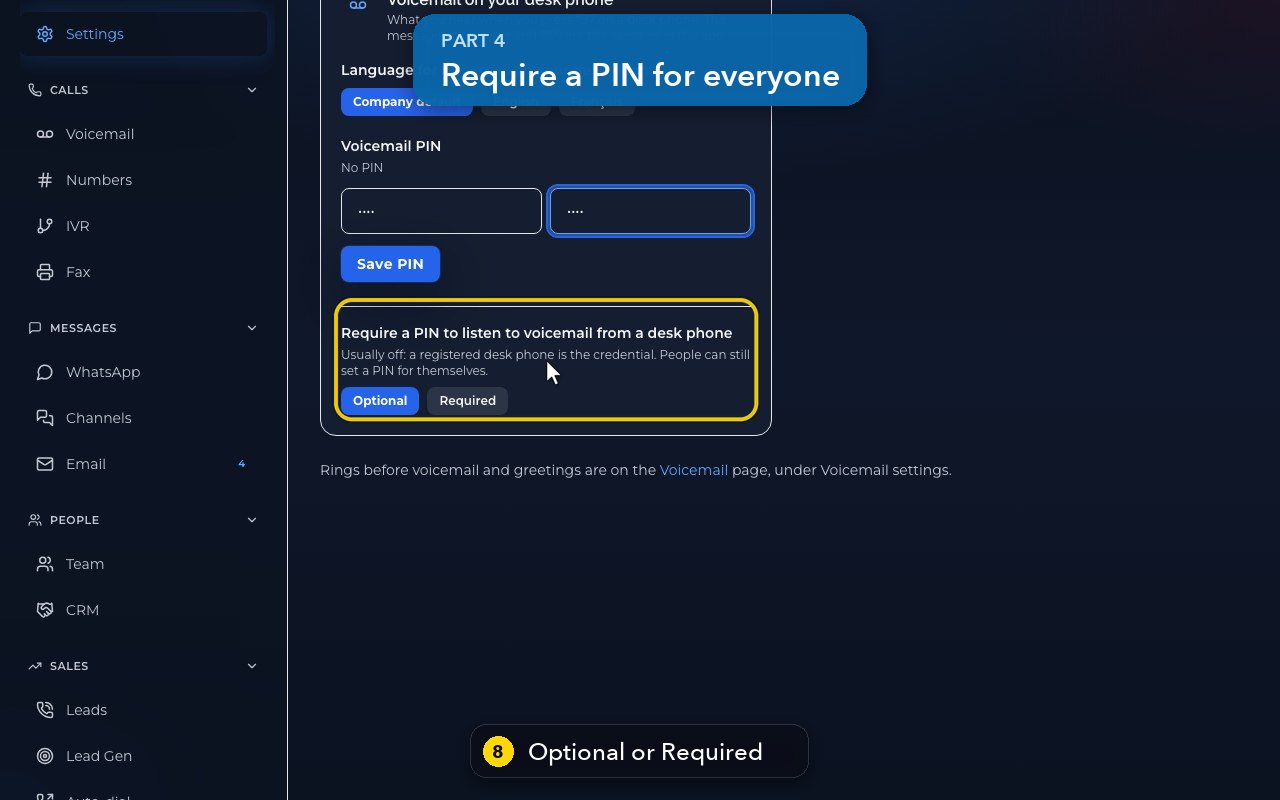
Owners and admins can require a PIN for everyone. It is usually off, because a registered desk phone already proves who you are.
- 9
Rings before voicemail, and your greetings, are on the Voicemail page, under Voicemail settings.
Related tutorials
 1:42VideoListen to voicemail and call backPlay a voicemail, read its AI summary and transcript, then call back, text or save the caller.
 1:28VideoSet your voicemail greetingHear the greeting callers get on your line, then write your own words for an AI voice to speak, or record your own.
 1:11VideoFind a contact and call or text themSearch or filter your shared contacts, open one, and call or text them from the line you pick.
 1:14VideoAdd a contactAdd a person or business to your team's shared contacts, with phone, email, notes and tags.
 1:22VideoSend a fax with a cover pageFax a PDF from your business number, with an optional cover page, without a fax machine.
 1:04VideoFind a received fax and download itCheck the faxes you received and sent, see their status, and download any of them as a PDF.
Was this not what you needed? Write to us.