
Choose how many rings before voicemail
Decide how long calls to your lines ring before the caller reaches your voicemail.
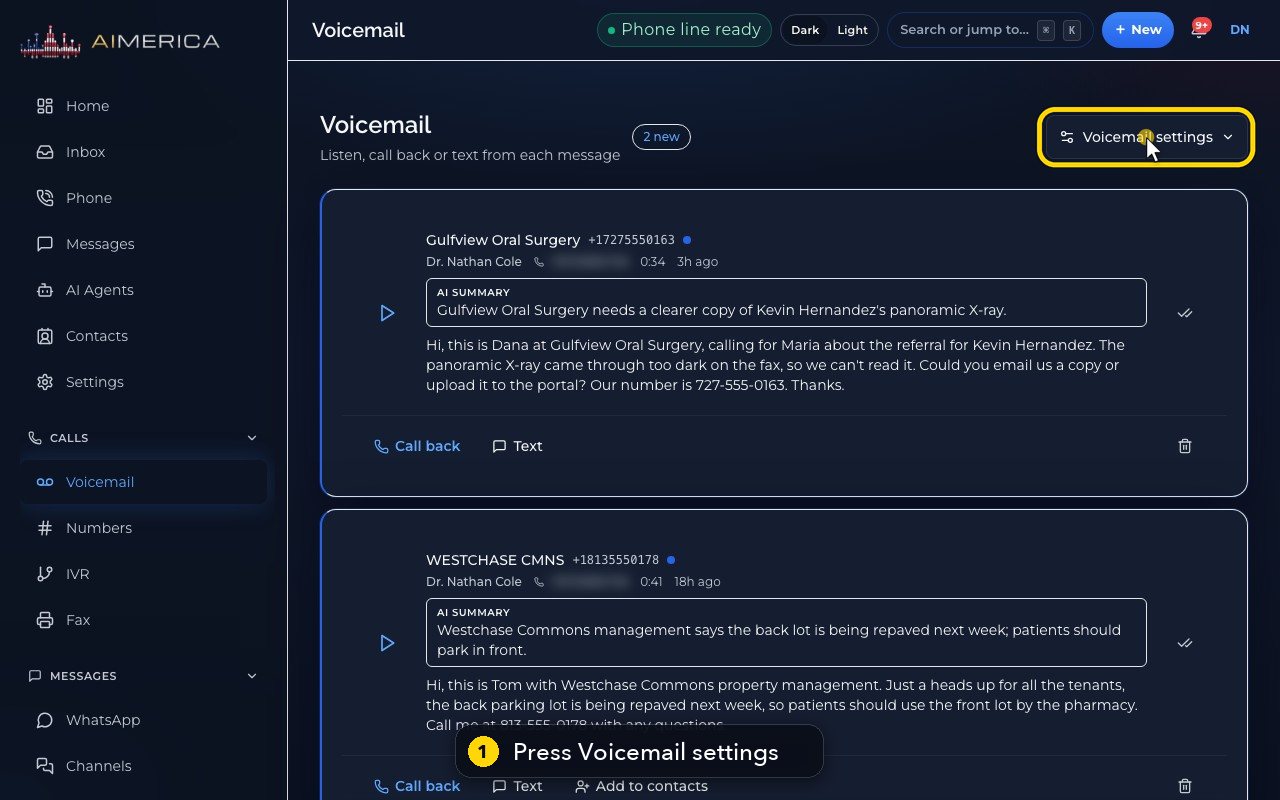
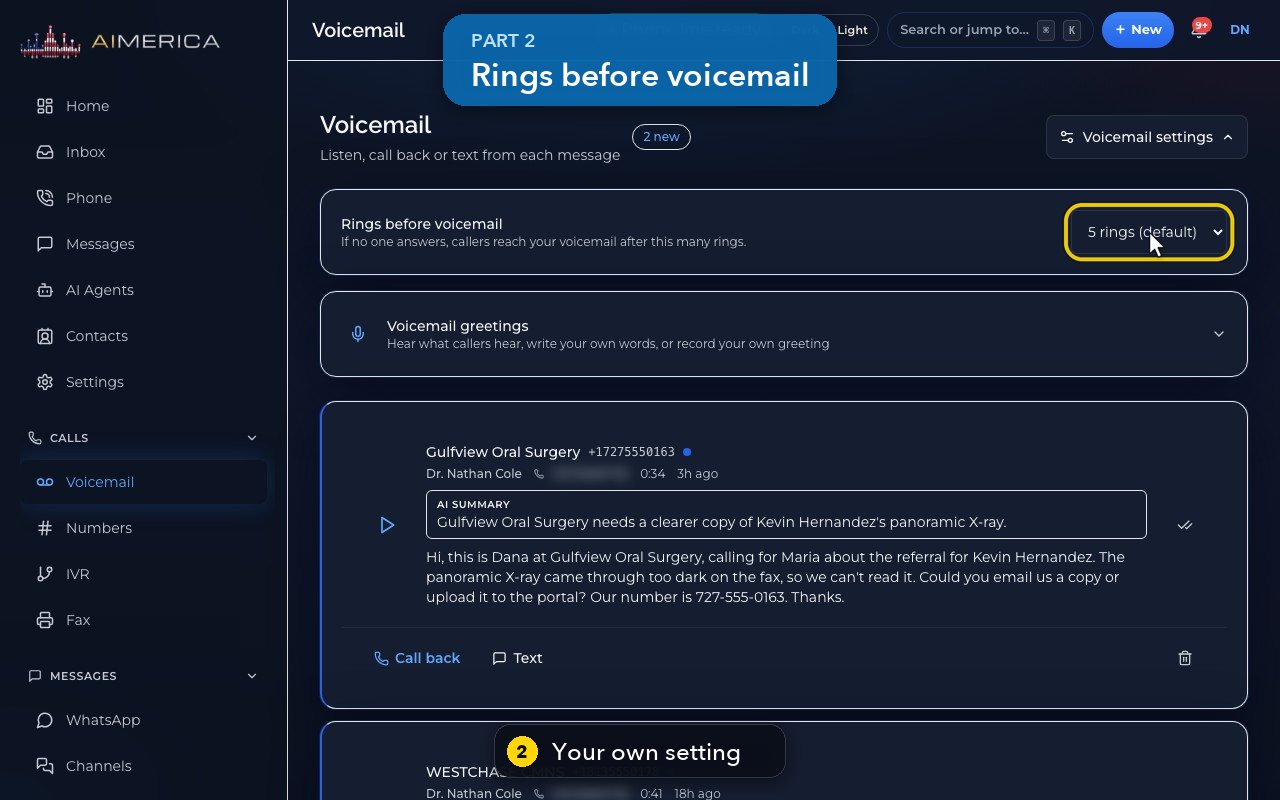
Open Voicemail and press Voicemail settings. Rings before voicemail is your own setting: 3 to 8 rings, about six seconds each.
In this video
Step by step
- 1
How long your phone rings is set on the Voicemail page. Press Voicemail settings.
- 2
Rings before voicemail is your own setting. Each ring lasts about six seconds.
- 3
Choose from three to eight rings in this list. Your choice saves straight away: there is no Save button.
- 4
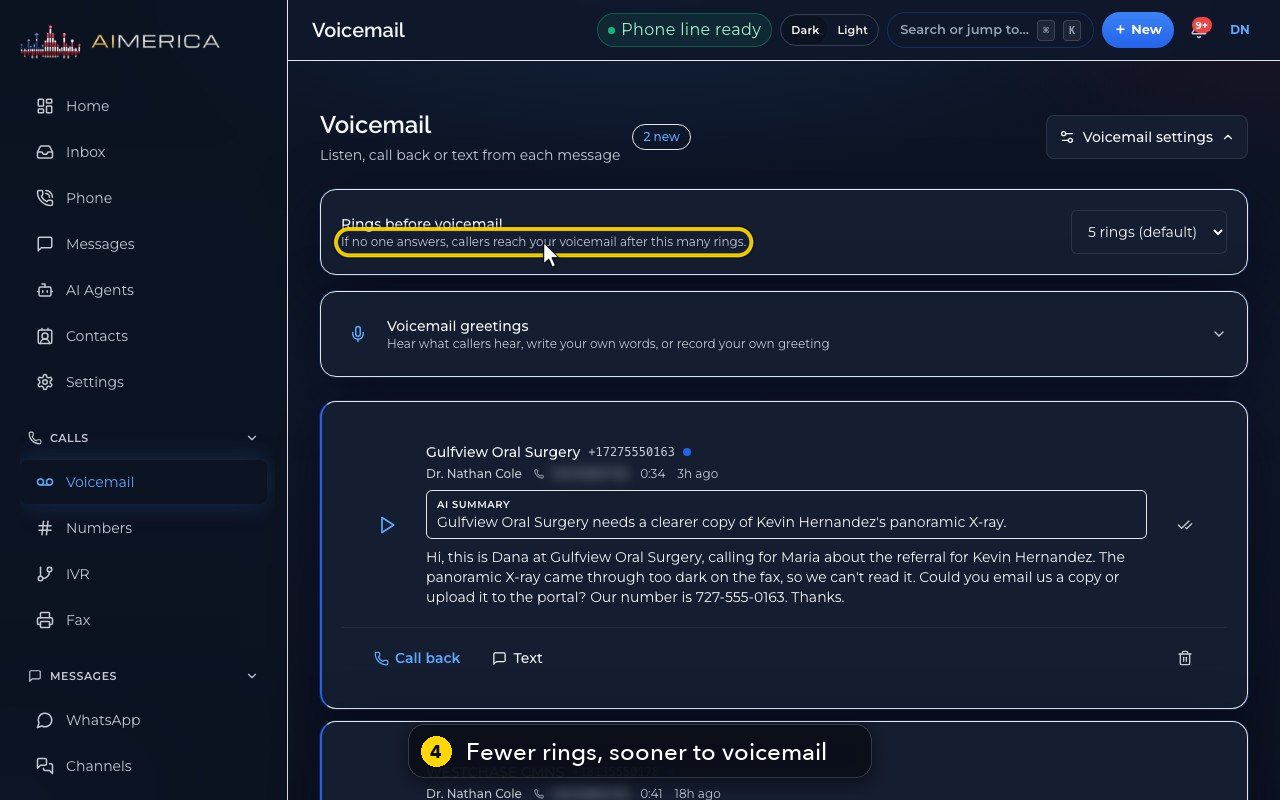
Fewer rings send callers to voicemail sooner. On a line shared by a group, the longest setting in the group counts.
- 5
Callers then hear your greeting, set just below, under Voicemail greetings.
- 6
Press Voicemail settings again to close the panel.
Related tutorials
 1:42VideoListen to voicemail and call backPlay a voicemail, read its AI summary and transcript, then call back, text or save the caller.
 1:28VideoSet your voicemail greetingHear the greeting callers get on your line, then write your own words for an AI voice to speak, or record your own.
 1:11VideoFind a contact and call or text themSearch or filter your shared contacts, open one, and call or text them from the line you pick.
 1:14VideoAdd a contactAdd a person or business to your team's shared contacts, with phone, email, notes and tags.
 1:22VideoSend a fax with a cover pageFax a PDF from your business number, with an optional cover page, without a fax machine.
 1:04VideoFind a received fax and download itCheck the faxes you received and sent, see their status, and download any of them as a PDF.
Was this not what you needed? Write to us.